

Kling 3 vs Runway Gen-4.5 (2026): कौन सा AI Video Tool वाकई Viral Shorts और Cinematic B-Roll के लिए Best है?
Kling 3 vs Runway Gen-4.5 2026: कौन सा AI Video Tool Best है? | IFM Learn 🔥 IFM Learn Blog · AI Tools · March 2026 IFM Learn ← सभी Articles 🤖 AI Video Tools · Comparison Kling 3 vs Runway Gen-4.5 (2026): कौन सा AI Video Tool वाकई Viral Shorts और Cinematic B-Roll के लिए Best है? IFM IFM Learn Team 25 मार्च 2026 · AI Tools ⏱ 8 min read ⚡ Kling 3.0 4K · Native Audio · 15sec · Physics VS 🎬 Runway Gen-4.5 Fast · Character Consistent · VFX March 2026 · Real Test Comparison · IFM Learn 2026 में AI video creation अब सिर्फ experiment नहीं रहा — यह रोज़ का काम बन चुका है। हर YouTube creator, freelancer, और brand अब AI से video बना रहा है। और इस वक्त दो tools सबसे ज़्यादा चर्चा में हैं: Kling 3.0 और Runway Gen-4.5। दोनों बेहद powerful हैं — लेकिन दोनों अलग-अलग काम के लिए बने हैं। इस article में हमने दोनों को real workflow में test किया और बताया कि आपके लिए — Shorts creator, B-roll filmmaker, या brand marketer — कौन सा सही है। “गलत tool choose करना मतलब घंटों बर्बाद करना। सही tool मतलब एक दिन में पूरी week का content।” 🔍 पहले जानो: दोनों Tools क्या हैं? ⚡ Kling 3.0 Kling को Kuaishou Technology ने बनाया है — वही company जिसने TikTok के competitor Kwai बनाया। Kling 3.0 आज image-to-video, lip-sync, spatial audio, और 4K/60fps generation में industry का सबसे strong tool है। एक generation में 6 camera cuts — यानी पूरी edited sequence AI खुद बनाता है। 🎬 Runway Gen-4.5 Runway 2018 से AI video का pioneer है। Super Bowl commercials, Hollywood indie films — सब जगह Runway का use होता है। Gen-4.5 में character consistency reference system, ultra-fast turbo mode, और VFX-style aesthetic है जो professional filmmakers को पसंद है। 💡 Key Insight Kling photorealism के लिए बना है — real-world physics, actual sound। Runway cinematic storytelling के लिए बना है — character consistency, creative style, speed। ⚔️ Feature-by-Feature Comparison Feature ⚡ Kling 3.0 🎬 Runway Gen-4.5 Max Resolution 4K Native / 60fps Best 1080p / 30fps Clip Length 15 seconds Longer Max 10 seconds Built-in Audio ✅ Lip-sync + Spatial Audio Best ✅ Text-to-Speech Generation Speed 3–6 minutes 30–90 seconds ⚡ Fastest Character Consistency ❌ हर generation अलग ✅ Gen-4 References Best Physics / Realism पानी, कपड़ा, बाल — photorealistic Best Smooth, AI-look Image-to-Video Industry best Best अच्छा, consistent Video-to-Video ❌ नहीं ✅ Act Two Feature Winner Multi-shot Storyboard ✅ एक prompt में 6 cuts Unique ❌ एक-एक clip Free Plan 66 credits/day (रोज़) Better One-time trial only Starting Price $6.99/month Cheaper $12/month 🔄 Viral Shorts बनाने का Step-by-Step Workflow अकेले एक tool use करना ठीक है — लेकिन दोनों को combine करना सबसे powerful strategy है। यह वो workflow है जो top AI creators March 2026 में follow कर रहे हैं: 🔄 Script → Kling → Runway → CapCut → Publish 5-Step Pro Workflow for Viral AI Shorts 2026 1 ✍️ Script लिखो — ChatGPT / Claude से 30-60 second script तैयार करो। पहले 3 seconds में hook डालो। हर scene के लिए visual prompt भी note करो — जैसे “धूप में एक महिला पहाड़ पर चल रही है, slow motion, cinematic।” 2 ⚡ Kling से B-roll और Action Shots बनाओ Product visuals, nature scenes, physics-heavy shots, lip-sync content — Kling के multi-shot storyboard से एक ही prompt में पूरी sequence मिलती है। Spatial audio automatically sync होता है। 3 🎬 Runway से Character Shots और Hero Moments लो Brand videos, consistent protagonist shots, VFX-style moments — Gen-4 References feature से एक character को हर scene में same रखो। Turbo mode से quickly iterate करो। 4 🎵 CapCut में Final Edit करो सारे clips import करो। Trending audio लगाओ, captions add करो, color grade करो, transitions smooth करो। 9:16 format में export करो Reels/Shorts के लिए। 5 🚀 Post करो और Analytics देखो YouTube Shorts, Instagram Reels, TikTok पर upload। देखो कौन सा AI clip ज़्यादा engage हुआ — अगले video में वो style ज़्यादा use करो। 💰 Pricing 2026 — कितना खर्च आएगा? Plan ⚡ Kling 3.0 🎬 Runway Gen-4.5 Free 66 Credits/Day (रोज़) Trial Credits (एक बार) Standard $6.99/month (~₹580) $12/month (~₹1,000) Pro $21.99/month (~₹1,830) $28/month (~₹2,330) Max / Unlimited $64.99/month $76/month 💡 Budget Tip अगर आप beginner हो — Kling का free plan use करो। रोज़ 66 credits मिलते हैं जो replenish होते हैं। इससे बिना पैसे खर्च किए रोज़ 1-2 videos बना सकते हो। Runway का free trial एक बार ही मिलता है। ✅❌ Pros और Cons ⚡ Kling 3.0 ✓ 4K/60fps native generation ✓ Built-in lip-sync + spatial audio ✓ 15 sec + multi-shot storyboard ✓ Photorealistic physics ✓ Image-to-video में best ✓ Free plan genuinely useful ✗ Generation slow: 3–6 minutes ✗ Character consistency नहीं ✗ Video-to-video नहीं है 🎬 Runway Gen-4.5 ✓ Ultra fast: 30–90 seconds ✓ Character consistency (Gen-4 Ref) ✓ Video-to-video (Act Two) ✓ Professional VFX aesthetic ✓ 30+ AI tools ecosystem ✓ Fast iteration / try & reject ✗ सिर्फ 1080p, 4K नहीं ✗ Max 10 seconds per clip ✗ Free plan बस एक बार 🎯 आपके लिए कौन सा सही है? Kling 3.0 choose करो अगर: आप daily YouTube Shorts या Reels बनाते हो, lip-sync / talking content चाहिए, 4K B-roll चाहिए, budget tight है, या image-to-video animate करना है। Runway Gen-4.5 choose करो अगर: Brand या client work है जहाँ एक character multiple scenes में चाहिए, VFX-style cinematic look चाहिए, fast iteration ज़रूरी है, या video-to-video transformation करनी है। सबसे powerful strategy: दोनों use करो — Kling से realistic shots, Runway से character-consistent scenes, CapCut में सब merge। 🏆 IFM Learn का Final Verdict कोई एक “best” नहीं है। Kling 3.0 wins in realism, audio, और resolution। Runway Gen-4.5 wins in speed, consistency, और creative style। दोनों को एक workflow में combine करना — यही 2026 का असली winning formula है। 🎓 After Effects और AI Tools Hindi में सीखो IFM Learn Academy पर complete
🎬 How to Animate News Articles in After Effects – Full Guide in Hindi (2025)
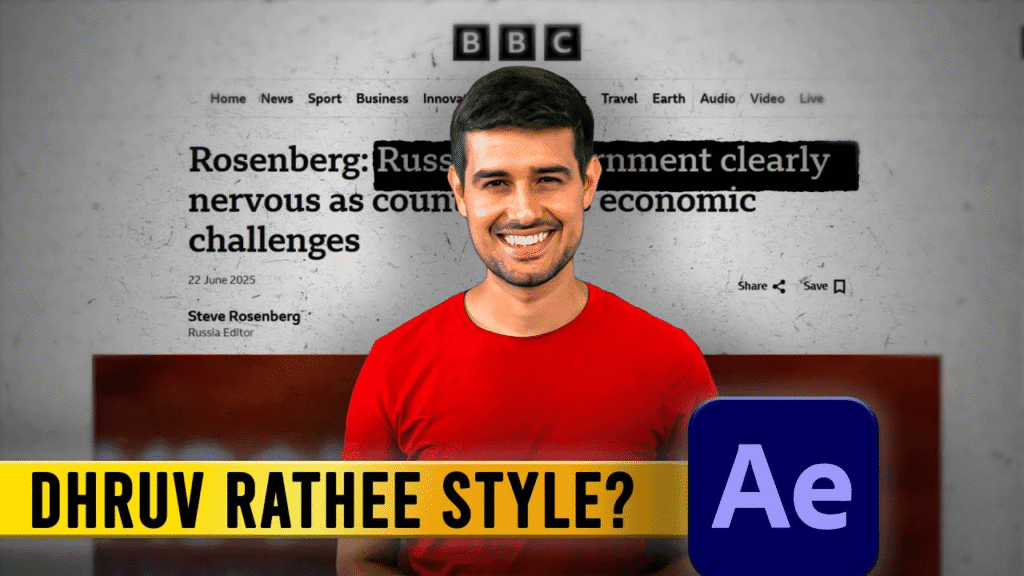
👋 Intro: नमस्कार दोस्तों! मैं हूं आशीष, और आज हम सीखेंगे कि After Effects में एक न्यूज़ आर्टिकल को कैसे प्रोफेशनली एनिमेट किया जाता है। अगर आप YouTube या Instagram के लिए वीडियो बनाते हैं और आपके वीडियो में जानकारी वाले टेक्स्ट या आर्टिकल आते हैं — तो ये ट्यूटोरियल आपके बहुत काम आने वाला है। 🛠️ क्या चाहिए होगा? 📚 Step-by-Step Tutorial (Hindi) 📸 Step 1: आर्टिकल का स्क्रीनशॉट लें Microsoft Edge ब्राउज़र से किसी भी न्यूज़ वेबसाइट का फुल पेज screenshot लें। Tip: Web Capture > Full Page > Save as PNG. 🎞️ Step 2: After Effects में Composition बनाएं 📂 Step 3: Screenshot को Import करें 🎨 Step 4: Texture Overlay लगाएं इससे आपके article को newspaper जैसा real look मिलेगा। 🎯 Step 5: Animation Setup ✏️ Step 6: Highlight Sections इससे आप किसी खास लाइन या पॉइंट को स्क्रीन पर उभार सकते हैं 🧪 Step 7: Final Touch 🎥 Watch Full Tutorial Here 👉 YouTube Video LinkSubscribe करें चैनल “Ashish Editing Tips” पर और Editing में Master बनें! 🔗 Internal Links – More From IndianFunMedia 📦 Download Project Files हम अगले वीडियो में इस प्रोजेक्ट की source files, overlays और textures provide करेंगे।Website और YouTube चैनल पर जुड़े रहें ताकि कुछ मिस न हो! 📣 Conclusion अगर आप चाहते हैं कि आपके वीडियो में डिजिटल न्यूज़पेपर या डॉक्यूमेंट स्टाइल का feel आए — तो ये तरीका आपके लिए परफेक्ट है। इस ट्यूटोरियल को फॉलो करके आप एक सिंपल आर्टिकल को प्रोफेशनल Motion Graphics में बदल सकते हैं — वो भी बिना किसी भारी भरकम plugin के।