
YouTube New Rules & Updates 2026: All Changes Every Creator Should Know
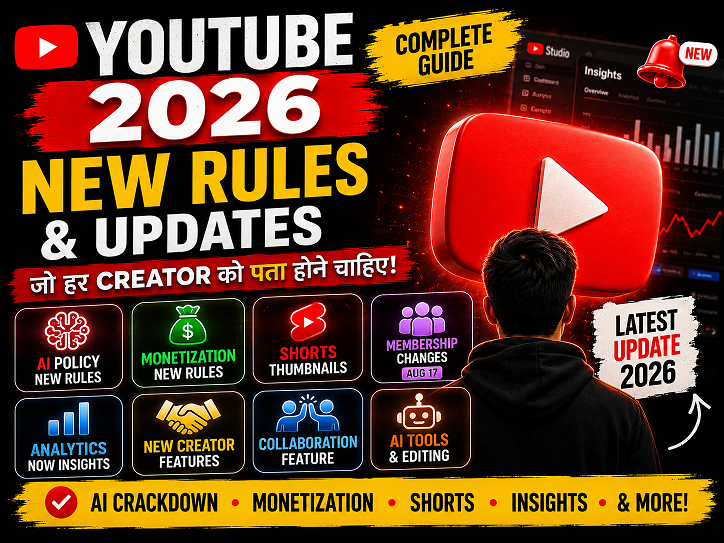
YouTube New Update 2026: सभी नए बदलाव जो Creator को जानने चाहिए | Hindi Guide YouTube 🚨 Creator Alert ⚡ August 2026 ✅ Hindi Guide 🔴 LIVE — August 17 से बड़ा बदलाव! YouTube 2026 के सभीनए Rules & Updatesजो Creator को पता होने चाहिए AI crackdown, monetization rules, Shorts thumbnail, Analytics → Insights, membership pricing change — YouTube 2026 में बहुत कुछ बदला। सब एक जगह, Hindi में। 📅 August 13, 2026 · ⏱ 10 मिनट पढ़ें · 🇮🇳 India Creators के लिए · 🎬 All Creators 2026 Overview YouTube 2026 — इतना सब क्यों बदला? YouTube CEO Neal Mohan ने साल की शुरुआत में ही clear कर दिया था — “Creators are no longer guests on the platform — they are the main event.” और 2026 में इसका proof हर महीने नए updates के रूप में आया। AI tools, monetization rules, Shorts expansion, UI redesign, AI crackdown — यह सब इतनी तेजी से आया कि track रखना मुश्किल हो गया। इसीलिए हमने सब एक जगह compile किया है। सबसे important: August 17, 2026 की date circle करो। उस दिन से membership pricing change होगी — अभी prepare करो। 10+ Major Updates 2026 Jul 16 AI Policy Launch Aug 17 Membership Change 3 Inauthentic Categories Free AI Editing Tools 2026 Biggest YT Year सबसे जरूरी Update 1 July 16, 2026 🚨 AI “Inauthentic Content” Policy — Monetization पर बड़ा खतरा New Rule Monetization ⚠️ Critical 🔴 High Impact — सभी Creators के लिए July 16, 2026 को YouTube ने Partner Program में “Inauthentic Content” की definition clearly define की — और यह पुरानी “repetitious content” policy की जगह लेती है। अब तीन types के content पर ads नहीं मिलेंगे। ❌ तीन Categories जो Demonetize होंगी: Category क्या है Example 1. Generic/Template Videos Template-based, copy-paste content AI से बनी generic slideshows, faceless AI voiceover channels 2. Unsatisfying Content Clickbait, off-putting, low quality Misleading thumbnails, shock content without value 3. AI Sensitive Advice AI persona giving sensitive advice AI doctor/lawyer/financial advisor videos ⚠️ India Creators Alert: बहुत से Hindi channels AI voiceover से faceless videos बना रहे हैं — यह policy directly उन्हें affect करेगी। Original face-on-camera content या genuine value-add content ही safe रहेगा। ✅ आपको क्या करना चाहिए: अपने channel पर audit करो — कोई template/AI-generated videos हैं? Faceless channels पर original scripting और genuine value ensure करो Medical, legal, financial topics पर AI persona use बंद करो Thumbnails और titles honest रखो — clickbait avoid करो 2 July 2026 📊 Analytics का नाम बदला → “Insights” Creator Tool New Design 🟡 Medium Impact — Studio Users YouTube Studio में Analytics tab का नाम “Insights” हो गया है। सिर्फ नाम नहीं — पूरा redesign भी हुआ। Related metrics अब एक साथ group होकर दिखते हैं जिससे performance समझना आसान हो गया। नया Advanced Mode एक separate view में मिलता है जहाँ किसी भी chart या metric पर click करने पर detailed breakdown मिलती है। Overview page पर date range selector clean हुआ। ✅ Good News: Real-time data और custom date ranges Advanced Mode में still available हैं। साथ ही एक नया back button भी आया है navigation के लिए। 3 July 2026 📸 YouTube Shorts पर Custom Thumbnail — Finally! Shorts New Feature 🔴 High Impact — Shorts Creators Shorts creators के लिए सबसे खुशखबरी! अब YouTube Shorts पर भी custom thumbnail set हो सकती है — bilkul regular videos की तरह। पहले YouTube खुद random frame choose करता था। Custom thumbnail से Shorts की discoverability और CTR (Click-Through Rate) दोनों improve होंगे। Search results में Shorts बेहतर दिखेंगी। अपने सभी पुराने Shorts पर custom thumbnail add करो — CTR improve होगा Attractive, text-clear thumbnails बनाओ — Canva या Photoshop use करो Shorts thumbnail size: 1080×1920 (9:16 portrait) 💡 Pro Tip: Shorts thumbnail में बड़े bold text और contrast colors use करो — small size में clearly दिखना जरूरी है। 4 ⚡ August 17, 2026 💰 Channel Membership Pricing — बड़ा बदलाव आ रहा है! Monetization ⚠️ Aug 17 Policy Change 🔴 High Impact — Membership Channels August 17, 2026 से YouTube US के बाहर channel membership tier pricing update करेगा। India, UK, और दूसरे markets में membership prices adjust होंगी। यह change automatically होगा — creators को manually कुछ नहीं करना। लेकिन अगर आपके members हैं तो अभी अपनी pricing strategy review करो और members को inform करो। 🚨 Action Required Before Aug 17: अगर आप India में channel membership offer करते हो — अभी check करो कि नई pricing कितनी होगी। Members को email या community post से inform करो। YouTube Studio → Earn → Memberships में pricing check करो Members को community post से advance notice दो Membership benefits को और valuable बनाओ — retention के लिए August 17 के बाद member count monitor करो 5 2026 Ongoing 🤖 AI Editing Tools — Greenscreen, Clips, और ज्यादा AI Tools New Feature 🟡 Medium Impact — All Creators YouTube ने 2026 में creators के लिए AI-powered editing tools expand किए हैं। अब ज्यादा creators को standalone clips, AI greenscreen backgrounds, और smart editing tools access मिल रहे हैं। AI Tool क्या करता है Availability AI Greenscreen Background automatically remove/replace Expanding Standalone Clips Video से automatic short clips extract Available Smart Chapters Auto chapter markers generate Available AI Dubbing Multi-language dubbing Limited Gemini Omni (YT Shorts) AI video generation free Free! 6 2026 🤝 Collaboration Feature — Instagram जैसा Collab आया! Creator Growth Tool 🟡 Medium Impact — Growth Seekers YouTube ने Instagram/TikTok जैसा Collaboration feature launch किया। अब एक video पर collaborators directly add कर सकते हो। Video title के नीचे collaborator का नाम और Subscribe button दिखता है। इससे audience sharing और cross-promotion बहुत आसान हो गई। दो channels का content एक video में — दोनों की growth। 🚀 Growth Strategy: अपने niche के same-size channels से collab करो। दोनों का audience एक-दूसरे को discover करेगा — organic growth का सबसे effective तरीका। 7 July 2026 💬 Communities अब Desktop पर — बड़ा Engagement Tool Community Engagement 🟡 Medium Impact YouTube Communities — जो पहले
वीडियो एडिटिंग के लिए क्लाइंट कहां से ढूंढे?🎬 10+ ऐसे तरीके जो वाकई काम करते हैं
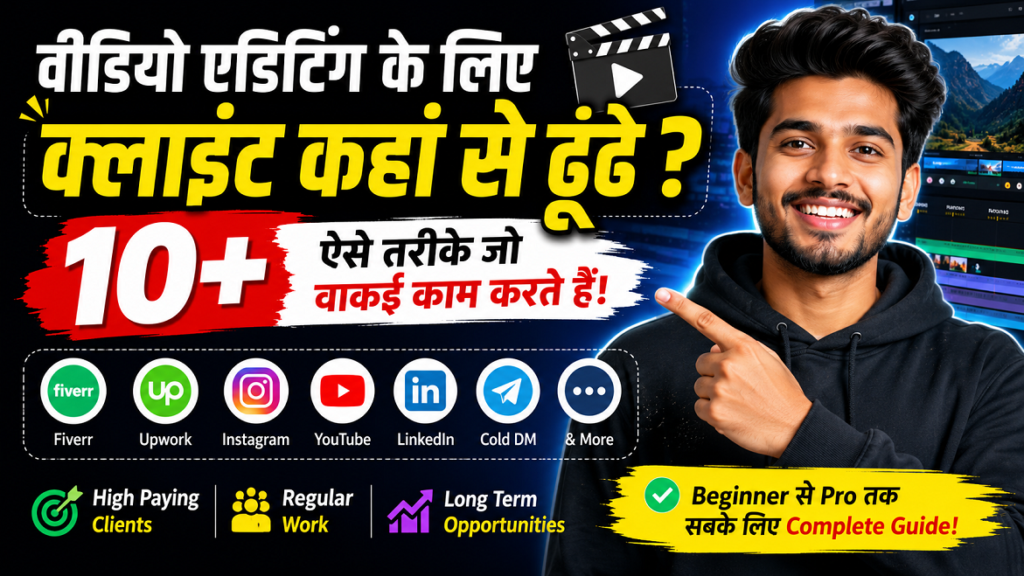
वीडियो एडिटिंग के लिए क्लाइंट कहां से ढूंढे? | 10+ असरदार तरीके जो वाकई काम करते हैं प्रो गाइड 2025 वीडियो एडिटिंग के लिए क्लाइंट कहां से ढूंढे? 🎬 10+ ऐसे तरीके जो वाकई काम करते हैं प्रो. विक्रम सिंह (वीडियो एडिटिंग कोच) 11 मई 2026 · अपडेटेड 8 मिनट रीड 📌 सच्चाई: वीडियो एडिटिंग की डिमांड बढ़ रही है (YouTube, रील्स, कॉर्पोरेट), लेकिन सही क्लाइंट्स तक पहुंचना चुनौती है। अगर आपके पास दमदार स्किल्स हैं और सही जगहों पर प्रयास करें, तो स्थिर आय और प्रीमियम प्रोजेक्ट्स मिलना तय है। नीचे वो प्रोवेन स्ट्रेटेजीज़ हैं जिनसे मेरे 200+ स्टूडेंट्स ने क्लाइंट्स जीते। 1️⃣ फ्रीलांस मार्केटप्लेस (Upwork, Fiverr, Freelancer) फ्रीलांस साइट्स पर प्रोफाइल ऑप्टिमाइज़ करें Upwork, Fiverr, Freelancer, PeoplePerHour – यहाँ ₹500 से लेकर ₹50,000+ तक के प्रोजेक्ट्स मिलते हैं। लेकिन सिर्फ प्रोफाइल बनाने से काम नहीं चलेगा। प्रोफेशनल पोर्टफोलियो: अपने बेस्ट 3 एडिट्स का शोरियर (बिफोर-आफ्टर) जरूर दिखाएं। शुरुआत में कम रेट से शुरू करें: पहले 2-3 प्रोजेक्ट्स रेफरल के लिए लीजिए, रेटिंग बढ़ाएं। प्रोजेक्ट प्रपोजल में कस्टमाइज़ेशन: एक जैसी कॉपी-पेस्ट प्रपोजल न भेजें। क्लाइंट की समस्या पढ़कर समाधान बताएं। वर्किंग टिप: Fiverr पर “वीडियो एडिटर फॉर यूट्यूब शॉर्ट्स” जैसा निश्चित gig बनाएं। ऑर्डर पाने के लिए पहले 7 दिन ₹299 प्राइस रखें, फिर बढ़ाएं। 2️⃣ LinkedIn: डायरेक्ट कनेक्ट करें कंटेंट क्रिएटर्स और ब्रैंड्स से LinkedIn प्रोफाइल = आपकी डिजिटल रिज्यूमी LinkedIn पर आप YouTubers, पॉडकास्टर्स, मार्केटिंग एजेंसी ओनर्स, स्टार्टअप फाउंडर्स को सीधा मैसेज भेज सकते हैं। ये लोग हमेशा अच्छे एडिटर की तलाश में रहते हैं। प्रोफाइल में “वीडियो एडिटर | एडोब प्रीमियर प्रो | डाविंची रिज़ॉल्व” टाइटिल लिखें। एक पोर्टफोलियो लिंक (YouTube या वेबसाइट) अटैच करें। रोज 5-10 रिलेवेंट लोगों को कनेक्ट रिक्वेस्ट भेजें और छोटा नोट लिखें: “Hi, I saw your channel, I can help boost your video quality. Portfolio attached.” 3️⃣ Instagram & YouTube: अपनी स्किल को वायरल करें शोकेस बनाएँ, क्लाइंट्स खुद आएंगे रील्स और शॉर्ट्स का दौर है – आप एडिटिंग का मैजिक दिखाएं (सिनेमैटिक ट्रांजिशन, कलर ग्रेडिंग, मोशन ग्राफिक्स) और हैशटैग #videoeditor #clientsneeded #editingreel लगाएं। स्क्रॉल करने वाला क्लाइंट खुद डीएम करेगा। प्रो स्ट्रेटजी: किसी ट्रेंडिंग सॉन्ग पर अपना कस्टम एडिट क्लिप बनाएं और पिन करें। साथ ही “affordable video editing for creators” जैसी स्टोरी शेयर करें। 4️⃣ फेसबुक ग्रुप्स + Reddit (अनदेखा न करें) वीडियो एडिटिंग कम्युनिटी और जॉब ग्रुप्स “Freelancer India”, “Video Editors Wanted”, “Content Creator Hiring” जैसे ग्रुप्स में हर दिन नए प्रोजेक्ट पोस्ट होते हैं। Reddit पर r/forhire, r/videoediting, r/freelance में “offering” टैग से अपनी सेवा दें। ग्रुप्स में केवल लिंक न डालें, पहले वैल्यू दें – एडिटिंग टिप्स शेयर करें, फिर सेल्स पिच करें। Reddit पर “I will edit your short video for FREE portfolio building” से शुरू करें – फिर पेड प्रोजेक्ट्स। 5️⃣ कोल्ड ईमेलिंग (सबसे अनदेखा पावरफुल तरीका) सीधा टार्गेट करें छोटे YouTubers / पॉडकास्टर्स उन चैनल्स को ईमेल भेजें जिनकी एडिटिंग कमजोर है। उनके 2-3 वीडियो देखें और बताएं कि आप कैसे इंप्रूव कर सकते हैं। आपकी एडिटिंग स्किल्स जितनी शार्प होंगी, क्लाइंट्स उतने ही प्रभावित होंगे। अपनी स्किल्स को निखारने के लिए शुरुआती वीडियो एडिटिंग टिप्स एंड ट्रिक्स जरूर पढ़ें — ये आपके काम में चार चाँद लगा देंगी। स्क्रिप्ट उदाहरण: “आपकी कंटेंट बहुत अच्छी है, लेकिन एडिटिंग को और इंगेजिंग बनाया जा सकता है। मैंने आपको एक डेमो एडिट भेजा है (30 सेकंड क्लिप)। अगर पसंद आए तो हफ्ते के ₹2000 में पूरा वीडियो एडिट कर सकता हूँ।” 6️⃣ रेफरल और वर्ड-ऑफ-माउथ – पुराने क्लाइंट्स से बिज़नेस बूस्ट करें हर क्लाइंट से रेफरल मांगें एक खुश क्लाइंट आपको 5 नए क्लाइंट्स दे सकता है। प्रोजेक्ट खत्म होने के बाद डिस्काउंट के बदले रेफरल मांगें – “अगर आप किसी और को रेकमेंड करोगे तो अगला एडिट 20% ऑफ” व्हाट्सएप या टेलीग्राम पर “क्लाइंट ग्रुप” बनाएं और नियमित अपडेट दें। केस स्टडी बनाएं: पहले और बाद के स्क्रीनशॉट शेयर करें। 7️⃣ पोर्टफोलियो वेबसाइट + लोकल SEO (गोल्डन टिप) एक सिंपल वेबसाइट बनाएं (Google पर रैंक पाएं) Google Sites, कार्ड या वर्डप्रेस की मदद से 2 पेज की वेबसाइट बनाएं और कीवर्ड “वीडियो एडिटर देहरादून” या “फ्रीलांस वीडियो एडिटर भारत” टार्गेट करें। जो लोग सर्च करते हैं वो कन्वर्ट होते हैं। अपने पोर्टफोलियो को शानदार बनाने के लिए Master the Johnny Harris Style: Newspaper Animation in After Effects ट्यूटोरियल जरूर देखें — यह स्टाइल आपके काम को प्रोफेशनल और हाई-वैल्यू बनाएगी। वर्किंग ट्रिक: Google My Business प्रोफाइल बनाएं (फ्री में) और “वीडियो एडिटिंग सर्विस नियर मी” में दिखें। लोकल बिजनेस एडिटिंग क्लाइंट का सोना है। 8️⃣ Discord और स्लैक कम्युनिटी – अनदेखा गोल्ड माइन Creator’s Discord & Filmmaker ग्रुप्स बहुत सारे YouTube क्रिएटर, पॉडकास्टर और गेमिंग कम्युनिटी में डिस्कॉर्ड पर “वीडियो-सर्विसेज” चैनल होते हैं। वहाँ अपना काम दिखाएं। स्लैक ग्रुप्स जैसे “Video Editing Slackers” भी कमाल हैं। बोनस: वीडियो एडिटर के लिए हैक्स 🧨 ✔️ निच-डाउन अप्रोच: सिर्फ जनरल एडिटर मत बनिए – फ़ाइनेंस यूट्यूबर, रियल एस्टेट एजेंट्स, पॉडकास्टर्स के लिए अलग पैकेज बनाएं। ✔️ फ्री डेमो पॉलिसी: 30 सेकंड की एडिटिंग फ्री करके दें, 80% क्लाइंट्स कन्वर्ट होते हैं। ✔️ अपने सोशल प्रूफ बनाएं: testimonials को हाइलाइट करें। “X ने मेरी एडिटिंग से 100k व्यूज पाए”। ✔️ ट्रेंडिंग टूल्स का अपडेट रखें: Adobe After Effects 26.0 के साथ आए Parametric 3D Meshes, Substance Materials और Variable Fonts जैसे नए फीचर्स सीखकर अपने क्लाइंट्स को हैरान कर दें। ⚡ असरदार माइंडसेट: क्लाइंट कैसे ढूंढे इससे ज्यादा जरूरी है – ‘वैल्यू क्रिएट करना’ प्रैक्टिकल एक्सपेरिमेंट: प्रतिदिन 5 लोगों को क्वालिटी मैसेज भेजिए। 30 दिन में 150 लोगों तक पहुंचिए। 10% रिस्पॉन्स रेट से 15 क्लाइंट्स मिल सकते हैं। यह एक नंबर का रूल है जो काम करता है। साथ ही अपनी स्किल्स को लगातार अपग्रेड करें – जितना बेहतर एडिटिंग, उतनी प्रीमियम फीस। आज से ही अपना एक्शन प्लान बनाइए। 85% सक्सेसफुल फ्रीलांस वीडियो एडिटर्स ने अपना पहला क्लाइंट LinkedIn या इंस्टाग्राम रील्स से पाया। 📚 स्रोत (Sources) – और गहराई से सीखने के लिए इस गाइड को लिखने में हमने नीचे दिए गए संसाधनों से मदद ली है। ये लिंक्स आपको एडिटिंग स्किल्स और टूल्स पर विस्तृत जानकारी देंगे, जिससे आप अपने क्लाइंट्स को और बेहतर सर्विस दे सकते हैं: Mastering Video Editing: Essential
ChatGPT April 2026 Update: GPT-5.5 Launch, Images 2.0, File Library — पूरी जानकारी हिंदी में
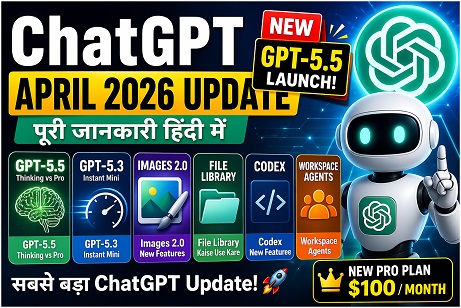
ChatGPT April 2026 Update: GPT-5.5, Images 2.0, File Library, Codex — पूरी जानकारी हिंदी में 🚀 Breaking Update GPT-5.5 Launch April 2026 ChatGPT April 2026 Update —GPT-5.5 से Workspace Agents तकसब कुछ बदल गया! OpenAI ने April 2026 में ChatGPT को completely transform कर दिया। GPT-5.5 launch, Images 2.0, File Library, Codex automation — जानो सब कुछ simple हिंदी में। 📅 April 24, 2026 · ⏱ 10 मिनट पढ़ें · 🇮🇳 Hindi Guide · 🤖 OpenAI Official Data Breaking News April 2026 — ChatGPT का सबसे बड़ा Month April 2026 OpenAI के इतिहास का सबसे busy month बन गया। एक के बाद एक announcements ने AI industry को हिला दिया। सबसे बड़ा: GPT-5.5 का launch — जिसे OpenAI ने खुद “a new class of intelligence for real work” कहा। लेकिन सिर्फ GPT-5.5 नहीं। GPT-5.3 Instant Mini, Images 2.0, File Library, Workspace Agents, नया Pro plan — इस month में इतना कुछ आया कि track रखना मुश्किल हो गया। इस article में हमने April 2026 के सभी major ChatGPT updates को simple हिंदी में explain किया है — ताकि आप जान सकें कि आपके लिए actually क्या change हुआ। GPT-5.5 Latest Model 6+ Major Updates Apr 23 GPT-5.5 Launch $100 New Pro Plan/Month 83% Pro Tasks Accuracy 400K Codex Context Window सबसे बड़ा Update #1 🚀 GPT-5.5 Launch — “A New Class of Intelligence” April 23, 2026 को OpenAI ने GPT-5.5 launch किया। GPT-5.4 के सिर्फ 7 हफ्ते बाद। OpenAI के शब्दों में: “यह real work के लिए intelligence की एक नई class है।” GPT-5.5 multi-part tasks में dramatically better है — planning, tools use करना, और अपना काम check करना। यह faster है, ज्यादा accurate है, और ज्यादा token-efficient है — यानी ज्यादा काम, कम cost पर। GPT-5.5 के 3 Variants GPT-5.5 Thinking Hard problems ke liye — faster help with smarter, concise answers. Complex tasks ke liye. Plus, Pro, Business GPT-5.5 Pro Hardest tasks ke liye — maximum performance. Latency improvements ke saath. Pro, Business, Enterprise GPT-5.5 (Codex) 400K context window, Plus se Enterprise tak. Complex coding aur research ke liye. 400K Context Performance Benchmarks Professional Tasks (GDPval) 93% Accuracy Multi-step Planning 9.5/10 Code Generation 9.2/10 GPT-5.4 से Improvement Significant + ⚡ Fast Mode भी Available: GPT-5.5 Fast Mode में tokens 1.5x faster generate होते हैं (2.5x cost पर)। Speed priority वाले users के लिए। Update #2 💬 GPT-5.3 Instant Mini — Smart Fallback Model GPT-5.3 Instant Mini को ChatGPT का नया “fallback model” बनाया गया है। जब आप GPT-5.3 Instant की rate limit hit करते हैं — तब यह automatically activate होता है। Model picker में नहीं दिखेगा, background में काम करता है। पुराने GPT-5 Instant Mini से बेहतर क्यों? ज्यादा natural conversation, stronger writing, और better contextual awareness। साथ ही यह “preachy” responses देने की tendency कम है — यानी AI कम उपदेश देगा, ज्यादा helpful होगा। 💬 Natural Conversation Pehle se kahin zyada human-like aur natural responses. Follow-up tone improved. ✍️ Stronger Writing Better writing quality — essays, emails, articles sab improve hue. 🧠 Better Context Long conversations mein context kahin better retain karta hai. 🚫 Less Preachy “If you want…” jaisi unnecessary phrasing reduced. Direct aur helpful responses. ℹ️ Free Users के लिए: यह model आपके लिए automatically काम करेगा rate limits hit होने पर। कोई extra setting नहीं चाहिए। Update #3 🎨 ChatGPT Images 2.0 — Text Rendering Revolution ChatGPT Images 2.0 एक major upgrade है image generation में। सबसे बड़ा improvement: images में text accurately render होता है। पहले AI-generated images में text blur या wrong होता था — अब यह problem solve हो गई। यह gpt-image-1.5 model पर based है। Complex prompts को बेहतर समझता है। Batch API support भी आया है — एक साथ multiple images generate करो। 📝 Perfect Text in Images Posters, banners, logos mein text bilkul sahi render hoga. No more blurry text. 🧩 Complex Prompts Multi-element, detailed prompts ko kahin better samajhta hai. ⚡ Batch API Multiple images ek saath generate karo — developers ke liye game-changer. 📱 Mobile App Updated Android aur iOS apps mein bhi yeh improved image generation available hai. 🎨 YouTubers और Content Creators के लिए: Thumbnails, social media posts, banners — सब में proper text के साथ professional images बनाएं। यह feature game-changer है। Update #4 📁 File Library — अब Files Automatically Save होंगी File Library ChatGPT का एक बिल्कुल नया feature है। अब जब भी आप कोई file upload करते हैं या ChatGPT कोई file create करता है — वह automatically save हो जाती है। सबसे अच्छी बात: अलग-अलग chats में जाकर files ढूंढने की जरूरत नहीं। एक जगह से सब कुछ access करो, search करो, और reuse करो। 💾 Auto-Save Upload ya create ki gayi har file automatically library mein save hoti hai. 🔍 Search Across Chats Kisi bhi chat ki file dhundho — ek unified search se. ♻️ Reuse Files Pehle upload ki gayi file ko naye chat mein directly use karo. 📂 Organized Storage Documents, spreadsheets, images — sab categories mein organized. 💡 Use Case: अगर आप रोज़ ChatGPT को documents analyze करवाते हैं — अब हर बार re-upload नहीं करना पड़ेगा। File Library से directly select करो। Update #5 — Developers के लिए 💻 Codex Updates — AI Development Team बन गई Codex अब सिर्फ code लिखने वाला tool नहीं रहा। April 2026 में Codex एक complete AI development team बन गई है। यह click कर सकती है, type कर सकती है, browser operate कर सकती है, और पूरे applications build कर सकती है। GPT-5.5 integration के बाद Codex aur bhi powerful ho gaya. 400K context window का मतलब — एक साथ पूरा codebase analyze और modify करो। 🖱️ Browser Control Codex ab browser operate kar sakta hai — web apps test karo, pages click karo. 🔧 Full App Building Complete applications build karo — plan, code, test, debug — sab Codex karta hai. 📸 Screenshot & Iterate Screenshot leta hai, dekhta hai, fix karta hai — visual debugging built-in. 🔗 400K Context 400,000 token context window — pura codebase ek baar mein load karo.
₹50,000 मेंVideo Editing Setupकैसे बनाएं?
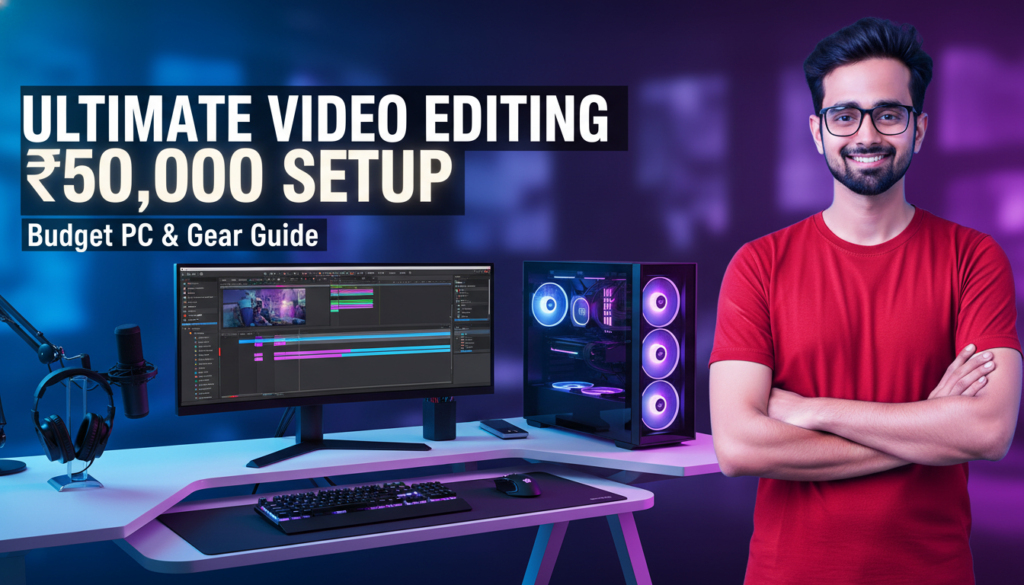
₹50,000 में Video Editing Setup कैसे बनाएं 2026 | Complete Budget Guide Hindi Budget Guide · 2026 · Hindi ₹50,000 मेंVideo Editing Setupकैसे बनाएं? PC से लेकर monitor, microphone, और software तक — हर चीज़ की complete list। Beginners और YouTubers दोनों के लिए perfect। 📅 2026 Updated ⏱ 10 मिनट पढ़ें 🇮🇳 India Prices 🎯 Beginners के लिए शुरुआत क्या ₹50,000 में सच में editing setup बन सकता है? यह सवाल हर beginner YouTuber और video editor के मन में आता है। जब आप बड़े creators के setup देखते हैं — ₹2-3 लाख के PC, ₹50,000 के monitors — तो लगता है कि editing शुरू करना बहुत महंगा है। लेकिन सच यह है: ₹50,000 में एक solid, professional-quality editing setup बिल्कुल possible है। India में parts की कीमतें globally compare करें तो काफी competitive हैं। सही planning से आप 1080p editing smoothly कर सकते हैं, और basic 4K भी handle हो जाती है। इस guide में हमने हर component को carefully research किया है — India के current prices के हिसाब से। हर option में आपको budget और recommended choice दोनों मिलेंगे। “Setup कितना महंगा है — यह matter नहीं करता। Matter यह करता है कि आप उस setup से क्या बना रहे हो।” Budget Breakdown ₹50,000 कहाँ-कहाँ खर्च होंगे? पहले एक overview — फिर हर component को detail में समझेंगे। ⚙️ CPU + Motherboard ₹12,000 Ryzen 5 5600 combo 🧠 RAM ₹5,000 16GB DDR4 3200MHz 🖥️ GPU ₹12,000 GTX 1660 / RX 6600 💾 Storage ₹3,500 512GB NVMe SSD 📺 Monitor ₹8,000 24″ Full HD IPS 🎤 Mic + Audio ₹3,000 USB Condenser Mic 🖱️ Cabinet + PSU + Others ₹4,500 Cabinet, PSU, KB+Mouse 💻 Software FREE DaVinci Resolve Component Item Price (₹) CPU + Motherboard Ryzen 5 5600 + B450M ₹12,000 RAM 16GB DDR4 3200MHz (2×8GB) ₹5,000 GPU GTX 1660 Super 6GB ₹12,000 Storage 512GB NVMe SSD + 1TB HDD ₹3,500 Monitor 24″ FHD IPS Panel ₹8,000 Mic USB Condenser Mic ₹2,000 Cabinet + PSU Mid Tower + 600W PSU ₹3,500 KB + Mouse + Others Basic Combo Set ₹1,000 🏆 Total Budget ~₹47,000 ✅ ₹3,000 का buffer बचाकर रखें — assembly, thermal paste, या future upgrade के लिए। Software (DaVinci Resolve) पूरी तरह FREE है। Component 01 ⚙️ CPU — प्रोसेसर Editing का दिल — सही CPU से rendering fast होती है Video editing में CPU सबसे important component है। यह timeline playback, export speed, और effects rendering — सब handle करता है। Budget में Ryzen 5 series best value देती है। Intel vs AMD की बात करें — AMD Ryzen इस budget में ज्यादा cores देता है। ज्यादा cores = faster export। Ryzen 5 5500 ~₹9,000 6 Cores / 12 Threads 3.6GHz Base | 4.2GHz Boost B450 Motherboard के साथ Budget pick — good value Best Value Ryzen 5 5600 ~₹12,000 6 Cores / 12 Threads 3.7GHz Base | 4.6GHz Boost B450/B550 Motherboard Highly recommended choice 💡 Pro Tip: CPU+Motherboard combo खरीदें — अलग-अलग खरीदने से ₹500-1,000 ज्यादा लगते हैं। Local shops पर combo deals मिलती हैं। Component 02 🧠 RAM — मेमोरी जितनी ज्यादा RAM — उतना smooth editing experience Video editing में RAM बहुत crucial है। DaVinci Resolve और After Effects दोनों RAM-hungry हैं। 16GB minimum है, 32GB ideal। लेकिन budget में 16GB से शुरू करें और बाद में upgrade करें। DDR4 3200MHz speed ले — यह Ryzen CPUs के साथ best performance देती है। Single stick की बजाय 2×8GB dual channel configuration लें। Recommended 16GB DDR4 (2×8GB) ~₹3,500–5,000 Kingston Fury / Corsair Vengeance 3200MHz speed Dual Channel — more performance Upgrade to 32GB later 8GB DDR4 (1×8GB) ~₹2,000 बहुत tight budget के लिए Laggy experience आएगा जल्द upgrade जरूरी Not recommended for editing ⚠️ 8GB RAM avoid करें — After Effects तो बिल्कुल चलेगा नहीं। DaVinci Resolve भी बहुत slow होगा। 16GB minimum है। Component 03 🖥️ GPU — Graphics Card DaVinci Resolve के लिए सबसे जरूरी component अगर आप DaVinci Resolve use करते हैं — GPU सबसे important component है। Color grading, effects, और GPU-accelerated rendering सब GPU पर depend करता है। Minimum 4GB VRAM चाहिए, 6GB+ better। NVIDIA cards CUDA support की वजह से After Effects में better perform करते हैं। AMD cards DaVinci Resolve में भी अच्छा करते हैं। Best Pick GTX 1660 Super ~₹10,000–12,000 6GB GDDR6 VRAM CUDA support — AE & DaVinci 1080p editing — very smooth Used market में ₹7,000–9,000 AMD RX 6600 ~₹11,000–13,000 8GB GDDR6 VRAM DaVinci Resolve में excellent After Effects में limited ज्यादा VRAM — future proof 🔥 Budget Tip: Used/second-hand GPU market check करें। GTX 1660 Super used में ₹7,000–8,000 में मिलती है — same performance, less price। ✓ NVIDIA क्यों? CUDA — After Effects support DaVinci Resolve में fast Stable drivers Better software support ✗ क्या miss होगा? AMD से कम VRAM same price Ray tracing basic है Older architecture (GTX) Gaming में थोड़ा behind Component 04 💾 Storage — स्टोरेज Fast SSD से editing lag-free होती है Video files बहुत large होती हैं। HDD पर editing करने से software lag करता है, timeline jerky होती है। OS और software के लिए SSD जरूरी है। Media files HDD पर रख सकते हैं। Ideal setup: 512GB NVMe SSD (OS + software + active projects) + 1TB HDD (old footage archive)। Recommended 512GB NVMe SSD ~₹2,500 Kingston NV2 / WD Blue SN570 2,400 MB/s read speed OS + Software + Projects M.2 slot में install होती है 1TB HDD (Additional) ~₹2,000–2,500 Seagate Barracuda 7200RPM Old footage archive Rendered files storage Long-term storage के लिए Component 05 📺 Monitor — स्क्रीन Color accurate monitor से editing professional बनती है Video editing के लिए monitor में IPS panel जरूरी है — accurate colors और wide viewing angles। TN panels में color shift होता है जो editing में problem करता है। सबसे important: sRGB color coverage 90%+ होना चाहिए। Resolution 1920×1080 (Full HD) minimum — 2K बेहतर रहती है अगर budget allow करे। Best Value LG 24MP60G / AOC 24B2XH ₹7,000–9,000 24″ Full HD (1920×1080) IPS Panel — accurate colors 75Hz refresh rate sRGB 99%
Kling 3 vs Runway Gen-4.5 (2026): कौन सा AI Video Tool वाकई Viral Shorts और Cinematic B-Roll के लिए Best है?
Kling 3 vs Runway Gen-4.5 2026: कौन सा AI Video Tool Best है? | IFM Learn 🔥 IFM Learn Blog · AI Tools · March 2026 IFM Learn ← सभी Articles 🤖 AI Video Tools · Comparison Kling 3 vs Runway Gen-4.5 (2026): कौन सा AI Video Tool वाकई Viral Shorts और Cinematic B-Roll के लिए Best है? IFM IFM Learn Team 25 मार्च 2026 · AI Tools ⏱ 8 min read ⚡ Kling 3.0 4K · Native Audio · 15sec · Physics VS 🎬 Runway Gen-4.5 Fast · Character Consistent · VFX March 2026 · Real Test Comparison · IFM Learn 2026 में AI video creation अब सिर्फ experiment नहीं रहा — यह रोज़ का काम बन चुका है। हर YouTube creator, freelancer, और brand अब AI से video बना रहा है। और इस वक्त दो tools सबसे ज़्यादा चर्चा में हैं: Kling 3.0 और Runway Gen-4.5। दोनों बेहद powerful हैं — लेकिन दोनों अलग-अलग काम के लिए बने हैं। इस article में हमने दोनों को real workflow में test किया और बताया कि आपके लिए — Shorts creator, B-roll filmmaker, या brand marketer — कौन सा सही है। “गलत tool choose करना मतलब घंटों बर्बाद करना। सही tool मतलब एक दिन में पूरी week का content।” 🔍 पहले जानो: दोनों Tools क्या हैं? ⚡ Kling 3.0 Kling को Kuaishou Technology ने बनाया है — वही company जिसने TikTok के competitor Kwai बनाया। Kling 3.0 आज image-to-video, lip-sync, spatial audio, और 4K/60fps generation में industry का सबसे strong tool है। एक generation में 6 camera cuts — यानी पूरी edited sequence AI खुद बनाता है। 🎬 Runway Gen-4.5 Runway 2018 से AI video का pioneer है। Super Bowl commercials, Hollywood indie films — सब जगह Runway का use होता है। Gen-4.5 में character consistency reference system, ultra-fast turbo mode, और VFX-style aesthetic है जो professional filmmakers को पसंद है। 💡 Key Insight Kling photorealism के लिए बना है — real-world physics, actual sound। Runway cinematic storytelling के लिए बना है — character consistency, creative style, speed। ⚔️ Feature-by-Feature Comparison Feature ⚡ Kling 3.0 🎬 Runway Gen-4.5 Max Resolution 4K Native / 60fps Best 1080p / 30fps Clip Length 15 seconds Longer Max 10 seconds Built-in Audio ✅ Lip-sync + Spatial Audio Best ✅ Text-to-Speech Generation Speed 3–6 minutes 30–90 seconds ⚡ Fastest Character Consistency ❌ हर generation अलग ✅ Gen-4 References Best Physics / Realism पानी, कपड़ा, बाल — photorealistic Best Smooth, AI-look Image-to-Video Industry best Best अच्छा, consistent Video-to-Video ❌ नहीं ✅ Act Two Feature Winner Multi-shot Storyboard ✅ एक prompt में 6 cuts Unique ❌ एक-एक clip Free Plan 66 credits/day (रोज़) Better One-time trial only Starting Price $6.99/month Cheaper $12/month 🔄 Viral Shorts बनाने का Step-by-Step Workflow अकेले एक tool use करना ठीक है — लेकिन दोनों को combine करना सबसे powerful strategy है। यह वो workflow है जो top AI creators March 2026 में follow कर रहे हैं: 🔄 Script → Kling → Runway → CapCut → Publish 5-Step Pro Workflow for Viral AI Shorts 2026 1 ✍️ Script लिखो — ChatGPT / Claude से 30-60 second script तैयार करो। पहले 3 seconds में hook डालो। हर scene के लिए visual prompt भी note करो — जैसे “धूप में एक महिला पहाड़ पर चल रही है, slow motion, cinematic।” 2 ⚡ Kling से B-roll और Action Shots बनाओ Product visuals, nature scenes, physics-heavy shots, lip-sync content — Kling के multi-shot storyboard से एक ही prompt में पूरी sequence मिलती है। Spatial audio automatically sync होता है। 3 🎬 Runway से Character Shots और Hero Moments लो Brand videos, consistent protagonist shots, VFX-style moments — Gen-4 References feature से एक character को हर scene में same रखो। Turbo mode से quickly iterate करो। 4 🎵 CapCut में Final Edit करो सारे clips import करो। Trending audio लगाओ, captions add करो, color grade करो, transitions smooth करो। 9:16 format में export करो Reels/Shorts के लिए। 5 🚀 Post करो और Analytics देखो YouTube Shorts, Instagram Reels, TikTok पर upload। देखो कौन सा AI clip ज़्यादा engage हुआ — अगले video में वो style ज़्यादा use करो। 💰 Pricing 2026 — कितना खर्च आएगा? Plan ⚡ Kling 3.0 🎬 Runway Gen-4.5 Free 66 Credits/Day (रोज़) Trial Credits (एक बार) Standard $6.99/month (~₹580) $12/month (~₹1,000) Pro $21.99/month (~₹1,830) $28/month (~₹2,330) Max / Unlimited $64.99/month $76/month 💡 Budget Tip अगर आप beginner हो — Kling का free plan use करो। रोज़ 66 credits मिलते हैं जो replenish होते हैं। इससे बिना पैसे खर्च किए रोज़ 1-2 videos बना सकते हो। Runway का free trial एक बार ही मिलता है। ✅❌ Pros और Cons ⚡ Kling 3.0 ✓ 4K/60fps native generation ✓ Built-in lip-sync + spatial audio ✓ 15 sec + multi-shot storyboard ✓ Photorealistic physics ✓ Image-to-video में best ✓ Free plan genuinely useful ✗ Generation slow: 3–6 minutes ✗ Character consistency नहीं ✗ Video-to-video नहीं है 🎬 Runway Gen-4.5 ✓ Ultra fast: 30–90 seconds ✓ Character consistency (Gen-4 Ref) ✓ Video-to-video (Act Two) ✓ Professional VFX aesthetic ✓ 30+ AI tools ecosystem ✓ Fast iteration / try & reject ✗ सिर्फ 1080p, 4K नहीं ✗ Max 10 seconds per clip ✗ Free plan बस एक बार 🎯 आपके लिए कौन सा सही है? Kling 3.0 choose करो अगर: आप daily YouTube Shorts या Reels बनाते हो, lip-sync / talking content चाहिए, 4K B-roll चाहिए, budget tight है, या image-to-video animate करना है। Runway Gen-4.5 choose करो अगर: Brand या client work है जहाँ एक character multiple scenes में चाहिए, VFX-style cinematic look चाहिए, fast iteration ज़रूरी है, या video-to-video transformation करनी है। सबसे powerful strategy: दोनों use करो — Kling से realistic shots, Runway से character-consistent scenes, CapCut में सब merge। 🏆 IFM Learn का Final Verdict कोई एक “best” नहीं है। Kling 3.0 wins in realism, audio, और resolution। Runway Gen-4.5 wins in speed, consistency, और creative style। दोनों को एक workflow में combine करना — यही 2026 का असली winning formula है। 🎓 After Effects और AI Tools Hindi में सीखो IFM Learn Academy पर complete
DaVinci Resolve vs After EffectsSystem Requirements 2026
DaVinci Resolve vs After Effects System Requirements 2026 | हिंदी गाइड 📹 2026 COMPLETE GUIDE · हिंदी में DaVinci Resolve vs After Effects System Requirements 2026 कौन सा software आपके PC पर चलेगा? RAM, GPU, CPU की पूरी comparison — सरल हिंदी में। 📅 2026 Updated ⏱ 8 मिनट पढ़ें 🎯 Beginners & Pro दोनों के लिए परिचय क्यों जरूरी है यह जानना? अगर आप video editing या motion graphics सीखना चाहते हैं, तो पहला सवाल यही आता है — DaVinci Resolve चलाऊं या After Effects? लेकिन इससे भी पहले एक जरूरी सवाल है: क्या आपका PC इन्हें handle कर पाएगा? 2026 में दोनों software बहुत powerful हो गए हैं। इनकी system requirements भी बढ़ गई हैं। अगर आपने बिना जाने software install किया और PC hang करने लगा — तो सारी मेहनत बेकार। इस article में हम step-by-step compare करेंगे — minimum requirements, recommended specs, GPU की जरूरत, और low-end PC पर performance। सब कुछ आसान हिंदी में। 💡 “सही software चुनना उतना जरूरी नहीं जितना यह जानना कि आपका PC उसे support करता है या नहीं।” Software परिचय दोनों Software के बारे में जानें 🎬 DaVinci Resolve BY BLACKMAGIC DESIGN यह एक professional video editing और color grading software है। इसमें editing, color correction, visual effects, और audio mixing — सब एक जगह मिलता है। सबसे अच्छी बात: इसका free version बेहद powerful है। ✨ After Effects BY ADOBE SYSTEMS यह motion graphics और visual effects का king माना जाता है। YouTube intros, title animations, और cinematic effects के लिए यह सबसे popular choice है। लेकिन यह subscription-based है — Adobe Creative Cloud का हिस्सा। DaVinci Resolve उन लोगों के लिए best है जो video editing और color grading को seriously लेते हैं। Hollywood films भी इससे बनती हैं। After Effects उन creators के लिए है जो animations, motion graphics, और special effects पर focus करते हैं। YouTubers और advertisers इसे सबसे ज्यादा use करते हैं। Minimum Requirements Minimum System Requirements — 2026 ⚠️ ध्यान दें: Minimum requirements पर software चल तो जाएगा, लेकिन performance average रहेगी। Professional काम के लिए Recommended specs जरूर देखें। Component 🎬 DaVinci Resolve 19 ✨ After Effects 2025 Operating System Windows 10 / macOS 12 / Ubuntu 20.04 Windows 10 (64-bit) / macOS 13 RAM 16 GB 16 GB GPU VRAM 2 GB VRAM 4 GB VRAM CPU Intel Core i7 / AMD Ryzen 7 Intel Core i5 (8th Gen+) / Ryzen 5 Storage 2.5 GB (Software) + Project Space 15 GB (Software) + Project Space Internet Not Required (Free Version) Required (Activation) Display Resolution 1920 × 1080 1920 × 1080 Recommended Requirements Recommended System Requirements — Best Performance ✅ ये specifications आपको smooth, lag-free editing experience देंगी। अगर आप 4K editing करते हैं या complex projects handle करते हैं, तो ये specs जरूरी हैं। 🎬 DaVinci Resolve — Recommended 🧠 RAM 32 GB 4K के लिए 64GB बेहतर 🖥️ GPU VRAM 8–16 GB NVIDIA RTX 3070+ ⚙️ CPU 12-Core+ Ryzen 9 / Core i9 💾 Storage NVMe SSD 1TB+ recommended ✨ After Effects — Recommended 🧠 RAM 32 GB RAM Preview के लिए ज़रूरी 🖥️ GPU VRAM 8 GB RTX 3060 minimum ⚙️ CPU 8-Core+ Core i7 / Ryzen 7 💾 Storage SSD Media Cache के लिए अलग drive Full Comparison Complete Feature Comparison Table नीचे दी गई table में हमने दोनों software की हर important चीज़ compare की है। Feature / Spec 🎬 DaVinci Resolve 19 ✨ After Effects 2025 💰 Price Free (Studio ₹25,000) ₹1,600/माह (Adobe CC) 🧠 Minimum RAM 16 GB 16 GB 🧠 Recommended RAM 32–64 GB 32 GB 🖥️ GPU जरूरत बहुत ज़रूरी (GPU-heavy) ज़रूरी (CUDA/Metal) 🖥️ Minimum GPU VRAM 2 GB (Basic) / 8 GB (4K) 4 GB VRAM ⚙️ CPU Cores (Recommended) 12+ Cores 8 Cores (AE efficient) 💾 Software Size ~2.5 GB ~15 GB 🪟 Windows Support Windows 10/11 Windows 10/11 🍎 macOS Support macOS 12+ macOS 13+ 🐧 Linux Support हाँ (Ubuntu) नहीं 🎨 Primary Use Video Editing + Color Grading Motion Graphics + VFX 🔗 Internet Required नहीं (Free version) हाँ (Activation) 📈 Low-End PC Performance बेहतर (GPU efficient) Average (RAM heavy) 🤝 Integration Blackmagic Ecosystem Adobe Suite (Premiere, PS) Key Differences GPU, CPU, RAM — मुख्य अंतर क्या हैं? System requirements में numbers एक जैसे लग सकते हैं — लेकिन दोनों software उन्हें बिल्कुल अलग तरीके से use करते हैं। यह समझना बहुत जरूरी है। 🖥️ GPU — ग्राफिक्स कार्ड DaVinci Resolve GPU पर बहुत depend करता है। Color grading और effects के लिए NVIDIA/AMD का powerful card चाहिए। CUDA और OpenCL दोनों support करता है। After Effects भी GPU use करता है, लेकिन mainly CUDA (NVIDIA) पर। कुछ effects CPU-based हैं। GPU less critical है AE में। ⚙️ CPU — प्रोसेसर DaVinci Resolve में CPU और GPU दोनों मिलकर काम करते हैं। ज्यादा cores = ज्यादा smooth export। After Effects में कुछ effects purely CPU-based हैं। Single-core performance ज्यादा मायने रखती है। Intel का clock speed यहाँ काम आता है। 🧠 RAM — मेमोरी After Effects RAM को बहुत ज्यादा use करता है — खासकर RAM Preview के लिए। कम RAM में यह बार-बार preview purge करेगा। DaVinci Resolve भी 32GB चाहता है, लेकिन यह अपने GPU cache को ज्यादा use करता है। RAM usage comparatively smarter है। 💿 Storage — स्टोरेज DaVinci Resolve सिर्फ ~2.5GB लेता है install होने में। Project files अलग रखें। After Effects ~15GB लेता है। Plus Adobe cache काफी space खाता है। एक dedicated SSD media cache के लिए बेहतर रहता है। Low-End PC Low-End PC पर कौन बेहतर चलेगा? अगर आपके पास 8-16GB RAM है, integrated GPU है, या पुराना laptop/PC है — तो यह section आपके लिए है। 🎬 DaVinci Resolve Low-End Score 6.5/10 8GB RAM पर basic editing हो सकती है Integrated GPU पर limited features Free version में lite mode available Proxy workflow से performance boost होता है 4K editing के लिए dedicated GPU जरूरी ✨ After Effects Low-End Score 4.5/10 16GB RAM minimum for smooth work RAM preview बार-बार purge होती है Complex animations में heavy lag Reduce
₹1 Lakh में Best Video Editing PC Build (India 2026) – 4K Editing Ready Setup
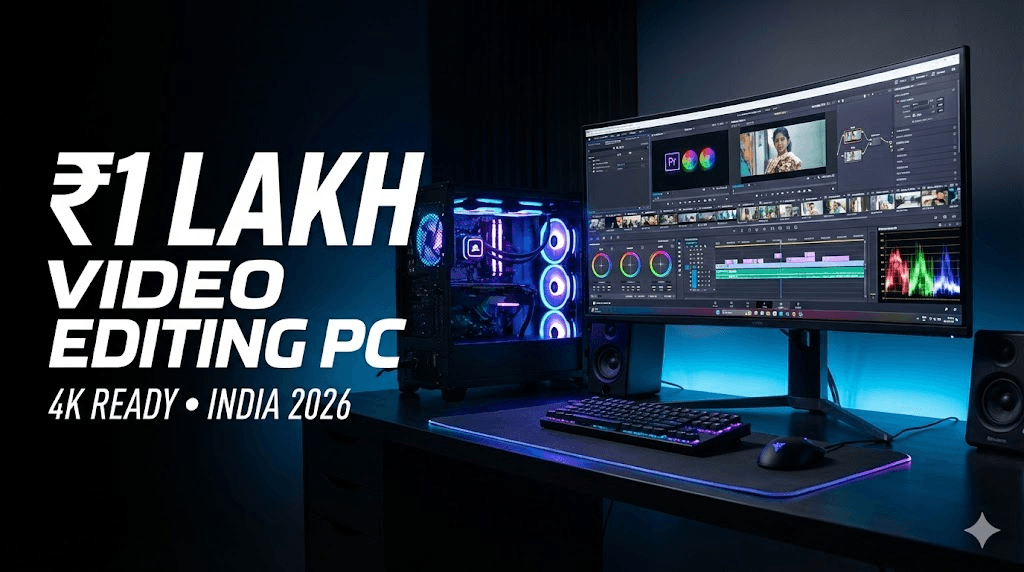
आज के समय में video editing सिर्फ एक skill नहीं, बल्कि एक career option बन चुका है। YouTube creators, Instagram reel editors, freelance video editors और beginner filmmakers – सभी को एक ऐसे PC की जरूरत होती है जो heavy workload को बिना lag handle कर सके। Video editing में timeline smooth चलना, effects apply करते समय hang न होना और export जल्दी complete होना – ये सब directly आपके PC की power पर depend करता है। अगर आपका budget ₹1 लाख के आसपास है, तो यह Indian creators के लिए एक sweet spot माना जाता है। इस budget में आप ऐसा PC बना सकते हैं जो: इस article में हम 2026 के हिसाब से एक practical, balanced और future-proof ₹1 Lakh video editing PC build discuss करेंगे, जो beginners से लेकर intermediate editors तक सभी के लिए useful रहेगा। Video Editing PC Build Requirements (Simple Explanation) 1️⃣ CPU (Processor) – Editing का दिमाग CPU timeline playback, rendering और background processes handle करता है। Video editing के लिए CPU सबसे important component होता है। 2️⃣ GPU (Graphics Card) – Effects और Color Grading GPU का role editing में लगातार बढ़ रहा है। Achha GPU = faster export + smooth preview. 3️⃣ RAM – Multitasking का आधार RAM कम होगी तो timeline freeze और software crash के chances बढ़ जाते हैं। 4️⃣ Storage – Speed matters HDD सिर्फ backup के लिए use करनी चाहिए, editing के लिए नहीं। 5️⃣ Motherboard & PSU – Stability और safety Cheap PSU पूरे system को risk में डाल सकती है। ₹1 Lakh Video Editing PC Build (With Price Breakdown – India 2026) Note: Prices approx हैं, city और offers के हिसाब से थोड़ा ऊपर-नीचे हो सकते हैं। Component Recommended Part Why Video Editing के लिए Best Approx Price (₹) Processor (CPU) AMD Ryzen 7 5700X (8 Core / 16 Thread) Excellent rendering + smooth timeline ₹18,000 Motherboard B550 Chipset (MSI / ASUS / Gigabyte) Stable, future upgrade support ₹8,500 RAM 32GB (16×2) DDR4 3200MHz 4K editing + After Effects ready ₹7,500 Graphics Card (GPU) NVIDIA RTX 3060 12GB CUDA support, DaVinci + Premiere friendly ₹30,000 Storage 1TB NVMe SSD Gen 3 Fast cache + project loading ₹5,500 Power Supply 650W 80+ Bronze (Corsair / Cooler Master) Safe power delivery ₹4,500 Cabinet Airflow focused Mid-Tower Better cooling during long renders ₹4,000 CPU Cooler Aftermarket Air Cooler Stock cooler से बेहतर thermal ₹2,000 🔢 Total Approx Cost: 👉 ₹1,00,000 – ₹1,05,000 Software Compatibility यह build smoothly handle करता है: Total Cost Summary इस PC build की total cost ₹95,000 से ₹1,05,000 के बीच रहती है।GPU और RAM prices market में fluctuate होते रहते हैं, इसलिए final price थोड़ा differ कर सकता है। 👉 Tip: Festive sales और online offers में GPU पर अच्छा discount मिल सकता है। Performance Expectations (Realistic) 🔹 1080p Editing 🔹 4K Editing 🔹 Rendering & Export Optional Upgrades & Downgrades 🔻 Budget ₹90,000 करना हो तो 🔺 Budget ₹1.1 Lakh तक बढ़ाना हो तो 🔄 Future Upgrade Path Who Should Buy This PC? ✔ YouTubers (long-form + shorts)✔ Freelance video editors✔ Instagram reel editors✔ Beginner filmmakers✔ Editing agency starters अगर आप editing से earn करना चाहते हैं, तो यह PC investment long-term में value देता है। Common Mistakes to Avoid in PC Build ❌ RGB पर ज्यादा खर्च करना❌ Cheap local PSU use करना❌ 16GB RAM में 4K editing try करना❌ HDD से direct editing करना❌ Gaming CPU को blindly editing के लिए लेना FAQs ❓ क्या ₹1 लाख में 4K editing possible है? हाँ, सही configuration के साथ 4K editing smoothly possible है। ❓ Laptop बेहतर है या PC? Same budget में PC ज्यादा powerful और upgrade-friendly होता है। ❓ DaVinci Resolve के लिए GPU कितना जरूरी है? बहुत जरूरी। Resolve GPU-heavy software है। ❓ क्या future upgrade possible है? हाँ, RAM, GPU और storage easily upgrade हो सकते हैं। ❓ Beginners के लिए यह PC ज्यादा powerful तो नहीं? नहीं, यह future-ready है और सीखने के साथ grow करेगा। ❓ Editing के लिए Intel या AMD बेहतर? दोनों अच्छे हैं, लेकिन AMD multi-core rendering में better value देता है। Conclusion अगर आप video editing को serious career के रूप में देख रहे हैं, तो ₹1 लाख का PC build एक smart investment है।यह build सिर्फ आज के लिए नहीं, बल्कि आने वाले कई सालों तक आपके साथ grow करेगा। एक strong PC का मतलब है: 👉 Smartly invest करें, shortcuts से बचें और अपने creator journey को next level पर ले जाएँ।
Small Business Ideas with Government Support/Loans in India 2026 (Low Investment, High Profit)
🔶 Introduction भारत में 2026 वह साल है जब small businesses का growth curve लगातार ऊपर जा रहा है। Digital India, Make in India और MSME reforms ने entrepreneurship को पहले से कहीं आसान बना दिया है।सबसे बड़ी बात — अब Government Schemes, Subsidies और Low-Interest Loans छोटे business शुरू करने वालों को मजबूत support दे रहे हैं। आज एक student, working professional, housewife या rural entrepreneur भी सिर्फ ₹20,000–₹2 लाख निवेश के साथ अपना छोटा business शुरू कर सकता है — वो भी बिना collateral loan के। इस ब्लॉग में हम 15 ऐसी business ideas और सभी important government loans (MUDRA, PMEGP, MSME Loan, Stand-Up India, Startup India Seed Funding, Agri Loans) की पूरी जानकारी देंगे। 🔶 Government Loan & Support क्यों ज़रूरी है? 1. MSME Growth में तेजी भारत में MSME सेक्टर GDP का लगभग 30% हिस्सा बनाता है। सरकार चाहती है कि micro और small businesses ज्यादा से ज्यादा बनें — इसलिए आसान loans उपलब्ध कराए जा रहे हैं। 2. Startup Ecosystem मजबूत हुआ Startup India, Digital India, ONDC और AI-based solutions ने small businesses के लिए नए opportunities खोले हैं। 3. Rural Entrepreneurship का Rise PMEGP और Agri loans जैसे programs ग्रामीण youth को घर बैठे business शुरू करने का मौका देते हैं। इसी वजह से 2026 में ग्रामीण उद्यमिता तेजी से बढ़ रही है। 🔵 15 Best Small Business Ideas with Government Support (2026) हर business idea में शामिल है: 1️⃣ Food Processing Business (Pickles, Snacks, Spices) Investment: ₹50,000–₹2,00,000Profit: ₹40,000–₹1,00,000 प्रति माहScheme: कैसे शुरू करें: कौन कर सकता है: महिलाएँ, rural entrepreneurs, beginners। 2️⃣ Small Manufacturing Unit (Candle, Soap, Agarbatti, Paper Plate) Investment: ₹1–5 लाखProfit: ₹60,000–₹1.5 लाख/माहScheme: PMEGP, MSME Loan up to 2 Cr, MUDRA कैसे शुरू करें: कौन कर सकता है: Students, unemployed youth। 3️⃣ Beauty Parlour / Salon (Mudra Loan Support) Investment: ₹30,000–₹2 लाखProfit: ₹40,000–₹1 लाख/माहScheme: MUDRA Loan कैसे शुरू करें: कौन कर सकता है: Women entrepreneurs। 4️⃣ EV Charging Station Setup Investment: ₹2–5 लाखProfit: ₹50,000–₹2 लाख/माहScheme: कैसे शुरू करें: कौन कर सकता है: Tech-savvy youth, urban entrepreneurs। 5️⃣ Organic Farming + Agri Loan Investment: ₹20,000–₹1.5 लाखProfit: High margin (30–40%)Scheme: Kisan Credit Card, NABARD, Agri Loan कैसे शुरू करें: कौन कर सकता है: Farmers, rural youth। 6️⃣ Packaged Drinking Water Plant Investment: ₹2–8 लाखProfit: ₹1–2 लाख/माहScheme: MSME Loan, PMEGP कैसे शुरू करें: 7️⃣ Printing & Packaging Unit Investment: ₹1–4 लाखProfit: ₹70,000–₹1.5 लाख/माहScheme: PMEGP, MSME Loan How to start: 8️⃣ Online Retail / Reselling Business (Government Support for Startups) Investment: ₹10,000–₹50,000Profit: ₹30,000–₹1 लाख+Scheme: Startup India, MUDRA Loan कैसे शुरू करें: 9️⃣ Mobile Repair & Accessories Store Investment: ₹30,000–₹1 लाखProfit: ₹40,000–₹80,000/माहScheme: MUDRA Loan कौन कर सकता है: Students, tech learners। 🔟 Handicraft / Handloom Business Investment: ₹20,000–₹2 लाखProfit: ₹50,000–₹1 लाखScheme: 1️⃣1️⃣ Dairy Farming Investment: ₹50,000–₹2 लाखProfit: ₹25,000–₹1 लाखScheme: NABARD Dairy Loan 1️⃣2️⃣ Poultry Farming Investment: ₹50,000–₹3 लाखProfit: ₹40,000–₹1.2 लाखScheme: Agriculture Loan, PMEGP 1️⃣3️⃣ Digital Services Agency (Social Media, Editing, Web Design) Investment: ₹10,000–₹40,000Profit: Unlimited (₹50,000–₹2 लाख/माह)Scheme: MUDRA Loan (for equipment) 1️⃣4️⃣ Tiffin Service / Cloud Kitchen Investment: ₹20,000–₹1 लाखProfit: ₹40,000–₹80,000Scheme: MUDRA Loan 1️⃣5️⃣ Startup-Based AI / Tech Services Investment: ₹50,000–₹2 लाखProfit: HighScheme: Startup India Seed Fund 🔶 Government Schemes Explained (Complete Guide) 1️⃣ Pradhan Mantri Mudra Yojana (MUDRA Loan) Loan Limit: Interest Rate: 9–12% approxEligibility: कोई भी व्यक्ति जो business शुरू करना चाहता होDocuments: Aadhaar, PAN, bank statements, business planHow to Apply: 2️⃣ PMEGP (Prime Minister Employment Generation Programme) Loan Amount: ₹10–25 लाखSubsidy: 15–35%Eligibility: How to Apply: 3️⃣ MSME Loan up to ₹2 Crore Interest: 7–10% approxEligibility: Registered MSMEsBest for: Manufacturing, trading, services 4️⃣ Stand-Up India Loan For: Women, SC/ST entrepreneursLoan Amount: ₹10 लाख–₹1 करोड़Interest: 7.5–8.5%Required: Business plan + documents 5️⃣ Startup India Seed Fund Funding: ₹5–₹50 लाखEligibility: Innovative startupsDocuments: Pitch deck, business model 6️⃣ Agriculture & Rural Development Loans Schemes: Best for: Farming, dairy, poultry, agro products। 📊 Comparison Table: Government Schemes Scheme Loan Amount Best For Subsidy Eligibility MUDRA Loan ₹50,000–₹10 लाख Small business No Anyone PMEGP ₹25 लाख Manufacturing, services 15–35% Age 18+ MSME Loan Up to ₹2 Cr Manufacturing No MSME Registered Stand-Up India Up to ₹1 Cr Women, SC/ST No Specific categories Startup India ₹5–50 लाख Startups No DPIIT registered Agri Loan ₹10,000–₹5 लाख Farming, dairy Yes Farmers 🔶 How to Apply for Government Loans (Step-by-Step) ❌ Application Mistakes Avoid करें 🔶 Common Myths About Government Loans Myth 1: Loans केवल बड़े businesses को मिलते हैं✔️ सच: Small और micro businesses को सबसे ज्यादा support मिलता है। Myth 2: Loan मिलना बहुत मुश्किल है✔️ सच: सही documents हों तो approval जल्दी मिलता है। Myth 3: Government loans में interest ज्यादा होता है✔️ सच: Interest rate market से कम ही होता है। 🔶 FAQs 1. सबसे आसान government loan कौन सा है? MUDRA Loan सबसे आसान और fast-approval वाला loan है। 2. Mudra Loan से क्या business शुरू कर सकता हूँ? Salon, food business, mobile shop, reselling, tiffin service, handicraft आदि। 3. क्या बिना collateral loan मिल सकता है? हाँ — MUDRA, PMEGP, Stand-Up India में collateral-free loans मिलते हैं। 4. Women entrepreneurs के लिए best scheme? Stand-up India और Mudra Loan (Shishu category)। 5. क्या students भी business loan ले सकते हैं? हाँ, यदि 18+ हैं और business plan है। 🔶 Conclusion 2026 entrepreneurship के लिए एक golden year बनने वाला है।Government schemes अब पहले से कहीं ज्यादा आसान और accessible हो चुकी हैं।आप चाहें student हों, homemaker हों या काम की तलाश में —एक छोटा business शुरू करके उसे बड़ा बनाने का सही समय यही है। सही knowledge + सही scheme = Successful Future 🚀
Best Small Business Ideas in India 2026 (Low Investment, High Profit)
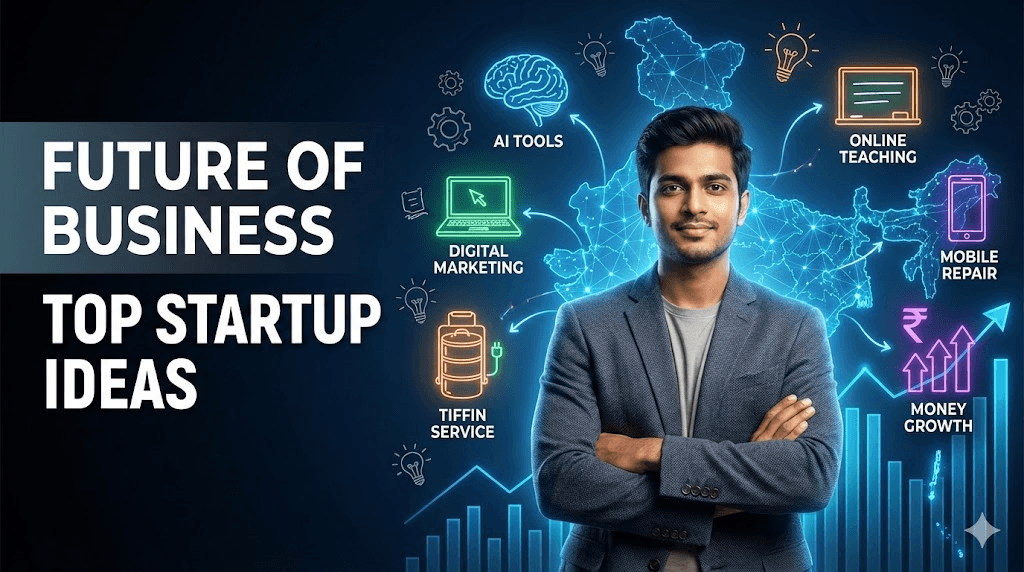
भारत 2026 में एक ऐसे दौर में प्रवेश कर रहा है जहां छोटे व्यवसाय (Small Businesses) देश की आर्थिक रीढ़ बनने जा रहे हैं। आज Digital India, UPI, WhatsApp Business, ONDC, सोशल मीडिया और AI tools ने उद्यमिता को पहले से कहीं आसान बना दिया है। 2026 में छोटे बिज़नेस शुरू करना इसलिए भी फायदेमंद है क्योंकि— यही वजह है कि 2026 को Small Business का Golden Year कहा जा रहा है। ⭐ Small Business शुरू करने के मुख्य फायदे 1. Low Investment में शुरुआत बहुत से बिज़नेस 5,000–20,000 रुपये में शुरू हो जाते हैं।दुकान की जरूरत भी नहीं—घर से शुरू किया जा सकता है। 2. Flexibility – जब चाहें काम करें फुल-टाइम या पार्ट-टाइम, जैसा समय हो वैसा शेड्यूल। 3. High Demand Growth Online ग्राहक बढ़ रहे हैं और भारत में middle-class लगातार expand हो रहा है। 4. Risk बहुत कम कम निवेश का मतलब कम रिस्क। Loss बहुत कम, profit की संभावना ज़्यादा। 5. Scalability छोटे बिज़नेस को आसानी से बड़ा किया जा सकता है—जैसे ज्यादा ग्राहक, ज्यादा प्रोडक्ट, टीम बनाना, सोशल मीडिया मार्केटिंग आदि। 🔥 2026 के High-Demand Small Business Ideas (Low Investment – High Profit) नीचे 15 Top Business Ideas दिए गए हैं। हर एक के साथ Investment, Skills, Earning Potential और Step-by-step Guide भी शामिल है। 1️⃣ Digital Marketing Services आज हर दुकान, startup, coaching center, YouTuber को digital marketing की जरूरत है। Investment: ₹5,000 – ₹15,000 (Laptop + Internet) Skills Needed: Earning Potential (2026): ₹25,000 से ₹1 लाख+ प्रति माह Why It Will Grow in 2026: भारत में 9 करोड़ से ज्यादा MSMEs हैं जो ऑनलाइन आना चाहते हैं। Digital marketers की भारी मांग है। How to Start: 2️⃣ Home Tiffin / Homemade Food Business घर का बना खाना हमेशा demand में रहता है, especially बड़े शहरों में। Investment: ₹3,000 – ₹8,000 Skills Needed: Cooking & hygiene Earning Potential: ₹40,000 – ₹1.2 लाख / माह Why It Will Grow: Working people, bachelor employees, PG students लगातार बढ़ रहे हैं। How to Start: 3️⃣ Personalized Gift Business Customized mugs, frames, LED lamps, photo gifts 2026 में बहुत चलेगा। Investment: ₹10,000 – ₹30,000 Skills Needed: Basic design + Creativity Earning: प्रति gift ₹200–₹800 profit Why 2026 Growth: Instagram gifting trends booming.Birthdays/anniversaries पर demand high. Start कैसे करें: 4️⃣ EV Charging Point Setup Electric vehicles तेज़ी से बढ़ रहे हैं। ये 2026 का high-profit बिज़नेस है। Investment: ₹40,000 – ₹2 लाख (type पर depend) Earning Potential: ₹30,000 – ₹1 लाख+ / माह Why It Will Grow: EV adoption explodes in 2026. How to Start: 5️⃣ Reselling Business (Meesho, Amazon, Flipkart) Zero investment से शुरू होने वाला सबसे आसान बिज़नेस। Investment: ₹0–₹3,000 Skills: Product sourcing, WhatsApp selling Earning: ₹15,000 – ₹60,000 / माह Why Grow: Women entrepreneurs और students के लिए perfect model. Steps: 6️⃣ Mobile Repair & Accessories Shop भारत में मोबाइल users सबसे ज्यादा हैं।Accessories की demand कभी कम नहीं होती। Investment: ₹25,000 – ₹70,000 Skills: Mobile repair basics Earning: ₹30,000 – ₹90,000 / माह Growth Reason: हर 6 महीने में नया phone model आता है। How to Start: 7️⃣ AI-enabled Content Creation / Editing Services AI tools 2026 में content industry को बदल देंगे।Small creators को editors की भारी जरूरत होगी। Investment: ₹10,000–₹50,000 Skills: Earning: ₹40,000 – ₹1.5 लाख+ / माह Why Grow: Reels, YouTube Shorts, Podcasts explode. How to Start: 8️⃣ Fitness Coaching at Home / Online Health awareness बढ़ गया है।People prefer personal trainers. Investment: ₹5,000–₹20,000 Skills: Fitness training certification Earning: ₹30,000 – ₹1 लाख / माह Why Grow: Home workouts, weight loss demand बढ़ रही है। Steps: 9️⃣ Online Teaching / Tuition Business Maths, English, Coding, Music, Drawing—हर skill की demand है। Investment: लगभग Zero Earning: ₹20,000 – ₹1.5 लाख / माह Why Grow: Parents focused on skill education. How to Start: 🔟 Print-on-Demand Products (T-shirts, Hoodies, Mugs) Design आप बनाएंगे, printing company करेगी। Investment: Zero (on-demand model) Earning: ₹200–₹500 profit per order Why Grow: Youth fashion trends boom. Steps: 1️⃣1️⃣ Handmade Products (Candle, Soap, Art) Homemade candles, organic soaps trending है। Investment: ₹3,000 – ₹10,000 Earning: ₹20,000 – ₹80,000 / माह 1️⃣2️⃣ Photography & Videography Influencers, weddings, pre-weddings—demand हमेशा high। Investment: ₹50,000 – ₹1.5 लाख (camera या rent) Earning: ₹30,000 – ₹2 लाख / माह 1️⃣3️⃣ Social Media Management हर छोटे बिज़नेस को अपनी सोशल मीडिया संभालने वाला चाहिए। Investment: Zero Earning: प्रति client ₹5,000 – ₹30,000 monthly 1️⃣4️⃣ Cloud Kitchen (Small Scale) Tiffin + fast food + bakery items घर से बेचें। Investment: ₹8,000 – ₹30,000 Earning: ₹40,000 – ₹1 लाख / माह 1️⃣5️⃣ Dropshipping Business (E-commerce without stock) आपको product stock नहीं करना—supplier सीधे customer को भेजता है। Investment: ₹5,000–₹20,000 Earning: ₹50,000 – ₹2 लाख / माह 🏙 Urban vs Rural Business Opportunities (2026 Trends) Urban India (Cities): Rural India (Villages): 🏦 Government Schemes & Loans for Small Business (2026) 2026 में सरकार छोटे उद्यमियों के लिए कई योजनाएँ चला रही है: 1. PM Mudra Loan (₹50,000 – ₹10 लाख) शिशु, किशोर और तरुण loan categories। 2. Stand-up India Scheme Women और SC/ST entrepreneurs के लिए। 3. PMEGP (25–35% subsidy) Manufacturing + service businesses पर subsidy। 4. MSME Udyam Registration Benefits Low-interest loans + tax benefits। 🤖 How to Use AI/Technology to Grow Your Small Business 2026 में AI आपका सबसे बड़ा assistant है। AI से क्या कर सकते हैं? इतना सब कुछ 1 ही व्यक्ति आसानी से कर सकता है—AI productivity को कई गुना बढ़ा देता है। ⚠️ Beginners को कौन-सी Mistakes Avoid करनी चाहिए? ❓ FAQs 1. 2026 में कौन-सा business सबसे profitable है? Digital marketing, AI-enabled content, EV charging, cloud kitchen, reselling और tuition सबसे profitable options हैं। 2. कम पैसों में कौन-सा business शुरू कर सकता हूँ? Reselling, online tuition, digital services, handmade products, print-on-demand। 3. क्या बिना दुकान के business किया जा सकता है? हाँ—2026 में 70% छोटे व्यवसाय घर से चलाए जा सकते हैं। 4. क्या student भी small business शुरू कर सकता है? हाँ—social media management, reselling, online teaching perfect हैं। 5. क्या AI से कमाई बढ़ेगी? हाँ—AI productivity और speed दोनों बढ़ाता है। 6. क्या महिलाएँ घर से ये बिज़नेस