

DaVinci Resolve vs After EffectsSystem Requirements 2026
DaVinci Resolve vs After Effects System Requirements 2026 | हिंदी गाइड 📹 2026 COMPLETE GUIDE · हिंदी में DaVinci Resolve vs After Effects System Requirements 2026 कौन सा software आपके PC पर चलेगा? RAM, GPU, CPU की पूरी comparison — सरल हिंदी में। 📅 2026 Updated ⏱ 8 मिनट पढ़ें 🎯 Beginners & Pro दोनों के लिए परिचय क्यों जरूरी है यह जानना? अगर आप video editing या motion graphics सीखना चाहते हैं, तो पहला सवाल यही आता है — DaVinci Resolve चलाऊं या After Effects? लेकिन इससे भी पहले एक जरूरी सवाल है: क्या आपका PC इन्हें handle कर पाएगा? 2026 में दोनों software बहुत powerful हो गए हैं। इनकी system requirements भी बढ़ गई हैं। अगर आपने बिना जाने software install किया और PC hang करने लगा — तो सारी मेहनत बेकार। इस article में हम step-by-step compare करेंगे — minimum requirements, recommended specs, GPU की जरूरत, और low-end PC पर performance। सब कुछ आसान हिंदी में। 💡 “सही software चुनना उतना जरूरी नहीं जितना यह जानना कि आपका PC उसे support करता है या नहीं।” Software परिचय दोनों Software के बारे में जानें 🎬 DaVinci Resolve BY BLACKMAGIC DESIGN यह एक professional video editing और color grading software है। इसमें editing, color correction, visual effects, और audio mixing — सब एक जगह मिलता है। सबसे अच्छी बात: इसका free version बेहद powerful है। ✨ After Effects BY ADOBE SYSTEMS यह motion graphics और visual effects का king माना जाता है। YouTube intros, title animations, और cinematic effects के लिए यह सबसे popular choice है। लेकिन यह subscription-based है — Adobe Creative Cloud का हिस्सा। DaVinci Resolve उन लोगों के लिए best है जो video editing और color grading को seriously लेते हैं। Hollywood films भी इससे बनती हैं। After Effects उन creators के लिए है जो animations, motion graphics, और special effects पर focus करते हैं। YouTubers और advertisers इसे सबसे ज्यादा use करते हैं। Minimum Requirements Minimum System Requirements — 2026 ⚠️ ध्यान दें: Minimum requirements पर software चल तो जाएगा, लेकिन performance average रहेगी। Professional काम के लिए Recommended specs जरूर देखें। Component 🎬 DaVinci Resolve 19 ✨ After Effects 2025 Operating System Windows 10 / macOS 12 / Ubuntu 20.04 Windows 10 (64-bit) / macOS 13 RAM 16 GB 16 GB GPU VRAM 2 GB VRAM 4 GB VRAM CPU Intel Core i7 / AMD Ryzen 7 Intel Core i5 (8th Gen+) / Ryzen 5 Storage 2.5 GB (Software) + Project Space 15 GB (Software) + Project Space Internet Not Required (Free Version) Required (Activation) Display Resolution 1920 × 1080 1920 × 1080 Recommended Requirements Recommended System Requirements — Best Performance ✅ ये specifications आपको smooth, lag-free editing experience देंगी। अगर आप 4K editing करते हैं या complex projects handle करते हैं, तो ये specs जरूरी हैं। 🎬 DaVinci Resolve — Recommended 🧠 RAM 32 GB 4K के लिए 64GB बेहतर 🖥️ GPU VRAM 8–16 GB NVIDIA RTX 3070+ ⚙️ CPU 12-Core+ Ryzen 9 / Core i9 💾 Storage NVMe SSD 1TB+ recommended ✨ After Effects — Recommended 🧠 RAM 32 GB RAM Preview के लिए ज़रूरी 🖥️ GPU VRAM 8 GB RTX 3060 minimum ⚙️ CPU 8-Core+ Core i7 / Ryzen 7 💾 Storage SSD Media Cache के लिए अलग drive Full Comparison Complete Feature Comparison Table नीचे दी गई table में हमने दोनों software की हर important चीज़ compare की है। Feature / Spec 🎬 DaVinci Resolve 19 ✨ After Effects 2025 💰 Price Free (Studio ₹25,000) ₹1,600/माह (Adobe CC) 🧠 Minimum RAM 16 GB 16 GB 🧠 Recommended RAM 32–64 GB 32 GB 🖥️ GPU जरूरत बहुत ज़रूरी (GPU-heavy) ज़रूरी (CUDA/Metal) 🖥️ Minimum GPU VRAM 2 GB (Basic) / 8 GB (4K) 4 GB VRAM ⚙️ CPU Cores (Recommended) 12+ Cores 8 Cores (AE efficient) 💾 Software Size ~2.5 GB ~15 GB 🪟 Windows Support Windows 10/11 Windows 10/11 🍎 macOS Support macOS 12+ macOS 13+ 🐧 Linux Support हाँ (Ubuntu) नहीं 🎨 Primary Use Video Editing + Color Grading Motion Graphics + VFX 🔗 Internet Required नहीं (Free version) हाँ (Activation) 📈 Low-End PC Performance बेहतर (GPU efficient) Average (RAM heavy) 🤝 Integration Blackmagic Ecosystem Adobe Suite (Premiere, PS) Key Differences GPU, CPU, RAM — मुख्य अंतर क्या हैं? System requirements में numbers एक जैसे लग सकते हैं — लेकिन दोनों software उन्हें बिल्कुल अलग तरीके से use करते हैं। यह समझना बहुत जरूरी है। 🖥️ GPU — ग्राफिक्स कार्ड DaVinci Resolve GPU पर बहुत depend करता है। Color grading और effects के लिए NVIDIA/AMD का powerful card चाहिए। CUDA और OpenCL दोनों support करता है। After Effects भी GPU use करता है, लेकिन mainly CUDA (NVIDIA) पर। कुछ effects CPU-based हैं। GPU less critical है AE में। ⚙️ CPU — प्रोसेसर DaVinci Resolve में CPU और GPU दोनों मिलकर काम करते हैं। ज्यादा cores = ज्यादा smooth export। After Effects में कुछ effects purely CPU-based हैं। Single-core performance ज्यादा मायने रखती है। Intel का clock speed यहाँ काम आता है। 🧠 RAM — मेमोरी After Effects RAM को बहुत ज्यादा use करता है — खासकर RAM Preview के लिए। कम RAM में यह बार-बार preview purge करेगा। DaVinci Resolve भी 32GB चाहता है, लेकिन यह अपने GPU cache को ज्यादा use करता है। RAM usage comparatively smarter है। 💿 Storage — स्टोरेज DaVinci Resolve सिर्फ ~2.5GB लेता है install होने में। Project files अलग रखें। After Effects ~15GB लेता है। Plus Adobe cache काफी space खाता है। एक dedicated SSD media cache के लिए बेहतर रहता है। Low-End PC Low-End PC पर कौन बेहतर चलेगा? अगर आपके पास 8-16GB RAM है, integrated GPU है, या पुराना laptop/PC है — तो यह section आपके लिए है। 🎬 DaVinci Resolve Low-End Score 6.5/10 8GB RAM पर basic editing हो सकती है Integrated GPU पर limited features Free version में lite mode available Proxy workflow से performance boost होता है 4K editing के लिए dedicated GPU जरूरी ✨ After Effects Low-End Score 4.5/10 16GB RAM minimum for smooth work RAM preview बार-बार purge होती है Complex animations में heavy lag Reduce
Best Gaming PC Cases Under ₹5000 in India (2026) – Budget RGB Cabinet Guide

1. Introduction When planning a gaming PC build, most of us focus on the processor (CPU) and graphics card (GPU) first. But did you know that your expensive components’ safety and performance directly depend on your cabinet or case? A good gaming cabinet isn’t just a box—it’s the ‘home’ for your system. It determines how cool your components will run (especially in India’s heat), how easy upgrades will be, and how stunning your setup will look on your desk. For those on a budget, finding the best pc cabinet under 5k can significantly enhance your overall PC experience. For budget builders, the ₹5000 price point is a sweet spot. Below this price, you often get cabinets with weak build quality and poor airflow. Above this range, features might increase, but it can be overkill for a budget build. A ₹5000 budget gives you a balance where you can get good airflow, attractive RGB lighting, and solid build quality all together. Let’s explore how to choose your next gaming case in this budget and which options are currently best in the market—all available on Amazon India, including the best pc cabinet under 5k. 2. Important Buying Guide (Before the List) Before you hit that buy button, understanding some basics will ensure your money is well spent: 1. Importance of Airflow This is the most crucial factor. A case’s job is to push hot air out and bring cool air in. In Indian summers, a cabinet with poor airflow can cause your CPU and GPU to suffer from thermal throttling, leading to performance drops and lag during gaming. Always choose a case with a mesh front panel or perforated design, not a completely sealed acrylic or glass one . 2. Cabinet Size (ATX vs mATX) You need to decide what size your motherboard is: 3. The RGB vs Airflow Debate Beautiful-looking cases often come with glass or plastic front panels that severely block airflow. RGB lighting looks great, but if you compromise on airflow for it, your expensive components will heat up quickly. The ideal situation is to get a mesh front panel case that comes with pre-installed RGB fans . 4. Build Quality The thickness of the case steel (usually 0.5mm to 0.7mm) determines its durability. Good quality cases reduce vibration and last longer. Look for terms like “SECC steel” in specifications. 5. Cable Management There should be enough space behind the motherboard tray to route cables. This improves airflow inside the case and keeps the build looking clean and professional. 3. Top Gaming PC Cases Under ₹5000 (India 2026) Here are 7 excellent cases currently available on Amazon India that offer the best value in this budget: 1. Ant Esports ICE-300TG A perfect all-rounder case. Its standout feature is the massive GPU clearance. If you have a large graphics card, this case will easily accommodate it. 2. GALAX Revolution-06 (White) If you’re a fan of the white color and want a minimalist look, this case is for you. The hinged magnetic glass door makes it unique in this segment. 3. Chiptronex HX1000 This case is for those who want full RGB control via motherboard sync. It comes with a 3-pin ARGB header, which is rare in this price segment. 4. COUGAR Air Face Pure Pro If your budget stretches to around ₹5000, this is currently one of the best value-for-money options on the market. The highlight is the USB Type-C port, which is usually found on much more expensive cases . 5. MSI MAG Forge 130A Airflow This MSI case offers excellent build quality and the trusted MAG series pedigree. The front is fully mesh, allowing unrestricted airflow into the case. 6. Ant Esports Crystal X6 Want a combination of both RGB and airflow? The Crystal X6 offers this with its dual front panel option (mesh and glass) that you can swap based on your needs. 7. Frontech Arcadia FT-4343 Want maximum RGB at the lowest price? This case is for you. With 4 pre-installed fans, you don’t need to buy additional fans separately. 4. Best Picks by Category 5. ATX vs Micro-ATX Case – Which Should You Choose? This is a common confusion among first-time builders: Choose an ATX Mid-Tower if: Choose a Micro-ATX Case if: Verdict: For most first-time builders, an ATX mid-tower case is recommended as it offers the best balance of space, airflow, and future upgrade options . 6. Airflow Tips for Budget Cabinets Even with a good cabinet, proper fan placement matters: 7. Mistakes to Avoid 8. Frequently Asked Questions (FAQs) 1. Is a ₹5000 cabinet good for gaming? Absolutely. In 2026, the ₹4000-5000 segment offers excellent features like mesh front panels, tempered glass, 3-4 pre-installed RGB fans, and good build quality. It’s the ideal budget range for a gaming PC . 2. How many fans are enough for a gaming PC? At minimum, you need 2 fans (one intake, one exhaust). However, with 3 intake and 1 exhaust (like most cases here), you get excellent airflow and positive pressure, which is ideal for gaming . 3. Tempered glass vs acrylic – which is better? Tempered glass is always better. It doesn’t scratch easily and looks premium. Acrylic gets scratched just by wiping dust off. All cases recommended here have tempered glass side panels. 4. Does a cheap cabinet affect performance? Indirectly, yes. If a cabinet has poor airflow, your CPU and GPU will get hotter. To protect themselves, they will reduce their speed (thermal throttle), which lowers your FPS in games. A good cabinet prevents this. 5. Will an ATX case fit a Micro-ATX motherboard? Yes, absolutely. ATX cases are backwards compatible. You can easily fit a smaller mATX or Mini-ITX motherboard inside an ATX case. It might look a bit empty, but it works perfectly . 6. What is the difference between RGB and ARGB? 7. Do I need to buy additional fans? No. All the cases listed in this guide come with pre-installed fans (between 3 to 6 fans). You can start gaming right away without buying extra fans. 8. How important is a USB Type-C port on the
Premiere Pro vs DaVinci Resolve – कौन सा Software Best है? (2026 Full Comparison Guide)
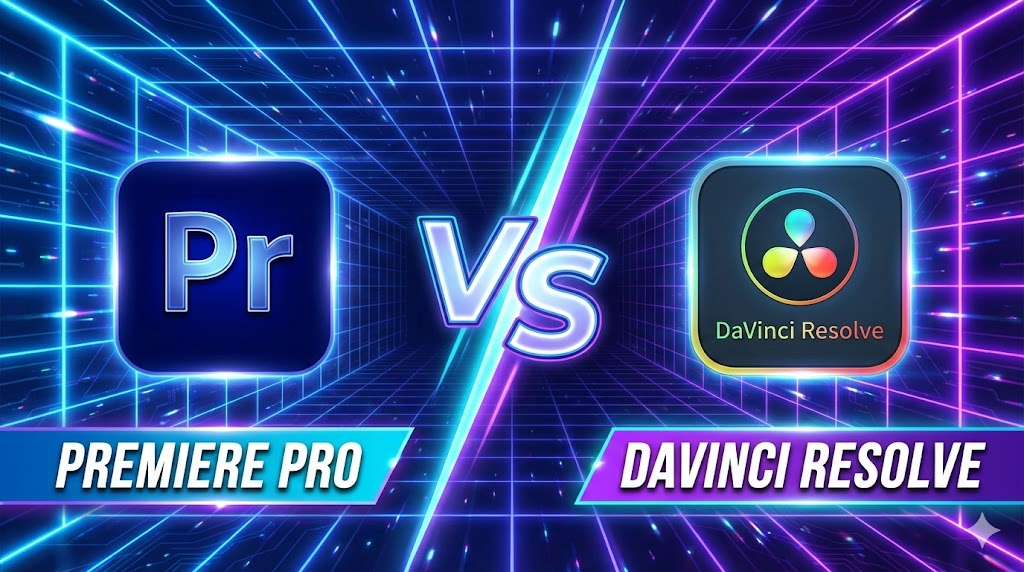
Introduction: Video Editing Software क्यों जरूरी हैं? Premiere Pro vs DaVinci Resolve Hindi आज के समय में वीडियो सिर्फ entertainment तक सीमित नहीं रहा, बल्कि यह एक strong career और business opportunity बन चुका है। YouTube channels, Instagram Reels, Freelancing projects, Online Courses, OTT content और Films—हर जगह professional video editing की भारी मांग है। आज brands और creators दोनों ही high‑quality, fast और engaging video content चाहते हैं। एक अच्छा video editing software editor को यह power देता है कि वह raw footage को professional‑grade output में बदल सके, colors को cinematic बना सके, audio को साफ और balanced रख सके, effects और transitions के जरिए storytelling को मजबूत करे और tight deadlines में भी तेज़ delivery दे सके। 2026 में market में कई editing tools available हैं, लेकिन Premiere Pro और DaVinci Resolve सबसे ज्यादा भरोसेमंद और widely‑used software बन चुके हैं। हालांकि, इन दोनों में से सही choice करना आसान नहीं है—क्योंकि सही software पूरी तरह आपकी जरूरत, budget, system configuration और future goals पर depend करता है। Software Overview Adobe Premiere Pro Adobe Premiere Pro, Adobe Creative Cloud का हिस्सा है और यह दुनिया के सबसे ज़्यादा इस्तेमाल होने वाले video editing software में से एक माना जाता है। Film industry, digital agencies और YouTubers इसे इसलिए पसंद करते हैं क्योंकि इसका workflow सीधा और समझने में आसान है। Timeline‑based editing की वजह से beginners भी जल्दी comfortable हो जाते हैं और professional editors fast delivery कर पाते हैं। Premiere Pro की सबसे बड़ी ताकत इसका Adobe ecosystem है। Lumetri Color से basic से लेकर advanced color correction आसानी से की जा सकती है। Audio के लिए इसमें strong in‑built tools मिलते हैं और जरूरत पड़ने पर Adobe Audition के साथ seamless integration हो जाता है। Motion graphics और animated text के लिए After Effects का direct support Premiere को content creators के लिए बहुत powerful बना देता है। DaVinci Resolve DaVinci Resolve, Blackmagic Design का all‑in‑one professional software है, जो खासतौर पर high‑end color grading के लिए famous है। यह सिर्फ एक editor नहीं, बल्कि editing, color correction, audio production और visual effects को एक ही software में combine करता है। यही वजह है कि film makers और advanced editors इसे ज्यादा prefer करते हैं। Resolve की सबसे बड़ी strength इसका powerful free version है, जिसमें भी professional‑level tools मिल जाते हैं। Node‑based color grading system editors को colors पर full control देता है, जो Premiere की तुलना में कहीं ज्यादा advanced है। Resolve GPU‑optimized है, इसलिए strong hardware पर यह बहुत smooth performance देता है। Fairlight audio page और Fusion VFX tools इसे complete post‑production solution बनाते हैं। Installation & System Requirements Platforms: Minimum / Recommended (Basic Editing): Low‑end systems पर Premiere ज्यादा forgiving है; Resolve hardware‑hungry है। Interface Comparison Interface किसी भी video editing software का सबसे important हिस्सा होता है, क्योंकि editor दिन का ज़्यादातर समय इसी screen पर काम करता है। Premiere Pro और DaVinci Resolve दोनों का approach अलग‑अलग है, और यही अंतर users के experience को तय करता है। Premiere Pro का interface traditional timeline‑based workflow पर चलता है। इसमें एक main timeline होती है, जिसके आसपास panels (Project, Source Monitor, Program Monitor, Effects आदि) लगे होते हैं। यह structure beginners के लिए जल्दी समझ में आ जाता है, क्योंकि ज़्यादातर tutorials और courses इसी तरह का workflow सिखाते हैं। Drag‑and‑drop editing, shortcuts और clear layout की वजह से नए editors बिना ज्यादा confusion के काम शुरू कर सकते हैं। DaVinci Resolve का interface थोड़ा अलग और ज्यादा professional approach follow करता है। इसमें page‑based workflow होता है, जैसे Cut, Edit, Color, Fusion और Fairlight। हर page एक specific काम के लिए बना होता है, जिससे advanced editors को focused environment मिलता है। हालांकि, beginners के लिए यह शुरू में थोड़ा overwhelming लग सकता है, क्योंकि हर stage पर नया layout दिखता है। Customization की बात करें तो Premiere Pro में panels और workspaces को अपनी जरूरत के हिसाब से पूरी तरह customize किया जा सकता है। Editors अपने workflow के अनुसार layout बना सकते हैं और save भी कर सकते हैं। वहीं DaVinci Resolve का layout ज्यादा structured और fixed रहता है, जो large projects और team workflows में consistency बनाए रखने में मदद करता है। कुल मिलाकर, अगर आप आसान और flexible interface चाहते हैं तो Premiere Pro बेहतर महसूस होगा। लेकिन अगर आप long‑term professional editing और film‑level workflow की तरफ जाना चाहते हैं, तो DaVinci Resolve का interface ज्यादा powerful साबित होता है। Editing Features Editing features किसी भी software की real strength दिखाते हैं, क्योंकि यहीं पर editor का रोज़ का ज़्यादातर काम होता है। Premiere Pro और DaVinci Resolve दोनों ही professional-level editing tools देते हैं, लेकिन उनका approach अलग है। Cutting और trimming के मामले में दोनों software तेज़ और accurate हैं। Premiere Pro में timeline पर cuts करना, ripple edits लगाना और shortcuts के साथ fast editing करना beginners के लिए आसान लगता है। वहीं DaVinci Resolve भी उतना ही precise है, लेकिन इसका workflow थोड़ा ज्यादा technical feel देता है, जो experienced editors को पसंद आता है। Multicam editing की बात करें तो Premiere Pro में multiple camera footage को sync करना और switch करना comparatively simple है। यही वजह है कि interviews, podcasts और YouTube shoots के लिए यह बहुत popular है। DaVinci Resolve multicam में ज्यादा advanced options देता है, खासकर color और audio sync के मामले में, जो complex projects में फायदेमंद होते हैं। Audio editing में दोनों software strong हैं, लेकिन फर्क approach का है। Premiere Pro basic से advanced audio editing के लिए काफी है और जरूरत पड़ने पर Adobe Audition के साथ seamlessly connect हो जाता है। दूसरी तरफ DaVinci Resolve का Fairlight audio system पूरी तरह professional audio workstation जैसा है, जो films और detailed sound design के लिए ज्यादा powerful साबित होता है। Motion graphics और text animation के लिए Premiere Pro का सबसे बड़ा फायदा After Effects integration है। Simple lower thirds से लेकर complex animations तक, workflow smooth रहता है। DaVinci Resolve में Fusion module मौजूद है, जो बहुत
Acer SmartChoice Aspire 3 (A325-45): Understanding Your Budget Laptop Choice
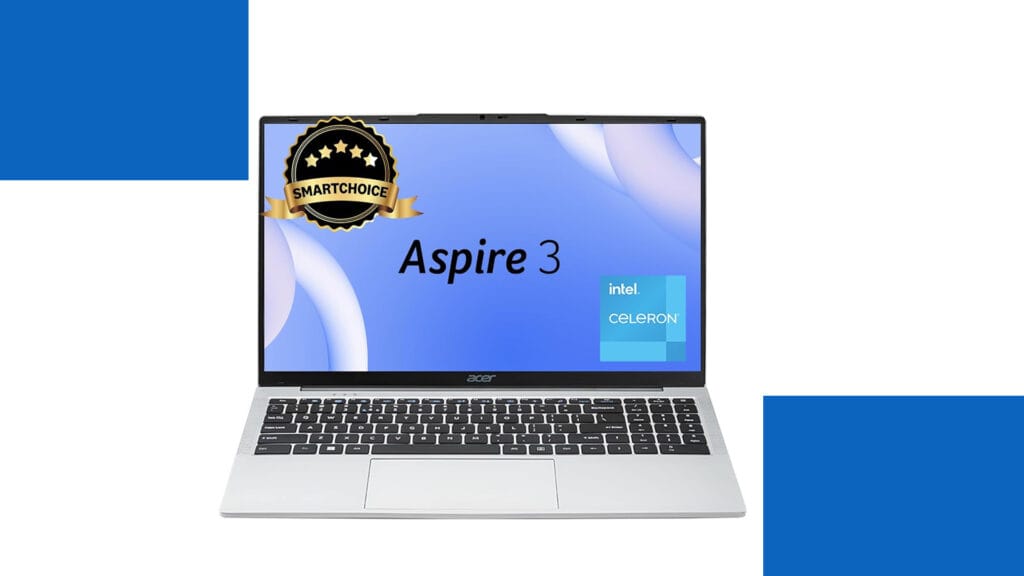
What This Laptop Really Offers You Let me help you understand what the Acer SmartChoice Aspire 3 brings to your desk. Think of this laptop as your reliable study partner or office companion rather than a performance powerhouse. It’s designed for students working on assignments, office professionals managing emails and spreadsheets, and families who need a computer for everyday internet browsing and video streaming. The Pure Silver finish gives it a clean, professional appearance that works equally well in classrooms and conference rooms. The most important thing to grasp is that this laptop focuses on essentials rather than impressive specifications. With its Intel Celeron processor and 8 GB of memory, it handles daily computing tasks competently while keeping costs affordable. The generous 512 GB solid-state drive means your files load quickly and you have plenty of storage space. At just 1.5 kg, it’s surprisingly light for a laptop with a 15.6-inch screen, making it practical to carry in your backpack without straining your shoulders. Technical Specifications at a Glance Let me organize the specifications in a way that makes them easy to understand and compare: Component Specification What This Means For You Processor Intel Celeron N4500 (Dual-core, 1.1 GHz base, 2.8 GHz boost) Handles basic tasks smoothly but struggles with demanding applications like video editing or gaming Memory (RAM) 8 GB LPDDR4X (Soldered, non-upgradeable) Sufficient for multitasking with browser tabs and office applications, but cannot be expanded later Storage 512 GB SSD Fast boot times and application loading, plenty of space for documents, photos, and media files Display 15.6-inch HD (1366×768 pixels) Adequate for reading and watching videos, but less sharp than modern Full HD displays Graphics Intel UHD Graphics (Integrated) Suitable for video playback and basic tasks, not for gaming or professional graphics work Operating System Windows 11 Home (Pre-installed) Latest Windows experience with modern interface and security features Weight 1.5 kg Lighter than most 15.6-inch laptops, making daily carrying more comfortable Battery Standard battery (exact capacity varies) Approximately six to eight hours with light use, four to five hours with intensive tasks Connectivity WiFi, Bluetooth, USB ports, HDMI, Audio jack All essential connections for peripherals, displays, and internet access Build Material Plastic chassis in Pure Silver finish Lightweight and professional-looking, though requires careful handling Performance: Setting Realistic Expectations Understanding performance requires thinking about how computers actually work. The Intel Celeron N4500 processor is like having a reliable bicycle rather than a sports car. It gets you where you need to go efficiently for everyday journeys, but you wouldn’t use it for racing. When you open Microsoft Word or browse websites with several tabs, the experience feels smooth and responsive. The solid-state drive deserves special mention here because it dramatically improves how quickly everything opens and saves, making the laptop feel faster than the modest processor might suggest. For students attending online classes through Zoom or Microsoft Teams, writing research papers, creating presentations, and conducting web research, this laptop handles these tasks without frustration. Office workers managing emails, working with Excel spreadsheets that aren’t enormous, and creating PowerPoint presentations will find the performance adequate. Families streaming Netflix or YouTube, video calling relatives, managing online banking, and browsing social media will enjoy a comfortable experience. However, certain activities push beyond what this laptop can handle comfortably. Modern gaming is essentially impossible except for very simple casual games, because the integrated graphics and processor lack the power required. Video editing with high-resolution footage becomes an exercise in patience, with slow rendering times and laggy previews. Running multiple demanding programs simultaneously causes noticeable slowdown. Professional photo editing with large files in applications like Photoshop feels sluggish compared to more powerful machines. Display and Design Considerations The 15.6-inch HD display represents the most significant compromise in this laptop. To help you understand this better, imagine looking at text through a slightly lower-quality magnifying glass compared to premium laptops. Everything remains readable and functional, but you notice less sharpness and fit fewer items on your screen at once. For watching movies and browsing websites, it works perfectly fine. For professionals working with detailed spreadsheets or designers who need color accuracy, the limitations become more apparent. The lightweight design at 1.5 kg genuinely stands out as a strength. Many students underestimate how important this becomes when carrying a laptop between classes five days per week. The difference between 1.5 kg and 2 kg might seem trivial in a store, but your shoulders notice it after months of daily commuting. The plastic construction keeps weight down while maintaining adequate durability for careful use. The Bottom Line: Making the Right Choice This laptop succeeds brilliantly at what it’s designed to do while honestly showing its limitations in areas where it wasn’t meant to compete. For students whose coursework involves writing, research, online learning, and basic computing, it represents excellent value. For families needing a shared computer for household management and entertainment, it provides reliable service without excessive cost. For office environments where employees primarily work with web applications and office software, it delivers adequate productivity. You should consider alternatives if your needs involve graphics-intensive work, professional content creation, modern gaming, or running demanding specialized software. Students in engineering, architecture, or design programs who need to run CAD software or professional creative applications need more powerful machines. Similarly, if display quality matters significantly to you because you spend many hours staring at screens, investing more for a Full HD display prevents daily frustration. The Acer SmartChoice Aspire 3 teaches us an important lesson about technology purchases: matching your actual needs with appropriate specifications prevents both overspending and underbuying. Not everyone needs a powerful, expensive laptop, and recognizing when adequate specifications serve you well helps you spend money wisely. This laptop represents that sweet spot for basic computing needs, delivered with enough quality to ensure reliable daily use without breaking your budget.
Kreo Owl 1080p Webcam Review: Is This Budget-Friendly Device Your Next Video Hero?
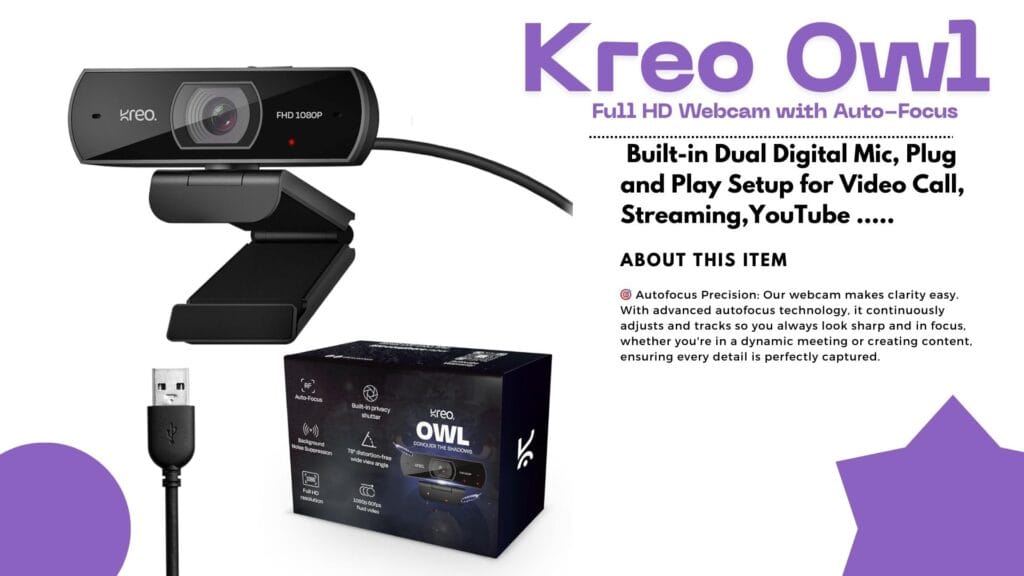
Introduction: Why Reliable Video Matters Ever found yourself ready for a crisp, professional Zoom call or a game stream—only for your old webcam to leave your face looking blurry and tired? If you’ve been hunting for a webcam that’s smooth, vibrant, and affordable, the Kreo Owl might just be your new desk buddy! Today, we dive deep into the Kreo Owl 1080p Webcam Review, its standout features, real user experiences, and how it stacks up against the competition. Quick Overview: The Essentials Detailed Analysis: Kreo Owl 1080p Webcam Review What’s Awesome About the Kreo Owl Webcam? Big on Features, Small on Hassle User Experience: Quick, Easy, Reliable Unboxing the Kreo Owl is satisfying—solid ABS plastic construction, sturdy monitor clip, and a wide, glass lens. Setup? Simply plug it in. Windows or Mac, no drivers needed. Users love the quick setup and fast adaptation to video platforms like Zoom, Teams, Skype, and OBS. Real User Reviews: What People Actually Say Positive Vibes Not-So-Perfect Points Performance in Action Tested for online classes and gaming streams, the Kreo Owl performed admirably in well-lit rooms. The mic kept background noise to a minimum, while the privacy shutter proved handy between meetings. On the downside, rooms with poor lighting revealed some limitations; boosting brightness fixed most issues. Kreo Owl vs. Top Competitors How does the Kreo Owl compare with big names like Logitech and Razer? Let’s see! Feature Kreo Owl 1080p Logitech C920 Razer Kiyo X Resolution 1080p/60FPS 1080p/30FPS 1080p/60FPS Auto-Focus Yes Yes Yes Built-in Mic Dual Stereo Single Privacy Shutter Yes Yes No Price Range Budget Mid-Range Premium Ring Light Basic No Yes The Bottom Line:The Kreo Owl delivers most modern features at a price that’s often half of the competition. If you crave top-tier software and brand cachet, you’ll favor Logitech or Razer. For core online meetings and streams—Kreo Owl is more than enough! Pros and Cons Breakdown Pros Cons Who Should Pick the Kreo Owl? If you need sharp video and solid sound for online calls, classes, or streaming—and don’t want to break the bank—this is a sensible choice. Teachers, small business owners, students, and casual streamers will love the price-performance combo. If you’re a full-time content creator craving studio-level control, software perks, or marketing bragging rights, consider the premium brands instead. Value: Is It Worth Your Money? Absolutely, if reliability, ease of use, and great value matter to you. Comparing price and features, Kreo Owl punches above its weight, making it ideal for most everyday users. Final Thoughts: Should You Buy? The Kreo Owl 1080p Webcam does what it promises—and more. For classroom heroes, budget-conscious professionals, or first-time streamers, this webcam is a worthy investment. It’s not perfect, but it’s practical and friendly, just like the people who use it. Ready to upgrade your video calls and make a smarter buying decision? The Kreo Owl might just be your perfect match! Did you find this review helpful? Share your thoughts and experiences below, or grab your Kreo Owl now and let crisp video boost your next call!
FRONTECH Ultima Series 24 Inch Curved LED Monitor Review – Best Editing Monitor Under ₹5,999 in 2025?
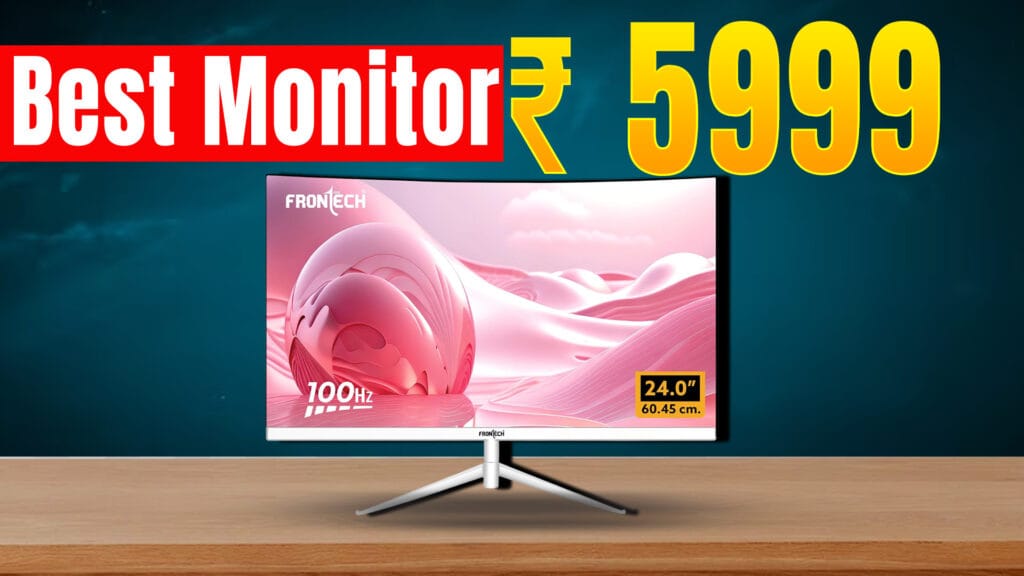
Looking for an affordable yet feature-packed editing monitor in 2025? The FRONTECH Ultima Series 24 Inch Curved LED Monitor (Model MON-0080) is gaining popularity for its curved design, smooth visuals, and reasonable price point of around ₹6,439 on Amazon India with a 3-year warranty. Design and Display The monitor sports a 24-inch curved VA panel with an 1800R curve, offering an immersive viewing experience that is especially useful when editing videos and photos. It has a Full HD resolution (1920 x 1080 pixels) with crisp and vibrant visuals that help keep colors accurate and consistent. The bezel-less design maximizes screen space, making it ideal for multitasking and professional workflows. Performance and Features Connectivity and Build The monitor includes essential ports for modern and legacy devices: These ports make the FRONTECH MON-0080 compatible with laptops like MacBook Pro, desktops like Mac Mini, and other mainstream computers. It comes with a sleek white finish and a sturdy metallic stand that allows slight tilt adjustments for ergonomics. Pricing and Availability Priced around ₹6,439 with free delivery on Amazon India and supported by a 3-year warranty, it offers outstanding value for budget-conscious buyers. It also has received mostly positive reviews, highlighting smooth performance and good color quality for the price. Limited EMI options and bank offers increase its affordability. Who Should Buy This Monitor? This monitor is ideal for: Final Verdict For those on a budget searching for the best editing monitor under ₹10,000 in 2025, the FRONTECH Ultima MON-0080 is a strong contender. With its curved design, 100Hz refresh rate, color accuracy, and versatile connectivity, it punches above its weight in delivering value for editing and multimedia tasks.
Editing PC Build Guide 2025: प्रोफेशनल वीडियो एडिटिंग के लिए पावरफुल कन्फिगरेशन
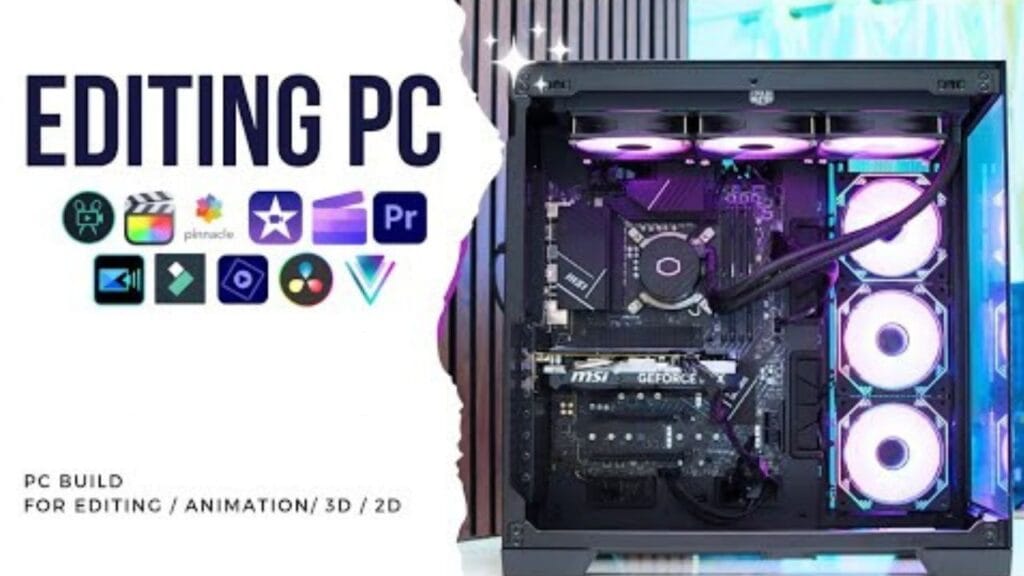
If you are a video editor looking to build a performance-based PC, this guide on the Best Video Editing PC Build 2025 is for you. There is a significant difference between gaming PCs and editing PCs. While gaming requires a strong graphics card, editing places greater importance on the CPU, RAM, SSD, and an upgradeable motherboard. इस आर्टिकल में हम आपको दिखाएंगे एक ऐसे एडिटिंग पीसी का बिल्ड, जो न सिर्फ 4K वीडियो एडिटिंग को सपोर्ट करता है, बल्कि फ्यूचर में अपग्रेडेशन के लिए भी पूरी तरह से तैयार है। This article will showcase a PC build for editing that not only supports 4K video editing but is also fully prepared for future upgrades, making it the Best Video Editing PC Build 2025. 🔧 मुख्य कंपोनेंट्स और उनका चयन 🔹 प्रोसेसर (CPU): Intel i7 14700 🔹 मदरबोर्ड: MSI Z790-P WiFi Series नोट: एमएसआई की सर्विस मुंबई में थोड़ी कमजोर है, इसलिए सर्विस नेटवर्क को भी खरीदारी से पहले चेक करें। 💾 स्टोरेज: स्पीड और भरोसे का बैलेंस 🔸 Primary SSD: Samsung 990 Pro NVMe Gen4 🔸 Secondary HDD: 4TB Seagate/WD 💡 RAM: Multichannel & High-Frequency ❄️ कूलिंग सिस्टम: Cooler Master 360mm Liquid Cooler 🎮 ग्राफिक्स कार्ड: RTX 4060 8GB ⚡ पावर सप्लाई: High Quality is Non-Negotiable 🖥️ फाइनल बिल्ड के हाईलाइट्स कंपोनेंट स्पेसिफिकेशन प्रोसेसर Intel Core i7 14700 मदरबोर्ड MSI Z790-P WiFi RAM 32GB DDR5 (2x16GB @6000MHz) SSD 1TB Samsung 990 Pro NVMe HDD 4TB Seagate/WD ग्राफिक्स कार्ड NVIDIA RTX 4060 8GB पावर सप्लाई 1050W Thermaltake, 600W GPU कनेक्टर कूलर Cooler Master 360mm Liquid Cooler 🎯 परफॉर्मेंस और अपग्रेड स्कोप 🛠️ असेंबली टिप्स 🔚 निष्कर्ष अगर आप एक प्रोफेशनल एडिटर हैं जो स्मूद 4K एडिटिंग, मल्टी-डिस्प्ले सपोर्ट और फास्ट रेंडरिंग चाहते हैं — तो ये पीसी बिल्ड आपके लिए एक परफेक्ट ऑप्शन हो सकता है। सबसे अच्छी बात ये है कि फ्यूचर अपग्रेड के लिए हर कंपोनेंट में स्कोप रखा गया है। 📢 आप क्या सोचते हैं? Introducing the 2025 Editing PC Build Guide: Powerful Configuration for Professional Video Editing. Considering the high-quality components like the 4TB Seagate/WD Secondary HDD and the Multichannel & High-Frequency RAM, along with the RTX 4060 8GB graphics card, this build is tailored for smooth 4K editing, multi-display support, and fast rendering. Don’t overlook the essential Cooling System with the Cooler Master 360mm Liquid Cooler and the non-negotiable High-Quality Power Supply. If you’re an editor seeking performance and upgrade potential, this PC build could be the perfect option for you. Share your thoughts and preferences in the comments below.