
Premiere Pro vs DaVinci Resolve – कौन सा Software Best है? (2026 Full Comparison Guide)
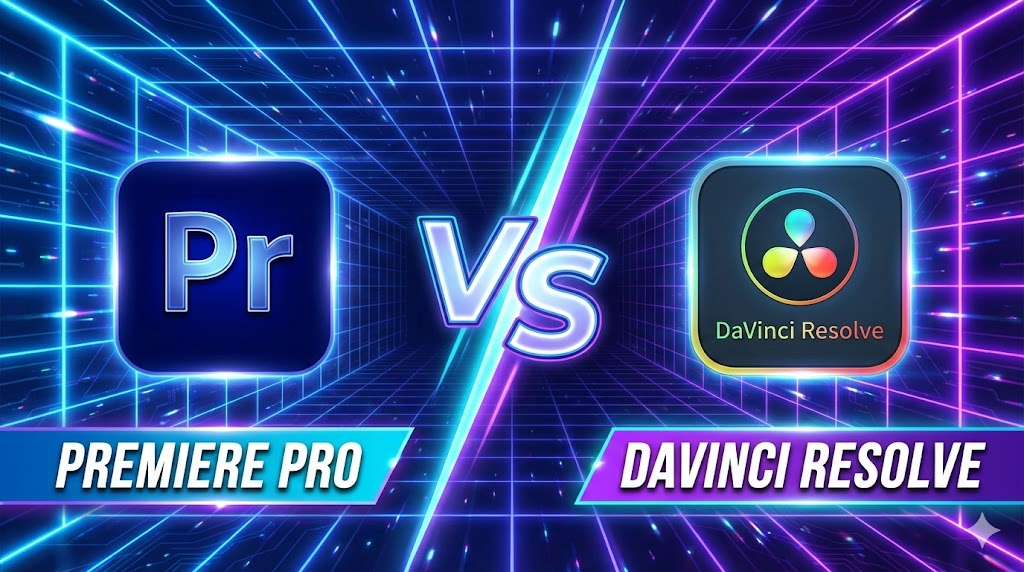
Introduction: Video Editing Software क्यों जरूरी हैं? Premiere Pro vs DaVinci Resolve Hindi आज के समय में वीडियो सिर्फ entertainment तक सीमित नहीं रहा, बल्कि यह एक strong career और business opportunity बन चुका है। YouTube channels, Instagram Reels, Freelancing projects, Online Courses, OTT content और Films—हर जगह professional video editing की भारी मांग है। आज brands और creators दोनों ही high‑quality, fast और engaging video content चाहते हैं। एक अच्छा video editing software editor को यह power देता है कि वह raw footage को professional‑grade output में बदल सके, colors को cinematic बना सके, audio को साफ और balanced रख सके, effects और transitions के जरिए storytelling को मजबूत करे और tight deadlines में भी तेज़ delivery दे सके। 2026 में market में कई editing tools available हैं, लेकिन Premiere Pro और DaVinci Resolve सबसे ज्यादा भरोसेमंद और widely‑used software बन चुके हैं। हालांकि, इन दोनों में से सही choice करना आसान नहीं है—क्योंकि सही software पूरी तरह आपकी जरूरत, budget, system configuration और future goals पर depend करता है। Software Overview Adobe Premiere Pro Adobe Premiere Pro, Adobe Creative Cloud का हिस्सा है और यह दुनिया के सबसे ज़्यादा इस्तेमाल होने वाले video editing software में से एक माना जाता है। Film industry, digital agencies और YouTubers इसे इसलिए पसंद करते हैं क्योंकि इसका workflow सीधा और समझने में आसान है। Timeline‑based editing की वजह से beginners भी जल्दी comfortable हो जाते हैं और professional editors fast delivery कर पाते हैं। Premiere Pro की सबसे बड़ी ताकत इसका Adobe ecosystem है। Lumetri Color से basic से लेकर advanced color correction आसानी से की जा सकती है। Audio के लिए इसमें strong in‑built tools मिलते हैं और जरूरत पड़ने पर Adobe Audition के साथ seamless integration हो जाता है। Motion graphics और animated text के लिए After Effects का direct support Premiere को content creators के लिए बहुत powerful बना देता है। DaVinci Resolve DaVinci Resolve, Blackmagic Design का all‑in‑one professional software है, जो खासतौर पर high‑end color grading के लिए famous है। यह सिर्फ एक editor नहीं, बल्कि editing, color correction, audio production और visual effects को एक ही software में combine करता है। यही वजह है कि film makers और advanced editors इसे ज्यादा prefer करते हैं। Resolve की सबसे बड़ी strength इसका powerful free version है, जिसमें भी professional‑level tools मिल जाते हैं। Node‑based color grading system editors को colors पर full control देता है, जो Premiere की तुलना में कहीं ज्यादा advanced है। Resolve GPU‑optimized है, इसलिए strong hardware पर यह बहुत smooth performance देता है। Fairlight audio page और Fusion VFX tools इसे complete post‑production solution बनाते हैं। Installation & System Requirements Platforms: Minimum / Recommended (Basic Editing): Low‑end systems पर Premiere ज्यादा forgiving है; Resolve hardware‑hungry है। Interface Comparison Interface किसी भी video editing software का सबसे important हिस्सा होता है, क्योंकि editor दिन का ज़्यादातर समय इसी screen पर काम करता है। Premiere Pro और DaVinci Resolve दोनों का approach अलग‑अलग है, और यही अंतर users के experience को तय करता है। Premiere Pro का interface traditional timeline‑based workflow पर चलता है। इसमें एक main timeline होती है, जिसके आसपास panels (Project, Source Monitor, Program Monitor, Effects आदि) लगे होते हैं। यह structure beginners के लिए जल्दी समझ में आ जाता है, क्योंकि ज़्यादातर tutorials और courses इसी तरह का workflow सिखाते हैं। Drag‑and‑drop editing, shortcuts और clear layout की वजह से नए editors बिना ज्यादा confusion के काम शुरू कर सकते हैं। DaVinci Resolve का interface थोड़ा अलग और ज्यादा professional approach follow करता है। इसमें page‑based workflow होता है, जैसे Cut, Edit, Color, Fusion और Fairlight। हर page एक specific काम के लिए बना होता है, जिससे advanced editors को focused environment मिलता है। हालांकि, beginners के लिए यह शुरू में थोड़ा overwhelming लग सकता है, क्योंकि हर stage पर नया layout दिखता है। Customization की बात करें तो Premiere Pro में panels और workspaces को अपनी जरूरत के हिसाब से पूरी तरह customize किया जा सकता है। Editors अपने workflow के अनुसार layout बना सकते हैं और save भी कर सकते हैं। वहीं DaVinci Resolve का layout ज्यादा structured और fixed रहता है, जो large projects और team workflows में consistency बनाए रखने में मदद करता है। कुल मिलाकर, अगर आप आसान और flexible interface चाहते हैं तो Premiere Pro बेहतर महसूस होगा। लेकिन अगर आप long‑term professional editing और film‑level workflow की तरफ जाना चाहते हैं, तो DaVinci Resolve का interface ज्यादा powerful साबित होता है। Editing Features Editing features किसी भी software की real strength दिखाते हैं, क्योंकि यहीं पर editor का रोज़ का ज़्यादातर काम होता है। Premiere Pro और DaVinci Resolve दोनों ही professional-level editing tools देते हैं, लेकिन उनका approach अलग है। Cutting और trimming के मामले में दोनों software तेज़ और accurate हैं। Premiere Pro में timeline पर cuts करना, ripple edits लगाना और shortcuts के साथ fast editing करना beginners के लिए आसान लगता है। वहीं DaVinci Resolve भी उतना ही precise है, लेकिन इसका workflow थोड़ा ज्यादा technical feel देता है, जो experienced editors को पसंद आता है। Multicam editing की बात करें तो Premiere Pro में multiple camera footage को sync करना और switch करना comparatively simple है। यही वजह है कि interviews, podcasts और YouTube shoots के लिए यह बहुत popular है। DaVinci Resolve multicam में ज्यादा advanced options देता है, खासकर color और audio sync के मामले में, जो complex projects में फायदेमंद होते हैं। Audio editing में दोनों software strong हैं, लेकिन फर्क approach का है। Premiere Pro basic से advanced audio editing के लिए काफी है और जरूरत पड़ने पर Adobe Audition के साथ seamlessly connect हो जाता है। दूसरी तरफ DaVinci Resolve का Fairlight audio system पूरी तरह professional audio workstation जैसा है, जो films और detailed sound design के लिए ज्यादा powerful साबित होता है। Motion graphics और text animation के लिए Premiere Pro का सबसे बड़ा फायदा After Effects integration है। Simple lower thirds से लेकर complex animations तक, workflow smooth रहता है। DaVinci Resolve में Fusion module मौजूद है, जो बहुत
₹1 Lakh में Best Video Editing PC Build (India 2026) – 4K Editing Ready Setup
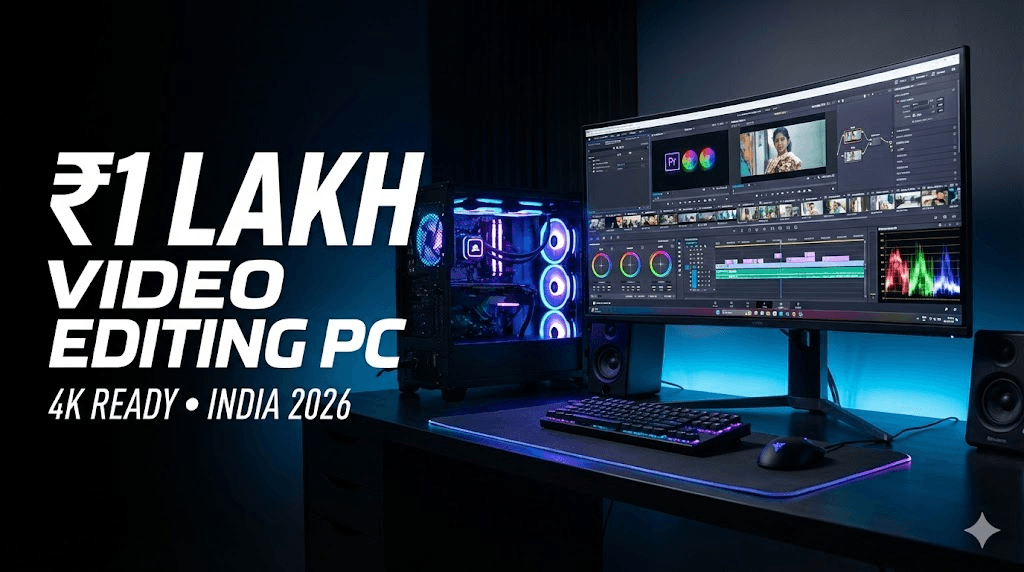
आज के समय में video editing सिर्फ एक skill नहीं, बल्कि एक career option बन चुका है। YouTube creators, Instagram reel editors, freelance video editors और beginner filmmakers – सभी को एक ऐसे PC की जरूरत होती है जो heavy workload को बिना lag handle कर सके। Video editing में timeline smooth चलना, effects apply करते समय hang न होना और export जल्दी complete होना – ये सब directly आपके PC की power पर depend करता है। अगर आपका budget ₹1 लाख के आसपास है, तो यह Indian creators के लिए एक sweet spot माना जाता है। इस budget में आप ऐसा PC बना सकते हैं जो: इस article में हम 2026 के हिसाब से एक practical, balanced और future-proof ₹1 Lakh video editing PC build discuss करेंगे, जो beginners से लेकर intermediate editors तक सभी के लिए useful रहेगा। Video Editing PC Build Requirements (Simple Explanation) 1️⃣ CPU (Processor) – Editing का दिमाग CPU timeline playback, rendering और background processes handle करता है। Video editing के लिए CPU सबसे important component होता है। 2️⃣ GPU (Graphics Card) – Effects और Color Grading GPU का role editing में लगातार बढ़ रहा है। Achha GPU = faster export + smooth preview. 3️⃣ RAM – Multitasking का आधार RAM कम होगी तो timeline freeze और software crash के chances बढ़ जाते हैं। 4️⃣ Storage – Speed matters HDD सिर्फ backup के लिए use करनी चाहिए, editing के लिए नहीं। 5️⃣ Motherboard & PSU – Stability और safety Cheap PSU पूरे system को risk में डाल सकती है। ₹1 Lakh Video Editing PC Build (With Price Breakdown – India 2026) Note: Prices approx हैं, city और offers के हिसाब से थोड़ा ऊपर-नीचे हो सकते हैं। Component Recommended Part Why Video Editing के लिए Best Approx Price (₹) Processor (CPU) AMD Ryzen 7 5700X (8 Core / 16 Thread) Excellent rendering + smooth timeline ₹18,000 Motherboard B550 Chipset (MSI / ASUS / Gigabyte) Stable, future upgrade support ₹8,500 RAM 32GB (16×2) DDR4 3200MHz 4K editing + After Effects ready ₹7,500 Graphics Card (GPU) NVIDIA RTX 3060 12GB CUDA support, DaVinci + Premiere friendly ₹30,000 Storage 1TB NVMe SSD Gen 3 Fast cache + project loading ₹5,500 Power Supply 650W 80+ Bronze (Corsair / Cooler Master) Safe power delivery ₹4,500 Cabinet Airflow focused Mid-Tower Better cooling during long renders ₹4,000 CPU Cooler Aftermarket Air Cooler Stock cooler से बेहतर thermal ₹2,000 🔢 Total Approx Cost: 👉 ₹1,00,000 – ₹1,05,000 Software Compatibility यह build smoothly handle करता है: Total Cost Summary इस PC build की total cost ₹95,000 से ₹1,05,000 के बीच रहती है।GPU और RAM prices market में fluctuate होते रहते हैं, इसलिए final price थोड़ा differ कर सकता है। 👉 Tip: Festive sales और online offers में GPU पर अच्छा discount मिल सकता है। Performance Expectations (Realistic) 🔹 1080p Editing 🔹 4K Editing 🔹 Rendering & Export Optional Upgrades & Downgrades 🔻 Budget ₹90,000 करना हो तो 🔺 Budget ₹1.1 Lakh तक बढ़ाना हो तो 🔄 Future Upgrade Path Who Should Buy This PC? ✔ YouTubers (long-form + shorts)✔ Freelance video editors✔ Instagram reel editors✔ Beginner filmmakers✔ Editing agency starters अगर आप editing से earn करना चाहते हैं, तो यह PC investment long-term में value देता है। Common Mistakes to Avoid in PC Build ❌ RGB पर ज्यादा खर्च करना❌ Cheap local PSU use करना❌ 16GB RAM में 4K editing try करना❌ HDD से direct editing करना❌ Gaming CPU को blindly editing के लिए लेना FAQs ❓ क्या ₹1 लाख में 4K editing possible है? हाँ, सही configuration के साथ 4K editing smoothly possible है। ❓ Laptop बेहतर है या PC? Same budget में PC ज्यादा powerful और upgrade-friendly होता है। ❓ DaVinci Resolve के लिए GPU कितना जरूरी है? बहुत जरूरी। Resolve GPU-heavy software है। ❓ क्या future upgrade possible है? हाँ, RAM, GPU और storage easily upgrade हो सकते हैं। ❓ Beginners के लिए यह PC ज्यादा powerful तो नहीं? नहीं, यह future-ready है और सीखने के साथ grow करेगा। ❓ Editing के लिए Intel या AMD बेहतर? दोनों अच्छे हैं, लेकिन AMD multi-core rendering में better value देता है। Conclusion अगर आप video editing को serious career के रूप में देख रहे हैं, तो ₹1 लाख का PC build एक smart investment है।यह build सिर्फ आज के लिए नहीं, बल्कि आने वाले कई सालों तक आपके साथ grow करेगा। एक strong PC का मतलब है: 👉 Smartly invest करें, shortcuts से बचें और अपने creator journey को next level पर ले जाएँ।
YouTube पर AI की मदद से बिना चेहरा दिखाए पैसे कमाने की कंप्लीट गाइड (2025)
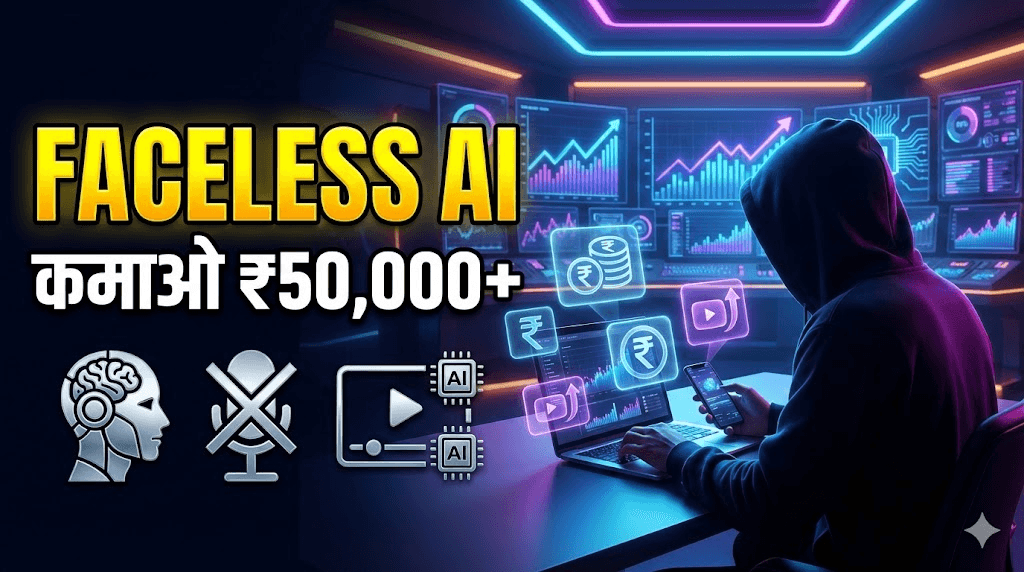
क्या आप भी YouTube चैनल शुरू करना चाहते हैं, लेकिन कैमरे के सामने आने से हिचकिचाते हैं? क्या आपको लगता है कि बिना चेहरा दिखाए सफलता मिलना मुश्किल है? तो आपकी यह सोच 2025 में पूरी तरह गलत साबित होने वाली है। आज के दौर में, AI टूल्स और YouTube ऑटोमेशन ने बिना कैमरा, बिना माइक और बिना अपनी पहचान जाहिर किए एक सफल चैनल चलाना पूरी तरह संभव बना दिया है। 2025 में भारत में फेसलेस चैनल्स का बोलबाला है, और इसके पीछे तीन बड़े कारण हैं: यह गाइड आपको स्टेप-बाय-स्टेप रास्ता दिखाएगी कि कैसे AI का इस्तेमाल करके एक प्रोफेशनल फेसलेस YouTube चैनल बनाया जाए, उसे ग्रो किया जाए और उससे अच्छी कमाई की जाए। AI Script Writing Read 1️⃣ फेसलेस YouTube चैनल क्या है? उदाहरण और फायदे एक फेसलेस YouTube चैनल वह चैनल है जहां क्रिएटर कभी भी कैमरे के सामने नहीं आता। इसकी पहचान उसकी आवाज़ या उसके कंटेंट की स्टाइल से नहीं, बल्कि कंटेंट की क्वालिटी, थंबनेल और प्रेजेंटेशन से बनती है। उदाहरण: “Mystery Lab”, “Think Fast”, “Financeपेडिया” जैसे चैनल्स, जो रहस्यमय कहानियाँ, मोटिवेशनल तथ्य या फाइनेंस टिप्स जैसा कंटेंट एनिमेशन, स्टॉक फुटेज और AI आवाज़ के जरिए बनाते हैं। फेसलेस चैनल के मुख्य फायदे: 2️⃣ 2025 के टॉप 5 AI फेसलेस चैनल आइडियाज़ नीचे दिए गए आइडियाज़ पर शोध किया गया है और इन्हें भारतीय दर्शकों के लिए टेलर किया गया है। याद रखें, क्वालिटी और ओरिजिनलिटी ही आपको आगे बढ़ाएगी। 1. मोटिवेशनल कोट्स & सक्सेस स्टोरीज यह नीच हमेशा ट्रेंड में रहता है, खासकर युवाओं और प्रोफेशनल्स के बीच। 2. AI न्यूज़ & टेक अपडेट्स जैसे-जैसे AI हमारी जिंदगी का हिस्सा बन रहा है, इसके बारे में जानने की लोगों की दिलचस्पी बढ़ रही है। 3. अनसुलझे रहस्य & फैक्ट्स एक्सप्लेनर रहस्य, इतिहास, विज्ञान के अनसुलझे पहलू हमेशा से दर्शकों को आकर्षित करते हैं। 4. फाइनेंस टिप्स (स्टॉक/मार्केट विज़ुअल्स के साथ) पैसों और निवेश की जानकारी की मांग हमेशा बनी रहती है। 5. गेमिंग हाइलाइट्स / AI गेमप्ले गेमिंग कम्युनिटी विशाल है, और अब AI की मदद से बिना खुद गेम खेले भी कंटेंट बनाना मुमकिन है। 3️⃣ स्टेप-बाय-स्टेप AI वर्कफ़्लो (फ्री और पेड टूल्स) एक फेसलेस चैनल चलाने का पूरा AI वर्कफ़्लो नीचे दिया गया है: 4️⃣ फेसलेस चैनल के लिए मोनेटाइजेशन के तरीके सब्सक्राइबर्स और वॉच टाइम बढ़ने के बाद, इन तरीकों से कमाई शुरू करें: 5️⃣ वायरल जाने और ग्रोथ के प्रैक्टिकल टिप्स 6️⃣ शुरुआत में ये कॉमन मिस्टेक्स न करें 7️⃣ अक्सर पूछे जाने वाले सवाल (FAQs) 1. क्या बिना चेहरा दिखाए बने चैनल मोनेटाइज होते हैं?हाँ, बिल्कुल होते हैं। YouTube का एल्गोरिदम कंटेंट की क्वालिटी, ऑडियंस रिटेंशन और वॉच टाइम को देखता है, न कि क्रिएटर के चेहरे को। 2. क्या AI वॉइस से बने वीडियो सुरक्षित हैं और मोनेटाइजेशन मिलेगा?हाँ, अगर आप हाई-क्वालिटी, नैचुरल साउंडिंग AI वॉइस का इस्तेमाल करते हैं और कंटेंट यूट्यूब पॉलिसी के अनुसार ओरिजिनल है, तो मोनेटाइजेशन में कोई दिक्कत नहीं होती। 3. फेसलेस चैनल के लिए YouTube पर क्या खास AI टूल्स हैं?YouTube क्रिएटर्स के लिए Dream Screen (AI बैकग्राउंड जनरेटर), AI पावर्ड इंस्पिरेशन टूल्स और ऑटो डबिंग जैसे टूल्स ऑफर करता है, जिनकी मदद से आप अलग-अलग भाषाओं के दर्शकों तक पहुँच सकते हैं। 4. क्या मैं 100% AI का इस्तेमाल करके पूरा वीडियो बना सकता हूँ?तकनीकी रूप से हाँ, लेकिन सिर्फ AI पर निर्भर रहने से कंटेंट में दोहराव आ सकता है। सबसे अच्छी रणनीति AI को अपना असिस्टेंट बनाने की है, न कि रिप्लेसमेंट। अपनी रिसर्च और एडिटिंग से कंटेंट में यूनिक टच जोड़ें। 5. कौन सी निचे सबसे ज्यादा कमाई देती है?फाइनेंस, टेक्नोलॉजी और ऑनलाइन अर्निंग जैसी निचेस में CPC (कॉस्ट पर क्लिक) ज्यादा होता है, जिससे विज्ञापनों से कमाई अधिक होती है। साथ ही, इनमें एफिलिएट मार्केटिंग और ब्रांड डील्स की भी अधिक संभावना होती है。 6. क्या फेसलेस चैनल के लिए YouTube शॉर्ट्स जरूरी है?बहुत जरूरी है। शॉर्ट्स नए दर्शकों तक पहुँचने का सबसे तेज तरीका है और इनसे भी अलग से कमाई (रेवेन्यू शेयरिंग) हो सकती है। 8️⃣ निष्कर्ष: छोटी शुरुआत, बड़ी कामयाबी YouTube पर AI फेसलेस चैनल्स 2025 में भारत में एक बड़ा अवसर है। सफलता का राज शुरुआत करने में है। एक निच चुनें, अपना पहला वीडियो बनाएं—चाहे वह कितना भी साधारण क्यों न हो—और उसे अपलोड कर दें। कंसिस्टेंट रहें, अपने दर्शकों की प्रतिक्रिया से सीखें, और धीरे-धीरे अपने वर्कफ़्लो और कंटेंट क्वालिटी को सुधारते जाएं। याद रखें, आज YouTube पर जो बड़े क्रिएटर्स दिख रहे हैं, उन्होंने भी कभी पहला विडियो अपलोड किया था। आपका चेहरा नहीं, आपका कंटेंट आपकी पहचान बनेगा। तो देर किस बात की? आज ही अपने सफर की शुरुआत करें।
Why short videos are booming in India 2025

क्या आपने भी देखा है कि 2025 में आपका हर दूसरा दोस्त Reels, Shorts या फिर YouTube पर छोटे Videos बना रहा है? और कुछ तो ऐसे Viral हो रहे हैं कि नाम और पैसा दोनों कमा रहे हैं! भारत में Short Videos की दुनिया सचमुच धमाल मचा रही है। कारण साफ़ है: हमारे पास समय कम है, और मनोरंजन की भूख ज़्यादा। एक Busy इंसान के लिए 10 मिनट का वीडियो देखना मुश्किल है, लेकिन 30 सेकंड का Engaging Reel? वो तो बस स्क्रॉल करते-करते देखा और लाइक कर दिया! इस Boom के पीछे सिर्फ TikTok ही नहीं, बल्कि YouTube Shorts और Instagram Reels का पूरा Ecosystem है। पहले Viral होने के लिए बड़ा बजट, कैमरा और टीम चाहिए थी। आज? आपका फ़ोन और थोड़ी सी AI की समझ ही आपको एक बेहतरीन Creator बना सकती है। इस ब्लॉग में, हम आपको AI Tools की मदद से Professional और Trending Short Videos बनाने का Step-by-Step रास्ता दिखाएँगे। चिंता मत कीजिए, यहाँ सब कुछ शुरुआत से, आसान हिंदी में और ज़्यादातर फ्री टूल्स के साथ बताया जाएगा। तो चलिए, शुरू करते हैं! 3️⃣ Section: Why AI tools are helpful for short video creation शायद आप सोच रहे होंगे – “मैं तो खुद ही Video बना लेता हूँ, AI क्यों?” बिल्कुल वाजिब सवाल। लेकिन AI आपकी Creativity को कम नहीं, बल्कि कई गुना बढ़ा देता है। ये एक ऐसा Smart Assistant है जो 24×7 आपके साथ है। AI Tools आपकी कैसे मदद करते हैं? मतलब, AI आपका Creative Partner है। वो वही Heavy Lifting करेगा, ताकि आप अपनी Energy असली Creativity – Idea, Expression और Presentation पर लगा सको। 4️⃣ Step-by-Step Guide Step 1: AI से Trending Topic & Niche Selection सबसे पहला कदम: किस चीज़ पर Video बनाऊँ? बिना Planning के बनाया Video शायद ही कभी चले। Step 2: Script Writing using AI Prompts (Give Example Prompts) Topic मिल गया? अब उसे 15-60 सेकंड की कहानी में बदलना है। यहाँ AI आपका Best Friend बन जाता है। Step 3: Free AI Voice Generation + Microphone Tips Voiceover से Video का आधा Effect तय होता है। अगर आपकी आवाज़ Record करने में दिक्कत है, या फिर बैकग्राउंड नॉइज़ है, तो AI Voice आपको बचा सकती है। Step 4: Visual Suggestions (Recording + Stock Footage + AI Suggestions) अब बारी है दिखाने की! Video में क्या-क्या दिखेगा? Step 5: Free Mobile Editing Apps (CapCut, VN, Canva) सारा Material तैयार है? अब सबको जोड़कर एक शानदार Video बनाने का वक़्त! शुरुआत के लिए मेरी सलाह है: CapCut डाउनलोड करो और उसके 2-3 Tutorials YouTube पर देखो। आप Expert बन जाओगे! Step 6: Auto-Captions using AI एक राज की बात: 80% से ज़्यादा लोग Social Media पर Videos बिना आवाज़ के (Mute पर) देखते हैं। अगर आपके Video में Captions नहीं, तो आप 80% Audience खो रहे हैं! Step 7: Upload Optimization (Titles, Tags, Hashtags) Video बन गया? बधाई हो! लेकिन काम अभी खत्म नहीं हुआ। Upload करते वक़्त इन बातों का ध्यान रखें: 5️⃣ Extra Tips: How to Increase Watch-time & Virality 6️⃣ Internal Link Placeholders 7️⃣ FAQs: 6–8 Common Questions Q1. क्या AI से बने Videos Monetize हो सकते हैं? (YouTube/Instagram)A. हाँ, लेकिन शर्तें हैं। YouTube Shorts Fund या Instagram Bonus के लिए, Content Original और Value-Adding होना चाहिए। सिर्फ AI Voice या AI Script से कोई दिक्कत नहीं, लेकिन पूरा Video अगर AI Generated Footage से भर देंगे तो Issues आ सकते हैं। AI को Assistant की तरह Use करो, Owner की तरह नहीं। Q2. क्या AI Voice का Use Safe है? कॉपीराइट नहीं लगेगा?A. ज़्यादातर Free AI Voice Tools आपको Commercial Use की Permission देते हैं (हमेशा उनकी ‘Terms of Use’ चेक कर लें)। ElevenLabs जैसे Platforms पर भी License Details दी होती हैं। सुरक्षित रहने के लिए, उन्हीं Voices का Use करें जिनके लिए Platform Permission दे रहा है। Q3. मुझे Editing बिल्कुल नहीं आती। क्या करूँ?A. कोई बात नहीं! CapCut और Canva में Pre-made Templates का खजाना है। बस अपना Video/Photo Template में ड्रॉप करो, Text बदलो – Video तैयार! धीरे-धीरे सीखते जाओगे। Q4. सबसे Best Free AI Tool कौन सा है?A. एक नहीं, Combination Use करो!* Ideas & Script: ChatGPT/Gemini* Editing & Captions: CapCut* Graphics & Template Videos: Canva* Voice: CapCut का In-built Generator या Google TTS Q5. Video कितना Long होना चाहिए?A. Trend देखो! 2025 में, 15-30 सेकंड के Videos सबसे ज़्यादा Engage कर रहे हैं। Hook तेज़ रखो, Message Clear रखो। Q6. मेरे Videos Views नहीं आ रहे। क्या गलती हो सकती है?A. शायद Thumbnail Weak है, या पहले 3 सेकंड Boring हैं। या फिर आप Consistent नहीं हैं। Video Quality, Upload Time, और Niche पर फिर से गौर करें। एक ही तरह के Videos बनाते रहें, Algorithm आपको पहचान लेगा। 8️⃣ Conclusion — Encouraging New Creators दोस्तों, आज का दौर Creator बनने का सबसे बेहतरीन दौर है। Tools आपके हाथ में हैं, Audience मौजूद है, और जो काम पहले Impossible लगता था, वो AI की वजह से Possible हो गया है। आपकी Unique Story, आपका Perspective – यही आपकी सबसे बड़ी ताकत है। AI Tools सिर्फ वो Paintbrush हैं, जिससे आप अपनी कल्पना की तस्वीर बना रहे हैं। पहला Video बनाओ, दसवाँ Video बनाओ। शर्माओ मत, सीखो। Analyze करो कि क्या अच्छा लगा, क्या सुधारना है। ये सफर एक Marathon है, Sprint नहीं। शुरुआत कर दो। आज ही। अपना फ़ोन उठाओ, पहला Step 1 Follow करो, और एक Draft Video बनाकर देखो। आप ख़ुद हैरान रह जाओगे कि आप क्या बना सकते हो!
How Much Can You Earn as a Freelance Video Editor in India? (2025 Guide)
Video content is exploding everywhere—on YouTube, Instagram Reels, OTT platforms, corporate branding, and even personal content creators’ channels. With this rise, video editing has become one of the most in-demand freelance skills in India. Many creative professionals are asking the same question: 👉 “How much can I really earn as a freelance video editor in India?” In this detailed guide, we’ll break down average salaries, earning models, city-wise variations, real-world examples, and growth opportunities to give you a clear picture of freelance video editing income in 2025. Understanding the potential for Video Editor Career Growth is essential for those considering this path. Why Choose Freelance Video Editing in India? Before we jump into numbers, let’s quickly understand why freelancing is attractive in this field: Average Freelance Video Editor Salary in India (2025) Freelance earnings are not fixed like a job. They depend on skills, clients, city, and experience. But data from top platforms gives us a realistic range: Source / Platform Average Annual Salary (₹) Range (₹) Salary.com (2025 India data) 7,92,336 6,40,883 – 9,91,014 AmbitionBox (113 salaries) 3,00,000 2,00,000 – 6,00,000 Upwork Freelancers 1,90,000 – 5,00,000 Depends on hours/projects Freelancer.com Freelancers 2,00,000 – 7,00,000 Highly varied Real Reddit Freelancers 3,60,000 – 4,80,000 ₹30k – ₹40k per month Chegg India (Hourly rates) ₹500 – ₹5,000/hr ₹5k – ₹50k/project Key Insight: On average, freelance video editors in India earn between ₹3 LPA and ₹7 LPA, with top professionals crossing ₹10 LPA annually. Freelance Earning Models (How You Get Paid) Unlike jobs, freelancing offers flexible earning models. Here are the most common: 1. Hourly Rates 👉 Example: Editing a 10-minute YouTube video may take 4 hours, earning a beginner ₹2,000 to ₹6,000. 2. Per Project Rates 👉 Example: A wedding highlight video can fetch ₹20k–₹40k per project. 3. Monthly Retainers Some clients (YouTubers, agencies) prefer monthly contracts. City-wise Salary Breakdown in India Location also impacts freelance video editing rates. 👉 But freelancing is location-independent. If you work with international clients via Upwork or Fiverr, you can earn in USD ($15–$60/hr)—that’s ₹1,200–₹5,000/hr! Real-World Insights from Freelancers Data is good, but let’s hear what freelancers are saying: “A good beginner editor would expect at least ₹30–40k per month in India.” “In Delhi, editors with 2–3 years of experience charge ₹5k a shift, while seniors take ₹10–12k.” These stories show that skills + networking = higher earnings. Skills That Boost Your Earnings To stand out and charge more, you must go beyond basic editing. High-paying clients look for editors with specialized skills: 👉 The more advanced your skillset, the higher your freelance value. How to Increase Your Freelance Video Editing Income Here are practical steps to maximize earnings: Future Scope: Will Freelance Video Editors Earn More in 2030? Absolutely. With AI tools speeding up editing but human creativity still being unmatched, the demand will only rise. Conclusion So, how much can you earn as a freelance video editor in India? Your earnings depend less on “what companies pay” and more on how well you market yourself, upgrade your skills, and build client trust. In short—a freelance video editor in India can earn anywhere from ₹3 LPA to ₹15 LPA+, with limitless growth for those who specialize and think global.
Kreo Owl 1080p Webcam Review: Is This Budget-Friendly Device Your Next Video Hero?
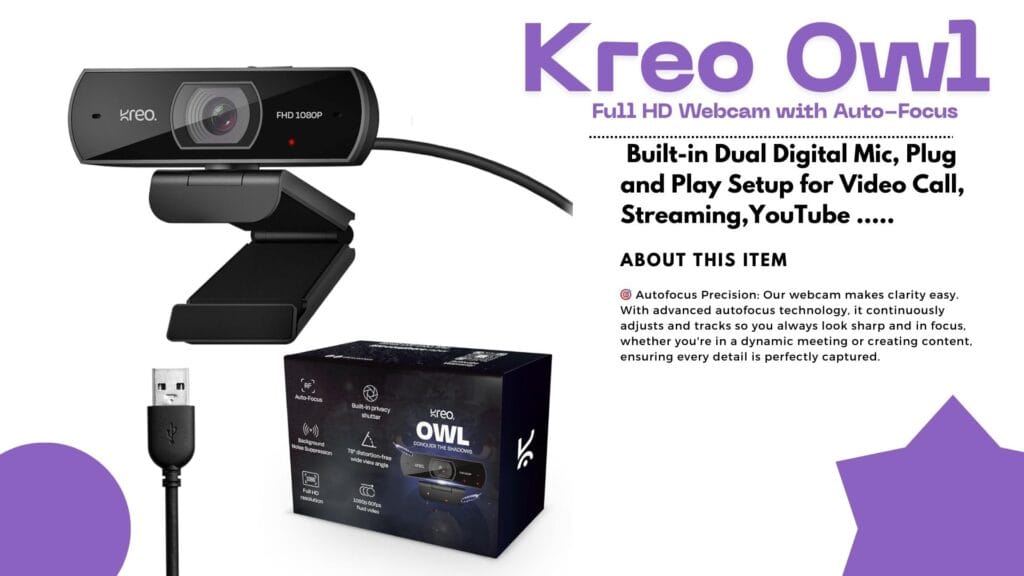
Introduction: Why Reliable Video Matters Ever found yourself ready for a crisp, professional Zoom call or a game stream—only for your old webcam to leave your face looking blurry and tired? If you’ve been hunting for a webcam that’s smooth, vibrant, and affordable, the Kreo Owl might just be your new desk buddy! Today, we dive deep into the Kreo Owl 1080p Webcam Review, its standout features, real user experiences, and how it stacks up against the competition. Quick Overview: The Essentials Detailed Analysis: Kreo Owl 1080p Webcam Review What’s Awesome About the Kreo Owl Webcam? Big on Features, Small on Hassle User Experience: Quick, Easy, Reliable Unboxing the Kreo Owl is satisfying—solid ABS plastic construction, sturdy monitor clip, and a wide, glass lens. Setup? Simply plug it in. Windows or Mac, no drivers needed. Users love the quick setup and fast adaptation to video platforms like Zoom, Teams, Skype, and OBS. Real User Reviews: What People Actually Say Positive Vibes Not-So-Perfect Points Performance in Action Tested for online classes and gaming streams, the Kreo Owl performed admirably in well-lit rooms. The mic kept background noise to a minimum, while the privacy shutter proved handy between meetings. On the downside, rooms with poor lighting revealed some limitations; boosting brightness fixed most issues. Kreo Owl vs. Top Competitors How does the Kreo Owl compare with big names like Logitech and Razer? Let’s see! Feature Kreo Owl 1080p Logitech C920 Razer Kiyo X Resolution 1080p/60FPS 1080p/30FPS 1080p/60FPS Auto-Focus Yes Yes Yes Built-in Mic Dual Stereo Single Privacy Shutter Yes Yes No Price Range Budget Mid-Range Premium Ring Light Basic No Yes The Bottom Line:The Kreo Owl delivers most modern features at a price that’s often half of the competition. If you crave top-tier software and brand cachet, you’ll favor Logitech or Razer. For core online meetings and streams—Kreo Owl is more than enough! Pros and Cons Breakdown Pros Cons Who Should Pick the Kreo Owl? If you need sharp video and solid sound for online calls, classes, or streaming—and don’t want to break the bank—this is a sensible choice. Teachers, small business owners, students, and casual streamers will love the price-performance combo. If you’re a full-time content creator craving studio-level control, software perks, or marketing bragging rights, consider the premium brands instead. Value: Is It Worth Your Money? Absolutely, if reliability, ease of use, and great value matter to you. Comparing price and features, Kreo Owl punches above its weight, making it ideal for most everyday users. Final Thoughts: Should You Buy? The Kreo Owl 1080p Webcam does what it promises—and more. For classroom heroes, budget-conscious professionals, or first-time streamers, this webcam is a worthy investment. It’s not perfect, but it’s practical and friendly, just like the people who use it. Ready to upgrade your video calls and make a smarter buying decision? The Kreo Owl might just be your perfect match! Did you find this review helpful? Share your thoughts and experiences below, or grab your Kreo Owl now and let crisp video boost your next call!
Dhruv Rathee Style Editing Secrets Revealed
FRONTECH Ultima Series 24 Inch Curved LED Monitor Review – Best Editing Monitor Under ₹5,999 in 2025?
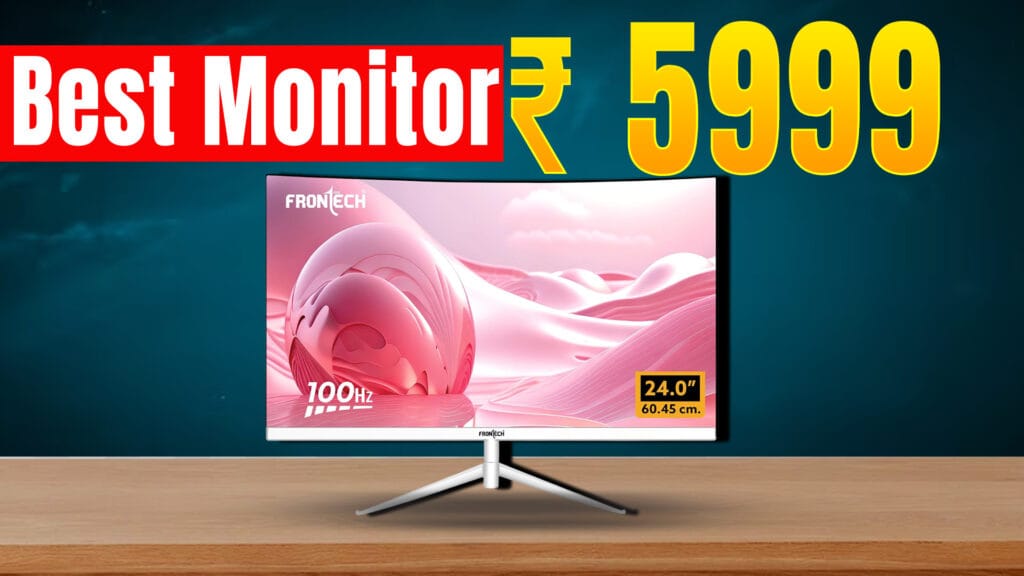
Looking for an affordable yet feature-packed editing monitor in 2025? The FRONTECH Ultima Series 24 Inch Curved LED Monitor (Model MON-0080) is gaining popularity for its curved design, smooth visuals, and reasonable price point of around ₹6,439 on Amazon India with a 3-year warranty. Design and Display The monitor sports a 24-inch curved VA panel with an 1800R curve, offering an immersive viewing experience that is especially useful when editing videos and photos. It has a Full HD resolution (1920 x 1080 pixels) with crisp and vibrant visuals that help keep colors accurate and consistent. The bezel-less design maximizes screen space, making it ideal for multitasking and professional workflows. Performance and Features Connectivity and Build The monitor includes essential ports for modern and legacy devices: These ports make the FRONTECH MON-0080 compatible with laptops like MacBook Pro, desktops like Mac Mini, and other mainstream computers. It comes with a sleek white finish and a sturdy metallic stand that allows slight tilt adjustments for ergonomics. Pricing and Availability Priced around ₹6,439 with free delivery on Amazon India and supported by a 3-year warranty, it offers outstanding value for budget-conscious buyers. It also has received mostly positive reviews, highlighting smooth performance and good color quality for the price. Limited EMI options and bank offers increase its affordability. Who Should Buy This Monitor? This monitor is ideal for: Final Verdict For those on a budget searching for the best editing monitor under ₹10,000 in 2025, the FRONTECH Ultima MON-0080 is a strong contender. With its curved design, 100Hz refresh rate, color accuracy, and versatile connectivity, it punches above its weight in delivering value for editing and multimedia tasks.
🎮 Nvidia GeForce Now RTX 5080 Upgrade – Kya Boss, Cloud Gaming Ka Level Hi Kya Badal Diya! 🚀
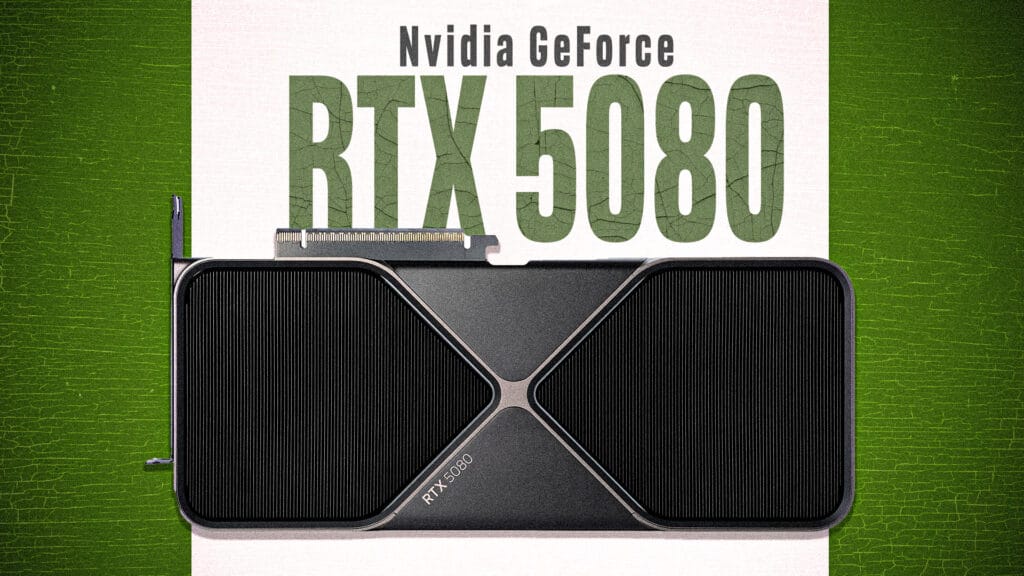
Bhaiyo aur behno, agar tum hardcore gamer ho ya bas casual FPS shooter khelne wale ho, toh suna! Nvidia ne apni GeForce Now cloud gaming service ko itna upgrade kiya hai ki gaming ka future ab haqeeqat jaisa lagne laga hai. RTX 5080 SuperPods ke sath ab tumhara gaming experience ekdum next-level hone wala hai! ⚡Next-Gen Gaming Power with RTX 5080 Nvidia ne apna latest RTX 5080 GPU laaya hai jisme 62 teraflops ki power hai! Matlab? Graphics ekdum ultra-HD crisp, frame rates super smooth 120 FPS tak, aur resolution 5K tak support milega. Aur DLSS 4 technology ka use karke tumhare game ki speed hogi 2.8x zyada — matlab jitna bhi heavy game ho, wo ab easily chalega. 🎥 Cinematic Streaming Ka Jalwa Boss, ye streaming sirf gaming tak hi limited nahi hai. Nvidia ne Cinematic Quality Streaming (CQS) bhi launch kiya hai. Isme HDR10, AI video filters aur 100 Mbps bandwidth milega, jo tumhare game ko ekdum movie-like visual effects de dega. Matlab no more boring low-res streams! Full of realistic colors and a cinematic vibe. 📚 Double Game Library – Install Karke Save Karna Bhoolna Nahi! Ab tum 4,500+ games GeForce Now pe directly cloud par install kar sakte ho with Install-to-Play feature. Storage options bhi dhansu hai — 100GB free, aur agar chahiye toh 1TB tak ka option bhi milta hai at sahi price. Massive library matlab Fortnite, Cyberpunk, GTA 6 sab ek jagah, bina kisi tension ke! 📱 Sab Devices Ko Full Support – Steam Deck, LG TV, Lenovo Ka Dum Chahe tum Steam Deck pe ho ya Lenovo Legion Go pe, ya fir apne bade LG TV pe, Nvidia tumhe 90-120 FPS tak ka smooth gameplay deta hai. LG ke naye 5K monitors bhi ready hain for 120Hz refresh rate streams. Matlab, no lag, no buffering — sirf full-on gaming maza! 💰 Price Bhi Same, Matlab Bajaar Ki Duniya Me Full Deal! Sabse badi baat? Itni zabardast upgrade ke baad bhi Nvidia ne price wahi rakha — Ultimate plan $19.99/month aur Performance plan $9.99/month. Bina extra kharcha ke mil raha hai aaj ke zamane ka sabse powerful cloud gaming experience. 🎉 Final Thoughts – Cloud Gaming Ka Boss Hai Nvidia! Bhaiyon, cloud gaming ka future ab clear ho gaya hai. RTX 5080 ke saath Nvidia ne GeForce Now ko ekdum supercharged bana diya, jisse heavy PC ke bina bhi tum high-end AAA games ka maza le paoge. Bas apna internet pakka karo, aur ready ho jao epic gaming ke liye! Ab gaming sirf ek machine ki baat nahi, pura cloud ka khel hai! ☁️🎮🔥 👉 Tum kya sochte ho? Kya GeForce Now future ka sabse bada game changer banega? Comments mein batao! Is style mein maza bhi aata hai aur trending keywords bhi cover ho jaate hain jaise: RTX 5080, next-level gaming, cinematic streaming, 120 FPS, cloud gaming, AAA games, Steam Deck, aur GTA 6!
YouTube Monetization Rules 2025: क्या बदलाव आए हैं, और AI कंटेंट क्रिएटर्स के लिए नए नियम क्या हैं?
YouTube ने 15 जुलाई 2025 से अपने YouTube Monetization Rules में बड़े बदलाव किए हैं। इन अपडेट्स का सीधा असर उन कंटेंट क्रिएटर्स पर पड़ेगा जो यूट्यूब से पैसे कमाते हैं या कमाने की सोच रहे हैं। सबसे बड़ा फोकस इस बार AI-generated content और पारदर्शिता (transparency) पर है। The evolution of YouTube has been remarkable since its inception. As a platform that allows creators to share their ideas and content globally, YouTube has continuously adapted to the changing landscape of digital media. With the rise of artificial intelligence and its integration into content creation, these new monetization rules are a crucial step to ensure fairness and transparency in the creator ecosystem. These rules not only cater to existing creators but also set a standard for emerging creators who are looking to leverage AI tools in their content processes. Understanding these nuances will be essential for both new and seasoned creators. 1. नए Monetization Rules क्या हैं? 2. कंटेंट क्रिएटर्स के लिए क्या Impact पड़ेगा? 3. SEO Tips — नए नियमों में वीडियो कैसे Rank करें? 4. FAQs Q: क्या AI Videos अब MonetiZation के लिए Allow हैं? A: Allow हैं, लेकिन साफ डिस्क्लोज करना और Copyright Norms फॉलो करना जरूरी है। Q: New Rules कब से लागू हैं? A: 15 जुलाई 2025 से। Q: क्या पुराने Videos पर भी ये नियम लागू होंगे? A: यदि वे अभी भी Monetized हैं, तो Disclosure जरूरी है। निष्कर्ष The impact of these changes on content creators cannot be overstated. They introduce a level of accountability that can potentially reshape the content landscape on YouTube. For instance, a creator who typically produces videos on DIY crafts might find themselves re-evaluating their approach to include a transparent discussion about the use of AI tools for inspiration. अगर आप Content Creator हैं या शुरुआत कर रहे हैं, तो इन नए नियमों को ध्यान से समझकर स्ट्रेटेजी बनाएं। स्पष्ट व पारदर्शी अप्रोच, ओरिजिनल कंटेंट और Responsible AI Usage——बस यही आज के यूट्यूब की जरूरत है। Pro Tip: YouTube Updates और Best Practices के लिए BBC News Hindi जैसे Reliable News Channels को Regularly Follow करें। Trends अपनाएं, लेकिन Authenticity न छोड़ें—यही Long-Term Success का राज़ है! **#YouTubeMonetization #AIVideos #YouTubeRules #ContentCreators #TransparencyInContent #MonetizationStrategies As YouTube emphasizes transparency, creators should be prepared to adopt a more open dialogue with their audiences. This can involve sharing the creative process behind videos, including how AI tools are utilized, which can foster trust and engagement with viewers. Originality remains a cornerstone of effective content creation. For example, a cooking channel could stand out by blending traditional recipes with AI-generated suggestions for modern twists, thus providing unique value to their viewers. This not only enhances viewer engagement but also adheres to the new monetization guidelines. Additionally, creators should consider the broader implications of these rules on their content strategy. For example, how will they approach video titles and descriptions to ensure they accurately reflect the content creation process? This could lead to more thoughtful and engaging content that reflects the creator’s unique voice while adhering to YouTube’s guidelines. The importance of community interaction cannot be overlooked. Creators can ask for viewer feedback in the comments section or even conduct polls to decide future content directions, thereby enhancing viewer involvement and satisfaction. Furthermore, staying up-to-date with YouTube’s evolving best practices is crucial for long-term success. Creators should actively seek out educational resources, webinars, and workshops that focus on YouTube monetization and its implications for AI-generated content. Building a network with other creators can also provide valuable insights and support. In conclusion, the landscape of YouTube monetization is changing, and staying informed will be vital for success. As the platform continues to adapt to new technologies and audience expectations, creators must also evolve. By embracing these new rules and focusing on originality, transparency, and community engagement, content creators can thrive in this new era of YouTube monetization.
🎨 Graphic Designer vs Video Editor Salary in India (2025) – Who Earns More?
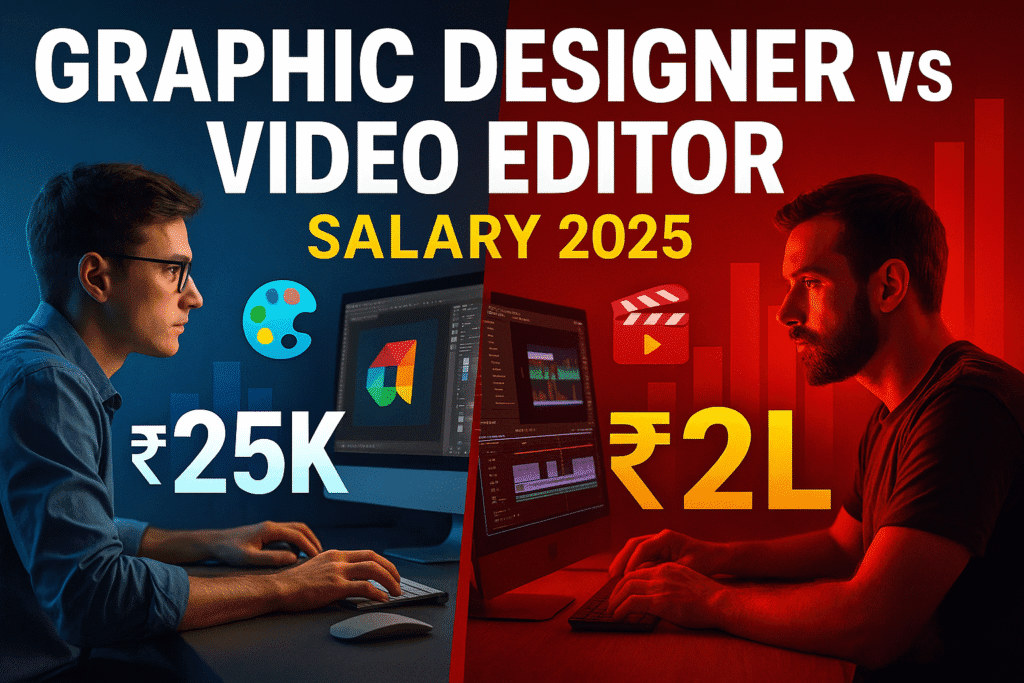
Graphic Designer vs Video Editor Salary in India
Master the Johnny Harris Style: Newspaper Animation in After Effects
If you’re a fan of Johnny Harris or Vox’s documentary videos, you’ve probably noticed the sharp newspaper-style animations, kinetic headlines, and seamless transitions. These elements are not just eye-catching; they serve a purpose in storytelling and audience engagement. Good news? You can replicate that exact aesthetic inside Adobe After Effects — no fancy plugins needed. In this tutorial, you will learn to Master the Johnny Harris Style, an approach that will elevate your video production skills and help you create compelling narratives that captivate your audience. In this video tutorial, you’ll learn: But before we dive into the tutorial, let’s discuss why this style is so effective. The combination of visual elements not only grabs attention but also enhances the storytelling by providing context and emotional cues to the viewers. By mastering these techniques, you will be able to create videos that resonate with your audience on a deeper level. 🔹 Examples of successful use of this style in documentaries and short films 🎯 Pro Tip: Keep your camera movements minimal but purposeful. Combine push-ins with sound cues and voiceover pauses to mimic the classic Johnny Harris rhythm. Whether you’re crafting a political explainer, a historical reel, or a geo-narrative story — this style adds instant credibility and cinematic polish. 🔹 How to adapt this style for different genres — be it travel, history, or social issues 🎯 Pro Tip: Use a consistent color palette throughout your project to maintain visual coherence. Consider how colors can evoke particular emotions and enhance the atmosphere of your story. ✅ Tools Used: As we proceed, remember that every element you include — from sound design to graphic overlays — plays a critical role in your video’s overall impact. Practice these techniques regularly, and soon you will find your unique voice within this style. 📌 Final Thought: Mastering this style doesn’t just make your video look cool — it helps tell stories visually and hold attention in a scroll-happy world. The techniques involved in this style teach you not only about aesthetics but also about pacing, rhythm, and the importance of visual storytelling. By embracing the Johnny Harris approach, you can produce videos that not only inform but also inspire and engage your audience effectively. Mastering this style doesn’t just make your video look cool — it helps tell stories visually and hold attention in a scroll-happy world. If you’re a fan of Johnny Harris or Vox’s documentary videos, you’ve likely admired the distinctive newspaper-style animations, dynamic headlines, and smooth transitions. Fortunately, you can achieve this precise look in Adobe After Effects without the need for elaborate plugins. In this instructional video, you will discover how to: 🎯 Pro Tip: Maintain deliberate and subtle camera movements. Pair zoom-ins with audio cues and pauses in narration to capture the signature Johnny Harris tempo. Whether you’re developing a political analysis, a historical compilation, or a geographic narrative, incorporating this style instantly enhances credibility and provides a cinematic touch. ## ✅ Tools Utilized: ## 📌 Parting Note: Mastering this technique not only enhances the visual appeal of your videos but also aids in conveying narratives effectively and retaining viewers’ attention in an era of constant scrolling. The journey to mastering this art is ongoing. Don’t hesitate to experiment with different tools, styles, and techniques as you develop your skills. The more you practice, the more intuitive these techniques will become, allowing you to tell more compelling stories.