

Acer SmartChoice Aspire 3 (A325-45): Understanding Your Budget Laptop Choice
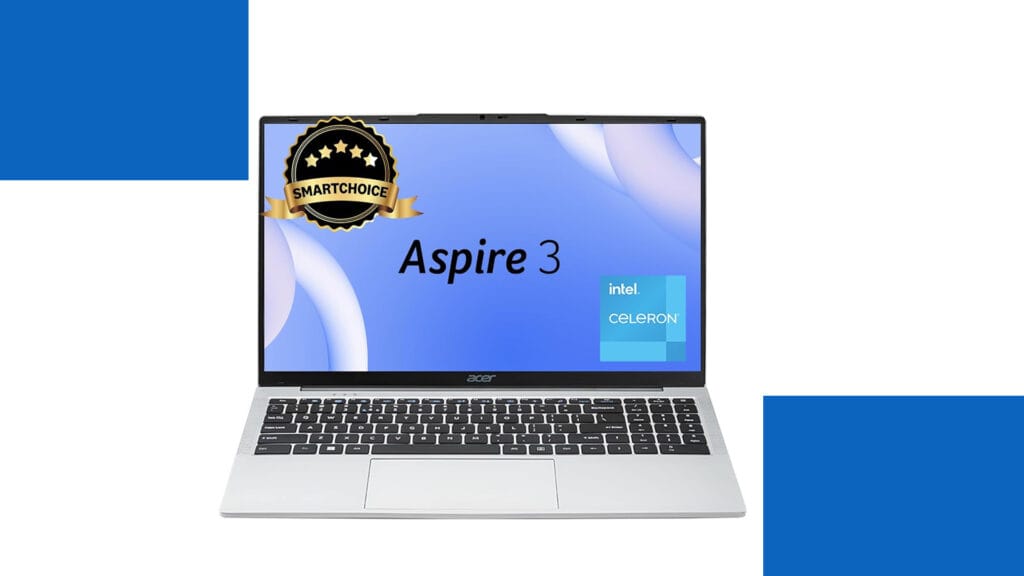
What This Laptop Really Offers You Let me help you understand what the Acer SmartChoice Aspire 3 brings to your desk. Think of this laptop as your reliable study partner or office companion rather than a performance powerhouse. It’s designed for students working on assignments, office professionals managing emails and spreadsheets, and families who need a computer for everyday internet browsing and video streaming. The Pure Silver finish gives it a clean, professional appearance that works equally well in classrooms and conference rooms. The most important thing to grasp is that this laptop focuses on essentials rather than impressive specifications. With its Intel Celeron processor and 8 GB of memory, it handles daily computing tasks competently while keeping costs affordable. The generous 512 GB solid-state drive means your files load quickly and you have plenty of storage space. At just 1.5 kg, it’s surprisingly light for a laptop with a 15.6-inch screen, making it practical to carry in your backpack without straining your shoulders. Technical Specifications at a Glance Let me organize the specifications in a way that makes them easy to understand and compare: Component Specification What This Means For You Processor Intel Celeron N4500 (Dual-core, 1.1 GHz base, 2.8 GHz boost) Handles basic tasks smoothly but struggles with demanding applications like video editing or gaming Memory (RAM) 8 GB LPDDR4X (Soldered, non-upgradeable) Sufficient for multitasking with browser tabs and office applications, but cannot be expanded later Storage 512 GB SSD Fast boot times and application loading, plenty of space for documents, photos, and media files Display 15.6-inch HD (1366×768 pixels) Adequate for reading and watching videos, but less sharp than modern Full HD displays Graphics Intel UHD Graphics (Integrated) Suitable for video playback and basic tasks, not for gaming or professional graphics work Operating System Windows 11 Home (Pre-installed) Latest Windows experience with modern interface and security features Weight 1.5 kg Lighter than most 15.6-inch laptops, making daily carrying more comfortable Battery Standard battery (exact capacity varies) Approximately six to eight hours with light use, four to five hours with intensive tasks Connectivity WiFi, Bluetooth, USB ports, HDMI, Audio jack All essential connections for peripherals, displays, and internet access Build Material Plastic chassis in Pure Silver finish Lightweight and professional-looking, though requires careful handling Performance: Setting Realistic Expectations Understanding performance requires thinking about how computers actually work. The Intel Celeron N4500 processor is like having a reliable bicycle rather than a sports car. It gets you where you need to go efficiently for everyday journeys, but you wouldn’t use it for racing. When you open Microsoft Word or browse websites with several tabs, the experience feels smooth and responsive. The solid-state drive deserves special mention here because it dramatically improves how quickly everything opens and saves, making the laptop feel faster than the modest processor might suggest. For students attending online classes through Zoom or Microsoft Teams, writing research papers, creating presentations, and conducting web research, this laptop handles these tasks without frustration. Office workers managing emails, working with Excel spreadsheets that aren’t enormous, and creating PowerPoint presentations will find the performance adequate. Families streaming Netflix or YouTube, video calling relatives, managing online banking, and browsing social media will enjoy a comfortable experience. However, certain activities push beyond what this laptop can handle comfortably. Modern gaming is essentially impossible except for very simple casual games, because the integrated graphics and processor lack the power required. Video editing with high-resolution footage becomes an exercise in patience, with slow rendering times and laggy previews. Running multiple demanding programs simultaneously causes noticeable slowdown. Professional photo editing with large files in applications like Photoshop feels sluggish compared to more powerful machines. Display and Design Considerations The 15.6-inch HD display represents the most significant compromise in this laptop. To help you understand this better, imagine looking at text through a slightly lower-quality magnifying glass compared to premium laptops. Everything remains readable and functional, but you notice less sharpness and fit fewer items on your screen at once. For watching movies and browsing websites, it works perfectly fine. For professionals working with detailed spreadsheets or designers who need color accuracy, the limitations become more apparent. The lightweight design at 1.5 kg genuinely stands out as a strength. Many students underestimate how important this becomes when carrying a laptop between classes five days per week. The difference between 1.5 kg and 2 kg might seem trivial in a store, but your shoulders notice it after months of daily commuting. The plastic construction keeps weight down while maintaining adequate durability for careful use. The Bottom Line: Making the Right Choice This laptop succeeds brilliantly at what it’s designed to do while honestly showing its limitations in areas where it wasn’t meant to compete. For students whose coursework involves writing, research, online learning, and basic computing, it represents excellent value. For families needing a shared computer for household management and entertainment, it provides reliable service without excessive cost. For office environments where employees primarily work with web applications and office software, it delivers adequate productivity. You should consider alternatives if your needs involve graphics-intensive work, professional content creation, modern gaming, or running demanding specialized software. Students in engineering, architecture, or design programs who need to run CAD software or professional creative applications need more powerful machines. Similarly, if display quality matters significantly to you because you spend many hours staring at screens, investing more for a Full HD display prevents daily frustration. The Acer SmartChoice Aspire 3 teaches us an important lesson about technology purchases: matching your actual needs with appropriate specifications prevents both overspending and underbuying. Not everyone needs a powerful, expensive laptop, and recognizing when adequate specifications serve you well helps you spend money wisely. This laptop represents that sweet spot for basic computing needs, delivered with enough quality to ensure reliable daily use without breaking your budget.