
Introduction: Why Reliable Video Matters
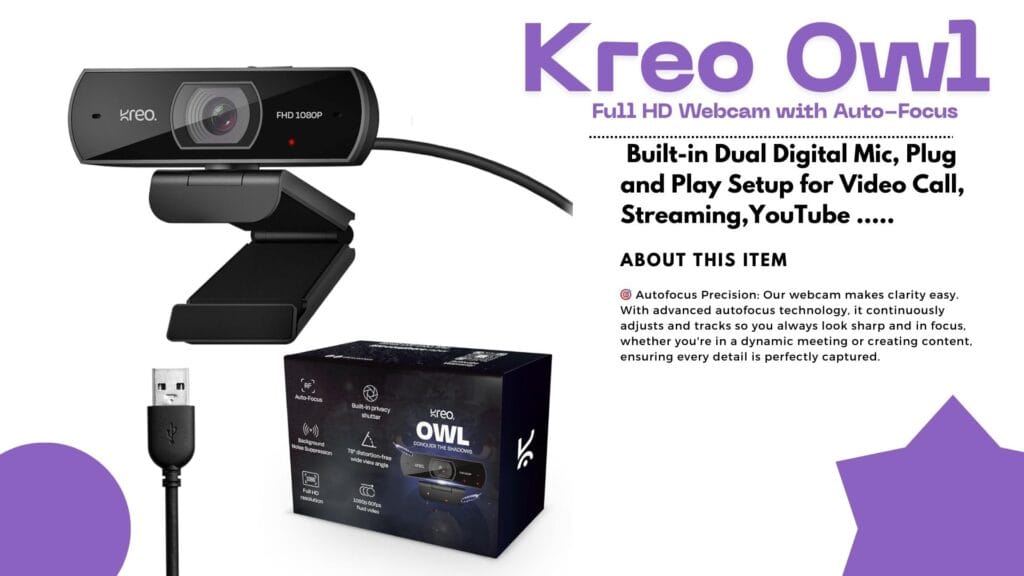
Ever found yourself ready for a crisp, professional Zoom call or a game stream—only for your old webcam to leave your face looking blurry and tired? If you’ve been hunting for a webcam that’s smooth, vibrant, and affordable, the Kreo Owl might just be your new desk buddy! Today, we dive deep into the Kreo Owl 1080p Webcam Review, its standout features, real user experiences, and how it stacks up against the competition.
Quick Overview: The Essentials
Detailed Analysis: Kreo Owl 1080p Webcam Review
- Product Name: Kreo Owl Full HD 1080p 60FPS Webcam
- Where to Buy: Exclusively on Amazon India (ASIN B0CG372R11)
- Target Users: Students, streamers, teachers, remote workers, small businesses
- Key Features: Full HD 1080p resolution, 60FPS video, Auto-Focus, Built-in Dual Mic, Privacy Shutter, 360° rotation, Plug-and-Play USB connectivity
What’s Awesome About the Kreo Owl Webcam?
Big on Features, Small on Hassle
- Crisp Visuals
Enjoy videos that are smooth and rich—thanks to Full HD 1080p at 60fps. Whether you’re teaching online, pitching to a client, or gaming, your face stays sharp and clear. - Auto-Focus Magic
No more hand-waving at the lens! The auto-focus keeps you in focus even when you move around—perfect for animated meetings or dynamic streams. - Sound That Stands Out
Built-in dual digital mics make sure your voice is crisp. Background noise? Significantly reduced, so your message is all that’s heard. - Privacy Shutter for Peace of Mind
When you’re done with the call, simply slide the privacy cover over the lens. It’s a tiny touch, but one that truly matters! - 360° Rotation and Easy Setup
Adjust the angle effortlessly with the rotating stand. Plug-and-play means it works out of the box—no tech degree needed.
User Experience: Quick, Easy, Reliable
Unboxing the Kreo Owl is satisfying—solid ABS plastic construction, sturdy monitor clip, and a wide, glass lens. Setup? Simply plug it in. Windows or Mac, no drivers needed. Users love the quick setup and fast adaptation to video platforms like Zoom, Teams, Skype, and OBS.
Real User Reviews: What People Actually Say
Positive Vibes
- “The auto-focus snaps fast. Even in busy backgrounds, my face stays sharp!”
- “Great for online teaching. My students say the video is much clearer than before.”
- “Plug-and-play really means plug-and-play. Didn’t touch a single setting—just plugged it in and started streaming.”
Not-So-Perfect Points
- “Decent in most lighting, but if your room is dark, results can be less vibrant.”
- “Sometimes the auto-focus lags—especially if I move quickly.”
- “Cable is fixed, so if it breaks you can’t replace it separately.”
Performance in Action
Tested for online classes and gaming streams, the Kreo Owl performed admirably in well-lit rooms. The mic kept background noise to a minimum, while the privacy shutter proved handy between meetings. On the downside, rooms with poor lighting revealed some limitations; boosting brightness fixed most issues.
Kreo Owl vs. Top Competitors
How does the Kreo Owl compare with big names like Logitech and Razer? Let’s see!
The Bottom Line:
The Kreo Owl delivers most modern features at a price that’s often half of the competition. If you crave top-tier software and brand cachet, you’ll favor Logitech or Razer. For core online meetings and streams—Kreo Owl is more than enough!
Pros and Cons Breakdown
Pros
- Crystal-clear HD video
- Fast, responsive auto-focus
- Strong noise-reducing mic
- Privacy features
- Budget price
Cons
- Average in dim lighting
- Fixed cable could be a future issue
- Less brand recognition than Logitech/Razer
Who Should Pick the Kreo Owl?
If you need sharp video and solid sound for online calls, classes, or streaming—and don’t want to break the bank—this is a sensible choice. Teachers, small business owners, students, and casual streamers will love the price-performance combo.
If you’re a full-time content creator craving studio-level control, software perks, or marketing bragging rights, consider the premium brands instead.
Value: Is It Worth Your Money?
Absolutely, if reliability, ease of use, and great value matter to you. Comparing price and features, Kreo Owl punches above its weight, making it ideal for most everyday users.
Final Thoughts: Should You Buy?
The Kreo Owl 1080p Webcam does what it promises—and more. For classroom heroes, budget-conscious professionals, or first-time streamers, this webcam is a worthy investment. It’s not perfect, but it’s practical and friendly, just like the people who use it.
Ready to upgrade your video calls and make a smarter buying decision? The Kreo Owl might just be your perfect match!
Did you find this review helpful? Share your thoughts and experiences below, or grab your Kreo Owl now and let crisp video boost your next call!
Google Gemini Omni —अब हर चीज़ से Video बनाओ!
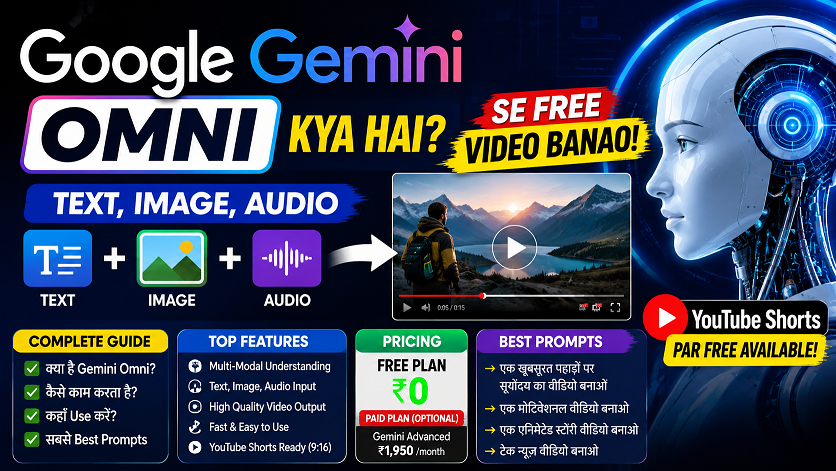
Google Gemini Omni क्या है? AI से Video बनाओ Free में! | Complete Guide 2026 🚀 Google I/O 2026 ✅ Live Now 🔥 Trending 🟢 Live — May 19, 2026 Launch हुआ Google Gemini Omni —अब हर चीज़ से Video बनाओ! Photo डालो, text लिखो, audio दो — Gemini Omni सब कुछ से video बना…
वीडियो एडिटिंग के लिए क्लाइंट कहां से ढूंढे?🎬 10+ ऐसे तरीके जो वाकई काम करते हैं
वीडियो एडिटिंग के लिए क्लाइंट कहां से ढूंढे? | 10+ असरदार तरीके जो वाकई काम करते हैं प्रो गाइड 2025 वीडियो एडिटिंग के लिए क्लाइंट कहां से ढूंढे? 🎬 10+ ऐसे तरीके जो वाकई काम करते हैं प्रो. विक्रम सिंह (वीडियो एडिटिंग कोच) 11 मई 2026 · अपडेटेड 8 मिनट रीड 📌 सच्चाई: वीडियो एडिटिंग…
ChatGPT April 2026 Update: GPT-5.5 Launch, Images 2.0, File Library — पूरी जानकारी हिंदी में
ChatGPT April 2026 Update: GPT-5.5, Images 2.0, File Library, Codex — पूरी जानकारी हिंदी में 🚀 Breaking Update GPT-5.5 Launch April 2026 ChatGPT April 2026 Update —GPT-5.5 से Workspace Agents तकसब कुछ बदल गया! OpenAI ने April 2026 में ChatGPT को completely transform कर दिया। GPT-5.5 launch, Images 2.0, File Library, Codex automation — जानो…
After Effects 26.0 January 2026 Update: नई Features का Complete Guide | AE Review
After Effects 26.0 January 2026 Update: नई Features का Complete Guide | AE Review AE Review After Effects 26.0 January 2026 Release Adobe After Effects 26.0: सभी नई Features का Complete Guide 3D Meshes से लेकर Variable Fonts तक — After Effects का यह update motion graphics और VFX workflows को पूरी तरह बदल देता…
5 Best Gaming Headphones Under ₹5000 India 2026 🎧 | Gaming + Video Editing Review Hindi
5 Best Gaming & Video Editing Headphones Under ₹5000 India 2026 | Honest Review 🎧 Affiliate Review · 2026 · Hindi 5 Best Gaming & Video EditingHeadphones Under ₹5000India 2026 — Honest Review EvoFox Hyperion, HAMMER Blaze, GOBOULT Mustang Q, Zebronics, aur HyperX Cloud Stinger 2 Core — kaun sa best hai? Puri jaankari Hindi…
YouTube New Rules & Updates 2026: All Changes Every Creator Should Know

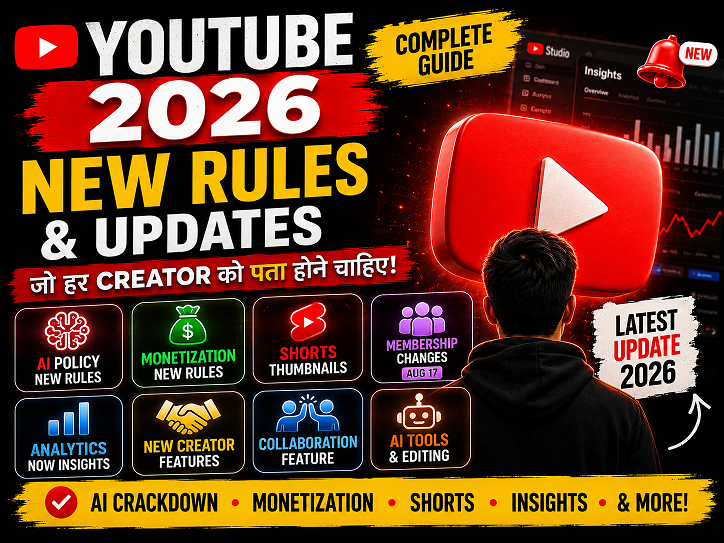
YouTube New Update 2026: सभी नए बदलाव जो Creator को जानने चाहिए | Hindi Guide YouTube 🚨 Creator Alert ⚡ August 2026 ✅ Hindi Guide 🔴 LIVE — August 17 से बड़ा बदलाव! YouTube 2026 के सभीनए Rules & Updatesजो Creator को पता होने चाहिए AI crackdown, monetization rules, Shorts thumbnail, Analytics → Insights, membership…
Google Gemini Omni —अब हर चीज़ से Video बनाओ!

Google Gemini Omni क्या है? AI से Video बनाओ Free में! | Complete Guide 2026 🚀 Google I/O 2026 ✅ Live Now 🔥 Trending 🟢 Live — May 19, 2026 Launch हुआ Google Gemini Omni —अब हर चीज़ से Video बनाओ! Photo डालो, text लिखो, audio दो — Gemini Omni सब कुछ से video बना…
वीडियो एडिटिंग के लिए क्लाइंट कहां से ढूंढे?🎬 10+ ऐसे तरीके जो वाकई काम करते हैं

वीडियो एडिटिंग के लिए क्लाइंट कहां से ढूंढे? | 10+ असरदार तरीके जो वाकई काम करते हैं प्रो गाइड 2025 वीडियो एडिटिंग के लिए क्लाइंट कहां से ढूंढे? 🎬 10+ ऐसे तरीके जो वाकई काम करते हैं प्रो. विक्रम सिंह (वीडियो एडिटिंग कोच) 11 मई 2026 · अपडेटेड 8 मिनट रीड 📌 सच्चाई: वीडियो एडिटिंग…

Nexuss88 is pretty solid. Fast payouts and responsive customer support. Pretty decent selection of games to choose from. Check it out if you are looking for a reliable experience nexuss88.