
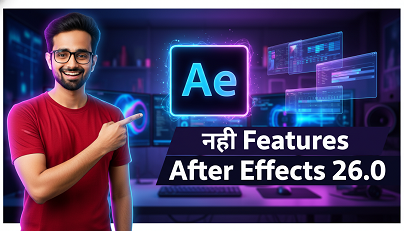
Adobe After Effects 26.0:
सभी नई Features का
Complete Guide
3D Meshes से लेकर Variable Fonts तक — After Effects का यह update motion graphics और VFX workflows को पूरी तरह बदल देता है।
Adobe ने January 2026 में After Effects Version 26.0 release किया है, और यह update सच में game-changing है। इस release में 3D workflow, typography, और playback performance — तीनों areas में बड़े improvements किए गए हैं।
अगर आप motion graphics designer, VFX artist, या video editor हैं, तो यह article आपके लिए है। इसमें हम हर नए feature को detail से समझेंगे — क्या है, कैसे काम करता है, और आपके workflow में यह कैसे helpful होगा।
01 After Effects 26.0 — Overview
After Effects 26.0 Adobe के Creative Cloud ecosystem का एक major release है। इस update में कुल 6 नए core features और कई workflow improvements हैं। Adobe का focus इस बार clearly 3D capabilities को democratize करना था — यानी complex 3D work को बिना Cinema 4D या Blender के possible बनाना।

Parametric 3D Meshes
Native 3D shapes directly in AE — no plugins needed
Substance Materials
Procedural SBSAR materials import with animation support
Variable Fonts
OpenType Variable font sliders with custom keyframes
Native SVG Import
SVGs as editable shape layers — gradients preserved
Unmult Effect
GPU-accelerated background removal with HDR support
Lossless Caching
4x less disk space for preview frames — same quality
02 Parametric 3D Meshes
यह शायद After Effects 26.0 का सबसे exciting feature है। अब आप directly After Effects में native 3D primitive shapes create कर सकते हैं — बिना किसी third-party plugin या 3D software के।
Available 3D Primitives
After Effects 26.0 में ये 3D shapes natively available हैं:
- Cube — customizable size और bevel के साथ
- Sphere — radial slicing controls के साथ
- Cone — height और base radius adjustable
- Cylinder — segment count control
- Torus — inner/outer radius parameters
- Plane — grid resolution adjustable

Key Benefit: ये meshes non-destructive हैं — मतलब आप कभी भी किसी भी property को बदल सकते हैं। Size, bevel, radial slicing — सब कुछ properties panel से control होता है और fully animatable है।
Workflow में कैसे Use करें?
Layer menu → New → 3D Mesh पर जाएं और अपना desired shape select करें। Shape add होने के बाद, Properties panel में आपको सभी parametric controls मिलेंगे। इन्हें Composition की 3D space में freely position, rotate, और scale किया जा सकता है।
03 Substance 3D Materials (SBSAR)
Adobe का Substance 3D ecosystem अब After Effects के साथ directly integrate हो गया है। आप SBSAR format के Substance materials को directly AE में import करके 3D layers और meshes पर apply कर सकते हैं।
Substance Materials की Capabilities
Substance materials procedural होती हैं — इसका मतलब है कि material के parameters (जैसे roughness, metalness, surface wear) को animate किया जा सकता है। उदाहरण के लिए:
- Metal surface का rust gradually बढ़ता दिखाना over time
- Stone material पर wetness animate करना
- Surface wear और tear को keyframe करना
- Material color और pattern को expressions से dynamically drive करना

Free Substance Materials कहाँ मिलेंगे?
Adobe Substance 3D Assets library पर हजारों free और premium materials available हैं। Creative Cloud subscription के साथ monthly material downloads भी मिलते हैं। Adobe Substance 3D community से भी user-created materials download किए जा सकते हैं।
04 Variable Font Support
Typography lovers के लिए यह एक बड़ा update है। After Effects 26.0 अब OpenType Variable Fonts को natively support करता है।
Variable Font Properties जो Animate हो सकती हैं
- Weight — thin से ultra-bold तक smooth transition
- Width — condensed से expanded तक animate करें
- Slant/Italic — upright से italic के बीच morph करें
- Custom Axes — font-specific axes जैसे optical size, grade

Character Panel में कैसे Access करें?
कोई भी variable font select करने पर Character panel में automatically variable font sliders appear होंगे। इन sliders को standard keyframes से animate किया जा सकता है या expressions से drive किया जा सकता है। Popular variable fonts जैसे Inter, Roboto Flex, Recursive आदि Google Fonts पर free में available हैं।
Pro Tip: Variable fonts के साथ expressions use करें जैसे wiggle(2, 50) weight property पर apply करने से font का weight randomly oscillate करता है — एक unique glitch effect के लिए।
05 Native SVG Import
Designers के लिए यह एक long-awaited feature है। अब आप SVG files को directly After Effects में import कर सकते हैं — और वे automatically editable shape layers में convert हो जाती हैं।
SVG Import क्या Preserve करता है?
- Vector Paths — सभी shapes और curves perfectly preserve होते हैं
- Gradients — linear और radial gradients animatable रहते हैं
- Transparency — opacity और blend modes maintain होते हैं
- Layer Structure — SVG groups AE layers में convert होते हैं

Figma/Illustrator Workflow
अब workflow बहुत simple हो गया है: Figma या Illustrator में design करें → SVG export करें → After Effects में drag & drop करें। SVG automatically editable shape layers बन जाएगी जिन्हें आप fully animate कर सकते हैं। यह पुराने AI import workflow से बहुत faster और cleaner है।
06 Unmult Effect
Stock footage और motion graphics में solid black या white backgrounds remove करना पहले tedious process था। After Effects 26.0 ने native Unmult effect introduce किया है जो इसे one-click process बना देता है।
Unmult Effect की Key Features
- GPU-Accelerated — real-time preview, rendering fast
- Black Background Removal — fire, smoke, light effects के लिए perfect
- White Background Removal — matte footage के लिए
- HDR Support — high dynamic range footage पर भी accurate
- Edge Preservation — foreground details बिना artifacts के preserve होते हैं
Use Case: Fire, smoke, explosions, neon glows, lens flares जैसे stock VFX elements typically black background पर होते हैं। Unmult effect इन्हें instantly composite-ready बना देता है। पहले इसके लिए third-party plugins (जैसे Unmult from Red Giant) खरीदने पड़ते थे।
Effect कैसे Apply करें?
Effect menu → Channel → Unmult पर जाएं। Effect apply करने के बाद Black या White background option select करें। बस इतना ही! Fine-tuning के लिए Threshold slider use करें।
07 Lossless Compressed Caching
Performance improvement के नजरिए से यह update बहुत significant है। After Effects 26.0 का नया disk caching system preview frames को compress करता है — बिना visual quality खोए।
Caching System का Comparison
| Feature | Old Caching (AE 25.x) | New Caching (AE 26.0) |
|---|---|---|
| Compression | Uncompressed / Lossy | Lossless Compressed |
| Disk Space | Full size frames | Up to 4x smaller |
| Visual Quality | Full quality | Full quality (lossless) |
| Preview Duration | Limited by disk space | Significantly longer |
| Playback Speed | Standard | Faster (compressed read) |
Real World Impact: अगर पहले 30 seconds की preview के लिए 10GB disk space लगती थी, तो अब same quality preview सिर्फ ~2.5GB में होगी। यह SSD-limited systems के लिए game-changer है।
08 Recent Workflow Improvements
Core features के अलावा, 2025-2026 period में कई workflow improvements भी किए गए हैं:
Improved Illustrator Conversion
AI layers को shapes में convert करने पर linear और radial gradients अब preserve और animatable रहते हैं।
3D Shadow Casting
Advanced 3D renderer में अब multiple light types (Spot, Parallel, Environment) से shadow casting support।
Reorganized Preferences
Preferences menu को refresh और reorganize किया गया है — ज़रूरी settings अब faster मिलती हैं।
Crop to Layer Bounds
Selected layers की exact dimensions पर composition को instantly crop करने का new command।
09 पुराने vs नए Version Comparison
After Effects 25.x और 26.0 के बीच major differences की summary:
| Capability | AE 25.x | AE 26.0 |
|---|---|---|
| 3D Primitive Shapes | ✗ Plugin required | ✓ Native |
| Substance Materials | ✗ Not available | ✓ SBSAR import |
| Variable Fonts | ✗ Static only | ✓ Full support |
| SVG Import | ✗ Via Illustrator only | ✓ Direct import |
| Background Removal | ✗ Third-party plugin | ✓ Native Unmult |
| Disk Cache Efficiency | Standard | ✓ 4x more efficient |
| Gradient in AI conversion | ✗ Lost on conversion | ✓ Preserved |
| HDR Cache Support | Limited | ✓ Full HDR |
10 Pro Tips & Recommendations
After Effects 26.0 को maximum benefit के साथ use करने के लिए ये tips follow करें:
-
3D Meshes + Substance Materials combo use करें — Native 3D primitives बनाएं और उन पर Substance materials apply करें। Cinema 4D lite की dependency बहुत कम हो जाएगी।
-
Disk Cache settings optimize करें — Preferences → Media & Disk Cache में maximum disk size बढ़ाएं। नया lossless system ज्यादा cache store करेगा same space में।
-
Variable fonts के साथ expressions use करें —
time * 50weight property पर apply करने से एक continuously morphing font effect मिलता है। -
SVG import Figma workflow में integrate करें — Figma में “Frame” को SVG export करें, directly AE में drag करें। Prototype animations के लिए perfect workflow।
-
Unmult + Blend Modes combine करें — Unmult effect लगाने के बाद layer blend mode को Add या Screen पर set करें। Fire और light effects का composite perfect होगा।
-
Advanced 3D Renderer switch करें — 3D shadows और Substance materials use करने के लिए Composition Settings में Advanced 3D renderer enable करना ज़रूरी है।
11 Conclusion
Adobe After Effects 26.0 सच में एक substantial update है। यह release clearly दिखाता है कि Adobe अपने motion graphics tool को एक full-fledged 3D production environment में evolve करना चाहता है।
Parametric 3D Meshes और Substance Materials के साथ, AE अब simple 3D work के लिए Cinema 4D का एक viable alternative बन सकता है। Variable Fonts और Native SVG Import design-to-motion workflow को dramatically smooth बनाते हैं। और Lossless Caching daily workflow को genuinely faster बनाता है।
अगर आप Creative Cloud subscriber हैं, तो यह update आज ही install करें। यह clearly अब तक के best After Effects updates में से एक है।
After Effects 26.0 Try करें
Adobe Creative Cloud subscription के ज़रिए latest After Effects access करें और इन सभी features को explore करें।
- Adobe Help Center — helpx.adobe.com
- Animation Magazine — After Effects 26.0 Coverage
- School of Motion — Official Release Notes Breakdown
- Upskillist — Workflow Improvements Guide
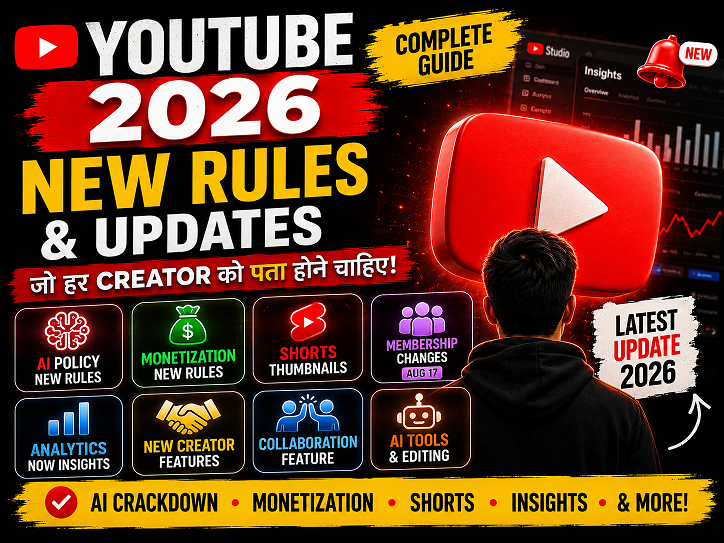
YouTube New Rules & Updates 2026: All Changes Every Creator Should Know
YouTube New Update 2026: सभी नए बदलाव जो Creator को जानने चाहिए | Hindi Guide …

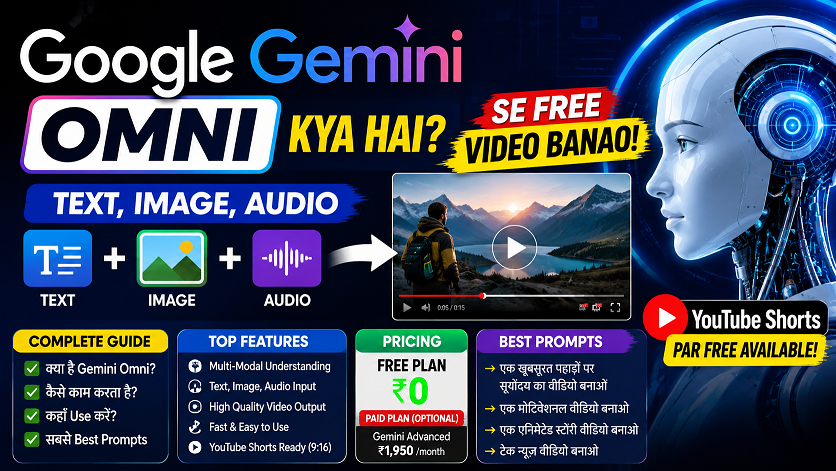
Google Gemini Omni —अब हर चीज़ से Video बनाओ!
Google Gemini Omni क्या है? AI से Video बनाओ Free में! | Complete Guide 2026 …

वीडियो एडिटिंग के लिए क्लाइंट कहां से ढूंढे?🎬 10+ ऐसे तरीके जो वाकई काम करते हैं
वीडियो एडिटिंग के लिए क्लाइंट कहां से ढूंढे? | 10+ असरदार तरीके जो वाकई काम करते हैं …
ChatGPT April 2026 Update: GPT-5.5 Launch, Images 2.0, File Library — पूरी जानकारी हिंदी में
ChatGPT April 2026 Update: GPT-5.5, Images 2.0, File Library, Codex — पूरी जानकारी हिंदी में …
After Effects 26.0 January 2026 Update: नई Features का Complete Guide | AE Review
After Effects 26.0 January 2026 Update: नई Features का Complete Guide | AE Review …
5 Best Gaming Headphones Under ₹5000 India 2026 🎧 | Gaming + Video Editing Review Hindi
5 Best Gaming & Video Editing Headphones Under ₹5000 India 2026 | Honest Review …