
2025 में क्यों AI Tools अचानक ट्रेंडिंग हुए हैं?
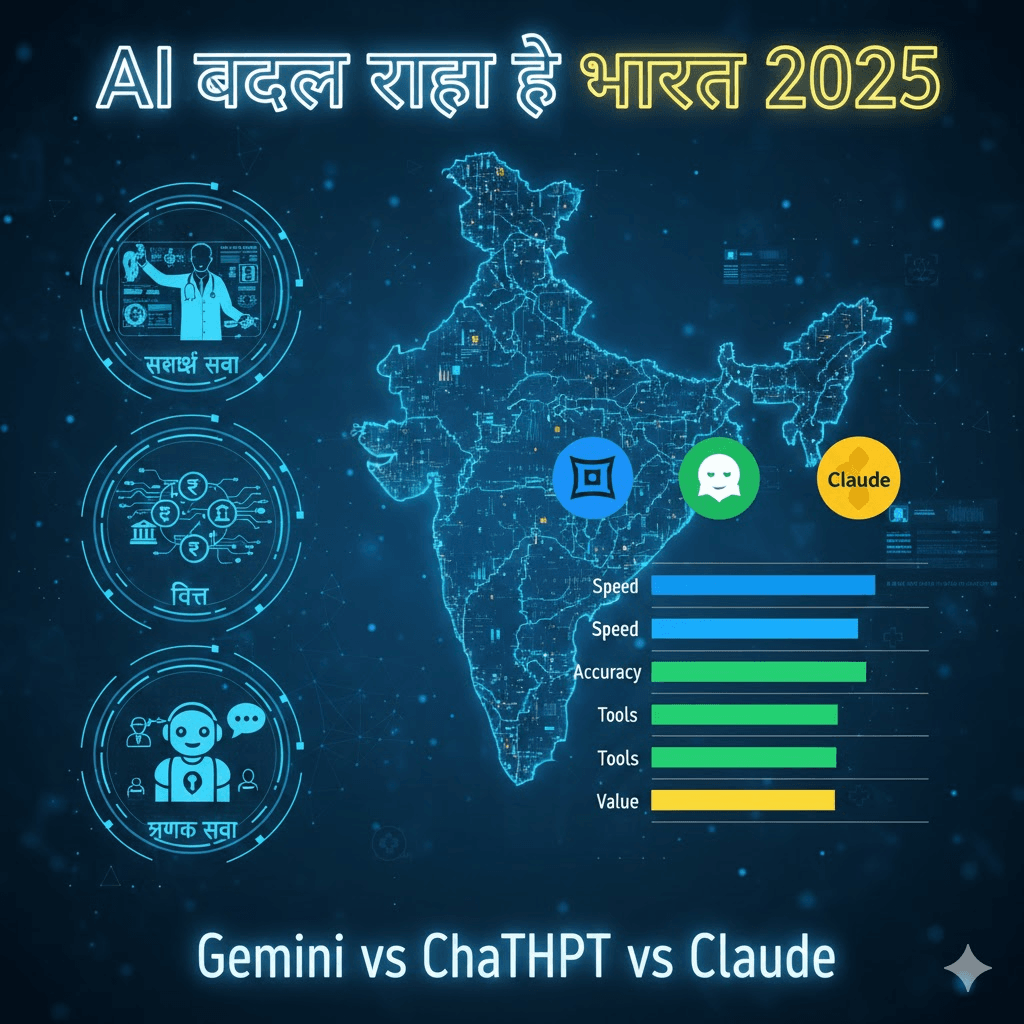
साल 2025 आर्टिफिशियल इंटेलिजेंस (AI) के लिए एक महत्वपूर्ण मोड़ साबित हो रहा है। अचानक से AI टूल्स के ट्रेंडिंग होने के पीछे कई ठोस कारण हैं। आज लगभग 88% संगठन कम से कम एक व्यावसायिक कार्य में AI का इस्तेमाल कर रहे हैं, जो पिछले साल के 78% से काफी अधिक है। यह बदलाव केवल संख्याओं में नहीं, बल्कि हमारे काम करने और सोचने के तरीके में भी दिखाई दे रहा है। एक बड़ा कारण है AI की बढ़ती क्षमता और सुलभता। स्टैनफोर्ड की 2025 AI इंडेक्स रिपोर्ट के मुताबिक, GPT-3.5 जैसा परफॉर्मेंस देने वाले सिस्टम की लागत में नवंबर 2022 से अक्टूबर 2024 के बीच 280 गुना से अधिक की गिरावट आई है। यानी, AI पहले से कहीं ज्यादा सस्ती और हर किसी की पहुंच में है। साथ ही, Google सर्च जैसे प्लेटफॉर्म पर लोग “बताइए…” या “कैसे करूं…” जैसे अधिक संवादात्मक सवाल पूछ रहे हैं, जो AI की बढ़ती स्वाभाविक समझ को दर्शाता है। यह तकनीक अब सिर्फ एक ‘टूल’ नहीं, बल्कि एक सहयोगी और इनोवेशन का केंद्र बन चुकी है। अनुभाग 1: Google Gemini और 2025 Year-in-Search रिपोर्ट की मुख्य बातें 2025 की Google की ‘Year in Search’ रिपोर्ट दर्शाती है कि AI ने हमारी जिज्ञासा को कैसे नया आकार दिया है। लोग अब सीधे तथ्य नहीं, बल्कि समझ चाहते हैं। “Tell me about…” से शुरू होने वाले सर्च 2024 के मुकाबले 70% बढ़े हैं, और “How do I…” वाले सर्च में 25% की वृद्धि हुई है। यह बदलाव Gemini जैसे AI मॉडल्स के कारण संभव हुआ है, जो सर्च को एक संवादात्मक अनुभव में बदल देते हैं। Google के Gemini मॉडल ने AI की दुनिया में एक मजबूत पकड़ बनाई है। AI विशेषज्ञ ईथन मोलिक के अनुसार, गंभीर कार्यों के लिए Gemini 2.5 Pro एक बेहतरीन विकल्प है। Gemini की विशेषता इसकी बहु-माध्यम क्षमता है – यह आपकी स्क्रीन या कैमरे को देखकर वास्तविक समय में मदद कर सकता है, चाहे वह टूटे हुए सामान की पहचान हो या किसी विदेशी भाषा के संकेत को पढ़ना। अनुभाग 2: भारत में AI Adoption — क्या बदल रहा है, क्यों बढ़ रहा है भारत का AI लैंडस्केप पायलट प्रोजेक्ट्स से आगे बढ़कर वास्तविक प्रदर्शन के चरण में पहुंच गया है। EY-CII की एक ताजा रिपोर्ट के मुताबिक, 47% भारतीय उद्यमों के पास एक नहीं, बल्कि कई जेनरेटिव AI यूज केस लाइव प्रोडक्शन में हैं। यह एक स्पष्ट संकेत है कि कॉर्पोरेट भारत AI को कोर बिजनेस वर्कफ्लो में शामिल कर रहा है, जिसका मकसद ठोस परिणाम हासिल करना है। इस वृद्धि के पीछे मुख्य चालक गति है। भारत में 91% बिजनेस लीडर्स मानते हैं कि AI टूल्स को अपनाने में तेजी उनके ‘खरीदें बनाम बनाएं’ के फैसले को सबसे ज्यादा प्रभावित करती है। अगले 12 महीनों में, कंपनियां अपना निवेश ऑपरेशन (63%), ग्राहक सेवा (54%), और मार्केटिंग (33%) जैसे मुख्य व्यवसायिक कार्यों में करने की योजना बना रही हैं। इसके अलावा, स्टार्टअप्स के साथ साझेदारी भी तेजी से बढ़ रही है। लगभग 60% संगठन स्टार्टअप्स के साथ मिलकर नवाचार कर रहे हैं, जो AI में गति और प्रयोग के लिए जरूरी है। हालांकि, AI प्रतिभा की कमी (59%) एक बड़ी चुनौती बनी हुई है। अनुभाग 3: 2025 के बेस्ट फ्री / लोकप्रिय AI Tools 2025 में कई शक्तिशाली AI टूल उपलब्ध हैं। AI विशेषज्ञ ईथन मोलिक की सलाह है कि ज्यादातर उपयोगकर्ताओं को तीन में से एक सिस्टम चुनना चाहिए: Google का Gemini, Anthropic का Claude, या OpenAI का ChatGPT। इनमें से प्रत्येक एडवांस्ड मॉडल, वॉइस मोड, डॉक्यूमेंट एनालिसिस और इमेज जनरेशन जैसी क्षमताएं प्रदान करता है। नीचे दी गई तालिका इन प्रमुख टूल्स की तुलना करती है: टूल / कंपनी मुख्य विशेषताएं मुफ्त स्तर की सीमाएं उपयोग का आदर्श क्षेत्र Google Gemini Google वर्कस्पेस व गूगल ऐप्स से बेहतर एकीकरण; वीडियो जनरेशन (Veo 3); रियल-टाइम विज़ुअल असिस्टेंस। एडवांस्ड मॉडल्स (जैसे Gemini 2.5 Pro) के लिए सब्सक्रिप्शन जरूरी। दैनिक कार्य, रिसर्च, Google इकोसिस्टम उपयोगकर्ता। ChatGPT (OpenAI) मजबूत इमेज जनरेशन (DALL-E); विस्तृत प्लगइन इकोसिस्टम; गहन रिसर्च रिपोर्ट्स। GPT-4o जैसे नवीनतम मॉडल अक्सर सब्सक्रिप्शन पर। रचनात्मक लेखन, कोडिंग, बहुमुखी सामान्य कार्य। Claude (Anthropic) लंबे संदर्भ विंडो (बड़े डॉक्यूमेंट्स के विश्लेषण के लिए बेहतर); डेटा प्राइवेसी पर जोर। शक्तिशाली Claude Opus मॉडल पेड प्लान में। दस्तावेज़ संश्लेषण, नैतिक विचार वाले प्रोजेक्ट्स। DeepSeek एक योग्य और पूरी तरह से मुफ्त विकल्प। अन्य टूल्स की तुलना में कुछ फीचर्स कम हो सकते हैं; भविष्य की योजना स्पष्ट नहीं। बजट-संवेदनशील उपयोगकर्ता, प्रयोग और सीखना। नोट: गंभीर कार्यों जैसे विश्लेषण, कोडिंग, या रिसर्च के लिए, मासिक सब्सक्रिप्शन लेकर एडवांस्ड मॉडल (जैसे Gemini Pro, Claude Opus, GPT-4) का उपयोग करना फायदेमंद होता है। मुफ्त संस्करण अक्सर कम शक्तिशाली, तेज मॉडल पर काम करते हैं। अनुभाग 4: कैसे आप इन टूल्स को इस्तेमाल कर सकते हैं — बिगिनर्स गाइड AI को अपनाना आसान है, अगर सही तरीके से शुरुआत की जाए। यहां कुछ व्यावहारिक सुझाव दिए गए हैं: अनुभाग 5: फायदे + सावधानियां (प्राइवेसी, एथिक्स, डिपेंडेंस, क्वालिटी चेक) फायदे: सावधानियाँ: अनुभाग 6: फ्यूचर आउटलुक — 2026 में AI क्या बदल सकता है 2026 AI के लिए मानव-केंद्रित सहयोग का वर्ष बनने जा रहा है। फोर्ब्स के विशेषज्ञों के अनुसार: निष्कर्ष 2025 वह वर्ष है जब AI व्यापक प्रयोग से वास्तविक एकीकरण की ओर बढ़ा है। भारत ने इस दौड़ में अपनी एक विशिष्ट और गतिशील पहचान बनाई है, जहां गति और व्यावहारिक अनुप्रयोग प्राथमिकता में हैं। जैसे-जैसे यह प्रौद्योगिकी और अधिक सशक्त और सुलभ होती जाएगी, सफलता उन्हें मिलेगी जो जिम्मेदारी से इसका उपयोग करेंगे, मानवीय कौशल को बढ़ाएंगे, और एक संतुलित सहयोग के लिए तैयार रहेंगे। भविष्य AI का नहीं, बल्कि AI के साथ मिलकर काम करने वाले मनुष्यों का है। आज ही शुरुआत करें: किसी एक AI टूल (जैसे Gemini, ChatGPT) का मुफ्त संस्करण चुनें, और अपने किसी दैनिक कार्य—ईमेल लिखना, कोई विषय समझना, या विचारों का मंथन करना—में इसकी मदद लेने का प्रयास करें। अक्सर पूछे जाने वाले प्रश्न (FAQs) 1. क्या AI वाकई में नौकरियां छीन लेगा?विशेषज्ञों का मानना है कि AI नौकरियों को पूरी तरह से प्रतिस्थापित करने के बजाय उन्हें बदलेगा और संवारेगा। इसका उद्देश्य दोहराए जाने वाले कार्यों को स्वचालित करके मनुष्यों को उच्च-मूल्य वाले, रचनात्मक कार्यों पर ध्यान केंद्रित करने में सक्षम बनाना है। 2. शुरुआत के लिए सबसे अच्छा मुफ्त AI टूल कौन सा है?Google Gemini एक बेहतरीन शुरुआत है क्योंकि यह Google के मौजूदा टूल्स (जैसे Gmail, Docs) के साथ अच्छी तरह एकीकृत है और इसका मुफ्त संस्करण मजबूत है। DeepSeek भी एक योग्य और पूरी तरह से मुफ्त विकल्प है। 3. क्या AI के साथ काम करने के लिए मुझे तकनीकी ज्ञान
Why short videos are booming in India 2025

क्या आपने भी देखा है कि 2025 में आपका हर दूसरा दोस्त Reels, Shorts या फिर YouTube पर छोटे Videos बना रहा है? और कुछ तो ऐसे Viral हो रहे हैं कि नाम और पैसा दोनों कमा रहे हैं! भारत में Short Videos की दुनिया सचमुच धमाल मचा रही है। कारण साफ़ है: हमारे पास समय कम है, और मनोरंजन की भूख ज़्यादा। एक Busy इंसान के लिए 10 मिनट का वीडियो देखना मुश्किल है, लेकिन 30 सेकंड का Engaging Reel? वो तो बस स्क्रॉल करते-करते देखा और लाइक कर दिया! इस Boom के पीछे सिर्फ TikTok ही नहीं, बल्कि YouTube Shorts और Instagram Reels का पूरा Ecosystem है। पहले Viral होने के लिए बड़ा बजट, कैमरा और टीम चाहिए थी। आज? आपका फ़ोन और थोड़ी सी AI की समझ ही आपको एक बेहतरीन Creator बना सकती है। इस ब्लॉग में, हम आपको AI Tools की मदद से Professional और Trending Short Videos बनाने का Step-by-Step रास्ता दिखाएँगे। चिंता मत कीजिए, यहाँ सब कुछ शुरुआत से, आसान हिंदी में और ज़्यादातर फ्री टूल्स के साथ बताया जाएगा। तो चलिए, शुरू करते हैं! 3️⃣ Section: Why AI tools are helpful for short video creation शायद आप सोच रहे होंगे – “मैं तो खुद ही Video बना लेता हूँ, AI क्यों?” बिल्कुल वाजिब सवाल। लेकिन AI आपकी Creativity को कम नहीं, बल्कि कई गुना बढ़ा देता है। ये एक ऐसा Smart Assistant है जो 24×7 आपके साथ है। AI Tools आपकी कैसे मदद करते हैं? मतलब, AI आपका Creative Partner है। वो वही Heavy Lifting करेगा, ताकि आप अपनी Energy असली Creativity – Idea, Expression और Presentation पर लगा सको। 4️⃣ Step-by-Step Guide Step 1: AI से Trending Topic & Niche Selection सबसे पहला कदम: किस चीज़ पर Video बनाऊँ? बिना Planning के बनाया Video शायद ही कभी चले। Step 2: Script Writing using AI Prompts (Give Example Prompts) Topic मिल गया? अब उसे 15-60 सेकंड की कहानी में बदलना है। यहाँ AI आपका Best Friend बन जाता है। Step 3: Free AI Voice Generation + Microphone Tips Voiceover से Video का आधा Effect तय होता है। अगर आपकी आवाज़ Record करने में दिक्कत है, या फिर बैकग्राउंड नॉइज़ है, तो AI Voice आपको बचा सकती है। Step 4: Visual Suggestions (Recording + Stock Footage + AI Suggestions) अब बारी है दिखाने की! Video में क्या-क्या दिखेगा? Step 5: Free Mobile Editing Apps (CapCut, VN, Canva) सारा Material तैयार है? अब सबको जोड़कर एक शानदार Video बनाने का वक़्त! शुरुआत के लिए मेरी सलाह है: CapCut डाउनलोड करो और उसके 2-3 Tutorials YouTube पर देखो। आप Expert बन जाओगे! Step 6: Auto-Captions using AI एक राज की बात: 80% से ज़्यादा लोग Social Media पर Videos बिना आवाज़ के (Mute पर) देखते हैं। अगर आपके Video में Captions नहीं, तो आप 80% Audience खो रहे हैं! Step 7: Upload Optimization (Titles, Tags, Hashtags) Video बन गया? बधाई हो! लेकिन काम अभी खत्म नहीं हुआ। Upload करते वक़्त इन बातों का ध्यान रखें: 5️⃣ Extra Tips: How to Increase Watch-time & Virality 6️⃣ Internal Link Placeholders 7️⃣ FAQs: 6–8 Common Questions Q1. क्या AI से बने Videos Monetize हो सकते हैं? (YouTube/Instagram)A. हाँ, लेकिन शर्तें हैं। YouTube Shorts Fund या Instagram Bonus के लिए, Content Original और Value-Adding होना चाहिए। सिर्फ AI Voice या AI Script से कोई दिक्कत नहीं, लेकिन पूरा Video अगर AI Generated Footage से भर देंगे तो Issues आ सकते हैं। AI को Assistant की तरह Use करो, Owner की तरह नहीं। Q2. क्या AI Voice का Use Safe है? कॉपीराइट नहीं लगेगा?A. ज़्यादातर Free AI Voice Tools आपको Commercial Use की Permission देते हैं (हमेशा उनकी ‘Terms of Use’ चेक कर लें)। ElevenLabs जैसे Platforms पर भी License Details दी होती हैं। सुरक्षित रहने के लिए, उन्हीं Voices का Use करें जिनके लिए Platform Permission दे रहा है। Q3. मुझे Editing बिल्कुल नहीं आती। क्या करूँ?A. कोई बात नहीं! CapCut और Canva में Pre-made Templates का खजाना है। बस अपना Video/Photo Template में ड्रॉप करो, Text बदलो – Video तैयार! धीरे-धीरे सीखते जाओगे। Q4. सबसे Best Free AI Tool कौन सा है?A. एक नहीं, Combination Use करो!* Ideas & Script: ChatGPT/Gemini* Editing & Captions: CapCut* Graphics & Template Videos: Canva* Voice: CapCut का In-built Generator या Google TTS Q5. Video कितना Long होना चाहिए?A. Trend देखो! 2025 में, 15-30 सेकंड के Videos सबसे ज़्यादा Engage कर रहे हैं। Hook तेज़ रखो, Message Clear रखो। Q6. मेरे Videos Views नहीं आ रहे। क्या गलती हो सकती है?A. शायद Thumbnail Weak है, या पहले 3 सेकंड Boring हैं। या फिर आप Consistent नहीं हैं। Video Quality, Upload Time, और Niche पर फिर से गौर करें। एक ही तरह के Videos बनाते रहें, Algorithm आपको पहचान लेगा। 8️⃣ Conclusion — Encouraging New Creators दोस्तों, आज का दौर Creator बनने का सबसे बेहतरीन दौर है। Tools आपके हाथ में हैं, Audience मौजूद है, और जो काम पहले Impossible लगता था, वो AI की वजह से Possible हो गया है। आपकी Unique Story, आपका Perspective – यही आपकी सबसे बड़ी ताकत है। AI Tools सिर्फ वो Paintbrush हैं, जिससे आप अपनी कल्पना की तस्वीर बना रहे हैं। पहला Video बनाओ, दसवाँ Video बनाओ। शर्माओ मत, सीखो। Analyze करो कि क्या अच्छा लगा, क्या सुधारना है। ये सफर एक Marathon है, Sprint नहीं। शुरुआत कर दो। आज ही। अपना फ़ोन उठाओ, पहला Step 1 Follow करो, और एक Draft Video बनाकर देखो। आप ख़ुद हैरान रह जाओगे कि आप क्या बना सकते हो!
Best Gaming Laptops 2025: Things to know before buying one in India
गेमिंग लैपटॉप खरीदना आज के दौर में किसी निवेश से कम नहीं है। 2025 में भारतीय गेमर्स और कंटेंट क्रिएटर्स के लिए सही गेमिंग लैपटॉप चुनना एक चैलेंजिंग टास्क बन गया है। क्या आपको RTX 4060 वाला मॉडल लेना चाहिए या RTX 4070 में एक्स्ट्रा पैसे लगाने चाहिए? इस आर्टिकल में हम आपको Best GPU India 2025 की कंप्लीट गाइड देंगे। इस आर्टिकल में हम आपको भारत में उपलब्ध बेस्ट गेमिंग लैपटॉप 2025 की कंप्लीट गाइड देंगे, जिसमें प्राइसिंग, परफॉर्मेंस बेंचमार्क, रियल गेमिंग FPS डेटा और प्रैक्टिकल खरीदारी टिप्स शामिल हैं। भारतीय बाजार में गेमिंग लैपटॉप की स्थिति: 2025 अपडेट 2025 में भारतीय गेमिंग मार्केट ने तेजी से ग्रोथ दिखाई है। NVIDIA के RTX 40 सीरीज और AMD के Ryzen 7000 सीरीज प्रोसेसर्स ने मिड-रेंज सेगमेंट में धमाल मचा दिया है। 2025 के मुख्य ट्रेंड्स: प्राइस सेगमेंटेशन: Flipkart और Amazon पर EMI ऑप्शंस और एक्सचेंज ऑफर्स ने अफोर्डेबिलिटी को बेहतर किया है। टॉप 10 बेस्ट गेमिंग लैपटॉप्स: भारत में प्राइस और स्पेसिफिकेशन 1. ASUS TUF Gaming A15 (2025) ⭐Best Overall वर्डिक्ट: मिलिट्री-ग्रेड बिल्ड और शानदार कूलिंग। बेस्ट वैल्यू फॉर मनी। 2. Lenovo Legion 5 Pro ⭐Premium Choice क्यों खरीदें: प्रोफेशनल गेमर्स के लिए। 240Hz display competitive gaming के लिए आइडियल। 3. MSI Katana 15 B13V ⭐Budget King 4. HP Victus 15 5. Acer Predator Helios Neo 16 बेस्ट फॉर: 3D रेंडरिंग, वीडियो एडिटिंग और हैवी मल्टीटास्किंग। 6. ASUS ROG Strix G16 7. Dell G15 5530 8. MSI Pulse 17 9. Lenovo IdeaPad Gaming 3 10. GIGABYTE G5 MF परफॉर्मेंस बेंचमार्क कम्पेरिजन लैपटॉप मॉडल 3DMark Time Spy Cinebench R23 TDP ASUS TUF A15 (4060) 10,234 15,842 140W Legion 5 Pro (4070) 12,678 19,456 150W MSI Katana (4050) 8,456 14,234 115W Acer Predator (4070) 13,234 21,345 175W Dell G15 (4050) 8,234 13,456 105W गेमिंग FPS चार्ट (1080p Settings) गेम टाइटल RTX 4060 RTX 4070 RTX 4050 GTA V (High) 118 FPS 145 FPS 92 FPS Valorant (High) 285 FPS 340 FPS 210 FPS COD Warzone (Med) 95 FPS 125 FPS 72 FPS Cyberpunk 2077 68 FPS 92 FPS 52 FPS Apex Legends 135 FPS 165 FPS 102 FPS Fortnite (Epic) 110 FPS 142 FPS 85 FPS PUBG (Ultra) 145 FPS 180 FPS 110 FPS नोट: DLSS 3.0 से 40-60% FPS बूस्ट मिलता है। एडिटिंग और स्ट्रीमिंग परफॉर्मेंस वीडियो एडिटिंग (Adobe Premiere Pro 4K): लाइव स्ट्रीमिंग (OBS 1080p 60fps): NVENC Encoder: सभी RTX 40-series में hardware encoding support है। खरीदारी गाइड: ऑनलाइन vs ऑफलाइन ऑनलाइन (Amazon/Flipkart): ✅ फायदे: ❌ नुकसान: ऑफलाइन (Croma/Reliance Digital): ✅ फायदे: ❌ नुकसान: हमारी सलाह: भारत में वारंटी और सर्विस ब्रांड-वाइज सर्विस रेटिंग: Excellent: Dell, Lenovo, HP (300+ centers) Good: ASUS (metros में बढ़िया) Average: MSI, GIGABYTE (limited centers) वारंटी Types: Common Issues: फ्यूचर-प्रूफिंग: 2025-2028 के लिए सलाह अगले 3 सालों के लिए Minimum Specs: Gaming (1080p): Content Creation: देखने योग्य फीचर्स: Resale Value (3 साल बाद): [Internal Link Here] निष्कर्ष: 2025 में बेस्ट चॉइस बजट के अनुसार टॉप पिक्स: ₹50K-₹75K: MSI Katana 15 ⭐ RTX 4050 के साथ unbeatable value। Cooling pad जरूर लें। ₹75K-₹1.25L: ASUS TUF A15 ⭐⭐⭐ Overall balance of performance, build, cooling और price। #1 Recommendation। ₹1.25L-₹2L: Lenovo Legion 5 Pro ⭐⭐⭐ RTX 4070 और 240Hz display। अगले 4 साल के लिए future-proof। खरीदने से पहले ध्यान दें: 2025 का Final Verdict: अगर ₹1 लाख का बजट है तो ASUS TUF Gaming A15 (RTX 4060) बंद आंखों से खरीद सकते हैं। ये performance, reliability और service का बेहतरीन combination है। प्रीमियम बजट में Lenovo Legion 5 Pro बेस्ट ऑप्शन है। [Internal Link Here] 🔥 अभी खरीदें और बचाएं! Amazon और Flipkart पर चल रहे Gaming Week Sale में इन लैपटॉप्स पर मिल रहा है: Limited Time Offer – आज ही ऑर्डर करें! 🎮 Frequently Asked Questions (FAQs) 1. 2025 में गेमिंग लैपटॉप खरीदने के लिए सबसे अच्छा समय कौन सा है? Amazon Great Indian Festival (सितंबर-अक्टूबर) और Flipkart Big Billion Days में सबसे बड़े discounts मिलते हैं। Republic Day और Diwali sales भी बढ़िया हैं। Regular months में avoid करें। 2. RTX 4060 vs RTX 4070 – कौन सा GPU खरीदें? अगर 1080p गेमिंग करनी है तो RTX 4060 काफी है। 1440p gaming या professional video editing के लिए RTX 4070 लें। Price difference (₹40,000-50,000) justify होती है सिर्फ heavy workload में। 3. गेमिंग लैपटॉप की बैटरी लाइफ कैसी होती है? गेमिंग mode में: 1.5-2.5 घंटे। Normal use (browsing, Office work) में: 4-6 घंटे। Advanced Optimus वाले models में battery life 20-30% बेहतर होती है। 4. क्या 8GB RAM गेमिंग के लिए काफी है? 2025 में 8GB minimum है लेकिन struggle करेगा। Modern AAA games और Chrome tabs साथ में नहीं चल पाएंगे। Minimum 16GB लें, streaming के लिए 32GB ideal है। 5. गेमिंग लैपटॉप कितने साल चलता है? Average: 3-4 साल (अच्छी gaming settings के साथ)। RTX 4060/4070 वाले models 2028 तक relevant रहेंगे। Proper maintenance और cooling से 5+ साल भी चल सकता है। 6. ऑनलाइन खरीदने पर Dead on Arrival (DOA) मिले तो क्या करें? तुरंत unboxing video बनाएं। 48 घंटे के अंदर seller को complaint करें। Amazon/Flipkart की return policy काफी अच्छी है। Replacement 7-10 दिन में मिलता है। 7. External cooling pad जरूरी है क्या? Budget models (₹70K तक) में highly recommended। Temperature 10-15°C कम हो जाता है। ₹1,500-₹3,000 में अच्छे options मिलते हैं। Thermal throttling से performance बढ़ती है। 8. Laptop में gaming vs normal use में कितना temperature difference होता है? Normal use: 45-55°C। Gaming: 75-90°C (normal range)। 95°C से ऊपर जाना चिंता की बात है। MUX switch और good cooling solution वाले models 10-15°C कम run करते हैं।
AI-Generated Fake Video/Voice Scams & Fraud 2025 – भारत में कैसे पहचानें और सुरक्षित रहें

: 2025 में AI स्कैम्स की लहर क्यों बढ़ रही है? AI scams India 2025 2025 का साल आते-आते Generative AI टूल्स इतने सुलभ और शक्तिशाली हो गए हैं कि अब वे हमारी जेब में मौजूद स्मार्टफोन से भी चल सकते हैं। जिस तकनीक ने कल तक क्रिएटर्स के लिए नए आसमान खोले थे, उसी तकनीक का अंधेरा पहलू AI-जनित स्कैम और फ्रॉड के रूप में सामने आ रहा है। भारत में, जहां डिजिटल भुगतान और सोशल मीडिया का विस्तार तेजी से हुआ है, वहां यह खतरा और भी गंभीर हो जाता है। आज, मात्र 500 रुपये और 10 मिनट में कोई भी आपकी आवाज का क्लोन बना सकता है या आपके चेहरे को किसी ऐसे वीडियो में डाल सकता है जो आपने कभी बनाया ही नहीं। स्थिति 2025 में चिंताजनक है क्योंकि इन स्कैम्स का लक्ष्य अब सिर्फ सेलेब्रिटी नहीं, बल्कि आम नागरिक, छोटे व्यवसायी और यहां तक कि आपके परिवार के सदस्य भी हैं। यह लेख आपको इन नए जमाने के धोखेबाजों से बचने का पूरा हथियार देगा – जागरूकता का। 1: AI Scams के सामान्य प्रकार – जानें दुश्मन को 2: कैसे पहचानें? 7 प्रैक्टिकल टिप्स 3: क्या कहता है भारत का कानून? फिलहाल, भारत में AI-स्पेसिफिक कोई कानून नहीं है, लेकिन मौजूदा कानूनों के तहत AI स्कैम पर कार्रवाई की जा सकती है: आपका अधिकार: अगर आप AI स्कैम का शिकार हुए हैं, तो आप https://cybercrime.gov.in पर जाकर या हैल्पलाइन 1930 पर फोन करके शिकायत दर्ज करा सकते हैं। 4: व्यूअर्स और क्रिएटर्स के लिए बेस्ट सेफ्टी प्रैक्टिसेज दर्शकों/उपयोगकर्ताओं के लिए: क्रिएटर्स/इन्फ्लुएंसर्स के लिए: 5: अगर आप एक ब्रांड हैं – स्कैमर्स से कैसे बचें और ट्रस्ट बनाएं ब्रांड्स AI स्कैम के जरिए नकली एंडोर्समेंट या फर्जी ऑफर्स देकर निशाना बनाए जा रहे हैं। सुरक्षा के उपाय: 6: अक्सर पूछे जाने वाले प्रश्न (FAQs) Q1. क्या वास्तव में मेरी आवाज का क्लोन बनाया जा सकता है? कितना आसान है?A: हां, बिल्कुल। ElevenLabs जैसे टूल्स के साथ, सिर्फ 30 सेकंड की क्लियर ऑडियो रिकॉर्डिंग से आपकी आवाज का यथार्थवादी क्लोन बन सकता है। यह बहुत आसान और सस्ता हो गया है। Q2. मुझे AI स्कैम का शिकार होने का शक है। सबसे पहले मुझे क्या करना चाहिए?A: 1. तुरंत अपने बैंक से संपर्क करें अगर पैसे ट्रांसफर हुए हैं।2. https://cybercrime.gov.in पर ऑनलाइन शिकायत दर्ज करें।3. अपने सोशल मीडिया पर एक अलर्ट जारी करें ताकि दूसरे सावधान हो सकें।4. फर्जी वीडियो/पोस्ट की प्लेटफॉर्म (Facebook, YouTube) से शिकायत करके हटवाएं। Q3. क्या WhatsApp पर आने वाले ऑडियो नोट भी फेक हो सकते हैं?A: हां! AI टूल्स अब ऑडियो क्लोनिंग करके उसे WhatsApp ऑडियो नोट के फॉर्मेट में भी सेव कर सकते हैं। किसी अप्रत्याशित ऑडियो नोट पर भी शक करें और कोड वर्ड से वेरीफाई करें। Q4. AI डिटेक्शन टूल्स कितने भरोसेमंद हैं?A: अभी 100% भरोसेमंद नहीं हैं। AI जनरेट करने वाले और डिटेक्ट करने वाले टूल्स के बीच एक “आर्म्स रेस” चल रही है। ये टूल्स संकेत दे सकते हैं, लेकिन अंतिम फैसला आपकी समझदारी और अन्य टिप्स पर ही होना चाहिए। Q5. क्या मेरी सोशल मीडिया फोटो से कोई डीपफेक बना सकता है?A: हां, सार्वजनिक प्रोफाइल पिक्चर्स की गुणवत्ता अक्सर डीपफेक बनाने के लिए काफी होती है। अपनी फोटोज की प्राइवेसी सेटिंग को सख्त रखें और अजनबियों के लिए सब कुछ ओपन न छोड़ें। Q6. भविष्य में AI स्कैम से बचने के लिए टेक्नोलॉजी क्या समाधान ला सकती है?A: डिजिटल वॉटरमार्किंग (AI द्वारा जेनरेट की गई हर फाइल में एक अदृश्य डिजिटल सिग्नेचर), ब्लॉकचेन-आधारित स्रोत सत्यापन, और बायोमेट्रिक लाइवनेस डिटेक्शन (वीडियो कॉल में असली इंसान की पहचान) जैसी तकनीकें विकसित की जा रही हैं। 2025 में, हमारी सबसे बड़ी ताकत और सबसे बड़ी कमजोरी एक ही है – तकनीक। AI स्कैम्स एक गंभीर खतरा हैं, लेकिन जागरूकता और सतर्कता हमारा सबसे मजबूत कवच है। इन स्कैम्स का मकसद हमारा पैसा ही नहीं, बल्कि हमारा विश्वास और सामाजिक सद्भाव भी है। आज ही एक कदम उठाएं: अगली बार जब कोई संदेहास्पद वीडियो, ऑडियो या मैसेज आपके सामने आए, तो बिना सोचे-समझे शेयर करने की बजाय, रुकें, सोचें और सत्यापित करें। अपने बुजुर्ग माता-पिता और कम डिजिटल समझ रखने वाले परिजनों को भी इन साधारण टिप्स के बारे में जरूर बताएं। याद रखें: एक जिम्मेदार डिजिटल नागरिक बनना केवल अपनी सुरक्षा नहीं, बल्कि पूरे डिजिटल इकोसिस्टम की सुरक्षा है। शेयर करने से पहले सत्यापन अवश्य करें।
Generative AI Voice & Video Tools 2025 – क्या नया है, कौन-कौन से अपडेट आए हैं और How Creators can Use them in India
परिचय: 2025 में AI Voice/Video ट्रेंड इतना तेज़ क्यों? 2025 आते-आते Generative AI की दुनिया में एक बड़ा बदलाव आ चुका है। यह अब सिर्फ टेक्स्ट जेनरेशन तक सीमित नहीं रहा। आज, AI Voice और Video टूल्स हर क्रिएटर, यूट्यूबर, मार्केटर और बिजनेस ओनर की प्राथमिकता बन चुके हैं। लेकिन सवाल यह है कि 2025 में यह ट्रेंड अचानक इतना विस्फोटक क्यों हो गया है? विशेष रूप से, AI voice generator Hindi का उपयोग भारतीय क्रिएटर्स के लिए एक गेम-चेंजर साबित हो रहा है। इसके पीछे तीन मुख्य कारण हैं: पहला, कंप्यूटिंग पावर की सुलभता (जैसे कि भारत में GPU-as-a-Service का विस्तार)। दूसरा, स्थानीयकरण पर ज़ोर – अब AI सिर्फ अंग्रेजी बोलने वालों के लिए नहीं, बल्कि हिंदी, तमिल, मराठी, बांग्ला जैसी भारतीय भाषाओं में बातचीत कर रहा है। तीसरा, प्लेटफॉर्म्स का सीधा एकीकरण – Instagram जैसे दिग्गज प्लेटफॉर्म्स अपने भीतर ही AI डबिंग जैसी सुविधाएं ला रहे हैं, जिससे क्रिएटर्स के लिए काम आसान हो गया है। 2025 को हम AI-Voice/Video के ‘गोल्डन ईयर’ के रूप में देख रहे हैं, जहां तकनीक सिर्फ मौजूद नहीं है, बल्कि सभी के लिए सस्ती, सुलभ और अविश्वसनीय रूप से शक्तिशाली बन गई है। यह लेख आपको 2025 के सभी नए अपडेट्स, टूल्स और भारतीय क्रिएटर्स के लिए उनके उपयोग के तरीकों से रूबरू कराएगा। सेक्शन 1: 2025 के मुख्य नए अपडेट्स – ग्लोबल से लोकल तक 1. इंस्टाग्राम का AI डबिंग फीचर (भारतीय भाषाओं के साथ) मेटा ने हाल ही में इंस्टाग्राम रील्स और पोस्ट्स के लिए एक AI-पावर्ड ऑटोमैटिक डबिंग टूल लॉन्च किया है। इसकी खास बात यह है कि यह कई भारतीय भाषाओं को सपोर्ट करता है। अब आप हिंदी में बनी एक रील को, AI की मदद से, बिना अलग से वॉयस ओवर रिकॉर्ड किए, तेलुगु, तमिल, मलयालम या गुजराती में ऑटो-ट्रांसलेट और डब कर सकते हैं। यह भारतीय क्रिएटर्स के लिए गेम-चेंजर है, क्योंकि अब वे एक ही कंटेंट से अलग-अलग भाषाई दर्शकों तक आसानी से पहुंच बना सकते हैं। 2. ESDS का GPU-as-a-Service (GaaS) लॉन्च भारत में AI एडॉप्शन की सबसे बड़ी चुनौती थी – हाई-एंड GPU (ग्राफिक्स प्रोसेसिंग यूनिट) और कंप्यूटिंग पावर की ऊंची लागत। ESDS सॉफ्टवेयर सॉल्यूशन लिमिटेड ने यहां एक बड़ी छलांग लगाई है। उन्होंने GPU-as-a-Service लॉन्च किया है। इसका मतलब यह है कि अब छोटे क्रिएटर्स, स्टार्टअप्स या यहां तक कि छात्र भी महंगे हार्डवेयर खरीदे बिना, क्लाउड के जरिए पे-अस-यू-गो मॉडल पर शक्तिशाली GPU का उपयोग कर सकते हैं। यह वीडियो जनरेशन, ट्रेनिंग और कंप्लेक्स AI मॉडल्स चलाने की प्रक्रिया को सस्ता और तेज़ बनाता है। 3. अन्य ग्लोबल अपडेट्स सेक्शन 2: ये अपडेट क्रिएटर्स, यूट्यूबर्स और मार्केटर्स के लिए क्या मायने रखते हैं? इन तकनीकी अपडेट्स का सीधा फायदा क्रिएटिव कम्युनिटी को मिल रहा है: सेक्शन 3: भारत में उपयोग के लिए टॉप फ्री/अफोर्डेबल AI टूल्स (2025) यहां कुछ ऐसे टूल्स हैं जो भारतीय क्रिएटर्स के लिए बजट-फ्रेंडली और प्रभावी हैं: वॉयस ओवर और डबिंग के लिए: वीडियो जेनरेशन और एडिटिंग के लिए: सेक्शन 4: स्टेप-बाय-स्टेप गाइड: कैसे आज ही इन्हें उपयोग करना शुरू करें लक्ष्य: एक हिंदी एजुकेशनल रील को तमिल में डब करके दोनों ऑडियंस के लिए पोस्ट करना। सेक्शन 5: Pros & Cons – पूरी तस्वीर जानें पेशेवर (Pros) विपक्ष (Cons) लागत प्रभावी: पारंपरिक तरीकों के मुकाबले बेहद सस्ता। गुणवत्ता का जोखिम: कभी-कभी आवाज में रोबोटिक टोन या भावनाओं की कमी आ जाती है। तेज़ गति: प्रोडक्शन का समय कई गुना कम हो जाता है। कानूनी और नैतिक चिंताएं: वॉयस क्लोनिंग से गलत इस्तेमाल (डीप फेक) का खतरा। कॉपीराइट इश्यूज हो सकते हैं। स्केलेबिलिटी: एक बार सेटअप करके अनंत भाषाओं और वेरिएंट्स बनाए जा सकते हैं। गोपनीयता (प्राइवेसी): अपना वॉइस या फेस डेटा अपलोड करने पर उसके दुरुपयोग की आशंका। सुलभता (एक्सेसिबिलिटी): ESDS जैसी सेवाओं ने हाई-एंड टेक सबके लिए खोल दी है। सांस्कृतिक संवेदनशीलता: AI हमेशा स्थानीय मुहावरों, ह्यूमर या संदर्भ को नहीं समझ पाता, जिससे कनेक्शन कमजोर हो सकता है। नवाचार: छोटे क्रिएटर्स भी हॉलीवुड-लेवल के विजुअल इफेक्ट्स एक्सपेरिमेंट कर सकते हैं। निर्भरता: बहुत ज्यादा AI पर निर्भरता से क्रिएटिविटी और व्यक्तिगत टच कम हो सकता है। सेक्शन 6: अक्सर पूछे जाने वाले प्रश्न (FAQs) Q1. क्या AI जेनरेटेड वॉयस को YouTube पर मोनेटाइजेशन मिल सकता है?A: हां, YouTube ने स्पष्ट किया है कि AI जेनरेटेड कंटेंट को मोनेटाइज किया जा सकता है, बशर्ते वह उनके सभी कम्युनिटी गाइडलाइन्स और कॉपीराइट नियमों का पालन करे। पारदर्शिता जरूरी है। Q2. कौन सा टूल हिंदी के लिए सबसे अच्छी AI आवाज देता है?A: Murf AI और Dubdub.ai हिंदी वॉइस के मामले में अच्छे विकल्प हैं। ElevenLabs भी भारतीय अंग्रेजी एक्सेंट के लिए बेहतरीन है। Q3. क्या मैं अपनी खुद की आवाज का AI क्लोन बना सकता हूं? क्या यह सुरक्षित है?A: हां, ElevenLabs और रेस्पबेरी AI जैसे टूल्स यह सुविधा देते हैं। सुरक्षा के लिए, केवल विश्वसनीय प्लेटफॉर्म्स का उपयोग करें, उनकी प्राइवेसी पॉलिसी पढ़ें, और अपना वॉयस क्लोन कॉमर्शियल उपयोग के लिए ही बनाएं। Q4. वीडियो जेनरेशन AI टूल्स के लिए क्या हार्डवेयर चाहिए?A: अब ज्यादा जरूरत नहीं। ESDS का GPU-as-a-Service या रनवे ML जैसे क्लाउड-बेस्ड टूल्स एक साधारण लैपटॉप और अच्छी इंटरनेट स्पीड से चल सकते हैं। Q5. AI डबिंग में सबसे बड़ी चुनौती क्या है?A: मुंह के हाव-भाव और ऑडियो का सही सिंक रहना। कई बार डब की गई आवाज मूल स्पीकर के मुंह की गति से मेल नहीं खाती। इसमें अभी सुधार हो रहा है। Q6. क्या इन टूल्स से पूरी तरह से वॉयस आर्टिस्ट्स की जरूरत खत्म हो जाएगी?A: बिल्कुल नहीं। AI रिपीटिटिव, स्केलेबल और लो-कोस्ट वाले काम करेगा। लेकिन हाई-एंड इमोशनल प्रोजेक्ट्स, किरदारों की आवाज, और ऑरिजिनल क्रिएटिव डायरेक्शन के लिए मानवीय टैलेंट हमेशा जरूरी रहेगा। AI एक टूल है, रिप्लेसमेंट नहीं। निष्कर्ष: क्यों 2025 को AI-Voice/Video का ‘गोल्डन ईयर’ माना जा सकता है? 2025 वह साल है जब Generative AI की शक्ति सिर्फ वादों में नहीं, बल्कि हर क्रिएटर की स्क्रीन पर साकार होती दिख रही है। यह वर्ष स्थानीयकरण, सुलभता और प्लेटफॉर्म एकीकरण के संगम का प्रतीक है। भारतीय भाषाओं में AI डबिंग, क्लाउड GPU की उपलब्धता, और हर बजट के लिए मौजूद टूल्स ने एक डेमोक्रेटाइजेशन की लहर पैदा कर दी है। अब एक छोटा सा व्यवसाय भी मल्टी-लैंग्वेज मार्केटिंग कर सकता है, एक शिक्षक अपने पाठ को देश के कोने-कोने तक पहुंचा सकता है, और एक कलाकार अपनी कल्पना को बिना करोड़ों के बजट के वीडियो में बदल सकता है। चुनौतियां हैं, लेकिन अवसर अभूतपूर्व हैं। 2025 न केवल AI तकनीक का, बल्कि भारतीय क्रिएटिविटी के नए उत्साह का स्वर्णिम वर्ष साबित होने जा रहा है। समय है
AI Script Writing Hindi Guide 2025 | YouTubers और Creators के लिए Best Free Tools with Prompts
दोस्तों, आज के समय में YouTube और Content Creation का काम बहुत तेजी से बढ़ रहा है। लेकिन सबसे बड़ी समस्या क्या है? हर दिन नई-नई scripts लिखना! अगर आप भी इसी problem से परेशान हैं, तो यह article आपके लिए ही है। आज मैं आपको बताऊंगा कि कैसे AI tools का इस्तेमाल करके आप कुछ ही मिनटों में बेहतरीन scripts लिख सकते हैं। वो भी बिल्कुल free में! तो चलिए शुरू करते हैं। AI Script Writing क्या है? सबसे पहले समझते हैं कि AI script writing होती क्या है। आसान भाषा में कहूं तो जब हम Artificial Intelligence की मदद से video scripts, dialogue या content लिखते हैं, उसे AI script writing कहते हैं। पहले के समय में creators को घंटों बैठकर script सोचनी पड़ती थी। लेकिन अब AI tools की मदद से यह काम बहुत आसान हो गया है। आप बस अपनी जरूरत बता दीजिए और AI आपके लिए script तैयार कर देगा। YouTubers को AI Script Writing की जरूरत क्यों है? मैं आपको बताता हूं कि YouTubers के लिए AI tools इतने जरूरी क्यों हैं: समय की बचत – सबसे बड़ा फायदा है time saving। जो काम 2-3 घंटे में होता था, वह अब 10 मिनट में हो जाता है। Ideas की कमी नहीं – कई बार ऐसा होता है कि दिमाग में कोई idea नहीं आता। ऐसे में AI आपको नए-नए ideas दे सकता है। Professional quality – AI की मदद से आपकी script ज्यादा professional और organized बनती है। Regular content – जब script जल्दी बन जाती है तो आप regularly videos upload कर सकते हैं। 2025 के Best Free AI Tools अब बात करते हैं सबसे important चीज की – कौन से tools हैं जो free में available हैं और काम के हैं। 1. ChatGPT यह सबसे popular और आसान tool है। इसका free version भी बहुत powerful है। आप इसमें Hindi और English दोनों में काम कर सकते हैं। कैसे use करें: बस ChatGPT की website पर जाइए, account बनाइए और अपनी query type कीजिए। 2. Claude AI Claude भी एक बेहतरीन option है। यह लंबी scripts के लिए बहुत अच्छा है और Hindi में भी अच्छा काम करता है। 3. Google Gemini Google का यह tool बिल्कुल free है और बहुत अच्छे results देता है। खासकर Hindi content के लिए यह काफी सटीक है। 4. Microsoft Copilot Microsoft का यह tool भी free है और Edge browser में directly मिल जाता है। Best Prompts for Script Writing अब सबसे जरूरी part आता है – prompts! यह prompts आपके काम को और भी आसान बना देंगे। YouTube Video Script के लिए Prompt Educational Video Script Prompt Product Review Script Prompt Comedy/Entertainment Script Prompt Motivational Video Script Prompt Script लिखने के लिए Tips और Tricks अब मैं आपको कुछ important tips बताता हूं जो script writing को और भी बेहतर बना देंगे। Specific रहें – AI को जितना specific instruction देंगे, उतना अच्छा result मिलेगा। बस यह न कहें “script लिखो”, बल्कि पूरी details बताएं। Language mention करें – अगर आप हिंदी में script चाहते हैं तो साफ-साफ लिख दें। आप Hinglish भी मांग सकते हैं अगर वही style पसंद है। Length बताएं – कितने मिनट या कितने शब्दों की script चाहिए, यह जरूर mention करें। Tone specify करें – Casual, formal, funny, serious – जो भी tone चाहिए वो बता दें। Target audience बताएं – आपके viewers कौन हैं – students, housewives, professionals? यह बताना जरूरी है। Script को और Better बनाने के तरीके AI से script मिल जाने के बाद भी कुछ चीजें खुद से करनी पड़ती हैं। सबसे पहले पूरी script को एक बार पढ़ लीजिए। देखिए कि flow सही है या नहीं। कहीं कोई गलत information तो नहीं है। अपनी personal style add कीजिए। AI की script को base बना कर उसमें अपने jokes, experiences और examples जोड़िए। यही चीज आपको unique बनाएगी। Script को loud पढ़कर check करिए। कई बार लिखने में कुछ अच्छा लगता है लेकिन बोलने पर अटपटा लगता है। तो rehearsal जरूर करें। Common Mistakes से बचें कई नए creators कुछ गलतियां करते हैं। उनसे बचना जरूरी है। पहली गलती है AI पर पूरी तरह depend हो जाना। AI एक tool है, replacement नहीं। अपनी creativity का इस्तेमाल जरूर करें। दूसरी गलती है बिना edit किए सीधे AI की script use करना। थोड़ी बहुत editing तो करनी ही पड़ेगी। तीसरी गलती है copyright का ध्यान न रखना। AI जो content generate करता है उसे आप use कर सकते हैं, लेकिन अगर किसी specific source से copy हो तो credit देना जरूरी है। निष्कर्ष तो दोस्तों, यह थी AI script writing की complete guide। 2025 में content creation का game बदल चुका है। जो लोग AI tools का सही इस्तेमाल करना सीख गए, वो आगे निकल रहे हैं। मेरी सलाह है कि आप इन सभी tools को try करें। देखें कि कौन सा आपके लिए best काम करता है। हर tool की अपनी strengths हैं। और हां, याद रखें – AI आपका assistant है, boss नहीं। Final touch हमेशा आपका होना चाहिए। आपकी creativity और personality ही आपको अलग बनाएगी। शुरू करने के लिए बस एक simple prompt से start करें। Practice करते रहें और देखें कैसे आपकी scripts बेहतर होती जाती हैं। All the best और happy creating!
Android में On-device AI 2025: कौन से फोन में मिलेगा, फायदे और कैसे इस्तेमाल करें
Smartphone AI अब सिर्फ क्लाउड पर निर्भर नहीं है — 2025 में Android ने बड़ा बदलाव किया है। अब कई नए Android फ़ोन On-device AI Android के साथ आ रहे हैं, यानी आपके फोन में ही AI मॉडल चलता है। इसका मतलब है कि आपकी Photos, Voice Commands, Text Summaries, Translation, AI Editing जैसे फीचर्स बिना इंटरनेट भी काम करेंगे। भारत में 2025 तक कई ब्रांड—Google, Samsung, Xiaomi, Vivo, OnePlus, Motorola—On-device AI को अपने Flagship और Upper-midrange फोनों में शामिल कर चुके हैं। यह तकनीक सिर्फ तेजी के लिए नहीं, बल्कि Privacy और Security के हिसाब से भी गेम-चेंजर है। इस लेख में आप जानेंगे: 🟦 On-device AI क्या होता है? On-device AI वह तकनीक है जिसमें AI मॉडल, प्रोसेसिंग और Neural Engine सीधे आपके फोन में ही मौजूद होते हैं।मतलब: Cloud AI vs On-device AI फीचर Cloud AI On-device AI इंटरनेट जरूरी हाँ नहीं डेटा गोपनीयता Medium High स्पीड Variable बहुत तेज बैटरी उपयोग ज़्यादा Balanced Offline काम नहीं हाँ Android 2025 में Google ने नए Gemini Nano, Samsung ने Galaxy AI Lite, और Qualcomm/MediaTek ने AI NPU (Neural Processing Unit) पेश की हैं जो On-device AI Android को तेज बनाते हैं। 🟦 भारत में On-device AI का Status भारत में On-device AI का उपयोग 2024 के आखिर में शुरू हुआ, लेकिन 2025 में यह Mainstream बनने लगा। 🟩 कब से शुरू हुआ? भारत में AI adoption बहुत तेज हुआ है। ChatGPT Go जैसी AI सेवाओं के भारत में Free plan आने से यूज़र्स की AI awareness भी बढ़ी है । 🟩 2025 में कितने Android Phones Compatible हैं? लगभग 60+ Android मॉडल अब On-device AI सपोर्ट करते हैं। 🟩 2025 के Popular Phones जिनमें On-device AI मिलेगा 1. Google Pixel Series 2. Samsung Galaxy Series 3. Xiaomi / Redmi / Poco 4. OnePlus / Oppo / Vivo 5. Motorola / Nothing Phone (नए models हर महीने जुड़ रहे हैं) 🟦 On-device AI के फायदे On-device AI के सबसे बड़े फायदे—Speed, Privacy, Offline Capability, और Data Saving। 1️⃣ Lightning Fast Performance फोन में Neural Engine होने से tasks तुरंत पूरे होते हैं: 2️⃣ Privacy 100% सुरक्षित (Data बाहर नहीं जाता) AI आपका डेटा इंटरनेट पर नहीं भेजता, इसलिए Photos, Chats, Recordings सुरक्षित रहती हैं। Privacy safe AI Android का बड़ा USP है। 3️⃣ Offline AI Features (बिना इंटरनेट) आप ये काम बिना इंटरनेट कर सकते हैं: 4️⃣ कम Data खर्च और Battery Efficient 5️⃣ AI Editing और Creativity Tools बेहतर 6️⃣ Faster Gaming + App Optimization AI NPU गेम्स में real-time enhancements प्रदान करता है। 🟦 On-device AI की Limitations सब कुछ perfect नहीं है—कुछ सीमाएँ भी हैं: ❌ AI Models छोटे होते हैं Gemini Nano / Samsung AI Lite → Cloud जितने Powerful नहीं होते। ❌ Mid-range phones में Partial AI कुछ फीचर्स Cloud + Device दोनों की जरूरत रखते हैं। ❌ Storage और RAM ज्यादा चाहिए On-device AI मॉडल 1–3 GB तक हो सकते हैं। ❌ Updates Slow आते हैं Cloud में improvements तुरंत मिल जाते हैंलेकिन On-device AI updates OTA के ज़रिए आने में समय लेते हैं। ❌ Battery Drain अगर NPU हमेशा active रहे हालांकि नया Android adaptive controls देता है, फिर भी heavy usage पर drain बढ़ सकता है। 🟦 कैसे चेक करें कि आपका Android फ़ोन On-device AI Compatible है? ✔ तरीका 1 — Settings से ✔ तरीका 2 — Google AI System Update Settings → System → System Update → “Google AI Core” दिख रहा है?तो आपका फोन compatible है। ✔ तरीका 3 — Play Store Play Store में search करें:“Google AI Core”अगर इंस्टॉल दिखता है → फोन supported है। ✔ तरीका 4 — Device Manufacturer Website Brand के AI feature list में “On-device AI / AI NPU” लिखा हो। 🟦 अपने Android फोन में On-device AI कैसे इस्तेमाल करें? 🔵 Step 1: AI Core Update करें Settings → System → Google AI Updateयह Gemini Nano जैसे मॉडल इंस्टॉल कर देता है। 🔵 Step 2: AI Features Enable करें ब्रांड के अनुसार: 🔵 Step 3: Offline AI Packs डाउनलोड करें Translation, Speech, Summaries के लिए Offline models डाउनलोड करें। 🔵 Step 4: Apps में AI Functions इस्तेमाल करें Pixels: Samsung: Xiaomi/OnePlus: 🔵 Step 5: Battery Optimization सेट करें Settings → Battery → AI OptimizationNPU को background में auto-manage करता है। 🟦 On-device AI कहीं उपयोग होता है? 🟦 FAQs – On-device AI Android 1. क्या On-device AI बिना इंटरनेट के चलता है? हाँ, यह offline काम करता है — यही इसकी सबसे बड़ी ताकत है। 2. क्या On-device AI सुरक्षित है? हाँ, डेटा फोन से बाहर नहीं जाता। Privacy काफी बेहतर है। 3. सभी Android फोनों में On-device AI आता है? नहीं, सिर्फ NPU या Tensor/Flagship chips वाले phones में आता है। 4. क्या यह Cloud AI से बेहतर है? Speed + Privacy On-device AI में बेहतर होती है, लेकिन Cloud AI ज्यादा powerful होता है। 5. क्या मेरा पुराना फोन यह फीचर पा सकता है? अगर आपकी device में AI NPU नहीं है, तो OTA update से भी On-device AI नहीं आएगा। 6. क्या On-device AI gaming performance बढ़ाता है? हाँ, AI-based dynamic rendering + optimization gaming smooth बनाता है। 7. क्या ChatGPT या Gemini Offline चल सकता है? कुछ basic features possible हैं, लेकिन full model के लिए Internet चाहिए (future में offline options बढ़ेंगे)। 🟦 Conclusion (H2) 2025 Android Users के लिए On-device AI एक बड़ा revolution है। यह आपके फोन को सिर्फ स्मार्टफ़ोन नहीं, AI Assistant बना देता है। Speed, Privacy, Offline power और Creative tools—सब मिलकर अनुभव को next level बना देते हैं। अगर आपका फोन compatible है, तो आप तुरंत AI features activate कर सकते हैं।और अगर नहीं—तो 2025 में जब भी नया फोन खरीदें, AI NPU + On-device AI Support ज़रूर देखें।
⭐ Google Antigravity 2025: नया AI Coding Platform — क्या है, कैसे चलेगा, इससे क्या फायदा?
Google ने 2025 में डेवलपर्स के लिए एक क्रांतिकारी कदम उठाया है—Google Antigravity, एक ऐसा AI Coding Platform जो पूरी तरह Gemini 3 AI पर आधारित है। यह केवल एक IDE नहीं, बल्कि एक AI-powered Autonomous Coding Assistant है जो आपके लिए कोड लिखता है, डिबग करता है, ऑप्टिमाइज़ करता है और पूरा प्रोजेक्ट स्ट्रक्चर तैयार कर देता है।भारत में डेवलपर्स, स्टूडेंट्स और कंटेंट क्रिएटर्स के लिए यह प्लेटफ़ॉर्म एक गेम-चेंजर साबित हो सकता है क्योंकि यह तेज़, सरल और पूरी तरह से AI-संचालित है। इस ब्लॉग में आप सीखेंगे—Google Antigravity क्या है, कैसे काम करता है, कैसे उपयोग करें, इसके फायदे, लिमिटेशन, एक comparison table, एक real-world example, मुख्य कीवर्ड: Google Antigravity 2025 📌 Google Antigravity 2025 क्या है? 📌 Google Antigravity 2025 – एक नई क्रांति! Google Antigravity 2025 के साथ, आप अपने coding experience को एक नई दिशा में ले जा सकते हैं। Google Antigravity 2025 एक AI Coding Platform है जिसे Google ने डेवलपर्स के लिए बनाया है। यह आपके हर coding task को AI से automate कर देता है। यह एक AI IDE (Artificial Intelligence Integrated Development Environment) है जो: Antigravity, Google के Gemini 3 AI Model पर चलता है और इसे खासतौर पर AI programmer tool 2025 के रूप में पेश किया गया है। 🚀 Google Antigravity कैसे काम करता है? Google Antigravity का काम तीन लेयर पर चलता है: 1. AI Understanding Layer यह आपकी requirement, prompt या voice instruction को समझता है।उदाहरण:“मुझे एक Login System बनाना है जिसमें Email + OTP हो” Antigravity तुरंत logic समझकर पूरा module create कर देता है। 2. AI Code Generation Layer यह code लिखने के लिए Gemini 3 Pro Coding Engine का उपयोग करता है।यह: सब कुछ खुद जेनरेट कर देता है। 3. Autonomous Build Layer यह आपके प्रोजेक्ट को automatically structure करता है— इसे बिजली की गति से पूरा करता है। ⭐ Google Antigravity के Major Features (2025 Update) ✔ 1. One-click Project Builder पूरे ऐप का skeleton सिर्फ एक क्लिक में। ✔ 2. AI Code Fixer Bug detection + auto fix. ✔ 3. AI Code Tester Automatically test cases generate और run करता है। ✔ 4. Multilingual Support Python, JavaScript, TypeScript, Kotlin, Go, C#, Dart आदि। ✔ 5. Voice-to-Code Voice से बोलो—Antigravity पूरा कोड लिख देगा। ✔ 6. Realtime Cloud Sync Live coding environment sync. ✔ 7. Web + Mobile App Builder आप prompt देंगे → पूरा ऐप बनकर मिल जाएगा। 📊 Comparison Table: Google Antigravity vs Traditional IDEs Feature Google Antigravity 2025 VS Traditional IDE (VS Code, JetBrains) Code Writing AI-generated Manual Debugging Auto bug fix Manual debugging Project Setup 10 seconds 30–40 minutes Testing Auto test cases Developer written Learning Curve Very Easy Moderate/Hard Speed Extremely Fast Medium Best For Beginners + Experts Mainly Experts 💡 Google Antigravity के फायदे (Pros) ⭐ 1. Coding Speed 10x बढ़ती है AI पूरे प्रोजेक्ट का 70–80% कोड खुद लिखता है। ⭐ 2. Beginner-friendly Coding न आने पर भी आप Apps/Website बना सकते हैं। ⭐ 3. AI Smart Debugging एक लाइन में bug fix मिल जाती है। ⭐ 4. Multiplatform Support Android, iOS, Web, Backend—सब कुछ। ⭐ 5. Best for India Users कम स्पेक वाले लैपटॉप पर भी तेजी से चलता है। ⚠️ Google Antigravity की Limitations (Cons) ❌ 1. AI पर dependency बढ़ती है अगर आप खुद logic नहीं जानते, long-term skill प्रभावित हो सकती है। ❌ 2. 100% perfect code नहीं AI गलत या outdated code भी generate कर सकता है। ❌ 3. Internet requirement Offline काम लगभग impossible है। ❌ 4. Complex Apps में human intervention जरूरी Big projects के लिए manual review जरूरी है। 🧭 Google Antigravity 2025 कैसे उपयोग करें? (Step-by-Step) यहां एक आसान गाइड दिया है जो India users और beginners के लिए perfect है। Step 1 — Sign in with Google Account आपको सिर्फ एक Google Account चाहिए। Step 2 — Workspace Select करें आप नीचे में से एक चुन सकते हैं: Step 3 — Prompt लिखें (या Voice से बोलें) उदाहरण:“Antigravity, मुझे YouTube Shorts डाउनलोडर App बनाना है।” Step 4 — Antigravity पूरा प्रोजेक्ट Generate करेगा यह आपके लिए: सब auto-generate करेगा। Step 5 — Testing + Deployment Antigravity आपको ready-to-host project दे देता है: सब पर 1-click deploy button देता है। 🧪 Real-World Example: India-Based Coding Use Case Example: A “College Event Management App” built with Antigravity 📝 Requirement: 🔥 Antigravity Output (within seconds): Result: जिस काम में पहले 2–3 हफ्ते लगते थे…अब वही काम 30–40 मिनट में हो जाता है! Suggestions 🏁 Conclusion — क्या Google Antigravity 2025 भविष्य है? Google Antigravity 2025 एक ऐसा AI Coding Platform है जो आने वाले समय में coding world को पूरी तरह बदल देगा। भारत जैसे देश में, जहां millions of students और developers तेज़ productivity चाहते हैं, यह AI IDE एक मजबूत समाधान है। अगर आप coding सीख रहे हैं या अपने workflows को तेज़ बनाना चाहते हैं—तो यह platform आपके लिए perfect है।भविष्य में coding सिर्फ typing नहीं होगी… बल्कि AI के साथ conversation होगी। मुख्य कीवर्ड शामिल: Google Antigravity 2025 ❓ Google Antigravity FAQs (Hindi) 1. क्या Google Antigravity पूरी तरह free है? कुछ features free हैं, advanced features paid. 2. क्या मैं बिना coding knowledge के ऐप बना सकता हूँ? हाँ, Antigravity आपको पूरी तरह guided AI coding देता है। 3. क्या यह mobile apps भी बनाता है? हाँ—Android, iOS, दोनों। 4. क्या इसका code production-ready होता है? 70–80% ready होता है, बाकी manual optimise करना चाहिए। 5. क्या backend API भी generate कर सकता है? हाँ, Node.js, Go, Python सब में। 6. क्या यह VS Code को replace कर देगा? पूरी तरह नहीं—लेकिन beginners के लिए यह future है। 7. क्या यह AI Models जैसे Gemini 3 पर चलता है? हाँ, Antigravity का core engine Gemini 3 AI है।
🟦 GPT Store क्या है? (India Audience के लिए Easy Explanation)
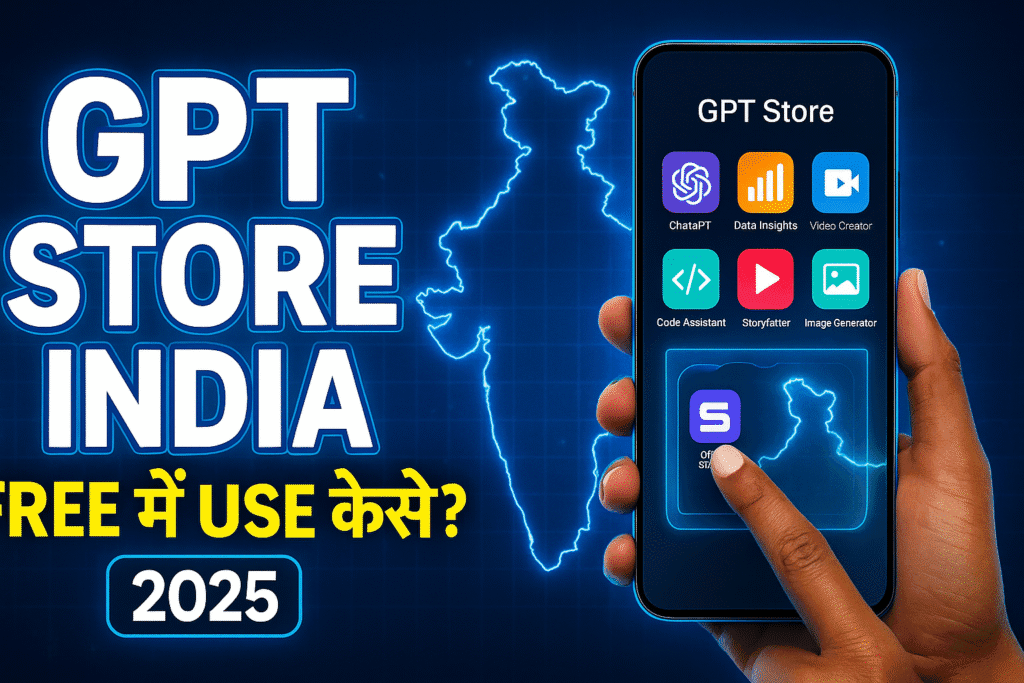
ChatGPT को आप अब सिर्फ एक चैटबॉट की तरह मत समझिए।अब यह एक पूरी AI App Platform बन चुका है —जिसका नाम है: GPT Store India Hindi. जैसे आपके फ़ोन में Play Store या App Store होता है जहाँ से आप ऐप्स इस्तेमाल करते हैं,वैसे ही GPT Store में आपको AI Apps मिलते हैं। लेकिन सबसे बड़ा फर्क: 👉 GPT Store के Apps को install नहीं करना पड़ता👉 बस Open करो → Use करो → Done!👉 AI आपका पूरा काम तुरंत कर देती है 👉 आप GPT Store India Hindi का उपयोग करें और अपने सारे काम जल्दी और आसानी से करें! उदाहरण: सब काम AI खुद कर देगी। यही GPT Store को Game Changer बनाता है। 🟩 GPT Store India में Launch हो चुका है! (Good News 🎉) पहले यह सिर्फ कुछ देशों में था,लेकिन अब: ✔ ChatGPT के Free Users✔ ChatGPT Go Users✔ ChatGPT Plus Users …सभी को India में GPT Store मिल चुका है। हालाँकि access इस तरह है: यूज़र Access Level Free User Limited Apps Go Plan User More Access Plus User Full Access पर सबसे अच्छी बात:Free users को भी बहुत काम के apps मिल जाते हैं। 🟧 GPT Store India में कैसे खोलें और इस्तेमाल करें? (Step-By-Step) GPT Store खोलने का तरीका बहुत आसान है। 📱 Mobile App में 1️⃣ ChatGPT App खोलें2️⃣ नीचे Menu में “GPTs” / “Explore**” पर Tap करें3️⃣ GPT Store खुल जाएगा4️⃣ कोई भी App चुनें5️⃣ “Try GPT” → Use शुरू! 💻 Computer (Web) में कोई Download नहीं, कोई Install नहीं —Instant AI Experience 🚀 🟫 GPT Store कैसे काम करता है? (सही और सरल Explanation) यहाँ समझिए असली Magic: ✨ GPT Store = AI Action Processing System जब आप किसी app पर क्लिक करते हैं: 1️⃣ आपका Input (Text / Image) AI को भेजा जाता है2️⃣ App का developer पहले से AI के लिए Code + Prompts लिखता है3️⃣ AI उसी logic के अनुसार आपका complete result बनाती है4️⃣ वह result Chat में तुरंत दिखाई देता है मतलब: 👉 एक ही Click =AI आपका पूरा काम कर देती है(Proofreading, Scriptwriting, SEO, Design… कुछ भी!) GPT Store Time Saving Technology हैजहाँ काम मिनट नहीं → सेकंड में होता है। ⭐ India में GPT Store क्यों इतना Popular हो रहा है? क्योंकि यह Indian users के सबसे ज़्यादा काम आता है: YouTubers के लिए Students के लिए Business / Freelancers के लिए मतलब: हर इंडियन की productivity 10X बढ़ सकती है ⚡ 🟨 2025 में India में Top GPT Apps (Real Recommended List) GPT App Name Indian Users के लिए Benefit YouTube Coach Titles, A/B Testing, SEO Video Script Pro Short/Long scripts Editor Assistant AE, Premiere prompts AI Study Buddy Notes, MCQs, Explanation Marketing Copy Guru Ads, Captions Resume Pro CV + Cover Letter Poster Creator Thumbnails, Posters 👉 इनमें से 90% apps free users भी use कर सकते हैं। 🟥 GPT Store vs Play Store vs App Store (क्यों यह Future Technology है) Feature GPT Store Play/App Store Installation ❌ नहीं ✔ हाँ AI Automation ✔ Full ❌ Limited Updates Real-time Manual Cost Mostly free कई paid Performance AI Generated Developer Limited ➡ यानी GPT Store = बिना झंझट, बिना install, ज्यादा power! 🧠 क्या GPT Store सुरक्षित है? हाँ, पर कुछ ध्यान रखें: OpenAI AI Safety features भी लगातार बढ़ा रहा है। 🔗 Internal Linking Points (अपनी पुरानी पोस्ट से लिंक करें) इस सेक्शन को आप WordPress में लिंक लगाते समय उपयोग करें: GPT-4.1 vs GPT-4o Mini ChatGPT Go Plan Free India Guide ChatGPT Ultra Fast Mode Hindi ❓ FAQ — GPT Store India Edition Q1. GPT Store फ्री है क्या?हाँ, Free users भी काफी apps use कर सकते हैं। Q2. क्या Indian phones में चलता है?हाँ, Android और iPhone दोनों में ChatGPT App पर। Q3. Hindi apps भी मिलते हैं?हाँ — हिंदी सपोर्ट बढ़ रहा है। Q4. क्या इसे browser पर खोल सकते हैं?हाँ — PC/Laptop पर आसानी से चलता है। Q5. क्या ये AI गलतियाँ भी करता है?कभी-कभी — इसलिए output को review जरूर करें। 🎯 Conclusion — GPT Store India का Future बहुत बड़ा है GPT Store आने के बाद AI अब सिर्फ चैट नहीं —AI assistant + AI factory + AI workforce बन चुका है। ✔ काम जल्दी✔ Result सही✔ कोई install नहीं✔ India में full support अगर आप Creator, Student या Business Owner हैं —तो GPT Store आपका सबसे बड़ा Digital Partner बन सकता है। The future belongs to those who use AI early. 🚀
⭐ Sora AI Video Model India Launch Date & Features (2025 Update)
(Full Hindi Guide 2025) AI वीडियो जेनरेशन की दुनिया में OpenAI Sora सबसे बड़ा क्रांति से कम नहीं है। 2024 में इसके पहले डेमो ने दुनिया को हिला दिया था—क्योंकि Sora किसी भी टेक्स्ट को सीधा अल्ट्रा-रीलिस्टिक वीडियो में बदल देता है। अब 2025 में भारत में इसके लॉन्च को लेकर सबसे ज़्यादा चर्चा है। इस लेख में हम विस्तार से जानेंगे: और हाँ—आपको बताएँगे कि Sora आने पर इंडिया में इसका उपयोग कैसे सस्ता हो सकता है, खासकर ChatGPT Go Plan के साथ (संदर्भ: भारत में ChatGPT Go 12-Month Free Offer) . ⭐ Introduction (100–150 words) वीडियो एडिटिंग, कंटेंट क्रिएशन और एनीमेशन का भविष्य बदलने वाला है—OpenAI Sora अब सिर्फ एक मॉडल नहीं, बल्कि एक पूरा Hollywood-level video engine बन चुका है। दुनिया इस बात का इंतज़ार कर रही है कि यह भारत में कब उपलब्ध होगा। 2025 में आखिरकार एक बड़ा अपडेट सामने आया है जिसमें बताया गया है कि भारत में Sora की एक्सेस धीरे-धीरे रोलआउट होगी और क्रिएटर्स, यूट्यूबर्स, विज्ञापन एजेंसियों और स्टूडेंट्स के लिए यह एक गेम-चेंजर साबित होगा।Sora text-to-video मॉडल सिर्फ 1–2 लाइन टेक्स्ट से 10–60 सेकंड के Ultra-Realistic Video बना देता है। इंडिया जैसे तेज़ी से बढ़ते कंटेंट मार्केट में इसकी मांग और भी ज़्यादा है। 🟦 Sora AI Video Model India Launch Date (2025 Update) ✔ 2025 में भारत में Sora की लॉन्चिंग कब होगी? OpenAI ने 2024 के अंत में Sora का पहला पब्लिक डेमो लॉन्च किया था, लेकिन भारत सहित कई देशों के लिए सामान्य एक्सेस बंद रखी थी।2025 अपडेट के अनुसार: ✔ क्यों पहले ChatGPT Go/Plus को एक्सेस? क्योंकि भारत में ChatGPT Go जैसी योजनाओं की adoption बहुत तेजी से बढ़ रही है—और OpenAI ने भारत में Go Plan पर एक साल का Free Offer भी घोषित किया है, जिससे उन्नत मॉडल की पहुंच बढ़ रही है . 🟦 Sora AI क्या है? (Simple Explanation) Sora एक Text-to-Video AI Model है जो आपके लिखे हुए टेक्स्ट को— यह सिर्फ डीपफेक बनाना नहीं…यह पूरा एक Movie Production Engine है। 🟩 Sora AI Features (2025 Updated List) ### 🔵 1. Ultra-Realistic Video Generation ### 🔵 2. Multi-Character AI Scenes Sora अब एक ही फ्रेम में ### 🔵 3. Real Camera Effects ### 🔵 4. Professional Filmmaking Tools ### 🔵 5. India-Friendly Use Cases ### 🔵 6. Direct Edit-Inside Sora You can: ### 🔵 7. Voice + Music Optional Sora के अंदर AI Voiceover और Background Music जोड़ने का विकल्प भी 2025 अपडेट में शामिल है। 🟥 Sora AI का इंडिया में Practical उपयोग (with examples) ✔ यूट्यूबर्स “सिंपल टेक्स्ट से 3D City Destruction वीडियो बनाओ”→ 30 सेकंड में पूरा cinematic shot मिलेगा। ✔ बिज़नेस एड्स “Make a festive Diwali Ad with Indian family”→ Full Ad ready. ✔ Video Editors आप जैसे creators अब ✔ Students Example prompt:“1947 India freedom celebration realistic video, Delhi Red Fort, crowd waving flags” 🟧 Sora AI vs अन्य AI Video Models (Comparison Table) Feature Sora AI Runway Gen-2 Pika Labs Google Veo Video Quality ⭐⭐⭐⭐⭐ ⭐⭐⭐ ⭐⭐⭐ ⭐⭐⭐⭐ Length 60 sec 10 sec 6–15 sec 12–20 sec Realism बहुत उच्च मध्यम अच्छा उच्च Camera Control Advanced Limited Limited Medium Editing Inside Model हाँ नहीं नहीं नहीं Pricing Expected Premium Mid Low Mid India User Support 2025 rollout Available Available Not fully 🟦 Sora AI Pros & Cons ✔ फायदे (Pros) ✖ कमियाँ (Cons) 🟦 Sora AI का इस्तेमाल कैसे करें (Step-by-Step Guide) ✔ Step 1: ChatGPT App/Web खोलें सुनिश्चित करें कि आपका ChatGPT Plan →Go / Plus / Team हो (भारत में Go Plan से भी चल जाएगा) . ✔ Step 2: “Sora Video Model” चुनें Model selection में जाएँ और Sora Video चुनें। ✔ Step 3: Text Prompt टाइप करें Example prompt:“Cinematic drone shot of Mumbai Marine Drive during monsoon, ultra-realistic, slow-motion” ✔ Step 4: Duration सेट करें ✔ Step 5: Style चुनें ✔ Step 6: Generate Video Sora 10–20 सेकंड में वीडियो बना देगा। ✔ Step 7: Download/Export आप MP4 format में direct डाउनलोड कर सकते हैं। 🟦 कितनी कीमत होगी? (Expected India Pricing) OpenAI ने अभी आधिकारिक कीमत नहीं बताई, पर अनुमान है: Plan Expected Sora Access Monthly Price India ChatGPT Go Limited ₹399 (Free in India for 1 year) ChatGPT Plus Full ₹1,999 Team Plan Unlimited ₹4,000–₹6,000 प्रति यूज़र India में Go Plan Free Offer के चलते 2025 में Sora का उपयोग बहुत सस्ता पड़ेगा (स्रोत: ChatGPT Go Free Year Announcement) . 🟩 India Creators के लिए Sora क्यों Game-Changer है? 1. Low-Budget Film Production बिना actors, बिना camera → High-budget शॉट्स। 2. YouTube Growth थंबनेल + Explainer + Shorts सब AI से बनेंगे। 3. Startups Ads बनवाने में हजारों का खर्च → अब Zero-cost। 4. Ad Agencies Client video delivery speed 10x बढ़ेगी। 5. Wedding Industry AI Wedding Story Videos coming in 2025. Suggestions Article Add the below links in your site: 🟩 Conclusion Sora AI Video Model का भारत में 2025 लॉन्च कंटेंट क्रिएशन इंडस्ट्री को एक नई दिशा देगा। Sora AI Video Model India Launch Date & Features के इस अपडेट से साफ़ है कि आने वाले महीनों में भारत के यूट्यूबर्स, वीडियो एडिटर्स, स्टूडेंट्स और बिज़नेस सभी को इसका लाभ मिलेगा। अगर आप AI-based filmmaking के नए दौर में कदम रखना चाहते हैं, तो Sora आपके लिए एक परफेक्ट टूल है।अब से तैयारी शुरू कर दें—क्योंकि Sora आने वाला है, और वीडियो बनाने का तरीका हमेशा के लिए बदलने वाला है। 🟦 FAQs 1. Sora AI भारत में कब लॉन्च होगा? 2025 के मध्य (June–August) में rollout शुरू होगा। 2. क्या Sora मुफ्त में मिलेगा? शुरुआत में सिर्फ ChatGPT Go/Plus यूज़र्स को मिलेगा। 3. क्या Sora से 60 सेकंड वीडियो बनता है? हाँ, 2025 अपडेट में 60-second videos उपलब्ध हैं। 4. क्या Sora हिंदी instructions समझता है? हाँ, Hindi prompts perfectly support करता है। 5. क्या मैं YouTube video Sora से बना सकता हूँ? हाँ—Shorts, Ads, Explainer सब बना सकते हैं। 6. क्या Sora AI deepfake बनाएगा? इसके misuse detection tools मौजूद हैं। 7. क्या Sora मोबाइल पर चलेगा? हाँ, ChatGPT App के अंदर।
Google Gemini 2.0 — 2025 में भारत में क्या नया है? (Full Hindi Guide)
” Introduction (100–150 words) Google ने 2025 की शुरुआत में Google Gemini 2.0 को भारत के लिए बड़े बदलावों के साथ लॉन्च किया है। Gemini 1.5 की तुलना में यह नया वर्ज़न काफी तेज़, स्मार्ट और भारत-फोकस्ड है। AI का इस्तेमाल आज हर इंडियन यूज़र—स्टूडेंट, यूट्यूबर, क्रिएटर, बिज़नेस ओनर—कर रहा है, इसलिए Google ने इस बार बहुत सारे फीचर्स खासतौर पर भारतीय यूज़र्स, स्थानीय भाषाओं और मोबाइल उपयोग को ध्यान में रखकर बनाए हैं। Google Gemini 2.0 India को भी इन परिवर्तनों में शामिल किया गया है। अगर आप जानना चाहते हैं कि Google Gemini 2.0 – 2025 में भारत में क्या नया है, इसका रियल लाइफ उपयोग क्या है, इसकी तुलना ChatGPT जैसे टूल से कैसी है, और कौन से यूज़र को किस तरह फायदा होगा—तो यह पूरा आर्टिकल आपके लिए है। GPT-4.1 vs GPT-4o Mini Difference – यहां लिंक जोड़ें) ⭐ Google Gemini 2.0 में 2025 के सबसे बड़े अपडेट (India Edition) Google ने 2025 में Gemini को भारत के लिए तीन बड़े क्षेत्रों पर फोकस करके विकसित किया: Gemini 2.0 अब भारत की 10+ भाषाओं को बेहतर समझता है, जिसमें हिंदी, भोजपुरी, मराठी, तमिल, तेलुगु शामिल हैं। ## 1. भारत के लिए काफी तेज़ और हल्का मॉडल – Gemini 2.0 Nano X Google ने Gemini 2.0 के साथ एक नया lightweight मॉडल लॉन्च किया है—Gemini Nano X। यह खास तौर पर भारत के 10,000–20,000 रुपये वाले स्मार्टफोन्स में तेज़ AI अनुभव देने के लिए बनाया गया है। फायदे: Example: Realme और Xiaomi के नए फोन्स में टाइप करते समय AI real-time Sentence Prediction देगा, जो हिंदी में भी सटीक होगा। ## 2. Gemini 2.0 Pro – अब भारत में Multimodal Boost Gemini 2.0 Pro अब किसी भी तरह के इनपुट को एक साथ समझ सकता है: भारत में इसकी सबसे बड़ी उपयोगिता है—Competitive Exam Preparation। Example Use Case: एक स्टूडेंट फोन से Maths का फोटो खींचकर Gemini से कह सकता है—“इस सवाल को UPSC level के हिसाब से explain करो।” ## 3. हिंदी और भारतीय भाषाओं में 40% बेहतर Accuracy Google ने 2025 में अपने “India Language Model Dataset” को नया बनाया है। अब AI: ## 4. Google Search + Gemini 2.0 Deep Integration अब भारत में Search bar के नीचे एक नया बटन आता है—Ask Gemini। यह Search और AI दोनों का combined जवाब देता है।इससे भारत में लोग तेजी से रीस्पॉन्स पा रहे हैं। ## 5. भारत में AI Safety के बड़े अपडेट Google ने बच्चों और फैमिली यूज़र्स को ध्यान में रखकर भारत के लिए अलग safety rules जोड़े हैं: ## 6. Google Workspace AI अब भारत में सस्ता 2025 में Workspace AI की कीमत भारतीय यूज़र्स के लिए 30% कम की गई है।अब Gemini 2.0: ## 7. Gemini 2.0 Studio अब भारत में Creators के लिए Free Tier भारत में content creators की संख्या इतनी ज़्यादा है कि Google ने Free Tier बढ़ा दिया है। अब आप: फ्री में निकाल सकते हैं। ChatGPT Go Plan Free India Guide – यहां लिंक जोड़ें ## 8. Gemini 2.0 vs ChatGPT 5 India — Comparison Table Feature Gemini 2.0 (India 2025) ChatGPT 5 / Go Plan Indian Languages Support ⭐⭐⭐⭐⭐ Excellent ⭐⭐⭐⭐ Good Mobile Optimization Best (Nano X) Medium Google Search Integration Yes No Price in India Affordable / Free Tier Go Plan Free Offer (Limited) Voice Accuracy (Hindi) Very High High YouTube/Android Integration Best Limited ChatGPT Ultra Fast Mode Hindi – यहां लिंक जोड़ें # Real-Life Use Case: भारत में एक YouTuber कैसे फायदा उठा सकता है? मान लीजिए एक हिंदी टेक यूट्यूबर है। Gemini 2.0 उसे रोज़ाना ये काम आसानी से करने देता है: इससे उसकी productivity 30–40% तक बढ़ सकती है। # Step-by-Step Guide: Google Gemini 2.0 का उपयोग कैसे शुरू करें? Step 1: Google App Update करें Play Store में जाएं और Google ऐप अपडेट करें। Step 2: Gemini Mode ऑन करें Google App → ऊपर Gemini Option → Enable Step 3: Language सेट करें Settings → Languages → Hindi or Hinglish Step 4: Gemini 2.0 का पहला टेस्ट करें Example prompt:“Gemini, मेरे YouTube चैनल के लिए 2025 में trending tech topics बताओ।” Step 5: Multimodal फीचर ट्राई करें Step 6: Workspace Features Enable करें Docs → Help → Gemini → Turn ON AI Tools Step 7: Safety Controls सेट करें Kids या Family Mode भी उपलब्ध है। # Pros & Cons of Google Gemini 2.0 (India Version) Pros (फायदे): Cons (कमियां): # Google Gemini 2.0 भारत में सबसे बड़ा बदलाव क्यों है? भारत दुनिया का सबसे बड़ा smartphone-first AI market है।लोग PC से ज्यादा फोन पर AI का उपयोग कर रहे हैं। Google ने Gemini 2.0 को इस तरह बनाया है कि यह: यह AI को mass level पर democratize करता है—जो भारत के लिए गेम-चेंजर है। ## Conclusion Google Gemini 2.0 – 2025 में भारत में क्या नया है, इसका सीधा जवाब है—Google ने AI को पहले से ज्यादा स्मार्ट, तेज़ और भारत-केंद्रित बना दिया है। अगर आप छात्र हैं, YouTuber हैं, बिज़नेस ओनर हैं या सिर्फ AI सीखना चाहते हैं, तो Gemini 2.0 आपको हर दिन बेहतर productivity और accuracy देगा। 👉 इसे आज ही ट्राई करें और अपनी ज़रूरत के हिसाब से AI को अपने काम में शामिल करें।👉 इस लेख को अपने tech groups में जरूर शेयर करें! # FAQs 1. Google Gemini 2.0 क्या है? यह Google का नया AI मॉडल है जो text, image, voice और video frames को एक साथ समझ सकता है। 2. क्या Gemini 2.0 हिंदी में काम करता है? हाँ, 2025 से हिंदी accuracy 40% बढ़ा दी गई है। 3. क्या Gemini 2.0 मोबाइल पर फ्री है? हाँ, बेसिक फीचर्स फ्री हैं, और Nano X मॉडल लो-बजट फोन्स में भी चलता है। 4. क्या Gemini 2.0 UPSC या competitive exams में मदद करता है? यह explain करता है, summarize करता है, लेकिन exam के लिए final decision आपका खुद का होता है। 5. क्या Gemini 2.0 YouTube creators के लिए अच्छा है? हाँ, scripts, thumbnails, SEO tags—all AI-generated हैं। 6. क्या Gemini 2.0 का offline mode है? कुछ फीचर्स offline चलते हैं, खासकर Gemini Nano X। 7. ChatGPT vs Gemini
🟥 ChatGPT Ultra Fast Mode क्या है?
ChatGPT Ultra Fast Mode, OpenAI का नया turbo speed output system है जो मॉडल के response time को 0.3–0.7 सेकंड तक कम कर देता है।मतलब: यह ChatGPT में सबसे बड़ा speed improvement update माना जा रहा है क्योंकि इससे AI एकदम “instant messaging app” जैसा काम करता है। अगर आपने Ultra Fast Mode को अभी तक notice नहीं किया तो इसका मतलब है कि आप free model पर limited moments में boost पा रहे हैं। ⭐ Ultra Fast Mode क्यों बनाया गया? (Real Reason) OpenAI को दो demand सबसे ज़्यादा मिलती थीं: 1️⃣ ChatGPT बहुत powerful है, लेकिन कुछ users के लिए slow लगता है खासकर heavy traffic समय में। 2️⃣ Reels, YouTube, short scripts, coding snippets—इन tasks के लिए users fast replies चाहते थे लोग चाहते थे कि ChatGPT WhatsApp जैसा instant काम करे। इसलिए Ultra Fast Mode को introduce किया गया —जो speed + accuracy का एक perfect balance देता है। 🟦 Ultra Fast Mode कैसे काम करता है? (Technical Explanation – Simple Language) यह mode manually ON नहीं होता।यह Automatically चालू होता है। यह आपके prompt + system load + model के आधार पर auto activate होता है। इसमें 5 चीजें होती हैं: ✔ 1. Fast-response server routing सक्रिय होता है Normal mode = standard serverUltra Fast Mode = priority server इससे reply waiting-time 80% कम हो जाता है। ✔ 2. Model “low-compute path” इस्तेमाल करता है Simple inputs → Fast pathwayComplex inputs → Normal pathway Example:“एक YouTube title दो” → Ultra fast“2000 शब्द का research blog लिखो” → Normal ✔ 3. Typing animation skip हो जाती है आपको लगता है कि ChatGPT instant output दे रहा है —क्योंकि वह typing simulation बंद कर देता है। ✔ 4. Lightweight compute mode GPT-4o Mini के साथ चलता है GPT-4o Mini एक high-speed lightweight model है।Ultra Fast Mode लगभग हमेशा इसी मॉडल पर चलता है। ✔ 5. Traffic detection algorithm जब load कम होता है → fast mode chance बढ़ जाता है। इसलिए इंडिया में यह mode ज़्यादा चलता है (time zone advantage). 🟩 Ultra Fast Mode कब-कब Auto-activate होता है? Condition Ultra Fast Mode Short prompt ON Medium traffic ON GPT-4o Mini model ON ChatGPT Mobile App High chance ChatGPT Web Medium chance Heavy code / long text OFF File uploads OFF ⭐ Ultra Fast Mode सबसे ज्यादा किन लोगों को मिलता है? User Type Chance Free Users कभी-कभी Go Plan Users ज़्यादा Plus Plan Users Highest Mobile App Users सबसे ज़्यादा Desktop Web Users Medium 🟧 Ultra Fast Mode Free में मिलता है क्या? हाँ—यह सबसे important बात है: ✔ Free users को भी यह mode मिलता है लेकिन limited cases में: Free user बिना पैसे Ultra Fast response पा सकता है। 🟫 Ultra Fast Mode Free Users के लिए कब मिलता है? ✔ सुबह 6am–10am (India Time) ट्रैफिक कम → fast ✔ दोपहर 2pm–5pm High-speed batches ✔ रात 11pm–3am सबसे fastest ⭐ Ultra Fast Mode किसके लिए सबसे ज्यादा फायदेमंद है? ✔ 1. YouTube creators Instant मिलते हैं। ✔ 2. Students ✔ 3. Reels / Shorts creators Ultra Fast Mode = Turbo creativity. ✔ 4. Editors & Designers ✔ 5. Developers 🟥 Ultra Fast Mode की सीमाएँ (Limitations) 🟦 India Users के लिए Advantage क्यों है? ✔ Time zone advantage अमेरिका में रात = भारत में दिनइससे इंडिया में traffic कम होता है → Ultra Fast Mode ज्यादा मिलता है। ✔ Data access low delay ChatGPT India में काफी optimized चल रहा है। 🟨 Ultra Fast Mode ON कैसे करें? Manual way नहीं है, लेकिन आप chances बढ़ा सकते हैं: ✔ छोटे prompts लिखें✔ Mobile app use करें✔ रात/सुबह use करें✔ GPT-4o Mini इस्तेमाल करें✔ Heavy tasks avoid करें
🟦 GPT-4.1 vs GPT-4o Mini – असली फर्क क्या है? (2025 Full Breakdown)
OpenAI के दो सबसे ज़्यादा इस्तेमाल होने वाले मॉडल हैं: GPT-4.1 vs GPT-4o Mini Hindi इस ब्लॉग पोस्ट में हम GPT-4.1 vs GPT-4o Mini Hindi के बारे में एक गहन विश्लेषण प्रस्तुत करेंगे। कई Indian users पूछते हैं:👉 “हमारे काम के लिए कौन सा बेहतर है?”👉 “4.1 और 4o Mini दोनों में क्या difference है?” यह पूरा guide आसान हिंदी में इसी सवाल का जवाब देता है। इस ब्लॉग पोस्ट में हम GPT-4.1 vs GPT-4o Mini Hindi के बारे में विस्तृत जानकारी देंगे। 🟧 1. GPT-4.1 – Powerful & Smart Model GPT-4.1 किसके लिए बना है? 🟦 1.1 Understanding the Differences: GPT-4.1 vs GPT-4o Mini Hindi इसकी तुलना करने से पहले, हमें दोनों मॉडल्स के कार्यक्षेत्रों और क्षमताओं को अच्छे से समझना जरूरी है। यह GPT-4 का upgraded version है और ChatGPT के premium users को मिलता है। 🟩 2. GPT-4o Mini – Fast & Lightweight Model GPT-4o Mini किसके लिए बना है? यह Go Plan और Free users के लिए optimized है। यह GPT-4 family का simplified version है जो speed और low-cost पर फोकस करता है। 🟥 3. GPT-4.1 vs GPT-4o Mini (Comparison Table) Feature GPT-4.1 GPT-4o Mini Speed Medium Very Fast Creativity High Medium Accuracy High Medium-High Reasoning Strong Limited Coding Very Strong Medium File Upload High Limit Low Limit Use Case Pro level Daily use Cost High Very Low / Free 🟦 4. India Users के लिए कौन सा बेहतर है? ✔ अगर आप student / creator हैं: 👉 GPT-4o Mini तेज़ है, free है, daily tasks के लिए perfect है। ✔ अगर आप developer / professional हैं: 👉 GPT-4.1 ज्यादा powerful है। 🟫 5. Real-World Example Difference GPT-4.1: “पूरा 3,000 शब्द का detailed ब्लॉग + SEO + examples” → बहुत perfect quality। GPT-4o Mini: 🟨 3. Key Insights on GPT-4.1 vs GPT-4o Mini Hindi “तेज़ summary + short script + small blog” → बहुत fast output। 🟩 6. Conclusion अगर आपका काम: है → GPT-4o Mini सबसे सही। अगर आपका काम: है → GPT-4.1 ideal choice है।
🟦 Google Gemini 2.0 क्या है? (Simple Explanation)
Gemini 2.0 Google का नया multimodal AI मॉडल है जो टेक्स्ट, इमेज, वीडियो, ऑडियो और लाइव इंटरनेट डेटा—सबको एक साथ समझ सकता है।यह Gemini 1.5 Ultra की तुलना में 10 गुना तेज़, ज्यादा accurate और real-time AI tasks के लिए optimized है। Google के CEO सुंदर पिचाई ने इसे “अब तक का सबसे advanced Google AI” कहा है। 🟧 भारत में Gemini 2.0 क्यों ट्रेंड कर रहा है? भारत में इसका सर्च वॉल्यूम इसलिए बढ़ रहा है: इस वजह से लोग लगातार खोज रहे हैं:👉 “Gemini 2.0 launch date India”👉 “Gemini 2.0 vs ChatGPT 4”👉 “Gemini 2.0 features Hindi” 🟩 Gemini 2.0 के मुख्य फीचर्स (2025 Update) ✔ 1. Ultra Fast Multimodal Engine एक साथ टेक्स्ट + वीडियो + फोटो समझ सकता है।यह Google Search की speed जैसा real-time feel देता है। ✔ 2. Long Context Understanding अब यह सबसे बड़े डॉक्यूमेंट / PDF / वीडियो भी analyze कर सकता है। ✔ 3. Real-Time YouTube Video Understanding लिंक डालते ही वीडियो का: सब निकाल देता है। ✔ 4. Hindi और Indian Languages में बड़ा सुधार Gemini 2.0 अब: में अच्छा perform करता है। ✔ 5. Ultra Fast Coding Mode डेवलपर्स को लगभग IDE जैसा experience मिलता है। ✔ 6. Android Integration 2.0 अब आपके फोन में Gemini 2.0: सबको instantly समझकर काम कर सकता है। 🟥 Gemini 2.0 vs ChatGPT (GPT-4o / GPT-4.1) – कौन बेहतर है? Feature Gemini 2.0 ChatGPT (GPT-4o / 4.1) Speed Fastest Very Fast Video Understanding Excellent Medium Hindi Support Strong Medium Coding Strong Strong Search Result Accuracy High (Google data) Depends Offline/Android Integration Best Limited Creativity Medium High Conclusion:→ Android + YouTube + Google Search users के लिए Gemini 2.0 सबसे सही→ Creativity + Writing + Long tasks के लिए ChatGPT बेहतर 🟦 भारत में Gemini 2.0 कब लॉन्च हुआ? Gemini 2.0 को 2025 में Google ने global rollout किया था औरभारत में तुरंत availability दे दी। YouTube, Android और Chrome में यह पहले से integrate है। 🟫 भारत में Gemini 2.0 कैसे इस्तेमाल करें? (100% Free Ways) ✔ तरीका 1: Google App Google App खोलें → Search Bar में “Gemini” टैप करें → AI मोड ऑन करें। ✔ तरीका 2: gemini.google.com सीधे ब्राउज़र में Gemini 2.0 चलता है। ✔ तरीका 3: YouTube में AI Summary कई वीडियोज़ पर “Summarize” बटन दिखेगा → यह Gemini 2.0 से चलेगा। ✔ तरीका 4: Android Phone में Built-in नए Android 15 और Pixel फोन में Gemini 2.0 pre-installed है। 🟨 Gemini 2.0 के फायदे (India users के लिए) 🟥 Gemini 2.0 की Limitations भी जानें 🟦 Conclusion Google Gemini 2.0 भारत में बहुत तेजी से लोकप्रिय हो रहा है क्योंकि यह: ✔ Fast✔ Multimodal✔ Hindi-friendly✔ YouTube + Search integrated✔ और पूरी तरह Free उपलब्ध है अगर आप Google ecosystem (Android, YouTube, Chrome) यूज़ करते हैं,तो Gemini 2.0 आपके लिए 2025 का सबसे best AI है।
🟦 भारत में ChatGPT Go Plan को फ्री में कैसे इस्तेमाल करें? (Simple Hindi Guide – 2025)

AI आज हर जगह है—स्टडी, बिज़नेस, यूट्यूब स्क्रिप्ट, रीएल्स, कोडिंग, एडिटिंग…और इन्हीं में सबसे ज़्यादा चर्चा में है ChatGPT Go Plan। इसी वजह से भारत में एक सवाल सबसे ज़्यादा पूछा जाता है: 👉 “क्या ChatGPT Go Plan Free in India फ्री में यूज़ हो सकता है?” 👉 “क्या इसे बिना पैसे दिए इस्तेमाल किया जा सकता है?”👉 “क्या ChatGPT Go Plan Free in India का उपयोग करने के तरीके हैं?” 👉 “क्या ChatGPT Go Plan फ्री में यूज़ हो सकता है?”👉 “क्या इसे बिना पैसे दिए इस्तेमाल किया जा सकता है?” इस आर्टिकल में हम पूरा सच, आसान हिंदी में समझेंगे — और साथ में बताएँगे कि फ्री users को Go-जैसा experience कैसे मिलता है। 🟩 1. क्या ChatGPT Go Plan पूरी तरह फ्री मिलता है? सीधा जवाब — नहीं।ChatGPT Go एक पेड प्लान है। लेकिन भारत में users को कई ऐसे फीचर्स फ्री में मिल जाते हैं, जिनकी quality Go Plan के बहुत करीब होती है। इसी वजह से बहुत लोग इसे गलती से “Go Plan free” समझ लेते हैं। 🟧 2. ChatGPT Free Version में क्या-क्या मिलता है? (2025 Update) ✔ 1. GPT-4o Mini – बिल्कुल फ्री यह वही मॉडल है जो Go Plan की core technology पर चलता है।स्पीड तेज, accuracy अच्छी — लाइफटाइम फ्री। ✔ 2. Daily Limit के साथ High-Quality Output आप unlimited नहीं, लेकिन कई high-quality messages फ्री में भेज सकते हैं। ✔ 3. Images पढ़ना, टेक्स्ट बनाना, बेसिक कोडिंग ये सब अब फ्री में मिल जाता है। इसीलिए लोग कहते हैं कि Free version = Go Plan का light version। 🟥 3. Go Plan vs Free Version: असली फर्क Feature Free Version Go Plan Model GPT-4o mini GPT-4.1 / 4.1-mini Speed Fast Faster Daily Limit Yes No Limit File Upload Limited Much Higher Limit Tools Limited All Tools Support Free version शानदार है…लेकिन Go Plan speed + limit + tools में आगे है। 🟦 4. भारत में ChatGPT Go Plan को Free-जैसा कैसे Use करें? ✔ तरीका 1: GPT-4o Mini को Free में Use करें कोई subscription नहीं चाहिए।बस app / website खोलें और चैट करना शुरू करें।Quality Go Plan के काफी करीब है। ✔ तरीका 2: OpenAI का Limited-Free Access Period भारत में कई बार OpenAI ये free चीज़ें देता है: अगर यह active हो, तो Go-जैसे फीचर बिना payment मिल जाते हैं। ✔ तरीका 3: Mobile App में Auto Boost Moments (Free) कई बार आपको 10–20 मिनट का free high-speed mode मिलता है। इस दौरान: ये पूरी तरह legal और official है। 🟫 5. Free Version में क्या-क्या नहीं मिलता? 🟩 6. Conclusion — क्या भारत में ChatGPT Go Plan फ्री में Use हो सकता है? पूरी तरह Go Plan = Free नहीं है।लेकिन… ✔ GPT-4o Mini फ्री✔ Free Boost Moments✔ Limited-Free Access✔ High-quality responses इन सबकी वजह से आप 70–80% Go Plan जैसा experience बिल्कुल मुफ्त में ले सकते हैं। सबकुछ कानूनी है—किसी VPN, hack या illegal method की ज़रूरत नहीं।
Acer SmartChoice Aspire 3 (A325-45): Understanding Your Budget Laptop Choice
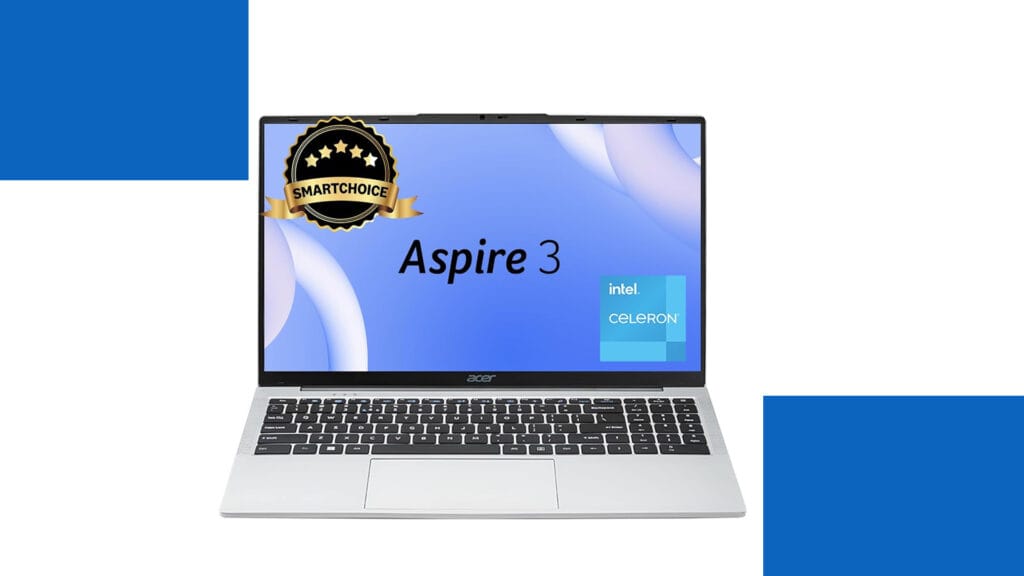
What This Laptop Really Offers You Let me help you understand what the Acer SmartChoice Aspire 3 brings to your desk. Think of this laptop as your reliable study partner or office companion rather than a performance powerhouse. It’s designed for students working on assignments, office professionals managing emails and spreadsheets, and families who need a computer for everyday internet browsing and video streaming. The Pure Silver finish gives it a clean, professional appearance that works equally well in classrooms and conference rooms. The most important thing to grasp is that this laptop focuses on essentials rather than impressive specifications. With its Intel Celeron processor and 8 GB of memory, it handles daily computing tasks competently while keeping costs affordable. The generous 512 GB solid-state drive means your files load quickly and you have plenty of storage space. At just 1.5 kg, it’s surprisingly light for a laptop with a 15.6-inch screen, making it practical to carry in your backpack without straining your shoulders. Technical Specifications at a Glance Let me organize the specifications in a way that makes them easy to understand and compare: Component Specification What This Means For You Processor Intel Celeron N4500 (Dual-core, 1.1 GHz base, 2.8 GHz boost) Handles basic tasks smoothly but struggles with demanding applications like video editing or gaming Memory (RAM) 8 GB LPDDR4X (Soldered, non-upgradeable) Sufficient for multitasking with browser tabs and office applications, but cannot be expanded later Storage 512 GB SSD Fast boot times and application loading, plenty of space for documents, photos, and media files Display 15.6-inch HD (1366×768 pixels) Adequate for reading and watching videos, but less sharp than modern Full HD displays Graphics Intel UHD Graphics (Integrated) Suitable for video playback and basic tasks, not for gaming or professional graphics work Operating System Windows 11 Home (Pre-installed) Latest Windows experience with modern interface and security features Weight 1.5 kg Lighter than most 15.6-inch laptops, making daily carrying more comfortable Battery Standard battery (exact capacity varies) Approximately six to eight hours with light use, four to five hours with intensive tasks Connectivity WiFi, Bluetooth, USB ports, HDMI, Audio jack All essential connections for peripherals, displays, and internet access Build Material Plastic chassis in Pure Silver finish Lightweight and professional-looking, though requires careful handling Performance: Setting Realistic Expectations Understanding performance requires thinking about how computers actually work. The Intel Celeron N4500 processor is like having a reliable bicycle rather than a sports car. It gets you where you need to go efficiently for everyday journeys, but you wouldn’t use it for racing. When you open Microsoft Word or browse websites with several tabs, the experience feels smooth and responsive. The solid-state drive deserves special mention here because it dramatically improves how quickly everything opens and saves, making the laptop feel faster than the modest processor might suggest. For students attending online classes through Zoom or Microsoft Teams, writing research papers, creating presentations, and conducting web research, this laptop handles these tasks without frustration. Office workers managing emails, working with Excel spreadsheets that aren’t enormous, and creating PowerPoint presentations will find the performance adequate. Families streaming Netflix or YouTube, video calling relatives, managing online banking, and browsing social media will enjoy a comfortable experience. However, certain activities push beyond what this laptop can handle comfortably. Modern gaming is essentially impossible except for very simple casual games, because the integrated graphics and processor lack the power required. Video editing with high-resolution footage becomes an exercise in patience, with slow rendering times and laggy previews. Running multiple demanding programs simultaneously causes noticeable slowdown. Professional photo editing with large files in applications like Photoshop feels sluggish compared to more powerful machines. Display and Design Considerations The 15.6-inch HD display represents the most significant compromise in this laptop. To help you understand this better, imagine looking at text through a slightly lower-quality magnifying glass compared to premium laptops. Everything remains readable and functional, but you notice less sharpness and fit fewer items on your screen at once. For watching movies and browsing websites, it works perfectly fine. For professionals working with detailed spreadsheets or designers who need color accuracy, the limitations become more apparent. The lightweight design at 1.5 kg genuinely stands out as a strength. Many students underestimate how important this becomes when carrying a laptop between classes five days per week. The difference between 1.5 kg and 2 kg might seem trivial in a store, but your shoulders notice it after months of daily commuting. The plastic construction keeps weight down while maintaining adequate durability for careful use. The Bottom Line: Making the Right Choice This laptop succeeds brilliantly at what it’s designed to do while honestly showing its limitations in areas where it wasn’t meant to compete. For students whose coursework involves writing, research, online learning, and basic computing, it represents excellent value. For families needing a shared computer for household management and entertainment, it provides reliable service without excessive cost. For office environments where employees primarily work with web applications and office software, it delivers adequate productivity. You should consider alternatives if your needs involve graphics-intensive work, professional content creation, modern gaming, or running demanding specialized software. Students in engineering, architecture, or design programs who need to run CAD software or professional creative applications need more powerful machines. Similarly, if display quality matters significantly to you because you spend many hours staring at screens, investing more for a Full HD display prevents daily frustration. The Acer SmartChoice Aspire 3 teaches us an important lesson about technology purchases: matching your actual needs with appropriate specifications prevents both overspending and underbuying. Not everyone needs a powerful, expensive laptop, and recognizing when adequate specifications serve you well helps you spend money wisely. This laptop represents that sweet spot for basic computing needs, delivered with enough quality to ensure reliable daily use without breaking your budget.
How Much Can You Earn as a Freelance Video Editor in India? (2025 Guide)

Video content is exploding everywhere—on YouTube, Instagram Reels, OTT platforms, corporate branding, and even personal content creators’ channels. With this rise, video editing has become one of the most in-demand freelance skills in India. Many creative professionals are asking the same question: 👉 “How much can I really earn as a freelance video editor in India?” In this detailed guide, we’ll break down average salaries, earning models, city-wise variations, real-world examples, and growth opportunities to give you a clear picture of freelance video editing income in 2025. Understanding the potential for Video Editor Career Growth is essential for those considering this path. Why Choose Freelance Video Editing in India? Before we jump into numbers, let’s quickly understand why freelancing is attractive in this field: Average Freelance Video Editor Salary in India (2025) Freelance earnings are not fixed like a job. They depend on skills, clients, city, and experience. But data from top platforms gives us a realistic range: Source / Platform Average Annual Salary (₹) Range (₹) Salary.com (2025 India data) 7,92,336 6,40,883 – 9,91,014 AmbitionBox (113 salaries) 3,00,000 2,00,000 – 6,00,000 Upwork Freelancers 1,90,000 – 5,00,000 Depends on hours/projects Freelancer.com Freelancers 2,00,000 – 7,00,000 Highly varied Real Reddit Freelancers 3,60,000 – 4,80,000 ₹30k – ₹40k per month Chegg India (Hourly rates) ₹500 – ₹5,000/hr ₹5k – ₹50k/project Key Insight: On average, freelance video editors in India earn between ₹3 LPA and ₹7 LPA, with top professionals crossing ₹10 LPA annually. Freelance Earning Models (How You Get Paid) Unlike jobs, freelancing offers flexible earning models. Here are the most common: 1. Hourly Rates 👉 Example: Editing a 10-minute YouTube video may take 4 hours, earning a beginner ₹2,000 to ₹6,000. 2. Per Project Rates 👉 Example: A wedding highlight video can fetch ₹20k–₹40k per project. 3. Monthly Retainers Some clients (YouTubers, agencies) prefer monthly contracts. City-wise Salary Breakdown in India Location also impacts freelance video editing rates. 👉 But freelancing is location-independent. If you work with international clients via Upwork or Fiverr, you can earn in USD ($15–$60/hr)—that’s ₹1,200–₹5,000/hr! Real-World Insights from Freelancers Data is good, but let’s hear what freelancers are saying: “A good beginner editor would expect at least ₹30–40k per month in India.” “In Delhi, editors with 2–3 years of experience charge ₹5k a shift, while seniors take ₹10–12k.” These stories show that skills + networking = higher earnings. Skills That Boost Your Earnings To stand out and charge more, you must go beyond basic editing. High-paying clients look for editors with specialized skills: 👉 The more advanced your skillset, the higher your freelance value. How to Increase Your Freelance Video Editing Income Here are practical steps to maximize earnings: Future Scope: Will Freelance Video Editors Earn More in 2030? Absolutely. With AI tools speeding up editing but human creativity still being unmatched, the demand will only rise. Conclusion So, how much can you earn as a freelance video editor in India? Your earnings depend less on “what companies pay” and more on how well you market yourself, upgrade your skills, and build client trust. In short—a freelance video editor in India can earn anywhere from ₹3 LPA to ₹15 LPA+, with limitless growth for those who specialize and think global.
Kreo Owl 1080p Webcam Review: Is This Budget-Friendly Device Your Next Video Hero?
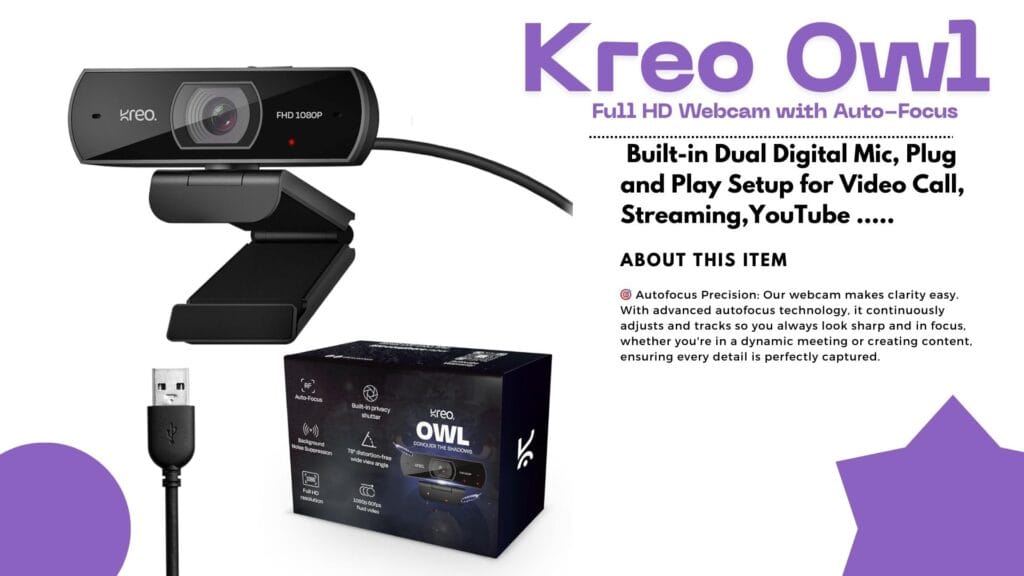
Introduction: Why Reliable Video Matters Ever found yourself ready for a crisp, professional Zoom call or a game stream—only for your old webcam to leave your face looking blurry and tired? If you’ve been hunting for a webcam that’s smooth, vibrant, and affordable, the Kreo Owl might just be your new desk buddy! Today, we dive deep into the Kreo Owl 1080p Webcam Review, its standout features, real user experiences, and how it stacks up against the competition. Quick Overview: The Essentials Detailed Analysis: Kreo Owl 1080p Webcam Review What’s Awesome About the Kreo Owl Webcam? Big on Features, Small on Hassle User Experience: Quick, Easy, Reliable Unboxing the Kreo Owl is satisfying—solid ABS plastic construction, sturdy monitor clip, and a wide, glass lens. Setup? Simply plug it in. Windows or Mac, no drivers needed. Users love the quick setup and fast adaptation to video platforms like Zoom, Teams, Skype, and OBS. Real User Reviews: What People Actually Say Positive Vibes Not-So-Perfect Points Performance in Action Tested for online classes and gaming streams, the Kreo Owl performed admirably in well-lit rooms. The mic kept background noise to a minimum, while the privacy shutter proved handy between meetings. On the downside, rooms with poor lighting revealed some limitations; boosting brightness fixed most issues. Kreo Owl vs. Top Competitors How does the Kreo Owl compare with big names like Logitech and Razer? Let’s see! Feature Kreo Owl 1080p Logitech C920 Razer Kiyo X Resolution 1080p/60FPS 1080p/30FPS 1080p/60FPS Auto-Focus Yes Yes Yes Built-in Mic Dual Stereo Single Privacy Shutter Yes Yes No Price Range Budget Mid-Range Premium Ring Light Basic No Yes The Bottom Line:The Kreo Owl delivers most modern features at a price that’s often half of the competition. If you crave top-tier software and brand cachet, you’ll favor Logitech or Razer. For core online meetings and streams—Kreo Owl is more than enough! Pros and Cons Breakdown Pros Cons Who Should Pick the Kreo Owl? If you need sharp video and solid sound for online calls, classes, or streaming—and don’t want to break the bank—this is a sensible choice. Teachers, small business owners, students, and casual streamers will love the price-performance combo. If you’re a full-time content creator craving studio-level control, software perks, or marketing bragging rights, consider the premium brands instead. Value: Is It Worth Your Money? Absolutely, if reliability, ease of use, and great value matter to you. Comparing price and features, Kreo Owl punches above its weight, making it ideal for most everyday users. Final Thoughts: Should You Buy? The Kreo Owl 1080p Webcam does what it promises—and more. For classroom heroes, budget-conscious professionals, or first-time streamers, this webcam is a worthy investment. It’s not perfect, but it’s practical and friendly, just like the people who use it. Ready to upgrade your video calls and make a smarter buying decision? The Kreo Owl might just be your perfect match! Did you find this review helpful? Share your thoughts and experiences below, or grab your Kreo Owl now and let crisp video boost your next call!
Dhruv Rathee Style Editing Secrets Revealed
FRONTECH Ultima Series 24 Inch Curved LED Monitor Review – Best Editing Monitor Under ₹5,999 in 2025?
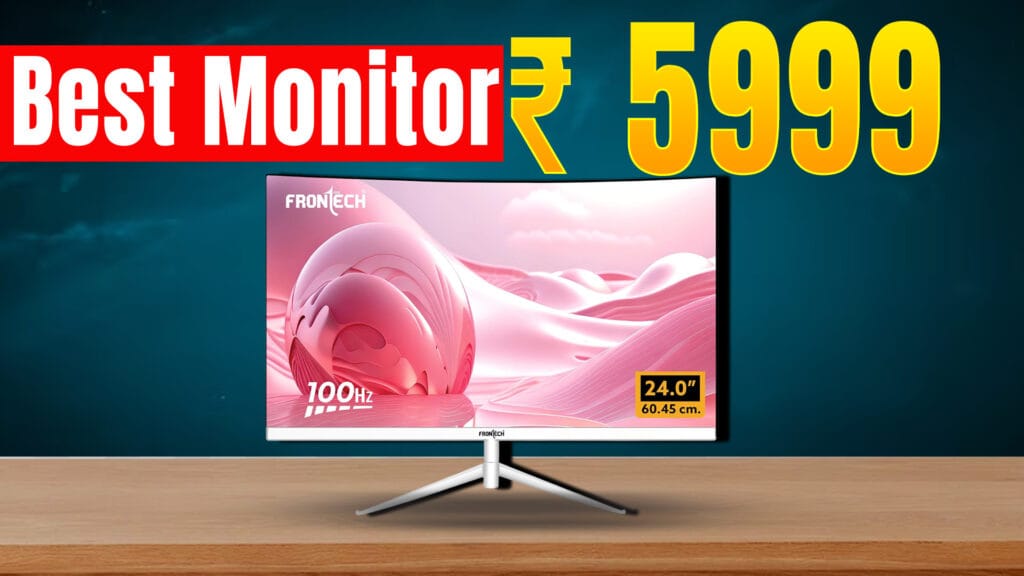
Looking for an affordable yet feature-packed editing monitor in 2025? The FRONTECH Ultima Series 24 Inch Curved LED Monitor (Model MON-0080) is gaining popularity for its curved design, smooth visuals, and reasonable price point of around ₹6,439 on Amazon India with a 3-year warranty. Design and Display The monitor sports a 24-inch curved VA panel with an 1800R curve, offering an immersive viewing experience that is especially useful when editing videos and photos. It has a Full HD resolution (1920 x 1080 pixels) with crisp and vibrant visuals that help keep colors accurate and consistent. The bezel-less design maximizes screen space, making it ideal for multitasking and professional workflows. Performance and Features Connectivity and Build The monitor includes essential ports for modern and legacy devices: These ports make the FRONTECH MON-0080 compatible with laptops like MacBook Pro, desktops like Mac Mini, and other mainstream computers. It comes with a sleek white finish and a sturdy metallic stand that allows slight tilt adjustments for ergonomics. Pricing and Availability Priced around ₹6,439 with free delivery on Amazon India and supported by a 3-year warranty, it offers outstanding value for budget-conscious buyers. It also has received mostly positive reviews, highlighting smooth performance and good color quality for the price. Limited EMI options and bank offers increase its affordability. Who Should Buy This Monitor? This monitor is ideal for: Final Verdict For those on a budget searching for the best editing monitor under ₹10,000 in 2025, the FRONTECH Ultima MON-0080 is a strong contender. With its curved design, 100Hz refresh rate, color accuracy, and versatile connectivity, it punches above its weight in delivering value for editing and multimedia tasks.