
WHO IS THE BEST AI FOR CODING?
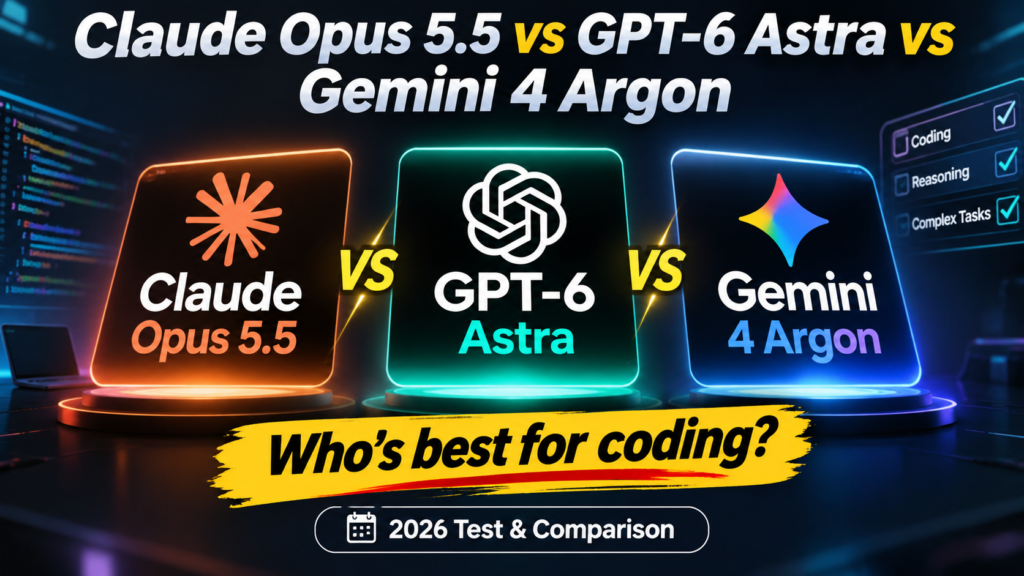
Claude Opus 5.5 vs GPT-6 Astra vs Gemini 4: Best AI for Coding in 2026? | Indian Fun Media INDIAN FUN MEDIA. Technology • AI • Digital AI MODEL BATTLE • 2026 Claude Opus 5.5 vs GPT-6 Astra vs Gemini 4: Which AI Is Best for Coding in 2026? Three frontier AI models. Three different approaches to intelligence. But when it comes to writing production-ready code, debugging complex systems, and building entire applications, which one actually deserves your money? Ashish Mishra November 18, 2026 12–15 min read Developer Edition Claude Opus 5.5 Agentic Coding GPT-6 Astra Complex Engineering Gemini 4 Argon Long Context & Agents Research methodology: This is a benchmark-based editorial comparison, not a newly conducted independent laboratory test. Benchmark figures should be checked against the original model cards before publication. Artificial intelligence has changed software development dramatically. Not long ago, AI coding assistants were mostly useful for generating small functions, explaining syntax, and suggesting code completions. In 2026, the competition looks very different. Modern AI models can understand entire repositories, identify complicated bugs, refactor legacy applications, execute terminal commands, run tests, and work with coding agents for extended periods. Three models are attracting particular attention: Claude Opus 5.5 from Anthropic, GPT-6 Astra from OpenAI, and Gemini 4 Argon from Google DeepMind. Each promises advanced reasoning and powerful software engineering capabilities. However, their benchmark results reveal an interesting story: no single model dominates every coding category. Let’s compare their published performance, strengths, limitations, pricing, and practical use cases. Table of Contents Meet the Three AI Models Claude Opus 5.5 Deep Dive GPT-6 Astra Deep Dive Gemini 4 Argon Deep Dive Real Coding Benchmark Comparison Reasoning and Complex Tasks AI Coding Agents and Automation Pricing and API Costs Which Model Should Developers Choose? Final Verdict Frequently Asked Questions Research Sources 1. Meet the Three AI Models Before comparing benchmarks, it’s important to understand what each company is trying to achieve with its flagship model. Claude Opus 5.5 Anthropic’s model focused on agentic coding, complex debugging, large codebase migrations and extended development workflows. GPT-6 Astra OpenAI’s advanced reasoning model designed for software engineering, coding, computer use and complex professional workflows. Gemini 4 Argon Google DeepMind’s model designed for reasoning, software development, long-context tasks and advanced AI agents. Release note: OpenAI announced GPT-6.2 Astra on November 17, 2026. This comparison uses the original GPT-6 Astra benchmark identity. Do not automatically attribute its benchmark results to GPT-6.2. 2. Claude Opus 5.5 Anthropic • AI Coding and Agentic Workflows Claude Opus 5.5 is designed for developers who need more than simple code generation. Its focus is long-running, multi-step engineering work. Imagine a large application with thousands of files, multiple dependencies, outdated components and bugs spread across different modules. You want an AI that can understand the architecture, investigate the problem, plan the changes, implement them and verify the result. Key capabilities Long-running agentic coding workflows. Large-scale codebase migrations. Complex multi-file refactoring. Terminal-based development. Advanced reasoning and adaptive thinking. Large context window. Benchmark highlights 66.4%Terminal-Bench 4.0 74.2%DeepSWE v1.1 Claude’s strength in terminal-based agentic work makes it worth evaluating for developers who spend a significant amount of time working with repositories, command-line tools and automated tests. Best suited for Terminal workflows, repository-wide refactoring, migrations, complex debugging and autonomous coding tasks. Official source: Anthropic 3. GPT-6 Astra OpenAI • Reasoning and Software Engineering GPT-6 Astra takes a broader approach to advanced software engineering. It combines reasoning, coding, computer use and the ability to work through complex multi-step tasks. With supported tools and environments, developers can use it to interact with applications, execute workflows, investigate issues and verify what they build. Key capabilities Advanced reasoning for engineering problems. Strong FrontierSWE v2 results. Computer-use and browser automation. Code generation and database workflows. Large context capabilities. Configurable reasoning effort. Benchmark highlights 65.5%FrontierSWE v2 74.1%DeepSWE v1.1 58.2%Terminal-Bench 4.0 89.6%Vibe Code Bench Its FrontierSWE result makes it a strong candidate for complex software engineering tasks, where the model must understand existing systems and implement changes across multiple components. Best suited for Complex application development, software engineering, browser automation and tool-driven workflows. Official source: OpenAI 4. Gemini 4 Argon Google DeepMind • Long Context and Agentic Coding Gemini 4 Argon brings another competitor to the AI coding race. Its combination of coding, reasoning and long-context performance makes it particularly interesting for large development projects. Developers often need AI systems to understand documentation, API definitions, configuration files and large code repositories. This is where long-context performance becomes important. Key capabilities DeepSWE v1.1 benchmark performance. Strong Vibe Code Bench results. Long-context retrieval capabilities. Complex software engineering. Multimodal understanding. Google AI ecosystem integration. Benchmark highlights 77.9%DeepSWE v1.1 91.9%Vibe Code Bench 84.2%GraphWalks evaluation 55.0%FrontierSWE v2 Gemini 4 Argon’s DeepSWE and Vibe Code Bench results are notable. Its long-context retrieval evaluation also offers an interesting perspective on understanding larger information sets. Best suited for Long-context workflows, large project understanding, agentic coding and Google’s development ecosystem. Official source: Google DeepMind 5. Real Coding Benchmark Comparison The most useful way to compare these models is to look at shared evaluations rather than isolated marketing claims. The following figures are attributed to the October 2026 Google DeepMind cross-model evaluation. Benchmark Claude Opus 5.5 GPT-6 Astra Gemini 4 Argon DeepSWE v1.1 74.2% 74.1% 77.9% FrontierSWE v2 62.3% 65.5% 55.0% Vibe Code Bench 90.3% 89.6% 91.9% Terminal-Bench 4.0 66.4% 58.2% 57.4% These results show that the strongest model changes depending on the evaluation. Gemini leads DeepSWE and Vibe Code Bench, GPT leads FrontierSWE, and Claude leads Terminal-Bench. Understanding the benchmarks Terminal-Bench Evaluates agents on multi-step command-line tasks and terminal-based workflows. DeepSWE Focuses on agentic software engineering and completing software development tasks. FrontierSWE Evaluates performance on challenging software engineering problems rather than simple code completion. Vibe Code Bench Assesses model performance on application-building and practical coding challenges. Benchmark scores are not directly interchangeable. Different tasks, harnesses and evaluation configurations can produce different outcomes. 6. Which Model Is Better at Reasoning? Coding is only one part of software engineering. Developers also need to understand
7 Best AI Video Editors That Edit Videos for You Automatically
7 Best AI Video Editors That Edit Videos for You Automatically YOUR BRAND / AI & CREATOR TOOLS AI Video Editing Guide · 2026 7 Best AI Video Editors That Edit Videos for You Automatically Want to spend less time trimming clips and more time creating? These AI-powered video editors can automate parts of the editing process—from finding highlights and generating captions to building social clips and assembling videos. Updated November 2026 · 10–12 minute read · Beginner-friendly guide Quick answer For transcript-based editing, look at Descript. For turning long videos into short social clips, explore OpusClip or Vizard. For prompt-assisted creation, try VEED or Kapwing. For AI-assisted assembly of footage, consider Wisecut or Gling. The best choice depends on the type of video you make and how much control you want to keep. What it means7 best toolsComparisonHow to useHow to chooseFAQsSources Start here What is an AI video editor that edits for you? An AI video editor is software that uses artificial intelligence to automate selected editing tasks. Depending on the product, it may identify interesting moments, remove pauses or filler words, edit footage through a text transcript, create subtitles, resize a video for different platforms, or generate a first draft from a prompt. That does not mean every tool can make a perfect, finished video with one click. Most AI editors create a useful first cut or automate repetitive work. You should still review the pacing, facts, music, captions, framing and final export before publishing. Important: “Automatic editing” means different things across tools. Some specialise in repurposing podcasts, some edit through transcripts, and others help assemble footage. Choose based on your actual workflow—not just the word “AI”. Our shortlist 7 AI video editors worth trying The tools below are selected for different automation workflows. Product features and plan limits can change, so check each official website before subscribing. 01 Best for transcript editing Descript Descript is built around editing media by editing its transcript. It can transcribe recordings, help remove unwanted words and pauses, generate captions, and make it easier to restructure spoken content without constantly moving clips on a traditional timeline. Best for: Podcasts, interviews, tutorials and talking-head YouTube videos. Text-based editingTranscriptionCaptionsAudio cleanup Why consider it: If your video is mostly people speaking, editing the transcript can feel much faster than manually searching the timeline. Keep in mind: Complex B-roll, motion graphics and detailed cinematic edits may still need a conventional editor. Official website ↗Plans & pricing ↗ 02 Best for short-form clips OpusClip OpusClip now offers both an AI clipping workflow for repurposing long videos and an AI Producer workflow for editing real talking-head footage. Its AI Producer can assemble captions, B-roll, motion design, music and sound effects, while letting you review and adjust the result. The clipping workflow helps identify highlights and prepare short-form clips. Best for: Podcasters, streamers, coaches and creators repurposing long videos. AI ProducerHighlight detectionAuto reframingCaptionsB-roll & music Why consider it: It covers both long-to-short repurposing and a more complete AI-assisted edit for suitable talking-head footage. Keep in mind: Its most automated editing workflow is aimed at talking-head footage. Check every selected highlight, generated B-roll and music choice for context and brand fit. Official website ↗Plans & pricing ↗ 03 Best for automatic rough cuts Wisecut Wisecut has evolved beyond simple silence removal: it can find highlights in long videos, prepare clips, remove silences and unwanted takes, add captions, reframe footage and help publish clips to connected social channels. Best for: Talking-head videos, lessons, presentations and simple YouTube content. Long-to-short clipsSilence removalAuto captionsAuto reframingSocial publishing Why consider it: Its workflow can take a long recording through highlight selection, editing and clip preparation in one place. Keep in mind: Review every cut; pauses can be intentional and may carry emotion or comedic timing. Official website ↗ 04 Best for creator clipping Vizard Vizard helps turn long-form recordings into shorter social videos. It offers AI-assisted clip creation and editing workflows for creators and teams who need to repurpose webinars, podcasts, interviews and other long recordings. Best for: Marketing teams, webinar hosts and social media managers. AI clip creationSocial formatsCaptionsRepurposing Why consider it: It is useful when one recording needs to become several pieces of social content. Keep in mind: Check each clip for context, brand style, subtitle accuracy and platform-safe framing. Official website ↗Plans & pricing ↗ 05 Best for browser-based editing VEED VEED is an online video editing platform with AI-assisted features including Magic Cut, which can trim silences, filler words and mistakes, plus AI Clips for finding highlights, adding subtitles and reframing long videos into social-ready clips. It is convenient for people who prefer working in a browser. Best for: Social content, marketing videos, subtitles and quick browser edits. Magic CutAI ClipsAuto subtitlesAuto framingBrowser editor Why consider it: It combines a conventional online editor with AI features in one place. Keep in mind: Export quality, usage limits and advanced features depend on the current plan. Official website ↗Plans & pricing ↗ 06 Best for prompt-assisted creation Kapwing Kapwing is a collaborative online editor with AI-assisted tools for creating and adapting videos. Its AI-powered editing features can help generate and refine video drafts, while the wider editor supports subtitles, resizing, transcript-related workflows and social content production. Best for: Small teams, social media content and quick marketing edits. AI-assisted creationSubtitlesResizeTeam collaboration Why consider it: It brings common content-production tasks into a browser-based workspace. Keep in mind: AI output is a starting point; check visual consistency and edit details before publishing. Official website ↗Plans & pricing ↗ 07 Best for removing dead space Gling Gling is aimed at creators who record talking-head footage. It analyses recordings to help identify silences and unwanted takes, making it easier to assemble a cleaner first cut before moving into detailed editing. Best for: YouTubers, educators and creators recording multiple takes. Silence detectionBad-take detectionRough cutsCreator workflow Why consider it: It can reduce the time spent reviewing long recordings for pauses and mistakes. Keep in mind: It is a
VoiceStudio: Free AI Voice Cloning & Video Dubbing Software
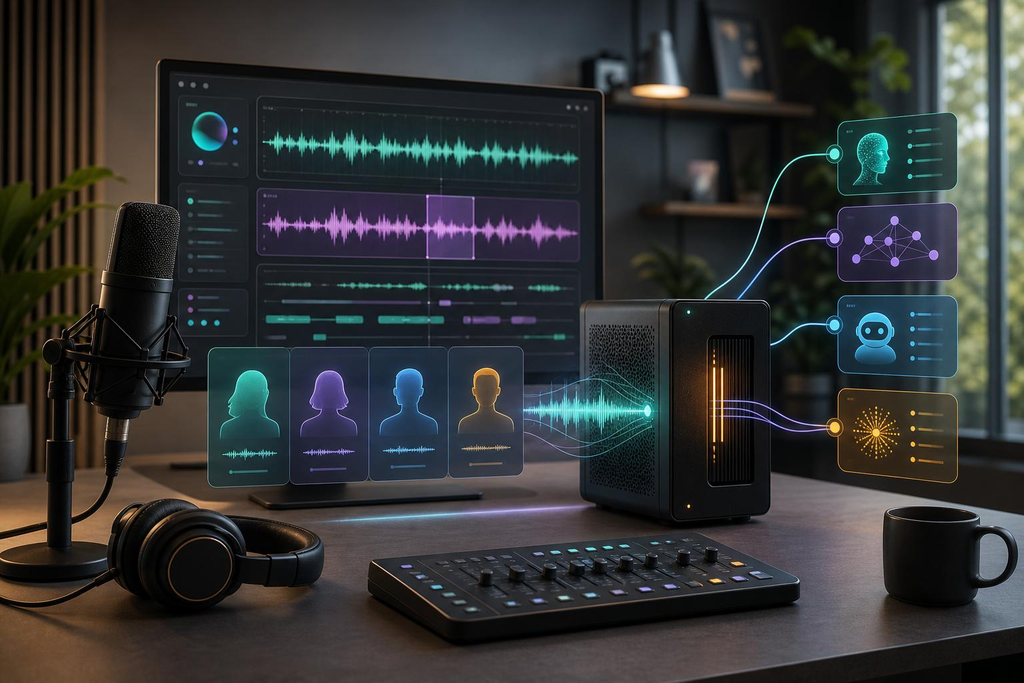
Free AI Voice Generator & Cloning Tool: VoiceStudio Review Indian Fun Media VoiceStudio Review: A Free AI Voice Generator That Runs on Your Own Computer Clone voices, generate speech, dub videos and transcribe audio without paying a monthly cloud subscription. By Indian Fun Media · Updated 1 November 2026 · 8 min read Quick answer: VoiceStudio is a free, open-source (AGPL-3.0) desktop app by Palash Debnath and contributors. It combines voice cloning, text-to-speech, voice design, video dubbing and transcription in one place, and it can run offline on your own device. The app is free, but the AI models are downloaded separately and some carry non-commercial licenses. In this guide What is VoiceStudio? Main features Supported AI engines Is it really free? Does it work offline? System requirements How to install Use it for YouTube VoiceStudio vs ElevenLabs Pros and cons Final verdict FAQ What is VoiceStudio? If you are hunting for a free AI voice generator, most results push you toward cloud tools with credit limits and monthly plans. VoiceStudio takes a different route. It is a fully local AI voice studio, so cloning, text-to-speech, dubbing and transcription happen through one interface on your own machine instead of across several websites. That gives you more control over your recordings, your models and your workflow. Its major capabilities include: AI voice cloning and custom voice design Text-to-speech (TTS) generation Video translation and dubbing Speech-to-text transcription and floating dictation Audiobook and story narration with batch queues Local model management, a local API and MCP integration Main features of VoiceStudio AI voice cloning Give VoiceStudio a clean audio sample, choose a voice engine, enter your script and generate speech that resembles the reference voice. It suits documentary narration, voiceovers, educational content, audiobooks and character work. Quality depends on the engine, the model, your reference recording and your hardware. Always get permission before cloning another person’s voice. AI voice design No reference recording? Describe the voice in text instead, such as a deep male documentary narrator, a calm audiobook narrator or a British-accented cinematic voice. The selected engine builds a synthetic voice from your description, which helps when different videos need different narration styles. Video dubbing and translation VoiceStudio can translate and dub videos while trying to keep the original speech timing, with multi-speaker dubbing workflows. A typical use is turning an English video into Hindi, or localizing educational and documentary content for new audiences. Results depend on the engine and the source audio. Text-to-speech Enter your text, pick a voice and engine, adjust the available settings and export the audio. It works for YouTube videos, Reels and Shorts, tutorials, e-learning courses, product explainers and audiobooks. Speech-to-text and dictation Transcribe podcasts, interviews, lectures, meetings and YouTube footage. The floating dictation workflow lets you speak notes or draft scripts without typing everything out. Audiobooks and batch narration Queue long narration jobs and manage them in batches, which helps authors, educators and creators who produce long-form audio regularly. Local model manager The default engine is powered by k2-fsa/OmniVoice, and the Model Manager gives you access to more engines. You download only the models you need, which keeps disk usage under control. Supported AI engines VoiceStudio is not tied to one model. Its catalogue covers several speech-generation and transcription technologies. Engine Main purpose OmniVoice Voice generation (default) CosyVoice 3 AI speech generation KittenTTS Lightweight TTS MLX-Audio Apple Silicon audio workflows VoxCPM2 Speech generation MOSS-TTS-Nano Text-to-speech GPT-SoVITS Voice cloning and generation IndexTTS 2.5 AI speech generation PocketTTS Lightweight speech generation Supertonic 3 Text-to-speech Transcription engines include WhisperX, Faster-Whisper, MLX Whisper, PyTorch Whisper, Parakeet TDT, Moonshine, FunASR and sherpa-onnx. Availability depends on installed models, hardware and configuration. Is VoiceStudio really free? Yes, the open-source desktop app is free under the AGPL-3.0 license, and its local workflows do not need a paid cloud account. Keep these points in mind: AI models may need to be downloaded separately. The app license and each model license are different things. Some models restrict commercial use. The OmniVoice pretrained model, for example, has non-commercial restrictions. VoiceStudio Pro is a separate paid offering. Before you monetize: check the license of the exact model that generated your audio, especially for monetized YouTube videos, client work and courses. Does VoiceStudio work offline? Mostly, yes. First-time setup needs internet to download the app, the runtime, your AI models and updates. Once those are installed, supported local workflows run without a connection. That is useful if you handle private recordings or simply want your audio to stay on your own computer. VoiceStudio system requirements Platform Status Windows 10/11 (x64) Stable macOS (Apple Silicon) Stable Linux (x64) Stable Docker Stable Android 10+ Preview iPhone/iPad (iOS 17+) Preview Windows ARM Experimental Intel Mac Limited Windows hardware: about 10 GB of free storage for the app, environment and model weights, and 8 GB of RAM as a reasonable starting point. An NVIDIA GPU is recommended for CUDA acceleration but optional. On a CPU-only PC, choose lightweight engines like KittenTTS, Supertonic-3 or PocketTTS. Individual models can need much more RAM, storage and processing power. How to download and install VoiceStudio On Windows Open the official repository: github.com/debpalash/VoiceStudio. Go to the latest release page. Download VoiceStudio-<version>-win-x64.exe for standard Intel and AMD 64-bit PCs. An ARM64 installer exists for experimental use. Run the installer and follow the wizard. It can install for the current user without administrator rights, and you don’t need to install Python or FFmpeg yourself. Open VoiceStudio and let it set up its runtime, then pick the models and engines you want. Open the Voice Cloning workspace, choose a voice or add a clean reference recording, type your text and click Generate. Prefer the command line? Use the official PowerShell command: irm https://voicestudio.sh/install.ps1 | iex On macOS and Linux Run the official install script in Terminal, or download an installer from the GitHub Releases page. Linux also offers AppImage and DEB packages. curl -fsSL https://voicestudio.sh/install | sh Apple Silicon Macs get Metal acceleration through MPS. Intel Mac support is limited
YouTube New Rules & Updates 2026: All Changes Every Creator Should Know
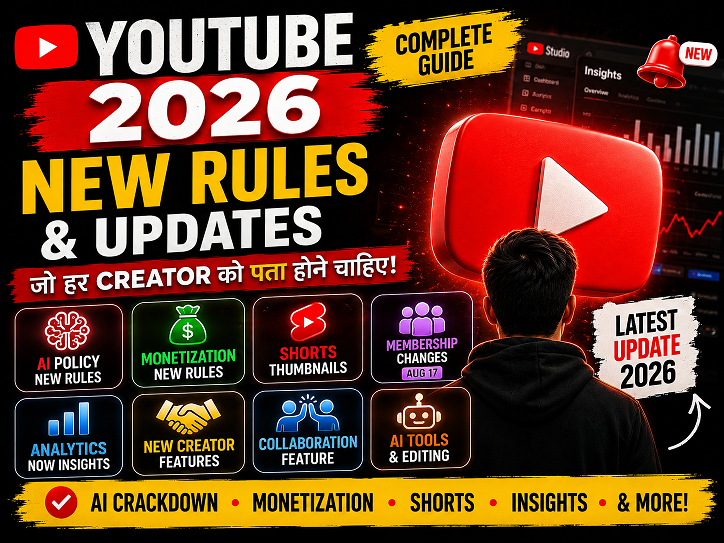
YouTube New Update 2026: सभी नए बदलाव जो Creator को जानने चाहिए | Hindi Guide YouTube 🚨 Creator Alert ⚡ August 2026 ✅ Hindi Guide 🔴 LIVE — August 17 से बड़ा बदलाव! YouTube 2026 के सभीनए Rules & Updatesजो Creator को पता होने चाहिए AI crackdown, monetization rules, Shorts thumbnail, Analytics → Insights, membership pricing change — YouTube 2026 में बहुत कुछ बदला। सब एक जगह, Hindi में। 📅 August 13, 2026 · ⏱ 10 मिनट पढ़ें · 🇮🇳 India Creators के लिए · 🎬 All Creators 2026 Overview YouTube 2026 — इतना सब क्यों बदला? YouTube CEO Neal Mohan ने साल की शुरुआत में ही clear कर दिया था — “Creators are no longer guests on the platform — they are the main event.” और 2026 में इसका proof हर महीने नए updates के रूप में आया। AI tools, monetization rules, Shorts expansion, UI redesign, AI crackdown — यह सब इतनी तेजी से आया कि track रखना मुश्किल हो गया। इसीलिए हमने सब एक जगह compile किया है। सबसे important: August 17, 2026 की date circle करो। उस दिन से membership pricing change होगी — अभी prepare करो। 10+ Major Updates 2026 Jul 16 AI Policy Launch Aug 17 Membership Change 3 Inauthentic Categories Free AI Editing Tools 2026 Biggest YT Year सबसे जरूरी Update 1 July 16, 2026 🚨 AI “Inauthentic Content” Policy — Monetization पर बड़ा खतरा New Rule Monetization ⚠️ Critical 🔴 High Impact — सभी Creators के लिए July 16, 2026 को YouTube ने Partner Program में “Inauthentic Content” की definition clearly define की — और यह पुरानी “repetitious content” policy की जगह लेती है। अब तीन types के content पर ads नहीं मिलेंगे। ❌ तीन Categories जो Demonetize होंगी: Category क्या है Example 1. Generic/Template Videos Template-based, copy-paste content AI से बनी generic slideshows, faceless AI voiceover channels 2. Unsatisfying Content Clickbait, off-putting, low quality Misleading thumbnails, shock content without value 3. AI Sensitive Advice AI persona giving sensitive advice AI doctor/lawyer/financial advisor videos ⚠️ India Creators Alert: बहुत से Hindi channels AI voiceover से faceless videos बना रहे हैं — यह policy directly उन्हें affect करेगी। Original face-on-camera content या genuine value-add content ही safe रहेगा। ✅ आपको क्या करना चाहिए: अपने channel पर audit करो — कोई template/AI-generated videos हैं? Faceless channels पर original scripting और genuine value ensure करो Medical, legal, financial topics पर AI persona use बंद करो Thumbnails और titles honest रखो — clickbait avoid करो 2 July 2026 📊 Analytics का नाम बदला → “Insights” Creator Tool New Design 🟡 Medium Impact — Studio Users YouTube Studio में Analytics tab का नाम “Insights” हो गया है। सिर्फ नाम नहीं — पूरा redesign भी हुआ। Related metrics अब एक साथ group होकर दिखते हैं जिससे performance समझना आसान हो गया। नया Advanced Mode एक separate view में मिलता है जहाँ किसी भी chart या metric पर click करने पर detailed breakdown मिलती है। Overview page पर date range selector clean हुआ। ✅ Good News: Real-time data और custom date ranges Advanced Mode में still available हैं। साथ ही एक नया back button भी आया है navigation के लिए। 3 July 2026 📸 YouTube Shorts पर Custom Thumbnail — Finally! Shorts New Feature 🔴 High Impact — Shorts Creators Shorts creators के लिए सबसे खुशखबरी! अब YouTube Shorts पर भी custom thumbnail set हो सकती है — bilkul regular videos की तरह। पहले YouTube खुद random frame choose करता था। Custom thumbnail से Shorts की discoverability और CTR (Click-Through Rate) दोनों improve होंगे। Search results में Shorts बेहतर दिखेंगी। अपने सभी पुराने Shorts पर custom thumbnail add करो — CTR improve होगा Attractive, text-clear thumbnails बनाओ — Canva या Photoshop use करो Shorts thumbnail size: 1080×1920 (9:16 portrait) 💡 Pro Tip: Shorts thumbnail में बड़े bold text और contrast colors use करो — small size में clearly दिखना जरूरी है। 4 ⚡ August 17, 2026 💰 Channel Membership Pricing — बड़ा बदलाव आ रहा है! Monetization ⚠️ Aug 17 Policy Change 🔴 High Impact — Membership Channels August 17, 2026 से YouTube US के बाहर channel membership tier pricing update करेगा। India, UK, और दूसरे markets में membership prices adjust होंगी। यह change automatically होगा — creators को manually कुछ नहीं करना। लेकिन अगर आपके members हैं तो अभी अपनी pricing strategy review करो और members को inform करो। 🚨 Action Required Before Aug 17: अगर आप India में channel membership offer करते हो — अभी check करो कि नई pricing कितनी होगी। Members को email या community post से inform करो। YouTube Studio → Earn → Memberships में pricing check करो Members को community post से advance notice दो Membership benefits को और valuable बनाओ — retention के लिए August 17 के बाद member count monitor करो 5 2026 Ongoing 🤖 AI Editing Tools — Greenscreen, Clips, और ज्यादा AI Tools New Feature 🟡 Medium Impact — All Creators YouTube ने 2026 में creators के लिए AI-powered editing tools expand किए हैं। अब ज्यादा creators को standalone clips, AI greenscreen backgrounds, और smart editing tools access मिल रहे हैं। AI Tool क्या करता है Availability AI Greenscreen Background automatically remove/replace Expanding Standalone Clips Video से automatic short clips extract Available Smart Chapters Auto chapter markers generate Available AI Dubbing Multi-language dubbing Limited Gemini Omni (YT Shorts) AI video generation free Free! 6 2026 🤝 Collaboration Feature — Instagram जैसा Collab आया! Creator Growth Tool 🟡 Medium Impact — Growth Seekers YouTube ने Instagram/TikTok जैसा Collaboration feature launch किया। अब एक video पर collaborators directly add कर सकते हो। Video title के नीचे collaborator का नाम और Subscribe button दिखता है। इससे audience sharing और cross-promotion बहुत आसान हो गई। दो channels का content एक video में — दोनों की growth। 🚀 Growth Strategy: अपने niche के same-size channels से collab करो। दोनों का audience एक-दूसरे को discover करेगा — organic growth का सबसे effective तरीका। 7 July 2026 💬 Communities अब Desktop पर — बड़ा Engagement Tool Community Engagement 🟡 Medium Impact YouTube Communities — जो पहले
Google Gemini Omni —अब हर चीज़ से Video बनाओ!
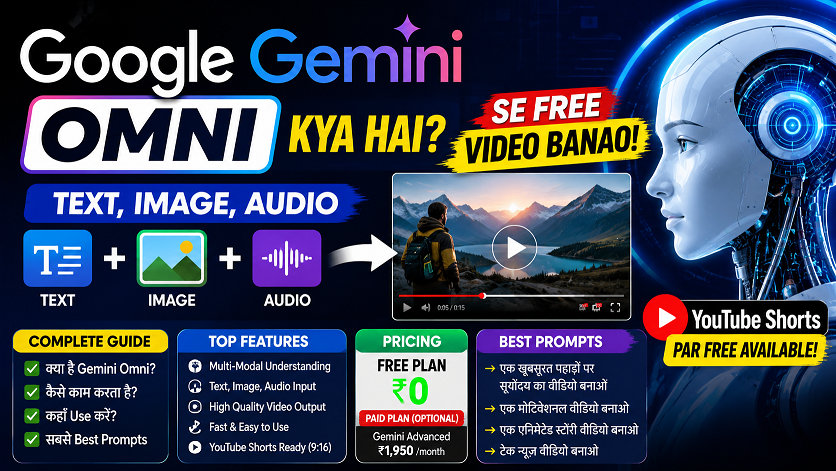
Google Gemini Omni क्या है? AI से Video बनाओ Free में! | Complete Guide 2026 🚀 Google I/O 2026 ✅ Live Now 🔥 Trending 🟢 Live — May 19, 2026 Launch हुआ Google Gemini Omni —अब हर चीज़ से Video बनाओ! Photo डालो, text लिखो, audio दो — Gemini Omni सब कुछ से video बना देगा। YouTube Shorts पर free, India में available — complete guide Hindi में। 📅 May 27, 2026 · ⏱ 10 मिनट पढ़ें · 🇮🇳 India Available · 🎬 Video Creators के लिए Breaking — Google I/O 2026 Google Gemini Omni — The “Any-to-Video” AI May 19, 2026 — Google I/O conference। और इस दिन Google ने एक ऐसा tool launch किया जिसने पूरी AI world को हिला दिया। नाम है — Gemini Omni Flash। सोचो: एक app जो आपकी photo देखे, text पढ़े, audio सुने, पुरानी video clip ले — और इन सब को मिलाकर एक नई, physics-aware, high-quality video बना दे। यही है Gemini Omni। और सबसे amazing बात? YouTube Shorts पर यह बिल्कुल FREE है। India में right now available है। May 19 Launch Date 10 sec Video Length 4 in 1 Text+Image+Audio+Video Input FREE YouTube Shorts पर $7.99 Gemini Plus/Month 100+ I/O 2026 Launches Samjho Simple Mein 🤔 Google Gemini Omni है क्या — Simple भाषा में पहले AI tools एक काम करते थे — text से text, या image से image। Gemini के पुराने Veo model से आप text डालो तो video बनती थी। Gemini Omni एक completely different beast है। यह एक “any-to-any” model है — मतलब कोई भी input दो, video output मिलेगा। Kaise Kaam Karta Hai? 📝 Text Input “एक sunset beach scene बनाओ” → 🖼️ Image Input अपनी selfie photo दो → 🎵 Audio Input Background music add करो → 🎬 Video Output Physics-aware, 10-sec video ready! Google DeepMind के CTO Koray Kavukcuoglu ने officially कहा: “Omni ek aisa model hai jo kisi bhi input se kuch bhi create kar sakta hai — starting with video.” और यह सिर्फ video generate नहीं करता — आप conversationally edit भी कर सकते हो। मतलब बाद में कह सकते हो: “इसमें camera angle change करो” — और वो करेगा। Re-prompt करने की जरूरत नहीं। 🧠 Physics Awareness: Gemini Omni physics, gravity, fluid dynamics समझता है। अगर आप किसी को पानी में गिरते दिखाओ — तो उसका ripple effect real जैसा होगा। यह feature competitors में नहीं है। Deep Dive 🌟 Gemini Omni के 8 Killer Features 🔄 True Any-to-Video Text, image, audio, video — किसी भी combination से video output। World का पहला ऐसा top-tier model। 💬 Conversational Editing Video बनने के बाद plain English/Hindi में edit request करो। “Style change karo”, “camera tilt karo” — बस कहो। 🏃 Physics Simulation Gravity, fluid dynamics, object physics automatically apply होता है। Videos genuinely real लगती हैं। 👤 Character Consistency एक reference image दो — वही character हर scene में same रहेगा। Creators के लिए game-changer। 🎵 Audio-Synced Effects Audio input के साथ synced visual effects। Music beat पर animation — automatically। 🔒 SynthID Watermark हर AI-generated video पर invisible SynthID watermark। Safe और responsible AI use। 📱 YouTube Shorts Free YouTube Shorts और YouTube Create app पर बिना subscription बिल्कुल free use करो। 🌊 Google Flow Integration Creative directors के लिए Google Flow platform में full AI video pipeline। Professional filmmaking workflow। Practical Guide 🎯 Gemini Omni के लिए Best Prompts — Copy करो! Gemini Omni से अच्छे results पाने के लिए prompt का तरीका matter करता है। यहाँ actual tested prompts दे रहे हैं जो काम करते हैं: 📸 Image-to-Video Prompt “Take this portrait photo and create a 10-second cinematic travel video showing the same person visiting Paris, Tokyo, and New York landmarks. Keep character identity consistent. Add ambient city sounds.” ✅ Result: Character-consistent travel reel — perfect for travel creators 📝 Text-to-Video Prompt “Create a product showcase video for a handmade ceramic coffee mug. Show steam rising from hot coffee, natural lighting, rustic wooden table. Camera slowly rotates around the mug. Warm, cozy aesthetic. No text overlays.” ✅ Result: Professional product ad — local businesses के लिए perfect 🎬 Editing Prompt (Conversational) “[Video ready होने के बाद]: Now change the time of day to golden hour sunset. Keep all elements same but adjust lighting and color temperature. Add subtle lens flare effect.” ✅ Result: Instant style change — re-generate नहीं करना पड़ता 🇮🇳 Hindi Creator Prompt “Create a YouTube intro video — 8 seconds. Cinematic zoom from space to India map, then to a city skyline at night. Text appears: ‘Tech Decoded’. Energetic background music beat drop. Vibrant colors.” ✅ Result: Professional YouTube intro — ₹0 में 💡 Prompt Tips: (1) Camera movement specify करो — “slow zoom”, “orbit shot”, (2) Lighting mention करो — “golden hour”, “studio lighting”, (3) Mood describe करो — “cinematic”, “energetic”, (4) Sound mention करो — “ambient noise”, “music beat”. जितना specific, उतना better result। Comparison 📊 Gemini Omni vs Competitors — कौन आगे? Feature Gemini Omni Flash OpenAI Sora Kling 3.0 Veo 3.1 Input Types Text+Image+Audio+Video Text+Image Text+Image Text+Image Conversational Edit ✅ Yes — Multi-turn ❌ No ❌ No ❌ No Physics Awareness ✅ Advanced Partial Basic Basic Free Tier ✅ YouTube Shorts ❌ Paid only Limited free Limited Character Consistency ✅ Strong Moderate ✅ Strong Moderate Raw Video Quality Very Good ✅ Excellent ✅ Excellent ✅ Excellent India में Access ✅ Free (YT Shorts) Limited Paid Paid 🏆 Honest Assessment: Raw video quality में Seedance 2.0 और Kling 3.0 अभी Gemini Omni से थोड़ा आगे हैं। लेकिन conversational editing, multimodal input, physics awareness, aur free YouTube Shorts access — इन सब में Omni clear winner है। Pricing — India के लिए 💰 Gemini Omni कितने का है? Plans देखो 🆓 Free ₹0 YouTube Shorts / YouTube Create YouTube Shorts par free YouTube Create app free 10-second videos Basic features ⭐ Google AI Plus $7.99 ~₹665/month Gemini app mein Omni Google Flow access Higher quality output More monthly clips 🚀 Google AI Pro $19.99 ~₹1,665/month Full Gemini Omni access Gemini Ultra model
वीडियो एडिटिंग के लिए क्लाइंट कहां से ढूंढे?🎬 10+ ऐसे तरीके जो वाकई काम करते हैं
वीडियो एडिटिंग के लिए क्लाइंट कहां से ढूंढे? | 10+ असरदार तरीके जो वाकई काम करते हैं प्रो गाइड 2025 वीडियो एडिटिंग के लिए क्लाइंट कहां से ढूंढे? 🎬 10+ ऐसे तरीके जो वाकई काम करते हैं प्रो. विक्रम सिंह (वीडियो एडिटिंग कोच) 11 मई 2026 · अपडेटेड 8 मिनट रीड 📌 सच्चाई: वीडियो एडिटिंग की डिमांड बढ़ रही है (YouTube, रील्स, कॉर्पोरेट), लेकिन सही क्लाइंट्स तक पहुंचना चुनौती है। अगर आपके पास दमदार स्किल्स हैं और सही जगहों पर प्रयास करें, तो स्थिर आय और प्रीमियम प्रोजेक्ट्स मिलना तय है। नीचे वो प्रोवेन स्ट्रेटेजीज़ हैं जिनसे मेरे 200+ स्टूडेंट्स ने क्लाइंट्स जीते। 1️⃣ फ्रीलांस मार्केटप्लेस (Upwork, Fiverr, Freelancer) फ्रीलांस साइट्स पर प्रोफाइल ऑप्टिमाइज़ करें Upwork, Fiverr, Freelancer, PeoplePerHour – यहाँ ₹500 से लेकर ₹50,000+ तक के प्रोजेक्ट्स मिलते हैं। लेकिन सिर्फ प्रोफाइल बनाने से काम नहीं चलेगा। प्रोफेशनल पोर्टफोलियो: अपने बेस्ट 3 एडिट्स का शोरियर (बिफोर-आफ्टर) जरूर दिखाएं। शुरुआत में कम रेट से शुरू करें: पहले 2-3 प्रोजेक्ट्स रेफरल के लिए लीजिए, रेटिंग बढ़ाएं। प्रोजेक्ट प्रपोजल में कस्टमाइज़ेशन: एक जैसी कॉपी-पेस्ट प्रपोजल न भेजें। क्लाइंट की समस्या पढ़कर समाधान बताएं। वर्किंग टिप: Fiverr पर “वीडियो एडिटर फॉर यूट्यूब शॉर्ट्स” जैसा निश्चित gig बनाएं। ऑर्डर पाने के लिए पहले 7 दिन ₹299 प्राइस रखें, फिर बढ़ाएं। 2️⃣ LinkedIn: डायरेक्ट कनेक्ट करें कंटेंट क्रिएटर्स और ब्रैंड्स से LinkedIn प्रोफाइल = आपकी डिजिटल रिज्यूमी LinkedIn पर आप YouTubers, पॉडकास्टर्स, मार्केटिंग एजेंसी ओनर्स, स्टार्टअप फाउंडर्स को सीधा मैसेज भेज सकते हैं। ये लोग हमेशा अच्छे एडिटर की तलाश में रहते हैं। प्रोफाइल में “वीडियो एडिटर | एडोब प्रीमियर प्रो | डाविंची रिज़ॉल्व” टाइटिल लिखें। एक पोर्टफोलियो लिंक (YouTube या वेबसाइट) अटैच करें। रोज 5-10 रिलेवेंट लोगों को कनेक्ट रिक्वेस्ट भेजें और छोटा नोट लिखें: “Hi, I saw your channel, I can help boost your video quality. Portfolio attached.” 3️⃣ Instagram & YouTube: अपनी स्किल को वायरल करें शोकेस बनाएँ, क्लाइंट्स खुद आएंगे रील्स और शॉर्ट्स का दौर है – आप एडिटिंग का मैजिक दिखाएं (सिनेमैटिक ट्रांजिशन, कलर ग्रेडिंग, मोशन ग्राफिक्स) और हैशटैग #videoeditor #clientsneeded #editingreel लगाएं। स्क्रॉल करने वाला क्लाइंट खुद डीएम करेगा। प्रो स्ट्रेटजी: किसी ट्रेंडिंग सॉन्ग पर अपना कस्टम एडिट क्लिप बनाएं और पिन करें। साथ ही “affordable video editing for creators” जैसी स्टोरी शेयर करें। 4️⃣ फेसबुक ग्रुप्स + Reddit (अनदेखा न करें) वीडियो एडिटिंग कम्युनिटी और जॉब ग्रुप्स “Freelancer India”, “Video Editors Wanted”, “Content Creator Hiring” जैसे ग्रुप्स में हर दिन नए प्रोजेक्ट पोस्ट होते हैं। Reddit पर r/forhire, r/videoediting, r/freelance में “offering” टैग से अपनी सेवा दें। ग्रुप्स में केवल लिंक न डालें, पहले वैल्यू दें – एडिटिंग टिप्स शेयर करें, फिर सेल्स पिच करें। Reddit पर “I will edit your short video for FREE portfolio building” से शुरू करें – फिर पेड प्रोजेक्ट्स। 5️⃣ कोल्ड ईमेलिंग (सबसे अनदेखा पावरफुल तरीका) सीधा टार्गेट करें छोटे YouTubers / पॉडकास्टर्स उन चैनल्स को ईमेल भेजें जिनकी एडिटिंग कमजोर है। उनके 2-3 वीडियो देखें और बताएं कि आप कैसे इंप्रूव कर सकते हैं। आपकी एडिटिंग स्किल्स जितनी शार्प होंगी, क्लाइंट्स उतने ही प्रभावित होंगे। अपनी स्किल्स को निखारने के लिए शुरुआती वीडियो एडिटिंग टिप्स एंड ट्रिक्स जरूर पढ़ें — ये आपके काम में चार चाँद लगा देंगी। स्क्रिप्ट उदाहरण: “आपकी कंटेंट बहुत अच्छी है, लेकिन एडिटिंग को और इंगेजिंग बनाया जा सकता है। मैंने आपको एक डेमो एडिट भेजा है (30 सेकंड क्लिप)। अगर पसंद आए तो हफ्ते के ₹2000 में पूरा वीडियो एडिट कर सकता हूँ।” 6️⃣ रेफरल और वर्ड-ऑफ-माउथ – पुराने क्लाइंट्स से बिज़नेस बूस्ट करें हर क्लाइंट से रेफरल मांगें एक खुश क्लाइंट आपको 5 नए क्लाइंट्स दे सकता है। प्रोजेक्ट खत्म होने के बाद डिस्काउंट के बदले रेफरल मांगें – “अगर आप किसी और को रेकमेंड करोगे तो अगला एडिट 20% ऑफ” व्हाट्सएप या टेलीग्राम पर “क्लाइंट ग्रुप” बनाएं और नियमित अपडेट दें। केस स्टडी बनाएं: पहले और बाद के स्क्रीनशॉट शेयर करें। 7️⃣ पोर्टफोलियो वेबसाइट + लोकल SEO (गोल्डन टिप) एक सिंपल वेबसाइट बनाएं (Google पर रैंक पाएं) Google Sites, कार्ड या वर्डप्रेस की मदद से 2 पेज की वेबसाइट बनाएं और कीवर्ड “वीडियो एडिटर देहरादून” या “फ्रीलांस वीडियो एडिटर भारत” टार्गेट करें। जो लोग सर्च करते हैं वो कन्वर्ट होते हैं। अपने पोर्टफोलियो को शानदार बनाने के लिए Master the Johnny Harris Style: Newspaper Animation in After Effects ट्यूटोरियल जरूर देखें — यह स्टाइल आपके काम को प्रोफेशनल और हाई-वैल्यू बनाएगी। वर्किंग ट्रिक: Google My Business प्रोफाइल बनाएं (फ्री में) और “वीडियो एडिटिंग सर्विस नियर मी” में दिखें। लोकल बिजनेस एडिटिंग क्लाइंट का सोना है। 8️⃣ Discord और स्लैक कम्युनिटी – अनदेखा गोल्ड माइन Creator’s Discord & Filmmaker ग्रुप्स बहुत सारे YouTube क्रिएटर, पॉडकास्टर और गेमिंग कम्युनिटी में डिस्कॉर्ड पर “वीडियो-सर्विसेज” चैनल होते हैं। वहाँ अपना काम दिखाएं। स्लैक ग्रुप्स जैसे “Video Editing Slackers” भी कमाल हैं। बोनस: वीडियो एडिटर के लिए हैक्स 🧨 ✔️ निच-डाउन अप्रोच: सिर्फ जनरल एडिटर मत बनिए – फ़ाइनेंस यूट्यूबर, रियल एस्टेट एजेंट्स, पॉडकास्टर्स के लिए अलग पैकेज बनाएं। ✔️ फ्री डेमो पॉलिसी: 30 सेकंड की एडिटिंग फ्री करके दें, 80% क्लाइंट्स कन्वर्ट होते हैं। ✔️ अपने सोशल प्रूफ बनाएं: testimonials को हाइलाइट करें। “X ने मेरी एडिटिंग से 100k व्यूज पाए”। ✔️ ट्रेंडिंग टूल्स का अपडेट रखें: Adobe After Effects 26.0 के साथ आए Parametric 3D Meshes, Substance Materials और Variable Fonts जैसे नए फीचर्स सीखकर अपने क्लाइंट्स को हैरान कर दें। ⚡ असरदार माइंडसेट: क्लाइंट कैसे ढूंढे इससे ज्यादा जरूरी है – ‘वैल्यू क्रिएट करना’ प्रैक्टिकल एक्सपेरिमेंट: प्रतिदिन 5 लोगों को क्वालिटी मैसेज भेजिए। 30 दिन में 150 लोगों तक पहुंचिए। 10% रिस्पॉन्स रेट से 15 क्लाइंट्स मिल सकते हैं। यह एक नंबर का रूल है जो काम करता है। साथ ही अपनी स्किल्स को लगातार अपग्रेड करें – जितना बेहतर एडिटिंग, उतनी प्रीमियम फीस। आज से ही अपना एक्शन प्लान बनाइए। 85% सक्सेसफुल फ्रीलांस वीडियो एडिटर्स ने अपना पहला क्लाइंट LinkedIn या इंस्टाग्राम रील्स से पाया। 📚 स्रोत (Sources) – और गहराई से सीखने के लिए इस गाइड को लिखने में हमने नीचे दिए गए संसाधनों से मदद ली है। ये लिंक्स आपको एडिटिंग स्किल्स और टूल्स पर विस्तृत जानकारी देंगे, जिससे आप अपने क्लाइंट्स को और बेहतर सर्विस दे सकते हैं: Mastering Video Editing: Essential
ChatGPT April 2026 Update: GPT-5.5 Launch, Images 2.0, File Library — पूरी जानकारी हिंदी में
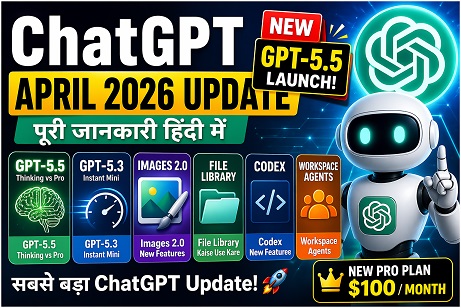
ChatGPT April 2026 Update: GPT-5.5, Images 2.0, File Library, Codex — पूरी जानकारी हिंदी में 🚀 Breaking Update GPT-5.5 Launch April 2026 ChatGPT April 2026 Update —GPT-5.5 से Workspace Agents तकसब कुछ बदल गया! OpenAI ने April 2026 में ChatGPT को completely transform कर दिया। GPT-5.5 launch, Images 2.0, File Library, Codex automation — जानो सब कुछ simple हिंदी में। 📅 April 24, 2026 · ⏱ 10 मिनट पढ़ें · 🇮🇳 Hindi Guide · 🤖 OpenAI Official Data Breaking News April 2026 — ChatGPT का सबसे बड़ा Month April 2026 OpenAI के इतिहास का सबसे busy month बन गया। एक के बाद एक announcements ने AI industry को हिला दिया। सबसे बड़ा: GPT-5.5 का launch — जिसे OpenAI ने खुद “a new class of intelligence for real work” कहा। लेकिन सिर्फ GPT-5.5 नहीं। GPT-5.3 Instant Mini, Images 2.0, File Library, Workspace Agents, नया Pro plan — इस month में इतना कुछ आया कि track रखना मुश्किल हो गया। इस article में हमने April 2026 के सभी major ChatGPT updates को simple हिंदी में explain किया है — ताकि आप जान सकें कि आपके लिए actually क्या change हुआ। GPT-5.5 Latest Model 6+ Major Updates Apr 23 GPT-5.5 Launch $100 New Pro Plan/Month 83% Pro Tasks Accuracy 400K Codex Context Window सबसे बड़ा Update #1 🚀 GPT-5.5 Launch — “A New Class of Intelligence” April 23, 2026 को OpenAI ने GPT-5.5 launch किया। GPT-5.4 के सिर्फ 7 हफ्ते बाद। OpenAI के शब्दों में: “यह real work के लिए intelligence की एक नई class है।” GPT-5.5 multi-part tasks में dramatically better है — planning, tools use करना, और अपना काम check करना। यह faster है, ज्यादा accurate है, और ज्यादा token-efficient है — यानी ज्यादा काम, कम cost पर। GPT-5.5 के 3 Variants GPT-5.5 Thinking Hard problems ke liye — faster help with smarter, concise answers. Complex tasks ke liye. Plus, Pro, Business GPT-5.5 Pro Hardest tasks ke liye — maximum performance. Latency improvements ke saath. Pro, Business, Enterprise GPT-5.5 (Codex) 400K context window, Plus se Enterprise tak. Complex coding aur research ke liye. 400K Context Performance Benchmarks Professional Tasks (GDPval) 93% Accuracy Multi-step Planning 9.5/10 Code Generation 9.2/10 GPT-5.4 से Improvement Significant + ⚡ Fast Mode भी Available: GPT-5.5 Fast Mode में tokens 1.5x faster generate होते हैं (2.5x cost पर)। Speed priority वाले users के लिए। Update #2 💬 GPT-5.3 Instant Mini — Smart Fallback Model GPT-5.3 Instant Mini को ChatGPT का नया “fallback model” बनाया गया है। जब आप GPT-5.3 Instant की rate limit hit करते हैं — तब यह automatically activate होता है। Model picker में नहीं दिखेगा, background में काम करता है। पुराने GPT-5 Instant Mini से बेहतर क्यों? ज्यादा natural conversation, stronger writing, और better contextual awareness। साथ ही यह “preachy” responses देने की tendency कम है — यानी AI कम उपदेश देगा, ज्यादा helpful होगा। 💬 Natural Conversation Pehle se kahin zyada human-like aur natural responses. Follow-up tone improved. ✍️ Stronger Writing Better writing quality — essays, emails, articles sab improve hue. 🧠 Better Context Long conversations mein context kahin better retain karta hai. 🚫 Less Preachy “If you want…” jaisi unnecessary phrasing reduced. Direct aur helpful responses. ℹ️ Free Users के लिए: यह model आपके लिए automatically काम करेगा rate limits hit होने पर। कोई extra setting नहीं चाहिए। Update #3 🎨 ChatGPT Images 2.0 — Text Rendering Revolution ChatGPT Images 2.0 एक major upgrade है image generation में। सबसे बड़ा improvement: images में text accurately render होता है। पहले AI-generated images में text blur या wrong होता था — अब यह problem solve हो गई। यह gpt-image-1.5 model पर based है। Complex prompts को बेहतर समझता है। Batch API support भी आया है — एक साथ multiple images generate करो। 📝 Perfect Text in Images Posters, banners, logos mein text bilkul sahi render hoga. No more blurry text. 🧩 Complex Prompts Multi-element, detailed prompts ko kahin better samajhta hai. ⚡ Batch API Multiple images ek saath generate karo — developers ke liye game-changer. 📱 Mobile App Updated Android aur iOS apps mein bhi yeh improved image generation available hai. 🎨 YouTubers और Content Creators के लिए: Thumbnails, social media posts, banners — सब में proper text के साथ professional images बनाएं। यह feature game-changer है। Update #4 📁 File Library — अब Files Automatically Save होंगी File Library ChatGPT का एक बिल्कुल नया feature है। अब जब भी आप कोई file upload करते हैं या ChatGPT कोई file create करता है — वह automatically save हो जाती है। सबसे अच्छी बात: अलग-अलग chats में जाकर files ढूंढने की जरूरत नहीं। एक जगह से सब कुछ access करो, search करो, और reuse करो। 💾 Auto-Save Upload ya create ki gayi har file automatically library mein save hoti hai. 🔍 Search Across Chats Kisi bhi chat ki file dhundho — ek unified search se. ♻️ Reuse Files Pehle upload ki gayi file ko naye chat mein directly use karo. 📂 Organized Storage Documents, spreadsheets, images — sab categories mein organized. 💡 Use Case: अगर आप रोज़ ChatGPT को documents analyze करवाते हैं — अब हर बार re-upload नहीं करना पड़ेगा। File Library से directly select करो। Update #5 — Developers के लिए 💻 Codex Updates — AI Development Team बन गई Codex अब सिर्फ code लिखने वाला tool नहीं रहा। April 2026 में Codex एक complete AI development team बन गई है। यह click कर सकती है, type कर सकती है, browser operate कर सकती है, और पूरे applications build कर सकती है। GPT-5.5 integration के बाद Codex aur bhi powerful ho gaya. 400K context window का मतलब — एक साथ पूरा codebase analyze और modify करो। 🖱️ Browser Control Codex ab browser operate kar sakta hai — web apps test karo, pages click karo. 🔧 Full App Building Complete applications build karo — plan, code, test, debug — sab Codex karta hai. 📸 Screenshot & Iterate Screenshot leta hai, dekhta hai, fix karta hai — visual debugging built-in. 🔗 400K Context 400,000 token context window — pura codebase ek baar mein load karo.
After Effects 26.0 January 2026 Update: नई Features का Complete Guide | AE Review
After Effects 26.0 January 2026 Update: नई Features का Complete Guide | AE Review AE Review After Effects 26.0 January 2026 Release Adobe After Effects 26.0: सभी नई Features का Complete Guide 3D Meshes से लेकर Variable Fonts तक — After Effects का यह update motion graphics और VFX workflows को पूरी तरह बदल देता है। January 2026 — April 2026 Updated 12 min read After Effects, Motion Graphics, VFX Adobe ने January 2026 में After Effects Version 26.0 release किया है, और यह update सच में game-changing है। इस release में 3D workflow, typography, और playback performance — तीनों areas में बड़े improvements किए गए हैं। अगर आप motion graphics designer, VFX artist, या video editor हैं, तो यह article आपके लिए है। इसमें हम हर नए feature को detail से समझेंगे — क्या है, कैसे काम करता है, और आपके workflow में यह कैसे helpful होगा। 📋 Table of Contents After Effects 26.0 — Overview Parametric 3D Meshes Substance 3D Materials (SBSAR) Variable Font Support Native SVG Import Unmult Effect Lossless Compressed Caching Workflow Improvements पुराने vs नए Version Comparison Pro Tips & Recommendations Conclusion CURRENT STABLE RELEASE 26.0 After Effects January 2026 Focus: 3D Workflows · Typography · Playback Efficiency 01 After Effects 26.0 — Overview After Effects 26.0 Adobe के Creative Cloud ecosystem का एक major release है। इस update में कुल 6 नए core features और कई workflow improvements हैं। Adobe का focus इस बार clearly 3D capabilities को democratize करना था — यानी complex 3D work को बिना Cinema 4D या Blender के possible बनाना। After Effects 26.0 — New 3D workflow interface 🧊 Parametric 3D Meshes Native 3D shapes directly in AE — no plugins needed 🎨 Substance Materials Procedural SBSAR materials import with animation support 🔤 Variable Fonts OpenType Variable font sliders with custom keyframes 📐 Native SVG Import SVGs as editable shape layers — gradients preserved ✂️ Unmult Effect GPU-accelerated background removal with HDR support 💾 Lossless Caching 4x less disk space for preview frames — same quality 02 Parametric 3D Meshes यह शायद After Effects 26.0 का सबसे exciting feature है। अब आप directly After Effects में native 3D primitive shapes create कर सकते हैं — बिना किसी third-party plugin या 3D software के। Feature Detail Available 3D Primitives After Effects 26.0 में ये 3D shapes natively available हैं: ⬛ Cube — customizable size और bevel के साथ 🔵 Sphere — radial slicing controls के साथ 🔺 Cone — height और base radius adjustable 🟫 Cylinder — segment count control 🍩 Torus — inner/outer radius parameters 🔷 Plane — grid resolution adjustable Parametric 3D Meshes — Non-destructive 3D primitives in AE Key Benefit: ये meshes non-destructive हैं — मतलब आप कभी भी किसी भी property को बदल सकते हैं। Size, bevel, radial slicing — सब कुछ properties panel से control होता है और fully animatable है। Workflow में कैसे Use करें? Layer menu → New → 3D Mesh पर जाएं और अपना desired shape select करें। Shape add होने के बाद, Properties panel में आपको सभी parametric controls मिलेंगे। इन्हें Composition की 3D space में freely position, rotate, और scale किया जा सकता है। 03 Substance 3D Materials (SBSAR) Adobe का Substance 3D ecosystem अब After Effects के साथ directly integrate हो गया है। आप SBSAR format के Substance materials को directly AE में import करके 3D layers और meshes पर apply कर सकते हैं। Materials System Substance Materials की Capabilities Substance materials procedural होती हैं — इसका मतलब है कि material के parameters (जैसे roughness, metalness, surface wear) को animate किया जा सकता है। उदाहरण के लिए: 🦾 Metal surface का rust gradually बढ़ता दिखाना over time 💧 Stone material पर wetness animate करना ✨ Surface wear और tear को keyframe करना 🎨 Material color और pattern को expressions से dynamically drive करना Substance 3D Material — Procedural material applied to 3D mesh in AE Free Substance Materials कहाँ मिलेंगे? Adobe Substance 3D Assets library पर हजारों free और premium materials available हैं। Creative Cloud subscription के साथ monthly material downloads भी मिलते हैं। Adobe Substance 3D community से भी user-created materials download किए जा सकते हैं। 04 Variable Font Support Typography lovers के लिए यह एक बड़ा update है। After Effects 26.0 अब OpenType Variable Fonts को natively support करता है। Typography Variable Font Properties जो Animate हो सकती हैं W Weight — thin से ultra-bold तक smooth transition ↔ Width — condensed से expanded तक animate करें ∠ Slant/Italic — upright से italic के बीच morph करें 📏 Custom Axes — font-specific axes जैसे optical size, grade Variable Font Support — Character panel में sliders से weight और width animate करें Character Panel में कैसे Access करें? कोई भी variable font select करने पर Character panel में automatically variable font sliders appear होंगे। इन sliders को standard keyframes से animate किया जा सकता है या expressions से drive किया जा सकता है। Popular variable fonts जैसे Inter, Roboto Flex, Recursive आदि Google Fonts पर free में available हैं। Pro Tip: Variable fonts के साथ expressions use करें जैसे wiggle(2, 50) weight property पर apply करने से font का weight randomly oscillate करता है — एक unique glitch effect के लिए। 05 Native SVG Import Designers के लिए यह एक long-awaited feature है। अब आप SVG files को directly After Effects में import कर सकते हैं — और वे automatically editable shape layers में convert हो जाती हैं। Design Workflow SVG Import क्या Preserve करता है? 🔷 Vector Paths — सभी shapes और curves perfectly preserve होते हैं 🌈 Gradients — linear और radial gradients animatable रहते हैं 🫙 Transparency — opacity और blend modes maintain होते हैं 📁 Layer Structure — SVG groups AE layers में convert होते हैं Native SVG Import — Figma/Illustrator से SVG directly AE में editable shape layers के रूप में Figma/Illustrator Workflow अब workflow बहुत simple हो गया है: Figma या Illustrator में design करें → SVG export करें → After Effects में drag & drop करें। SVG automatically editable shape
5 Best Gaming Headphones Under ₹5000 India 2026 🎧 | Gaming + Video Editing Review Hindi
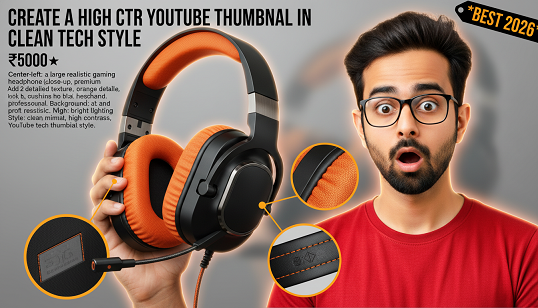
5 Best Gaming & Video Editing Headphones Under ₹5000 India 2026 | Honest Review 🎧 Affiliate Review · 2026 · Hindi 5 Best Gaming & Video EditingHeadphones Under ₹5000India 2026 — Honest Review EvoFox Hyperion, HAMMER Blaze, GOBOULT Mustang Q, Zebronics, aur HyperX Cloud Stinger 2 Core — kaun sa best hai? Puri jaankari Hindi mein. 📅 April 2026 · ⏱ 10 min read · 🇮🇳 India Prices · 🎮 Gaming + 🎬 Editing Shuruat Sahi Headphone choose karna kyun zaroori hai? Gaming ho ya video editing — audio quality ka seedha asar aapke kaam aur experience par padta hai. BGMI mein enemy ke footsteps sunna ho, ya DaVinci Resolve mein audio mix karna — ek accha headphone sab kuch badal deta hai. Market mein hazaaron options hain, lekin ₹5,000 ke andar India mein kaunse 5 headphones actually worth it hain? Hamne 5 best options research kiye hain — real specs, actual user reviews, aur India pricing ke saath. Har product ke saath direct Amazon affiliate link diya gaya hai taaki aap seedha check kar sakein. ⚠️ Disclosure: Is article mein Amazon affiliate links hain. Agar aap inse khareedte hain to hume thoda commission milta hai — aapko koi extra charge nahi lagta. Product #1 1 EvoFox (Amkette) EvoFox Hyperion Gaming Headphones Gaming Video Editing 7.1 Surround Best Value EvoFox — Amkette ki gaming division — ne Hyperion Series ke saath ek kamaal ka product launch kiya hai. 50mm drivers, retractable mic, aur 7.1 virtual surround sound — yeh sab ek budget-friendly price mein. Gaming aur video editing dono ke liye perfect choice. 3.5mm + USB-C dual connectivity ka matlab hai yeh PC, console, aur mobile — sab par chalega. Swappable ear pads ek rare feature hai is price range mein. Driver Size 50mm Connectivity 3.5mm + USB-C Surround Virtual 7.1 Mic Type Retractable Cable 2m Braided Platform PC/Console/Mobile Performance Scores Sound Quality 8.5/10 Mic Quality 8.2/10 Comfort 8.8/10 Build Quality 8.0/10 Value for Money 9.5/10 ✓ Kya Achha Laga 50mm drivers — bass bahut accha Retractable mic — convenient Swappable ear pads — unique feature Dual connectivity — 3.5mm + USB-C 2m braided cable — durable Inline controls — handy ✗ Kya Thoda Kam Laga Build quality plastic-heavy Kuch users ne mic issue report kiya Software sirf Windows par RGB nahi hai is model mein 🏆 Best For: Video editing + gaming dono use karne wale. Budget mein best features. Proxy editing aur timeline work ke liye perfect headphone. ₹1,849 MRP ₹2,899 ✓ 36% OFF — Amazon par Amazon par Khareedein Product #2 2 HAMMER HAMMER Blaze Wired Gaming Headphones Gaming RGB Lights 7.1 Stereo Budget Pick HAMMER Blaze ek RGB lover gamer ka dream headphone hai. Eye-catching RGB lights, 50mm neodymium drivers, aur 7.1 stereo surround sound — yeh sab ek premium-looking package mein. BGMI aur Valorant players ke liye especially recommended. Windows, Xbox, aur PlayStation — sab platform par compatible. Omnidirectional mic se communication crystal clear rehti hai multiplayer gaming mein. Driver Size 50mm Connectivity USB 2.0 Surround 7.1 Stereo Mic Type Omnidirectional Cable Length 1.5m Weight 330g Performance Scores Sound Quality 7.8/10 RGB Looks 9.5/10 Mic Quality 8.0/10 Comfort 8.2/10 Value for Money 8.8/10 ✓ Kya Achha Laga RGB lights — bahut attractive 50mm drivers — deep bass PC + Xbox + PlayStation support Breathable ear cushions Adjustable headband Gaming ke liye tuned audio ✗ Kya Thoda Kam Laga Cable thodi chhoti (1.5m) Video editing ke liye average USB only — 3.5mm nahi Non-detachable cable 🎮 Best For: Pure gamers jo RGB chahte hain. BGMI, Valorant, COD ke liye best. Footsteps clearly sunai dete hain. ₹1,599 MRP ₹8,999 ✓ 82% OFF — Amazon par Amazon par Khareedein Product #3 3 GOBOULT GOBOULT X Mustang Q Gaming Headphone Gaming LED Lights Ultra Budget GOBOULT Mustang Q un logon ke liye hai jo sabse kam budget mein gaming headphone chahte hain. Yeh entry-level headphone gaming ke basics ko cover karta hai — decent sound, mic, aur eye-catching design. Beginner gamers ke liye aur students ke liye yeh ek practical choice hai. Gaming ka taste lene ke liye pehla headphone ke roop mein perfect. Type Wired Gaming Connectivity USB / 3.5mm Lights LED Mic Built-in Target Beginners Platform PC/Laptop Performance Scores Sound Quality 7.0/10 Mic Quality 6.8/10 Build Quality 6.5/10 Comfort 7.2/10 Value for Money 8.5/10 ✓ Kya Achha Laga Bahut affordable price Beginner gamers ke liye perfect LED design — attractive look Basic gaming needs cover karta hai ✗ Kya Thoda Kam Laga Premium feel nahi hai Competitive gaming ke liye average Video editing ke liye suitable nahi Long sessions mein comfort average 💡 Best For: Pehla gaming headphone lene wale beginners. Agar budget bilkul tight hai to yeh choose karein. Check Price ✓ Amazon par best deal Amazon par Khareedein Product #4 4 ZEBRONICS Zebronics Gaming Headphone Gaming Editing Trusted Brand Zebronics India ki sabse trusted gaming peripherals brand hai. Inka gaming headphone reliability aur after-sales service ke liye popular hai. India mein har sheher mein service centers available hain — yeh ek badi advantage hai. Decent audio quality, comfortable design, aur affordable price — Zebronics ka combination Indian market ke liye perfect hai. Gamers aur basic video editing dono ke liye usable. Brand Origin India Service Pan India Connectivity USB / 3.5mm Mic Built-in Warranty 1 Year Platform PC/Laptop Performance Scores Sound Quality 7.5/10 Build Quality 8.0/10 After Sales 9.2/10 Comfort 7.8/10 Value for Money 8.5/10 ✓ Kya Achha Laga India mein service centers Trusted brand — 20+ saal Reliable build quality Good value for money Wide availability in India ✗ Kya Thoda Kam Laga Audio tuning basic hai Design old-school lagta hai Competition se peeche features mein Premium feel nahi 🛡️ Best For: Jinhe brand reliability aur service important hai. Students aur office workers ke liye bhi suitable. Check Price ✓ Amazon par best deal Amazon par Khareedein Product #5 — Premium Pick 5 HyperX (HP) HyperX Cloud Stinger 2 Core Gaming Video Editing Premium Brand DTS Audio HyperX Cloud Stinger 2 Core is
Google Gemma 4 AI क्या है? FREE Offline AI जो फोन पर चलता है | Full Guide 2026
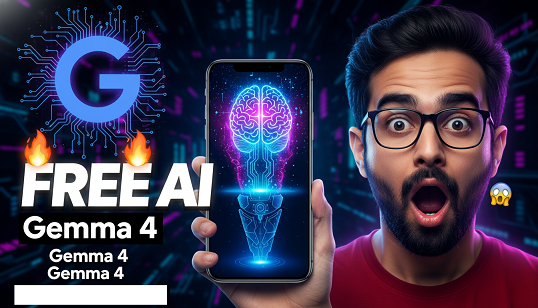
Google Gemma 4 AI क्या है? 2026 की सबसे बड़ी AI Model Launch | पूरी जानकारी हिंदी में 🤖 Breaking News · April 2026 Google Gemma 4 AI —Phone पर Free AI चलाओ! ⭐ 9.2 / 10 — Game Changing Open Source AI Google का सबसे powerful open-source AI model आ गया। बिना internet के, phone पर, completely free। जानो सब कुछ हिंदी में। 📅 April 4, 2026 · ⏱ 8 मिनट पढ़ें · 🇮🇳 Hindi Guide · 🆓 Apache 2.0 Free परिचय Gemma 4 — Google का सबसे बड़ा AI Gift 2026 में April 2, 2026 को Google DeepMind ने एक ऐसा AI model launch किया जिसने पूरी AI world को हिला दिया। नाम है — Google Gemma 4। और सबसे important बात: यह completely free है, open-source है, और आपके phone पर offline चल सकता है। पहले AI models सिर्फ बड़े servers पर चलते थे। ChatGPT use करने के लिए internet चाहिए। Gemini के लिए subscription। लेकिन Gemma 4 के साथ Google ने यह दीवार तोड़ दी। अब आप अपने Android phone पर, बिना internet के, एक Hollywood-grade AI use कर सकते हैं। Developers ने Gemma models को अब तक 40 करोड़ से ज्यादा बार download किया है। Gemma 4 के साथ यह संख्या और बढ़ेगी। क्योंकि यह न सिर्फ free है — यह अपने size से 20x बड़े models को beat करता है। 40 Cr+ Total Downloads 4 Sizes E2B to 31B #3 World Open Model Rank 35+ Languages Supported 256K Context Window Apache 2.0 Free License Gemma 4 क्या है? Simple भाषा में समझो — Gemma 4 आखिर है क्या? सोचो कि ChatGPT जितना smart AI आपके phone में install हो जाए — बिना monthly subscription, बिना internet, और बिना किसी company को आपका data दिए। यही है Gemma 4। Gemma 4 एक AI model family है जो Google DeepMind ने बनाई है। यह उसी research और technology पर based है जो Gemini 3 (Google का flagship AI) में use होती है। फर्क सिर्फ यह है कि Gemma 4 open-source है — मतलब कोई भी इसे download कर सकता है, modify कर सकता है, और अपने product में use कर सकता है। यह text, images, video, और audio — सब कुछ समझ सकता है। Code लिख सकता है। Logic solve कर सकता है। और यह सब offline, आपके device पर। 💡 Simple Definition: Gemma 4 = Google का powerful AI brain जो आपके phone/laptop पर free में काम करता है, internet की जरूरत नहीं। Model Sizes Gemma 4 के 4 Version — कौन सा आपके लिए? Gemma 4 चार अलग-अलग sizes में आती है। जितना बड़ा model, उतनी ज्यादा intelligence — लेकिन उतनी ज्यादा hardware की भी जरूरत। E2B Effective 2 Billion Android phones पर चलेगा। Basic AI tasks। Voice + Vision। 📱 Phone Ready E4B Effective 4 Billion High-end phones + Raspberry Pi। Better reasoning। Audio support। ⚡ Edge Device 26B 26B MoE Model Laptop/Desktop। Complex tasks। #6 World Ranking। 💻 Workstation 31B 31B Dense Model Servers। Most powerful। #3 World Open Model। 🏆 #3 World Rank 🏆 Shocking Fact: Gemma 4 का 31B model अपने से 20x बड़े models को beat करता है। यानी यह उन AI models से ज्यादा smart है जो 600B parameters वाले हैं। Features Gemma 4 के 7 Killer Features 🧠 Advanced Reasoning Multi-step planning और deep logic। Math, coding, complex problems — सब handle करता है। 📱 Phone पर Offline Android phone पर बिना internet। Qualcomm और MediaTek chips support करते हैं। 👁️ Vision + Audio Images, video, और audio सब समझता है। OCR, chart reading, screen understanding। 💻 Code Generation Offline code assistant। बिना internet के code लिखो, fix करो, complete करो। 📄 256K Context Window पूरी book, repository, या long document एक बार में process। कोई limit नहीं। 🔧 Agentic Workflows Function calling, APIs से connect, autonomous tasks — खुद काम करने वाला AI। 🌐 35+ Languages Hindi सहित 35+ languages support। 140+ languages पर trained। 🆓 100% Free — Apache 2.0 Commercial use के लिए भी free। Modify करो, sell करो — कोई restriction नहीं। Performance Gemma 4 Benchmark — Numbers देखो Benchmark numbers बताते हैं कि AI model कितना smart है। Gemma 4 के numbers देखकर competitors की नींद उड़ गई। Arena AI Ranking (31B) #3 World — 9.6/10 Math Reasoning 9.2 / 10 Code Generation 9.0 / 10 Vision Understanding 8.8 / 10 On-Device Performance 9.5 / 10 Size Efficiency 9.8 / 10 — Best Ever 🏅 Arena AI leaderboard पर 31B model #3 rank पर है और 26B model #6 rank पर। ये models अपने से 20x बड़े closed-source models को हरा रहे हैं। Comparison Gemma 4 vs ChatGPT vs Llama — कौन बेहतर? Feature Gemma 4 (31B) ChatGPT-4o Llama 3 Price Free (Apache 2.0) $20/month Free (Meta) Offline Use हाँ — Phone पर भी नहीं — Internet चाहिए हाँ (local setup) Commercial Use Apache 2.0 — पूरी freedom OpenAI Terms Meta License World Ranking #3 Open Model #1 Overall Top 10 Context Window 256K tokens 128K tokens 128K tokens Phone Support हाँ — Native Android App only (online) Limited Multimodal Text+Image+Video+Audio Text+Image Text mostly India में Use Perfect — Offline, Free Internet + Payment Technical setup 🇮🇳 India के लिए खास: Gemma 4 India के users के लिए perfect है क्योंकि यह offline काम करता है, free है, और Hindi सहित कई Indian languages support करता है। Payment या VPN की कोई जरूरत नहीं। Use Kaise Karein Gemma 4 कैसे Use करें? — Step by Step 📱 Android Phone पर (E2B / E4B) 1 Google AICore Developer Preview Google Play Store से AICore app download करें। यह Gemma को phone पर run करने का framework है। 2 Compatible Device Check करें Qualcomm Snapdragon 8 Gen 2+ या MediaTek Dimensity 9000+ chip वाले phones best हैं। 3 Android Studio में Use Developers Android Studio में directly Gemma 4 integrate कर सकते हैं — AI coding assistant की तरह। 💻 PC / Laptop पर (26B / 31B) 1 Hugging Face से Download huggingface.co/google/gemma-4 पर जाएं और model download करें। 2 Ollama से Run
Ramayana Teaser Review Hindi: Ranbir Kapoor का Ram Look कैसा है? Full Analysis 2026
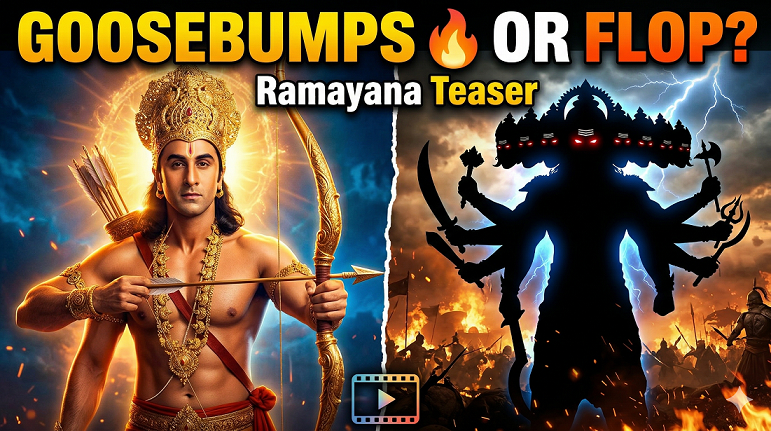
Ramayana Teaser Review: Ranbir Kapoor as Lord Rama — Goosebumps या Disappointment? | 2026 ॥ रामो विग्रहवान् धर्मः ॥ Teaser Review Bollywood 2026 Cinematic Epic Hindi Analysis Ramayana Teaser Review — Ranbir Kapoor का Lord Rama Goosebumps या Disappointment? ⭐ 7.5 / 10 — Promising लेकिन Mixed Feelings ₹4,000 करोड़ की India की सबसे महंगी film का teaser आ गया। Hans Zimmer + AR Rahman का music, Oscar-winning DNEG के VFX, और Ranbir Kapoor as Lord Rama — लेकिन क्या यह सब deliver किया? 📅 April 3, 2026 · ⏱ 12 मिनट पढ़ें · 🎬 Teaser: 2 मिनट 38 सेकंड · 🗓 Diwali 2026 Release पहली बात जब Teaser आया — तो India रुक गया 2 April 2026। Hanuman Jayanti का पवित्र दिन। और इसी दिन Namit Malhotra ने अपने birthday पर India को एक gift दिया — Ramayana का पहला teaser, जिसका नाम है “Rama”। सिर्फ 2 मिनट 38 सेकंड। लेकिन इन 158 seconds ने पूरे internet को दो हिस्सों में बाँट दिया। एक तरफ वो लोग जो “jai shree ram” लिख रहे थे, दूसरी तरफ वो जो “Adipurush 2.0” का tag लगा रहे थे। Los Angeles और New York में special screenings हुईं। Nitesh Tiwari शांत थे, Namit Malhotra nervous। Press conference viral हुई। और फिर जब teaser officially drop हुआ — 24 घंटे में 1.3 करोड़ से ज्यादा views। “Whenever the world descends into chaos, He is always the answer.” — यही line थी जिससे Ramayana teaser शुरू होता है। और यही line इस film का promise है। हम एक professional cinematic blogger की नजर से इस teaser को analyze करेंगे। न सिर्फ fan की तरह, न सिर्फ critic की तरह — बल्कि एक ऐसे viewer की तरह जो Indian cinema से प्यार करता है और उसकी असली potential को समझता है। Film की जानकारी Ramayana 2026 — Complete Film Details ₹4,000 Cr Total Budget (2 Parts) Nov 7 2026 Diwali Release 2:38 Teaser Runtime 8× Oscar DNEG VFX Studio IMAX Global Release Format Part 2 Diwali 2027 Cast — कौन है कौन? 🏹 Ranbir Kapoor Lord Rama Maryada Purushottam — duty, sacrifice, और righteousness का प्रतीक 👸 Sai Pallavi Sita Mata South की powerhouse actress — emotional depth guarantee 👑 Yash Ravana KGF star — villain में superstar energy, co-producer भी 🙏 Sunny Deol Lord Hanuman Physical presence और devotion — perfect casting ⚔️ Ravi Dubey Lakshman Rama के छोटे भाई — loyalty और valour का किरदार 🎬 Nitesh Tiwari Director Dangal, Chhichhore fame — emotional storytelling master 🎵 Music: Hans Zimmer (Dune, Inception, Interstellar) और AR Rahman मिलकर Ramayana का score बना रहे हैं। यह Zimmer का Indian cinema में पहला project है। Teaser के background score ने already goosebumps दे दिए। The Main Event Ranbir Kapoor as Lord Rama — हमारा Honest Verdict यह casting announcement जब हुई थी, तब बहुत controversy हुई थी। Ranbir Kapoor — जो Rockstar, Barfi, Sanju जैसे किरदार जीते हैं — वो Lord Rama बनेंगे? लेकिन director Nitesh Tiwari का जवाब था: “There was nobody better than Ranbir Kapoor to portray all these things and manage the expectations of a billion people.” और teaser देखने के बाद — वो partially सही साबित हुए। Ranbir का पहला glimpse — royal gold jewelry, elaborate costume, bow in hand — genuinely majestic है। उनकी आँखों में एक calm authority है। Coronation scene हो या forest exile — physically वो LORD RAMA जैसे दिखते हैं। 🔥 LA Screening Reaction: जब Ranbir की Rama entry boat पर हुई, audience went completely silent। फिर एक viewer ने लिखा — “pure goosebumps moment” और “that silhouette shot is pure cinema.” लेकिन एक section के लिए — Ranbir “mid” लगे। उनके चेहरे पर वो divine innocence जो Ramanand Sagar के Arun Govil में थी, वो नहीं दिखी। Ranbir एक warrior-king की तरह दिखते हैं — लेकिन एक पवित्र, सात्विक भगवान की तरह? That’s debatable। Ranbir ने खुद कहा: “My Dharma is to do my job.” और teaser में उनकी physical transformation impressive है। पर full film में emotional depth कितनी है — वो तो November में पता चलेगा। Physical Look 9 / 10 Screen Presence 8 / 10 Divinity Factor 6.5 / 10 Emotional Depth (Teaser) 7 / 10 Technical Analysis VFX — Oscar-Winning DNEG ने क्या किया? Ramayana के VFX की जिम्मेदारी DNEG को दी गई है — वही studio जिसने Inception, Interstellar, और Dune के visual effects बनाए। 8 Oscar जीते हैं इस studio ने। Teaser में Ayodhya की grand architecture, divine beings, battle sequences, और mythological creatures दिखाए गए हैं। और honestly — कुछ shots genuinely breathtaking हैं। 🎨 जो अच्छा दिखा: Ayodhya का scale, Rama का boat silhouette shot, coronation sequence, और background में divine light effects — ये सब world-class VFX हैं। IMAX में देखने पर experience और magnificent होगा। ⚠️ जो खटका: कुछ shots में CGI थोड़ा heavy-handed लगा। एक Reddit user ने लिखा — “shots look AI enhanced or something” और Adipurush comparison तुरंत आया। हालांकि यह final product नहीं है — VFX work अभी भी progress में है। Important point: यह एक teaser है, final film नहीं। VFX teams अक्सर release से महीनों पहले तक काम करती हैं। जो Dune में हुआ — final cut में VFX बिल्कुल अलग था early test footage से। Ramayana के साथ भी यही expect करें। Grand Scale 8.8 / 10 Consistency 6.8 / 10 World Building 8.5 / 10 Adipurush से बेहतर? हाँ — 9 / 10 Sound & Score Hans Zimmer + AR Rahman — Music का Magic यह collaboration Indian cinema history में unprecedented है। Hans Zimmer — जिनका Interstellar score आपको space में ले जाता है, जिनका Dune score आपको arrakis की रेत में खड़ा कर देता है — वो पहली बार Indian cinema के लिए compose कर रहे हैं। और उनके साथ हैं AR Rahman — जिन्होंने Roja से Slumdog Millionaire तक, Dil Se से Lagaan तक — हर genre में magic किया है। Teaser का background score — एक haunting, epic, spiritual quality वाला — already viewers को goosebumps दे रहा है। यह teaser का सबसे strong
₹50,000 मेंVideo Editing Setupकैसे बनाएं?
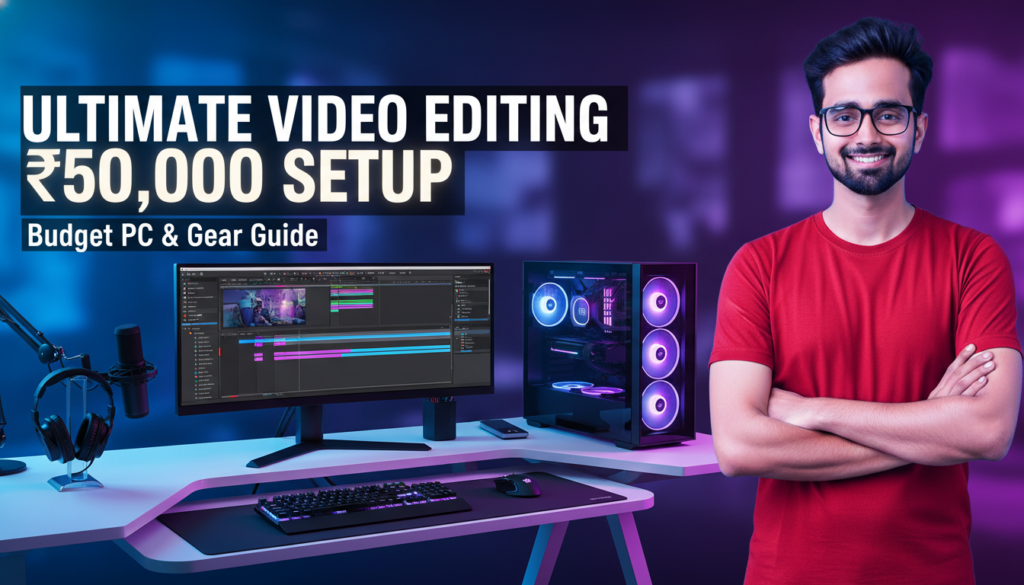
₹50,000 में Video Editing Setup कैसे बनाएं 2026 | Complete Budget Guide Hindi Budget Guide · 2026 · Hindi ₹50,000 मेंVideo Editing Setupकैसे बनाएं? PC से लेकर monitor, microphone, और software तक — हर चीज़ की complete list। Beginners और YouTubers दोनों के लिए perfect। 📅 2026 Updated ⏱ 10 मिनट पढ़ें 🇮🇳 India Prices 🎯 Beginners के लिए शुरुआत क्या ₹50,000 में सच में editing setup बन सकता है? यह सवाल हर beginner YouTuber और video editor के मन में आता है। जब आप बड़े creators के setup देखते हैं — ₹2-3 लाख के PC, ₹50,000 के monitors — तो लगता है कि editing शुरू करना बहुत महंगा है। लेकिन सच यह है: ₹50,000 में एक solid, professional-quality editing setup बिल्कुल possible है। India में parts की कीमतें globally compare करें तो काफी competitive हैं। सही planning से आप 1080p editing smoothly कर सकते हैं, और basic 4K भी handle हो जाती है। इस guide में हमने हर component को carefully research किया है — India के current prices के हिसाब से। हर option में आपको budget और recommended choice दोनों मिलेंगे। “Setup कितना महंगा है — यह matter नहीं करता। Matter यह करता है कि आप उस setup से क्या बना रहे हो।” Budget Breakdown ₹50,000 कहाँ-कहाँ खर्च होंगे? पहले एक overview — फिर हर component को detail में समझेंगे। ⚙️ CPU + Motherboard ₹12,000 Ryzen 5 5600 combo 🧠 RAM ₹5,000 16GB DDR4 3200MHz 🖥️ GPU ₹12,000 GTX 1660 / RX 6600 💾 Storage ₹3,500 512GB NVMe SSD 📺 Monitor ₹8,000 24″ Full HD IPS 🎤 Mic + Audio ₹3,000 USB Condenser Mic 🖱️ Cabinet + PSU + Others ₹4,500 Cabinet, PSU, KB+Mouse 💻 Software FREE DaVinci Resolve Component Item Price (₹) CPU + Motherboard Ryzen 5 5600 + B450M ₹12,000 RAM 16GB DDR4 3200MHz (2×8GB) ₹5,000 GPU GTX 1660 Super 6GB ₹12,000 Storage 512GB NVMe SSD + 1TB HDD ₹3,500 Monitor 24″ FHD IPS Panel ₹8,000 Mic USB Condenser Mic ₹2,000 Cabinet + PSU Mid Tower + 600W PSU ₹3,500 KB + Mouse + Others Basic Combo Set ₹1,000 🏆 Total Budget ~₹47,000 ✅ ₹3,000 का buffer बचाकर रखें — assembly, thermal paste, या future upgrade के लिए। Software (DaVinci Resolve) पूरी तरह FREE है। Component 01 ⚙️ CPU — प्रोसेसर Editing का दिल — सही CPU से rendering fast होती है Video editing में CPU सबसे important component है। यह timeline playback, export speed, और effects rendering — सब handle करता है। Budget में Ryzen 5 series best value देती है। Intel vs AMD की बात करें — AMD Ryzen इस budget में ज्यादा cores देता है। ज्यादा cores = faster export। Ryzen 5 5500 ~₹9,000 6 Cores / 12 Threads 3.6GHz Base | 4.2GHz Boost B450 Motherboard के साथ Budget pick — good value Best Value Ryzen 5 5600 ~₹12,000 6 Cores / 12 Threads 3.7GHz Base | 4.6GHz Boost B450/B550 Motherboard Highly recommended choice 💡 Pro Tip: CPU+Motherboard combo खरीदें — अलग-अलग खरीदने से ₹500-1,000 ज्यादा लगते हैं। Local shops पर combo deals मिलती हैं। Component 02 🧠 RAM — मेमोरी जितनी ज्यादा RAM — उतना smooth editing experience Video editing में RAM बहुत crucial है। DaVinci Resolve और After Effects दोनों RAM-hungry हैं। 16GB minimum है, 32GB ideal। लेकिन budget में 16GB से शुरू करें और बाद में upgrade करें। DDR4 3200MHz speed ले — यह Ryzen CPUs के साथ best performance देती है। Single stick की बजाय 2×8GB dual channel configuration लें। Recommended 16GB DDR4 (2×8GB) ~₹3,500–5,000 Kingston Fury / Corsair Vengeance 3200MHz speed Dual Channel — more performance Upgrade to 32GB later 8GB DDR4 (1×8GB) ~₹2,000 बहुत tight budget के लिए Laggy experience आएगा जल्द upgrade जरूरी Not recommended for editing ⚠️ 8GB RAM avoid करें — After Effects तो बिल्कुल चलेगा नहीं। DaVinci Resolve भी बहुत slow होगा। 16GB minimum है। Component 03 🖥️ GPU — Graphics Card DaVinci Resolve के लिए सबसे जरूरी component अगर आप DaVinci Resolve use करते हैं — GPU सबसे important component है। Color grading, effects, और GPU-accelerated rendering सब GPU पर depend करता है। Minimum 4GB VRAM चाहिए, 6GB+ better। NVIDIA cards CUDA support की वजह से After Effects में better perform करते हैं। AMD cards DaVinci Resolve में भी अच्छा करते हैं। Best Pick GTX 1660 Super ~₹10,000–12,000 6GB GDDR6 VRAM CUDA support — AE & DaVinci 1080p editing — very smooth Used market में ₹7,000–9,000 AMD RX 6600 ~₹11,000–13,000 8GB GDDR6 VRAM DaVinci Resolve में excellent After Effects में limited ज्यादा VRAM — future proof 🔥 Budget Tip: Used/second-hand GPU market check करें। GTX 1660 Super used में ₹7,000–8,000 में मिलती है — same performance, less price। ✓ NVIDIA क्यों? CUDA — After Effects support DaVinci Resolve में fast Stable drivers Better software support ✗ क्या miss होगा? AMD से कम VRAM same price Ray tracing basic है Older architecture (GTX) Gaming में थोड़ा behind Component 04 💾 Storage — स्टोरेज Fast SSD से editing lag-free होती है Video files बहुत large होती हैं। HDD पर editing करने से software lag करता है, timeline jerky होती है। OS और software के लिए SSD जरूरी है। Media files HDD पर रख सकते हैं। Ideal setup: 512GB NVMe SSD (OS + software + active projects) + 1TB HDD (old footage archive)। Recommended 512GB NVMe SSD ~₹2,500 Kingston NV2 / WD Blue SN570 2,400 MB/s read speed OS + Software + Projects M.2 slot में install होती है 1TB HDD (Additional) ~₹2,000–2,500 Seagate Barracuda 7200RPM Old footage archive Rendered files storage Long-term storage के लिए Component 05 📺 Monitor — स्क्रीन Color accurate monitor से editing professional बनती है Video editing के लिए monitor में IPS panel जरूरी है — accurate colors और wide viewing angles। TN panels में color shift होता है जो editing में problem करता है। सबसे important: sRGB color coverage 90%+ होना चाहिए। Resolution 1920×1080 (Full HD) minimum — 2K बेहतर रहती है अगर budget allow करे। Best Value LG 24MP60G / AOC 24B2XH ₹7,000–9,000 24″ Full HD (1920×1080) IPS Panel — accurate colors 75Hz refresh rate sRGB 99%
Kling 3 vs Runway Gen-4.5 (2026): कौन सा AI Video Tool वाकई Viral Shorts और Cinematic B-Roll के लिए Best है?
Kling 3 vs Runway Gen-4.5 2026: कौन सा AI Video Tool Best है? | IFM Learn 🔥 IFM Learn Blog · AI Tools · March 2026 IFM Learn ← सभी Articles 🤖 AI Video Tools · Comparison Kling 3 vs Runway Gen-4.5 (2026): कौन सा AI Video Tool वाकई Viral Shorts और Cinematic B-Roll के लिए Best है? IFM IFM Learn Team 25 मार्च 2026 · AI Tools ⏱ 8 min read ⚡ Kling 3.0 4K · Native Audio · 15sec · Physics VS 🎬 Runway Gen-4.5 Fast · Character Consistent · VFX March 2026 · Real Test Comparison · IFM Learn 2026 में AI video creation अब सिर्फ experiment नहीं रहा — यह रोज़ का काम बन चुका है। हर YouTube creator, freelancer, और brand अब AI से video बना रहा है। और इस वक्त दो tools सबसे ज़्यादा चर्चा में हैं: Kling 3.0 और Runway Gen-4.5। दोनों बेहद powerful हैं — लेकिन दोनों अलग-अलग काम के लिए बने हैं। इस article में हमने दोनों को real workflow में test किया और बताया कि आपके लिए — Shorts creator, B-roll filmmaker, या brand marketer — कौन सा सही है। “गलत tool choose करना मतलब घंटों बर्बाद करना। सही tool मतलब एक दिन में पूरी week का content।” 🔍 पहले जानो: दोनों Tools क्या हैं? ⚡ Kling 3.0 Kling को Kuaishou Technology ने बनाया है — वही company जिसने TikTok के competitor Kwai बनाया। Kling 3.0 आज image-to-video, lip-sync, spatial audio, और 4K/60fps generation में industry का सबसे strong tool है। एक generation में 6 camera cuts — यानी पूरी edited sequence AI खुद बनाता है। 🎬 Runway Gen-4.5 Runway 2018 से AI video का pioneer है। Super Bowl commercials, Hollywood indie films — सब जगह Runway का use होता है। Gen-4.5 में character consistency reference system, ultra-fast turbo mode, और VFX-style aesthetic है जो professional filmmakers को पसंद है। 💡 Key Insight Kling photorealism के लिए बना है — real-world physics, actual sound। Runway cinematic storytelling के लिए बना है — character consistency, creative style, speed। ⚔️ Feature-by-Feature Comparison Feature ⚡ Kling 3.0 🎬 Runway Gen-4.5 Max Resolution 4K Native / 60fps Best 1080p / 30fps Clip Length 15 seconds Longer Max 10 seconds Built-in Audio ✅ Lip-sync + Spatial Audio Best ✅ Text-to-Speech Generation Speed 3–6 minutes 30–90 seconds ⚡ Fastest Character Consistency ❌ हर generation अलग ✅ Gen-4 References Best Physics / Realism पानी, कपड़ा, बाल — photorealistic Best Smooth, AI-look Image-to-Video Industry best Best अच्छा, consistent Video-to-Video ❌ नहीं ✅ Act Two Feature Winner Multi-shot Storyboard ✅ एक prompt में 6 cuts Unique ❌ एक-एक clip Free Plan 66 credits/day (रोज़) Better One-time trial only Starting Price $6.99/month Cheaper $12/month 🔄 Viral Shorts बनाने का Step-by-Step Workflow अकेले एक tool use करना ठीक है — लेकिन दोनों को combine करना सबसे powerful strategy है। यह वो workflow है जो top AI creators March 2026 में follow कर रहे हैं: 🔄 Script → Kling → Runway → CapCut → Publish 5-Step Pro Workflow for Viral AI Shorts 2026 1 ✍️ Script लिखो — ChatGPT / Claude से 30-60 second script तैयार करो। पहले 3 seconds में hook डालो। हर scene के लिए visual prompt भी note करो — जैसे “धूप में एक महिला पहाड़ पर चल रही है, slow motion, cinematic।” 2 ⚡ Kling से B-roll और Action Shots बनाओ Product visuals, nature scenes, physics-heavy shots, lip-sync content — Kling के multi-shot storyboard से एक ही prompt में पूरी sequence मिलती है। Spatial audio automatically sync होता है। 3 🎬 Runway से Character Shots और Hero Moments लो Brand videos, consistent protagonist shots, VFX-style moments — Gen-4 References feature से एक character को हर scene में same रखो। Turbo mode से quickly iterate करो। 4 🎵 CapCut में Final Edit करो सारे clips import करो। Trending audio लगाओ, captions add करो, color grade करो, transitions smooth करो। 9:16 format में export करो Reels/Shorts के लिए। 5 🚀 Post करो और Analytics देखो YouTube Shorts, Instagram Reels, TikTok पर upload। देखो कौन सा AI clip ज़्यादा engage हुआ — अगले video में वो style ज़्यादा use करो। 💰 Pricing 2026 — कितना खर्च आएगा? Plan ⚡ Kling 3.0 🎬 Runway Gen-4.5 Free 66 Credits/Day (रोज़) Trial Credits (एक बार) Standard $6.99/month (~₹580) $12/month (~₹1,000) Pro $21.99/month (~₹1,830) $28/month (~₹2,330) Max / Unlimited $64.99/month $76/month 💡 Budget Tip अगर आप beginner हो — Kling का free plan use करो। रोज़ 66 credits मिलते हैं जो replenish होते हैं। इससे बिना पैसे खर्च किए रोज़ 1-2 videos बना सकते हो। Runway का free trial एक बार ही मिलता है। ✅❌ Pros और Cons ⚡ Kling 3.0 ✓ 4K/60fps native generation ✓ Built-in lip-sync + spatial audio ✓ 15 sec + multi-shot storyboard ✓ Photorealistic physics ✓ Image-to-video में best ✓ Free plan genuinely useful ✗ Generation slow: 3–6 minutes ✗ Character consistency नहीं ✗ Video-to-video नहीं है 🎬 Runway Gen-4.5 ✓ Ultra fast: 30–90 seconds ✓ Character consistency (Gen-4 Ref) ✓ Video-to-video (Act Two) ✓ Professional VFX aesthetic ✓ 30+ AI tools ecosystem ✓ Fast iteration / try & reject ✗ सिर्फ 1080p, 4K नहीं ✗ Max 10 seconds per clip ✗ Free plan बस एक बार 🎯 आपके लिए कौन सा सही है? Kling 3.0 choose करो अगर: आप daily YouTube Shorts या Reels बनाते हो, lip-sync / talking content चाहिए, 4K B-roll चाहिए, budget tight है, या image-to-video animate करना है। Runway Gen-4.5 choose करो अगर: Brand या client work है जहाँ एक character multiple scenes में चाहिए, VFX-style cinematic look चाहिए, fast iteration ज़रूरी है, या video-to-video transformation करनी है। सबसे powerful strategy: दोनों use करो — Kling से realistic shots, Runway से character-consistent scenes, CapCut में सब merge। 🏆 IFM Learn का Final Verdict कोई एक “best” नहीं है। Kling 3.0 wins in realism, audio, और resolution। Runway Gen-4.5 wins in speed, consistency, और creative style। दोनों को एक workflow में combine करना — यही 2026 का असली winning formula है। 🎓 After Effects और AI Tools Hindi में सीखो IFM Learn Academy पर complete
DaVinci Resolve vs After EffectsSystem Requirements 2026
DaVinci Resolve vs After Effects System Requirements 2026 | हिंदी गाइड 📹 2026 COMPLETE GUIDE · हिंदी में DaVinci Resolve vs After Effects System Requirements 2026 कौन सा software आपके PC पर चलेगा? RAM, GPU, CPU की पूरी comparison — सरल हिंदी में। 📅 2026 Updated ⏱ 8 मिनट पढ़ें 🎯 Beginners & Pro दोनों के लिए परिचय क्यों जरूरी है यह जानना? अगर आप video editing या motion graphics सीखना चाहते हैं, तो पहला सवाल यही आता है — DaVinci Resolve चलाऊं या After Effects? लेकिन इससे भी पहले एक जरूरी सवाल है: क्या आपका PC इन्हें handle कर पाएगा? 2026 में दोनों software बहुत powerful हो गए हैं। इनकी system requirements भी बढ़ गई हैं। अगर आपने बिना जाने software install किया और PC hang करने लगा — तो सारी मेहनत बेकार। इस article में हम step-by-step compare करेंगे — minimum requirements, recommended specs, GPU की जरूरत, और low-end PC पर performance। सब कुछ आसान हिंदी में। 💡 “सही software चुनना उतना जरूरी नहीं जितना यह जानना कि आपका PC उसे support करता है या नहीं।” Software परिचय दोनों Software के बारे में जानें 🎬 DaVinci Resolve BY BLACKMAGIC DESIGN यह एक professional video editing और color grading software है। इसमें editing, color correction, visual effects, और audio mixing — सब एक जगह मिलता है। सबसे अच्छी बात: इसका free version बेहद powerful है। ✨ After Effects BY ADOBE SYSTEMS यह motion graphics और visual effects का king माना जाता है। YouTube intros, title animations, और cinematic effects के लिए यह सबसे popular choice है। लेकिन यह subscription-based है — Adobe Creative Cloud का हिस्सा। DaVinci Resolve उन लोगों के लिए best है जो video editing और color grading को seriously लेते हैं। Hollywood films भी इससे बनती हैं। After Effects उन creators के लिए है जो animations, motion graphics, और special effects पर focus करते हैं। YouTubers और advertisers इसे सबसे ज्यादा use करते हैं। Minimum Requirements Minimum System Requirements — 2026 ⚠️ ध्यान दें: Minimum requirements पर software चल तो जाएगा, लेकिन performance average रहेगी। Professional काम के लिए Recommended specs जरूर देखें। Component 🎬 DaVinci Resolve 19 ✨ After Effects 2025 Operating System Windows 10 / macOS 12 / Ubuntu 20.04 Windows 10 (64-bit) / macOS 13 RAM 16 GB 16 GB GPU VRAM 2 GB VRAM 4 GB VRAM CPU Intel Core i7 / AMD Ryzen 7 Intel Core i5 (8th Gen+) / Ryzen 5 Storage 2.5 GB (Software) + Project Space 15 GB (Software) + Project Space Internet Not Required (Free Version) Required (Activation) Display Resolution 1920 × 1080 1920 × 1080 Recommended Requirements Recommended System Requirements — Best Performance ✅ ये specifications आपको smooth, lag-free editing experience देंगी। अगर आप 4K editing करते हैं या complex projects handle करते हैं, तो ये specs जरूरी हैं। 🎬 DaVinci Resolve — Recommended 🧠 RAM 32 GB 4K के लिए 64GB बेहतर 🖥️ GPU VRAM 8–16 GB NVIDIA RTX 3070+ ⚙️ CPU 12-Core+ Ryzen 9 / Core i9 💾 Storage NVMe SSD 1TB+ recommended ✨ After Effects — Recommended 🧠 RAM 32 GB RAM Preview के लिए ज़रूरी 🖥️ GPU VRAM 8 GB RTX 3060 minimum ⚙️ CPU 8-Core+ Core i7 / Ryzen 7 💾 Storage SSD Media Cache के लिए अलग drive Full Comparison Complete Feature Comparison Table नीचे दी गई table में हमने दोनों software की हर important चीज़ compare की है। Feature / Spec 🎬 DaVinci Resolve 19 ✨ After Effects 2025 💰 Price Free (Studio ₹25,000) ₹1,600/माह (Adobe CC) 🧠 Minimum RAM 16 GB 16 GB 🧠 Recommended RAM 32–64 GB 32 GB 🖥️ GPU जरूरत बहुत ज़रूरी (GPU-heavy) ज़रूरी (CUDA/Metal) 🖥️ Minimum GPU VRAM 2 GB (Basic) / 8 GB (4K) 4 GB VRAM ⚙️ CPU Cores (Recommended) 12+ Cores 8 Cores (AE efficient) 💾 Software Size ~2.5 GB ~15 GB 🪟 Windows Support Windows 10/11 Windows 10/11 🍎 macOS Support macOS 12+ macOS 13+ 🐧 Linux Support हाँ (Ubuntu) नहीं 🎨 Primary Use Video Editing + Color Grading Motion Graphics + VFX 🔗 Internet Required नहीं (Free version) हाँ (Activation) 📈 Low-End PC Performance बेहतर (GPU efficient) Average (RAM heavy) 🤝 Integration Blackmagic Ecosystem Adobe Suite (Premiere, PS) Key Differences GPU, CPU, RAM — मुख्य अंतर क्या हैं? System requirements में numbers एक जैसे लग सकते हैं — लेकिन दोनों software उन्हें बिल्कुल अलग तरीके से use करते हैं। यह समझना बहुत जरूरी है। 🖥️ GPU — ग्राफिक्स कार्ड DaVinci Resolve GPU पर बहुत depend करता है। Color grading और effects के लिए NVIDIA/AMD का powerful card चाहिए। CUDA और OpenCL दोनों support करता है। After Effects भी GPU use करता है, लेकिन mainly CUDA (NVIDIA) पर। कुछ effects CPU-based हैं। GPU less critical है AE में। ⚙️ CPU — प्रोसेसर DaVinci Resolve में CPU और GPU दोनों मिलकर काम करते हैं। ज्यादा cores = ज्यादा smooth export। After Effects में कुछ effects purely CPU-based हैं। Single-core performance ज्यादा मायने रखती है। Intel का clock speed यहाँ काम आता है। 🧠 RAM — मेमोरी After Effects RAM को बहुत ज्यादा use करता है — खासकर RAM Preview के लिए। कम RAM में यह बार-बार preview purge करेगा। DaVinci Resolve भी 32GB चाहता है, लेकिन यह अपने GPU cache को ज्यादा use करता है। RAM usage comparatively smarter है। 💿 Storage — स्टोरेज DaVinci Resolve सिर्फ ~2.5GB लेता है install होने में। Project files अलग रखें। After Effects ~15GB लेता है। Plus Adobe cache काफी space खाता है। एक dedicated SSD media cache के लिए बेहतर रहता है। Low-End PC Low-End PC पर कौन बेहतर चलेगा? अगर आपके पास 8-16GB RAM है, integrated GPU है, या पुराना laptop/PC है — तो यह section आपके लिए है। 🎬 DaVinci Resolve Low-End Score 6.5/10 8GB RAM पर basic editing हो सकती है Integrated GPU पर limited features Free version में lite mode available Proxy workflow से performance boost होता है 4K editing के लिए dedicated GPU जरूरी ✨ After Effects Low-End Score 4.5/10 16GB RAM minimum for smooth work RAM preview बार-बार purge होती है Complex animations में heavy lag Reduce
AI voice assistants 2026 comparison — ChatGPT, Gemini Live, and Claude Voice
AI Voice Assistants in 2026: ChatGPT, Gemini & Claude Compared | The Future of Talking to AI Technology · Artificial Intelligence · Voice AI AI Voice Assistants in 2026:We’re Finally Talking to Our Computers ChatGPT Voice, Gemini Live, and Claude have shattered the old command-and-click era. Here’s the definitive guide to the LLM voice revolution — what’s different, what’s coming, and who’s winning. Published March 2026 · 12 min read · Updated with latest Q1 2026 data “More and more people are talking to A.I. — not just commanding it, but using it as a true conversational partner. The age of typing is giving way to something far more natural.” — Lucas Hansen, Founder of CivAI, January 2026 Cast your mind back just two years. The best you could do was ask Siri the weather or tell Alexa to play a song. Voice assistants were fancy alarm clocks — rigid, robotic, and frustrating the moment you stepped even slightly off their predefined script. That era is now officially over. In 2026, powered by large language models (LLMs), voice AI has become genuinely conversational. We’re talking about systems that understand sarcasm, hold context across long exchanges, interrupt gracefully, and switch languages mid-sentence. The New York Times captured it succinctly in January 2026: “We’ll finally be talking to our computers.” This article breaks down exactly what has changed, compares the three dominant AI voice platforms — ChatGPT Voice Mode, Google Gemini Live, and Claude Voice — and explains why this shift matters for everyone from developers to daily users. $34B Voice AI Market by 2030 3× Growth 2025–2030 $6.6B VC Investment in 2025 45+ Languages (Gemini Live) Section 01 Why 2026 Is Different: The LLM Voice Revolution Explained The old generation of voice assistants — Siri, Google Assistant, Alexa — were built on intent-recognition engines. They parsed keywords, matched them to commands, and executed. Ask them something outside their training scripts and they collapsed. Modern AI voice assistants are built on a fundamentally different architecture: large language models that reason, infer, and generate. They don’t just recognize what you said — they understand what you meant. This distinction is everything. Key Insight LLM-powered voice AI can handle topic pivots, follow-up questions, emotional nuance, multi-step reasoning, and real-time language translation — all within a single continuous conversation. Traditional voice assistants could do none of these reliably. The technical ingredients that made this leap possible include: dramatically lower speech-to-text latency (now under 200ms for leading models), more expressive text-to-speech synthesis, and deeply integrated context windows that let the model remember everything said in the session. When you add the reasoning power of GPT-4o, Gemini 2.0, or Claude 3.5 as the “brain” behind the voice, you get something that genuinely feels like a conversation with an intelligent person. This is why even major enterprises are rethinking their customer service stacks. Companies like PolyAI, Retell AI, and Hume AI are deploying LLM voice agents that are replacing traditional call center interactions — not because they’re cheaper, but because they’re better. · · · Section 02 The Big Three: ChatGPT, Gemini Live, and Claude in 2026 Three platforms dominate the LLM voice space heading into mid-2026. Each has a distinct personality, a different strength, and a different vision for where voice AI is going. Here’s a deep dive into each. OpenAI · ChatGPT ChatGPT Voice Mode The most human-sounding voice AI on the market. Advanced Voice Mode fully integrated (Nov 2025) GPT-4o powered — emotion & sarcasm aware Realistic cadence: pauses, emphasis, empathy New 2026 voice model: ultra-low latency Overlap speech handling (speak simultaneously) Live translation across multiple languages Available on mobile and web (Plus/Pro) Google · Gemini Gemini Live The daily-life powerhouse with eyes and ears. Android & iOS — 45+ languages, 150+ countries Camera/screen share for visual context Full Google ecosystem integration Mid-sentence interruption handling Replacing Google Assistant (by March 2026) On-device AI for personalized responses Adjustable speech speed Anthropic · Claude Claude Voice The developer’s voice assistant — hands-free coding pioneer. Two-way voice since May 2025 Claude Code voice mode: Mar 3, 2026 rollout Hands-free code refactoring via voice Activate with /voice or spacebar hold Strong in ethical reasoning & accuracy Available on mobile app (Pro+) Precise, dry — powerful for technical tasks ChatGPT Voice Mode — The Emotional Intelligence Leader OpenAI’s Advanced Voice Mode, fully integrated into the main ChatGPT interface since November 2025, is widely regarded as the gold standard for natural-sounding AI voice. Powered by GPT-4o, it doesn’t just speak — it performs. It pauses for effect. It stresses the right syllables. It registers surprise. When you share something difficult, it responds with warmth rather than clinical efficiency. The June 2025 update introduced subtler intonation and empathic cadence, and the Q1 2026 model release pushed latency to near-imperceptible levels while adding support for overlapping speech — meaning you can interrupt, correct yourself, or think out loud while the model listens and adjusts. “ChatGPT voice feels less like a tool and more like a thoughtful colleague who happens to know everything.” — Independent AI reviewer, February 2026 The platform is increasingly positioning voice as the primary interface — not a supplementary feature. Typing is becoming optional. This is especially evident in language learning, companionship applications, and customer support deployments, where the emotional quality of the voice carries as much weight as the accuracy of the answer. Best for: Companionship, language learning, customer support, creative brainstorming, emotional conversations. Gemini Live — The Multimodal Workhorse Google’s approach to voice AI is pragmatic and deeply integrated into daily life. Gemini Live — available on Android and iOS across more than 150 countries — isn’t trying to be your therapist. It’s trying to be your most capable assistant for everything you do throughout the day. What sets Gemini Live apart is its multimodal capability. You can point your camera at a recipe and ask for substitutions. You can share your screen and ask why the error is happening. You can be mid-conversation and say “actually,
Best Gaming PC Cases Under ₹5000 in India (2026) – Budget RGB Cabinet Guide

1. Introduction When planning a gaming PC build, most of us focus on the processor (CPU) and graphics card (GPU) first. But did you know that your expensive components’ safety and performance directly depend on your cabinet or case? A good gaming cabinet isn’t just a box—it’s the ‘home’ for your system. It determines how cool your components will run (especially in India’s heat), how easy upgrades will be, and how stunning your setup will look on your desk. For those on a budget, finding the best pc cabinet under 5k can significantly enhance your overall PC experience. For budget builders, the ₹5000 price point is a sweet spot. Below this price, you often get cabinets with weak build quality and poor airflow. Above this range, features might increase, but it can be overkill for a budget build. A ₹5000 budget gives you a balance where you can get good airflow, attractive RGB lighting, and solid build quality all together. Let’s explore how to choose your next gaming case in this budget and which options are currently best in the market—all available on Amazon India, including the best pc cabinet under 5k. 2. Important Buying Guide (Before the List) Before you hit that buy button, understanding some basics will ensure your money is well spent: 1. Importance of Airflow This is the most crucial factor. A case’s job is to push hot air out and bring cool air in. In Indian summers, a cabinet with poor airflow can cause your CPU and GPU to suffer from thermal throttling, leading to performance drops and lag during gaming. Always choose a case with a mesh front panel or perforated design, not a completely sealed acrylic or glass one . 2. Cabinet Size (ATX vs mATX) You need to decide what size your motherboard is: 3. The RGB vs Airflow Debate Beautiful-looking cases often come with glass or plastic front panels that severely block airflow. RGB lighting looks great, but if you compromise on airflow for it, your expensive components will heat up quickly. The ideal situation is to get a mesh front panel case that comes with pre-installed RGB fans . 4. Build Quality The thickness of the case steel (usually 0.5mm to 0.7mm) determines its durability. Good quality cases reduce vibration and last longer. Look for terms like “SECC steel” in specifications. 5. Cable Management There should be enough space behind the motherboard tray to route cables. This improves airflow inside the case and keeps the build looking clean and professional. 3. Top Gaming PC Cases Under ₹5000 (India 2026) Here are 7 excellent cases currently available on Amazon India that offer the best value in this budget: 1. Ant Esports ICE-300TG A perfect all-rounder case. Its standout feature is the massive GPU clearance. If you have a large graphics card, this case will easily accommodate it. 2. GALAX Revolution-06 (White) If you’re a fan of the white color and want a minimalist look, this case is for you. The hinged magnetic glass door makes it unique in this segment. 3. Chiptronex HX1000 This case is for those who want full RGB control via motherboard sync. It comes with a 3-pin ARGB header, which is rare in this price segment. 4. COUGAR Air Face Pure Pro If your budget stretches to around ₹5000, this is currently one of the best value-for-money options on the market. The highlight is the USB Type-C port, which is usually found on much more expensive cases . 5. MSI MAG Forge 130A Airflow This MSI case offers excellent build quality and the trusted MAG series pedigree. The front is fully mesh, allowing unrestricted airflow into the case. 6. Ant Esports Crystal X6 Want a combination of both RGB and airflow? The Crystal X6 offers this with its dual front panel option (mesh and glass) that you can swap based on your needs. 7. Frontech Arcadia FT-4343 Want maximum RGB at the lowest price? This case is for you. With 4 pre-installed fans, you don’t need to buy additional fans separately. 4. Best Picks by Category 5. ATX vs Micro-ATX Case – Which Should You Choose? This is a common confusion among first-time builders: Choose an ATX Mid-Tower if: Choose a Micro-ATX Case if: Verdict: For most first-time builders, an ATX mid-tower case is recommended as it offers the best balance of space, airflow, and future upgrade options . 6. Airflow Tips for Budget Cabinets Even with a good cabinet, proper fan placement matters: 7. Mistakes to Avoid 8. Frequently Asked Questions (FAQs) 1. Is a ₹5000 cabinet good for gaming? Absolutely. In 2026, the ₹4000-5000 segment offers excellent features like mesh front panels, tempered glass, 3-4 pre-installed RGB fans, and good build quality. It’s the ideal budget range for a gaming PC . 2. How many fans are enough for a gaming PC? At minimum, you need 2 fans (one intake, one exhaust). However, with 3 intake and 1 exhaust (like most cases here), you get excellent airflow and positive pressure, which is ideal for gaming . 3. Tempered glass vs acrylic – which is better? Tempered glass is always better. It doesn’t scratch easily and looks premium. Acrylic gets scratched just by wiping dust off. All cases recommended here have tempered glass side panels. 4. Does a cheap cabinet affect performance? Indirectly, yes. If a cabinet has poor airflow, your CPU and GPU will get hotter. To protect themselves, they will reduce their speed (thermal throttle), which lowers your FPS in games. A good cabinet prevents this. 5. Will an ATX case fit a Micro-ATX motherboard? Yes, absolutely. ATX cases are backwards compatible. You can easily fit a smaller mATX or Mini-ITX motherboard inside an ATX case. It might look a bit empty, but it works perfectly . 6. What is the difference between RGB and ARGB? 7. Do I need to buy additional fans? No. All the cases listed in this guide come with pre-installed fans (between 3 to 6 fans). You can start gaming right away without buying extra fans. 8. How important is a USB Type-C port on the
Apple iPhone 18 Pro Max 2026: भविष्य का स्मार्टफोन आज की चर्चा
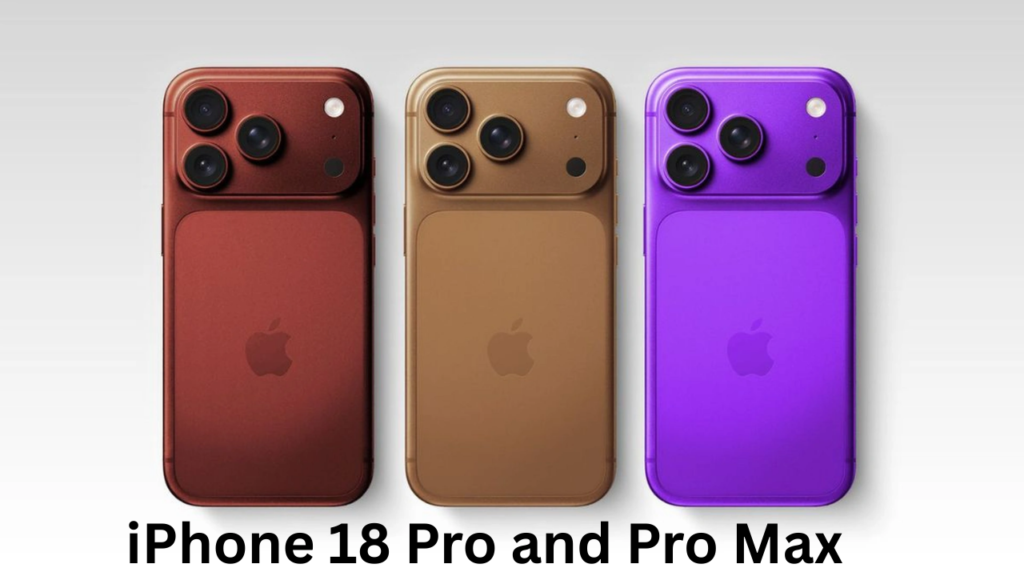
दुनिया भर के टेक एन्थूजियस्ट और एप्पल फैंस के लिए हर साल सितंबर का महीना एक त्यौहार की तरह होता है। एप्पल का नया आईफोन सिर्फ एक गैजेट नहीं, बल्कि टेक्नोलॉजी के भविष्य की एक झलक पेश करता है। आईफोन 17 सीरीज का इंतज़ार अभी शुरू हुआ भी नहीं है कि इंडस्ट्री की नज़रें 2026 में आने वाले Apple iPhone 18 Pro Max पर टिक गई हैं। यह मॉडल इसलिए भी खास हो सकता है क्योंकि यह एप्पल की नई जेनरेशन डिजाइन लैंग्वेज और AI-फर्स्ट फिलॉसफी का एक पावरहाउस कॉम्बिनेशन साबित होगा। भारतीय यूजर्स, कंटेंट क्रिएटर्स और पावर यूजर्स के लिए, 2026 का यह फ्लैगशिप न सिर्फ एक स्टेटमेंट पीस, बल्कि लॉन्ग-टर्म इन्वेस्टमेंट भी हो सकता है। आइए, लीक्स, रिपोर्ट्स और एप्पल के पैटर्न के आधार पर, इस भविष्य के स्मार्टफोन की संभावित दुनिया में गहराई से उतरते हैं। एक्सपेक्टेड डिजाइन और बिल्ड क्वालिटी: प्रीमियम का नया पैमाना Why Choose the iPhone 18 Pro Max? आईफोन 18 प्रो मैक्स की डिजाइन फिलॉसफी “कम है ज्यादा” की तर्ज पर आगे बढ़ सकती है। रिपोर्ट्स सुझाती हैं कि एप्पल अल्ट्रा–प्रीमियम टाइटेनियम फ्रेम या उससे भी एडवांस्ड मैटेरियल पर काम कर रहा है, जो वजन कम करते हुए भी पहले से ज्यादा मजबूती प्रदान करेगा। बेज़ल्स और भी पतले होने की संभावना है, जिससे डिस्प्ले का इमर्सिव अनुभग और भी शानदार हो जाएगा। सबसे बड़ा बदलाव हमें डिवाइस के निचले हिस्से में दिख सकता है। इंडस्ट्री ट्रेंड और पेटेंट्स को देखते हुए, आईफोन 18 प्रो मैक्स पोर्ट–लेस डिजाइन की ओर पहला बड़ा कदम हो सकता है। इसका मतलब होगा कि ट्रेडिशनल लाइटनिंग या यूएसबी-सी पोर्ट की जगह मैगसेफ और एडवांस्ड वायरलेस सॉल्यूशंस को प्राथमिकता दी जा सकती है। ड्यूरेबिलिटी के मोर्चे पर सिरेमिक शील्ड या इसी तरह के नए कोटिंग्स से वॉटर और डस्ट रेजिस्टेंस में भी सुधार की उम्मीद है। डिस्प्ले टेक्नोलॉजी: विज़ुअल एक्सीलेंस का नया शिखर डिस्प्ले के मामले में एप्पल हमेशा से आगे रहा है और आईफोन 18 प्रो मैक्स इस परंपरा को नई ऊंचाई पर ले जाएगा। स्क्रीन साइज़ 6.9 इंच तक बढ़ सकती है, जो कंटेंट क्रिएटर्स और मल्टीटास्किंग करने वालों के लिए एक ड्रीम कैनवास होगा। प्रोमोशन टेक्नोलॉजी अब 1Hz से लेकर 120Hz तक की अधिक स्मूद और एनर्जी एफिशिएंट रेंज प्रदान कर सकती है। पीक ब्राइटनेस का आंकड़ा 3500 निट्स के पार जा सकता है, जिससे धूप में भी कंटेंट देखना आसान हो जाएगा। HDR स्टैंडर्ड्स में भी नई छलांग देखने को मिल सकती है। ऑलवेज़–ऑन डिस्प्ले को और भी इंटरएक्टिव और इनफॉर्मेटिव बनाया जा सकता है, जहां विजेट्स और नोटिफिकेशन्स को बिना फोन अनलॉक किए ही बेहतर तरीके से मैनेज किया जा सकेगा। परफॉर्मेंस और प्रोसेसर: A20 चिप का जादू यह वह सेक्शन है जहां आईफोन 18 प्रो मैक्स वाकई में इंडस्ट्री को पीछे छोड़ सकता है। यह फोन दुनिया के पहले 2nm प्रोसेसर, A20 बायोनिक चिप से लैस होने की संभावना है। यह नैनोमीटर शिफ्ट परफॉर्मेंस में भारी छलांग और पावर एफिशिएंसी में 20-30% तक का सुधार ला सकता है। इस चिप का मुख्य फोकस ऑन–डिवाइस एआई और मशीन लर्निंग पर होगा। यह न सिर्फ फोटोग्राफी और वीडियो एडिटिंग को ट्रांसफॉर्म करेगा, बल्कि iOS के हर पहलू को और भी इंटेलिजेंट और प्रेडिक्टिव बना देगा। गेमिंग और हैवी मल्टीटास्किंग के लिए यह एकदम नया बेंचमार्क सेट करेगा। इस शक्तिशाली परफॉर्मेंस के साथ, एप्पल को एडवांस्ड हीट मैनेजमेंट सिस्टम पर भी विशेष ध्यान देना होगा, ताकि लंबे समय तक हेवी यूज के दौरान भी परफॉर्मेंस कंसिस्टेंट बनी रहे। कैमरा अपग्रेड्स: क्रांति फिर से आईफोन का कैमरा हमेशा से उसकी सबसे बड़ी ताकत रहा है। आईफोन 18 प्रो मैक्स में मुख्य कैमरा सेंसर का साइज़ और बढ़ सकता है, जिससे लाइट कैप्चर करने की क्षमता में अभूतपूर्व सुधार होगा। लो-लाइट फोटोग्राफी एक नए लेवल पर पहुंच सकती है। टेलीफोटो लेंस के साथ सबसे बड़ी उम्मीद 10x ऑप्टिकल जूम की है, जो एप्पल की हाइब्रिड पेरिस्कोप टेक्नोलॉजी पर आधारित हो सकता है। इससे बिना क्वालिटी खोए दूर की ऑब्जेक्ट्स को कैप्चर करना संभव होगा। वीडियो रिकॉर्डिंग के मामले में 8K रिज़ॉल्यूशन में 60fps की क्षमता और सिनेमेटिक मोड में और अपग्रेड्स की संभावना है। सारे कैमरा अपग्रेड एआई–बेस्ड कम्प्यूटेशनल फोटोग्राफी के इर्द-गिर्द केंद्रित होंगे, जो हर शॉट को ऑटोमैटिकली एनहांस करेगा। बैटरी लाइफ और चार्जिंग: एनर्जी का नया विज्ञान नई 2nm चिप की सबसे बड़ी खूबी उसकी एनर्जी एफिशिएंसी होगी। इसके चलते, बैटरी साइज़ में खास बढ़ोतरी किए बिना भी आईफोन 18 प्रो मैक्स की बैटरी लाइफ में काफी सुधार देखने को मिल सकता है। iOS की एआई पावर मैनेजमेंट बैकग्राउंड एक्टिविटीज को और स्मार्ट तरीके से कंट्रोल करेगी। चार्जिंग स्पीड के मामले में, भले ही एप्पल तेजी से आगे बढ़ने में विश्वास न रखता हो, लेकिन प्रतिस्पर्धा को देखते हुए 40W तक की वायर्ड चार्जिंग स्पीड (पोर्ट-लेस डिजाइन में नए वायरलेस स्टैंडर्ड्स के साथ) और मैगसेफ चार्जिंग में 25W तक की स्पीड की उम्मीद की जा सकती है। वायरलेस चार्जिंग की एफिशिएंसी भी बेहतर होगी। iOS अनुभव और सॉफ्टवेयर सपोर्ट: एआई का दिल आईफोन 18 प्रो मैक्स शायद iOS 20 के साथ लॉन्च होगा, जो एआई इंटीग्रेशन के मामले में एक बड़ा अपडेट होगा। एक पूरी तरह से रीडिज़ाइन्ड सिरी, रियल-टाइल लैंग्वेज ट्रांसलेशन, स्मार्ट समरीज़, और कंटेक्स्ट-अवेयर फीचर्स देखने को मिल सकते हैं। ये सभी फीचर्स डिवाइस पर ही प्रोसेस होंगे, जिससे प्राइवेसी और स्पीड दोनों बरकरार रहेंगी। एप्पल का लॉन्ग-टर्म सपोर्ट लीजेंडरी है, और इस फोन को भी 6-7 साल तक के मेजर iOS अपडेट्स मिलने की उम्मीद है, जो इसे एक बेहतरीन लॉन्ग-टर्म इन्वेस्टमेंट बनाता है। भारत में अपेक्षित कीमत (Expected Price in India) एडवांस्ड टेक्नोलॉजी और इन्फ्लेशन को देखते हुए, आईफोन 18 प्रो मैक्स की कीमत पिछले मॉडल्स से अधिक हो सकती है। ग्लोबल प्राइस शुरुआत में $1299 (लगभग ₹1,15,000) के आसपास हो सकती है। हालांकि, भारत में इम्पोर्ट ड्यूटी और जीएसटी को जोड़ने पर इसकी शुरुआती कीमत ₹1,59,900 से शुरू हो सकती है। एक्सपेक्टेड लॉन्च डेट एप्पल अपने लॉन्च साइकल के प्रति बहुत कंसिस्टेंट रहा है। इस हिसाब से, Apple iPhone 18 Pro Max का लॉन्च सितंबर 2026 के महीने में होने की पूरी संभावना है। लॉन्च इवेंट के बाद प्री-ऑर्डर तुरंत शुरू हो सकते हैं और पहले चरण की डिलीवरी अक्टूबर 2026 के शुरू में हो सकती है। भारत में यह फोन आमतौर पर ग्लोबल लॉन्च के साथ-साथ ही या कुछ हफ्तों के अंदर उपलब्ध हो जाता है, इसलिए 2026 की दिवाली तक यह फोन भारतीय ग्राहकों के हाथों में दिख सकता है। आईफोन 18 प्रो मैक्स किनके
Premiere Pro vs DaVinci Resolve – कौन सा Software Best है? (2026 Full Comparison Guide)
Introduction: Video Editing Software क्यों जरूरी हैं? Premiere Pro vs DaVinci Resolve Hindi आज के समय में वीडियो सिर्फ entertainment तक सीमित नहीं रहा, बल्कि यह एक strong career और business opportunity बन चुका है। YouTube channels, Instagram Reels, Freelancing projects, Online Courses, OTT content और Films—हर जगह professional video editing की भारी मांग है। आज brands और creators दोनों ही high‑quality, fast और engaging video content चाहते हैं। एक अच्छा video editing software editor को यह power देता है कि वह raw footage को professional‑grade output में बदल सके, colors को cinematic बना सके, audio को साफ और balanced रख सके, effects और transitions के जरिए storytelling को मजबूत करे और tight deadlines में भी तेज़ delivery दे सके। 2026 में market में कई editing tools available हैं, लेकिन Premiere Pro और DaVinci Resolve सबसे ज्यादा भरोसेमंद और widely‑used software बन चुके हैं। हालांकि, इन दोनों में से सही choice करना आसान नहीं है—क्योंकि सही software पूरी तरह आपकी जरूरत, budget, system configuration और future goals पर depend करता है। Software Overview Adobe Premiere Pro Adobe Premiere Pro, Adobe Creative Cloud का हिस्सा है और यह दुनिया के सबसे ज़्यादा इस्तेमाल होने वाले video editing software में से एक माना जाता है। Film industry, digital agencies और YouTubers इसे इसलिए पसंद करते हैं क्योंकि इसका workflow सीधा और समझने में आसान है। Timeline‑based editing की वजह से beginners भी जल्दी comfortable हो जाते हैं और professional editors fast delivery कर पाते हैं। Premiere Pro की सबसे बड़ी ताकत इसका Adobe ecosystem है। Lumetri Color से basic से लेकर advanced color correction आसानी से की जा सकती है। Audio के लिए इसमें strong in‑built tools मिलते हैं और जरूरत पड़ने पर Adobe Audition के साथ seamless integration हो जाता है। Motion graphics और animated text के लिए After Effects का direct support Premiere को content creators के लिए बहुत powerful बना देता है। DaVinci Resolve DaVinci Resolve, Blackmagic Design का all‑in‑one professional software है, जो खासतौर पर high‑end color grading के लिए famous है। यह सिर्फ एक editor नहीं, बल्कि editing, color correction, audio production और visual effects को एक ही software में combine करता है। यही वजह है कि film makers और advanced editors इसे ज्यादा prefer करते हैं। Resolve की सबसे बड़ी strength इसका powerful free version है, जिसमें भी professional‑level tools मिल जाते हैं। Node‑based color grading system editors को colors पर full control देता है, जो Premiere की तुलना में कहीं ज्यादा advanced है। Resolve GPU‑optimized है, इसलिए strong hardware पर यह बहुत smooth performance देता है। Fairlight audio page और Fusion VFX tools इसे complete post‑production solution बनाते हैं। Installation & System Requirements Platforms: Minimum / Recommended (Basic Editing): Low‑end systems पर Premiere ज्यादा forgiving है; Resolve hardware‑hungry है। Interface Comparison Interface किसी भी video editing software का सबसे important हिस्सा होता है, क्योंकि editor दिन का ज़्यादातर समय इसी screen पर काम करता है। Premiere Pro और DaVinci Resolve दोनों का approach अलग‑अलग है, और यही अंतर users के experience को तय करता है। Premiere Pro का interface traditional timeline‑based workflow पर चलता है। इसमें एक main timeline होती है, जिसके आसपास panels (Project, Source Monitor, Program Monitor, Effects आदि) लगे होते हैं। यह structure beginners के लिए जल्दी समझ में आ जाता है, क्योंकि ज़्यादातर tutorials और courses इसी तरह का workflow सिखाते हैं। Drag‑and‑drop editing, shortcuts और clear layout की वजह से नए editors बिना ज्यादा confusion के काम शुरू कर सकते हैं। DaVinci Resolve का interface थोड़ा अलग और ज्यादा professional approach follow करता है। इसमें page‑based workflow होता है, जैसे Cut, Edit, Color, Fusion और Fairlight। हर page एक specific काम के लिए बना होता है, जिससे advanced editors को focused environment मिलता है। हालांकि, beginners के लिए यह शुरू में थोड़ा overwhelming लग सकता है, क्योंकि हर stage पर नया layout दिखता है। Customization की बात करें तो Premiere Pro में panels और workspaces को अपनी जरूरत के हिसाब से पूरी तरह customize किया जा सकता है। Editors अपने workflow के अनुसार layout बना सकते हैं और save भी कर सकते हैं। वहीं DaVinci Resolve का layout ज्यादा structured और fixed रहता है, जो large projects और team workflows में consistency बनाए रखने में मदद करता है। कुल मिलाकर, अगर आप आसान और flexible interface चाहते हैं तो Premiere Pro बेहतर महसूस होगा। लेकिन अगर आप long‑term professional editing और film‑level workflow की तरफ जाना चाहते हैं, तो DaVinci Resolve का interface ज्यादा powerful साबित होता है। Editing Features Editing features किसी भी software की real strength दिखाते हैं, क्योंकि यहीं पर editor का रोज़ का ज़्यादातर काम होता है। Premiere Pro और DaVinci Resolve दोनों ही professional-level editing tools देते हैं, लेकिन उनका approach अलग है। Cutting और trimming के मामले में दोनों software तेज़ और accurate हैं। Premiere Pro में timeline पर cuts करना, ripple edits लगाना और shortcuts के साथ fast editing करना beginners के लिए आसान लगता है। वहीं DaVinci Resolve भी उतना ही precise है, लेकिन इसका workflow थोड़ा ज्यादा technical feel देता है, जो experienced editors को पसंद आता है। Multicam editing की बात करें तो Premiere Pro में multiple camera footage को sync करना और switch करना comparatively simple है। यही वजह है कि interviews, podcasts और YouTube shoots के लिए यह बहुत popular है। DaVinci Resolve multicam में ज्यादा advanced options देता है, खासकर color और audio sync के मामले में, जो complex projects में फायदेमंद होते हैं। Audio editing में दोनों software strong हैं, लेकिन फर्क approach का है। Premiere Pro basic से advanced audio editing के लिए काफी है और जरूरत पड़ने पर Adobe Audition के साथ seamlessly connect हो जाता है। दूसरी तरफ DaVinci Resolve का Fairlight audio system पूरी तरह professional audio workstation जैसा है, जो films और detailed sound design के लिए ज्यादा powerful साबित होता है। Motion graphics और text animation के लिए Premiere Pro का सबसे बड़ा फायदा After Effects integration है। Simple lower thirds से लेकर complex animations तक, workflow smooth रहता है। DaVinci Resolve में Fusion module मौजूद है, जो बहुत
₹1 Lakh में Best Video Editing PC Build (India 2026) – 4K Editing Ready Setup
आज के समय में video editing सिर्फ एक skill नहीं, बल्कि एक career option बन चुका है। YouTube creators, Instagram reel editors, freelance video editors और beginner filmmakers – सभी को एक ऐसे PC की जरूरत होती है जो heavy workload को बिना lag handle कर सके। Video editing में timeline smooth चलना, effects apply करते समय hang न होना और export जल्दी complete होना – ये सब directly आपके PC की power पर depend करता है। अगर आपका budget ₹1 लाख के आसपास है, तो यह Indian creators के लिए एक sweet spot माना जाता है। इस budget में आप ऐसा PC बना सकते हैं जो: इस article में हम 2026 के हिसाब से एक practical, balanced और future-proof ₹1 Lakh video editing PC build discuss करेंगे, जो beginners से लेकर intermediate editors तक सभी के लिए useful रहेगा। Video Editing PC Build Requirements (Simple Explanation) 1️⃣ CPU (Processor) – Editing का दिमाग CPU timeline playback, rendering और background processes handle करता है। Video editing के लिए CPU सबसे important component होता है। 2️⃣ GPU (Graphics Card) – Effects और Color Grading GPU का role editing में लगातार बढ़ रहा है। Achha GPU = faster export + smooth preview. 3️⃣ RAM – Multitasking का आधार RAM कम होगी तो timeline freeze और software crash के chances बढ़ जाते हैं। 4️⃣ Storage – Speed matters HDD सिर्फ backup के लिए use करनी चाहिए, editing के लिए नहीं। 5️⃣ Motherboard & PSU – Stability और safety Cheap PSU पूरे system को risk में डाल सकती है। ₹1 Lakh Video Editing PC Build (With Price Breakdown – India 2026) Note: Prices approx हैं, city और offers के हिसाब से थोड़ा ऊपर-नीचे हो सकते हैं। Component Recommended Part Why Video Editing के लिए Best Approx Price (₹) Processor (CPU) AMD Ryzen 7 5700X (8 Core / 16 Thread) Excellent rendering + smooth timeline ₹18,000 Motherboard B550 Chipset (MSI / ASUS / Gigabyte) Stable, future upgrade support ₹8,500 RAM 32GB (16×2) DDR4 3200MHz 4K editing + After Effects ready ₹7,500 Graphics Card (GPU) NVIDIA RTX 3060 12GB CUDA support, DaVinci + Premiere friendly ₹30,000 Storage 1TB NVMe SSD Gen 3 Fast cache + project loading ₹5,500 Power Supply 650W 80+ Bronze (Corsair / Cooler Master) Safe power delivery ₹4,500 Cabinet Airflow focused Mid-Tower Better cooling during long renders ₹4,000 CPU Cooler Aftermarket Air Cooler Stock cooler से बेहतर thermal ₹2,000 🔢 Total Approx Cost: 👉 ₹1,00,000 – ₹1,05,000 Software Compatibility यह build smoothly handle करता है: Total Cost Summary इस PC build की total cost ₹95,000 से ₹1,05,000 के बीच रहती है।GPU और RAM prices market में fluctuate होते रहते हैं, इसलिए final price थोड़ा differ कर सकता है। 👉 Tip: Festive sales और online offers में GPU पर अच्छा discount मिल सकता है। Performance Expectations (Realistic) 🔹 1080p Editing 🔹 4K Editing 🔹 Rendering & Export Optional Upgrades & Downgrades 🔻 Budget ₹90,000 करना हो तो 🔺 Budget ₹1.1 Lakh तक बढ़ाना हो तो 🔄 Future Upgrade Path Who Should Buy This PC? ✔ YouTubers (long-form + shorts)✔ Freelance video editors✔ Instagram reel editors✔ Beginner filmmakers✔ Editing agency starters अगर आप editing से earn करना चाहते हैं, तो यह PC investment long-term में value देता है। Common Mistakes to Avoid in PC Build ❌ RGB पर ज्यादा खर्च करना❌ Cheap local PSU use करना❌ 16GB RAM में 4K editing try करना❌ HDD से direct editing करना❌ Gaming CPU को blindly editing के लिए लेना FAQs ❓ क्या ₹1 लाख में 4K editing possible है? हाँ, सही configuration के साथ 4K editing smoothly possible है। ❓ Laptop बेहतर है या PC? Same budget में PC ज्यादा powerful और upgrade-friendly होता है। ❓ DaVinci Resolve के लिए GPU कितना जरूरी है? बहुत जरूरी। Resolve GPU-heavy software है। ❓ क्या future upgrade possible है? हाँ, RAM, GPU और storage easily upgrade हो सकते हैं। ❓ Beginners के लिए यह PC ज्यादा powerful तो नहीं? नहीं, यह future-ready है और सीखने के साथ grow करेगा। ❓ Editing के लिए Intel या AMD बेहतर? दोनों अच्छे हैं, लेकिन AMD multi-core rendering में better value देता है। Conclusion अगर आप video editing को serious career के रूप में देख रहे हैं, तो ₹1 लाख का PC build एक smart investment है।यह build सिर्फ आज के लिए नहीं, बल्कि आने वाले कई सालों तक आपके साथ grow करेगा। एक strong PC का मतलब है: 👉 Smartly invest करें, shortcuts से बचें और अपने creator journey को next level पर ले जाएँ।
Small Business Ideas with Government Support/Loans in India 2026 (Low Investment, High Profit)
🔶 Introduction भारत में 2026 वह साल है जब small businesses का growth curve लगातार ऊपर जा रहा है। Digital India, Make in India और MSME reforms ने entrepreneurship को पहले से कहीं आसान बना दिया है।सबसे बड़ी बात — अब Government Schemes, Subsidies और Low-Interest Loans छोटे business शुरू करने वालों को मजबूत support दे रहे हैं। आज एक student, working professional, housewife या rural entrepreneur भी सिर्फ ₹20,000–₹2 लाख निवेश के साथ अपना छोटा business शुरू कर सकता है — वो भी बिना collateral loan के। इस ब्लॉग में हम 15 ऐसी business ideas और सभी important government loans (MUDRA, PMEGP, MSME Loan, Stand-Up India, Startup India Seed Funding, Agri Loans) की पूरी जानकारी देंगे। 🔶 Government Loan & Support क्यों ज़रूरी है? 1. MSME Growth में तेजी भारत में MSME सेक्टर GDP का लगभग 30% हिस्सा बनाता है। सरकार चाहती है कि micro और small businesses ज्यादा से ज्यादा बनें — इसलिए आसान loans उपलब्ध कराए जा रहे हैं। 2. Startup Ecosystem मजबूत हुआ Startup India, Digital India, ONDC और AI-based solutions ने small businesses के लिए नए opportunities खोले हैं। 3. Rural Entrepreneurship का Rise PMEGP और Agri loans जैसे programs ग्रामीण youth को घर बैठे business शुरू करने का मौका देते हैं। इसी वजह से 2026 में ग्रामीण उद्यमिता तेजी से बढ़ रही है। 🔵 15 Best Small Business Ideas with Government Support (2026) हर business idea में शामिल है: 1️⃣ Food Processing Business (Pickles, Snacks, Spices) Investment: ₹50,000–₹2,00,000Profit: ₹40,000–₹1,00,000 प्रति माहScheme: कैसे शुरू करें: कौन कर सकता है: महिलाएँ, rural entrepreneurs, beginners। 2️⃣ Small Manufacturing Unit (Candle, Soap, Agarbatti, Paper Plate) Investment: ₹1–5 लाखProfit: ₹60,000–₹1.5 लाख/माहScheme: PMEGP, MSME Loan up to 2 Cr, MUDRA कैसे शुरू करें: कौन कर सकता है: Students, unemployed youth। 3️⃣ Beauty Parlour / Salon (Mudra Loan Support) Investment: ₹30,000–₹2 लाखProfit: ₹40,000–₹1 लाख/माहScheme: MUDRA Loan कैसे शुरू करें: कौन कर सकता है: Women entrepreneurs। 4️⃣ EV Charging Station Setup Investment: ₹2–5 लाखProfit: ₹50,000–₹2 लाख/माहScheme: कैसे शुरू करें: कौन कर सकता है: Tech-savvy youth, urban entrepreneurs। 5️⃣ Organic Farming + Agri Loan Investment: ₹20,000–₹1.5 लाखProfit: High margin (30–40%)Scheme: Kisan Credit Card, NABARD, Agri Loan कैसे शुरू करें: कौन कर सकता है: Farmers, rural youth। 6️⃣ Packaged Drinking Water Plant Investment: ₹2–8 लाखProfit: ₹1–2 लाख/माहScheme: MSME Loan, PMEGP कैसे शुरू करें: 7️⃣ Printing & Packaging Unit Investment: ₹1–4 लाखProfit: ₹70,000–₹1.5 लाख/माहScheme: PMEGP, MSME Loan How to start: 8️⃣ Online Retail / Reselling Business (Government Support for Startups) Investment: ₹10,000–₹50,000Profit: ₹30,000–₹1 लाख+Scheme: Startup India, MUDRA Loan कैसे शुरू करें: 9️⃣ Mobile Repair & Accessories Store Investment: ₹30,000–₹1 लाखProfit: ₹40,000–₹80,000/माहScheme: MUDRA Loan कौन कर सकता है: Students, tech learners। 🔟 Handicraft / Handloom Business Investment: ₹20,000–₹2 लाखProfit: ₹50,000–₹1 लाखScheme: 1️⃣1️⃣ Dairy Farming Investment: ₹50,000–₹2 लाखProfit: ₹25,000–₹1 लाखScheme: NABARD Dairy Loan 1️⃣2️⃣ Poultry Farming Investment: ₹50,000–₹3 लाखProfit: ₹40,000–₹1.2 लाखScheme: Agriculture Loan, PMEGP 1️⃣3️⃣ Digital Services Agency (Social Media, Editing, Web Design) Investment: ₹10,000–₹40,000Profit: Unlimited (₹50,000–₹2 लाख/माह)Scheme: MUDRA Loan (for equipment) 1️⃣4️⃣ Tiffin Service / Cloud Kitchen Investment: ₹20,000–₹1 लाखProfit: ₹40,000–₹80,000Scheme: MUDRA Loan 1️⃣5️⃣ Startup-Based AI / Tech Services Investment: ₹50,000–₹2 लाखProfit: HighScheme: Startup India Seed Fund 🔶 Government Schemes Explained (Complete Guide) 1️⃣ Pradhan Mantri Mudra Yojana (MUDRA Loan) Loan Limit: Interest Rate: 9–12% approxEligibility: कोई भी व्यक्ति जो business शुरू करना चाहता होDocuments: Aadhaar, PAN, bank statements, business planHow to Apply: 2️⃣ PMEGP (Prime Minister Employment Generation Programme) Loan Amount: ₹10–25 लाखSubsidy: 15–35%Eligibility: How to Apply: 3️⃣ MSME Loan up to ₹2 Crore Interest: 7–10% approxEligibility: Registered MSMEsBest for: Manufacturing, trading, services 4️⃣ Stand-Up India Loan For: Women, SC/ST entrepreneursLoan Amount: ₹10 लाख–₹1 करोड़Interest: 7.5–8.5%Required: Business plan + documents 5️⃣ Startup India Seed Fund Funding: ₹5–₹50 लाखEligibility: Innovative startupsDocuments: Pitch deck, business model 6️⃣ Agriculture & Rural Development Loans Schemes: Best for: Farming, dairy, poultry, agro products। 📊 Comparison Table: Government Schemes Scheme Loan Amount Best For Subsidy Eligibility MUDRA Loan ₹50,000–₹10 लाख Small business No Anyone PMEGP ₹25 लाख Manufacturing, services 15–35% Age 18+ MSME Loan Up to ₹2 Cr Manufacturing No MSME Registered Stand-Up India Up to ₹1 Cr Women, SC/ST No Specific categories Startup India ₹5–50 लाख Startups No DPIIT registered Agri Loan ₹10,000–₹5 लाख Farming, dairy Yes Farmers 🔶 How to Apply for Government Loans (Step-by-Step) ❌ Application Mistakes Avoid करें 🔶 Common Myths About Government Loans Myth 1: Loans केवल बड़े businesses को मिलते हैं✔️ सच: Small और micro businesses को सबसे ज्यादा support मिलता है। Myth 2: Loan मिलना बहुत मुश्किल है✔️ सच: सही documents हों तो approval जल्दी मिलता है। Myth 3: Government loans में interest ज्यादा होता है✔️ सच: Interest rate market से कम ही होता है। 🔶 FAQs 1. सबसे आसान government loan कौन सा है? MUDRA Loan सबसे आसान और fast-approval वाला loan है। 2. Mudra Loan से क्या business शुरू कर सकता हूँ? Salon, food business, mobile shop, reselling, tiffin service, handicraft आदि। 3. क्या बिना collateral loan मिल सकता है? हाँ — MUDRA, PMEGP, Stand-Up India में collateral-free loans मिलते हैं। 4. Women entrepreneurs के लिए best scheme? Stand-up India और Mudra Loan (Shishu category)। 5. क्या students भी business loan ले सकते हैं? हाँ, यदि 18+ हैं और business plan है। 🔶 Conclusion 2026 entrepreneurship के लिए एक golden year बनने वाला है।Government schemes अब पहले से कहीं ज्यादा आसान और accessible हो चुकी हैं।आप चाहें student हों, homemaker हों या काम की तलाश में —एक छोटा business शुरू करके उसे बड़ा बनाने का सही समय यही है। सही knowledge + सही scheme = Successful Future 🚀