

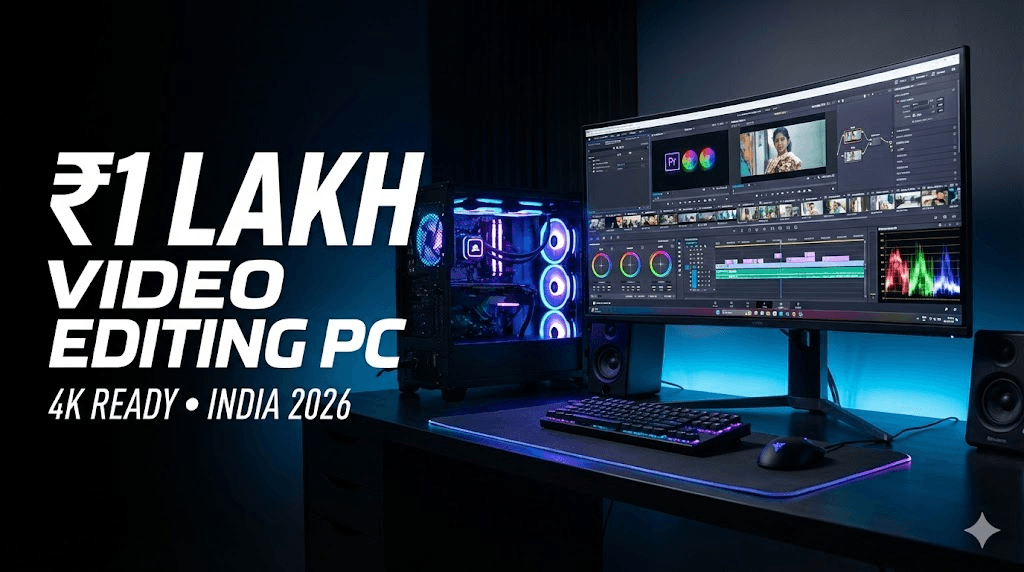
आज के समय में video editing सिर्फ एक skill नहीं, बल्कि एक career option बन चुका है। YouTube creators, Instagram reel editors, freelance video editors और beginner filmmakers – सभी को एक ऐसे PC की जरूरत होती है जो heavy workload को बिना lag handle कर सके।
Video editing में timeline smooth चलना, effects apply करते समय hang न होना और export जल्दी complete होना – ये सब directly आपके PC की power पर depend करता है।
अगर आपका budget ₹1 लाख के आसपास है, तो यह Indian creators के लिए एक sweet spot माना जाता है। इस budget में आप ऐसा PC बना सकते हैं जो:
- 4K video editing handle कर सके
- Premiere Pro, After Effects और DaVinci Resolve smooth चलाए
- अगले 3–4 साल तक upgrade-friendly रहे
इस article में हम 2026 के हिसाब से एक practical, balanced और future-proof ₹1 Lakh video editing PC build discuss करेंगे, जो beginners से लेकर intermediate editors तक सभी के लिए useful रहेगा।
Video Editing PC Build Requirements (Simple Explanation)
1️⃣ CPU (Processor) – Editing का दिमाग
CPU timeline playback, rendering और background processes handle करता है।
- ज्यादा cores = faster rendering
- Strong single-core performance = smooth timeline
Video editing के लिए CPU सबसे important component होता है।
2️⃣ GPU (Graphics Card) – Effects और Color Grading
GPU का role editing में लगातार बढ़ रहा है।
- Lumetri Color, transitions, effects GPU use करते हैं
- DaVinci Resolve तो heavily GPU-dependent software है
Achha GPU = faster export + smooth preview.
3️⃣ RAM – Multitasking का आधार
- 16GB RAM basic editing के लिए ठीक है
- 32GB RAM 4K editing और After Effects के लिए ideal मानी जाती है
RAM कम होगी तो timeline freeze और software crash के chances बढ़ जाते हैं।
4️⃣ Storage – Speed matters
- SSD पर editing करने से software fast load होता है
- NVMe SSD timeline scrubbing और cache के लिए best है
HDD सिर्फ backup के लिए use करनी चाहिए, editing के लिए नहीं।
5️⃣ Motherboard & PSU – Stability और safety
- Motherboard upgrade path देता है
- Power Supply PC की life protect करती है
Cheap PSU पूरे system को risk में डाल सकती है।
₹1 Lakh Video Editing PC Build (With Price Breakdown – India 2026)
Note: Prices approx हैं, city और offers के हिसाब से थोड़ा ऊपर-नीचे हो सकते हैं।
| Component | Recommended Part | Why Video Editing के लिए Best | Approx Price (₹) |
| Processor (CPU) | AMD Ryzen 7 5700X (8 Core / 16 Thread) | Excellent rendering + smooth timeline | ₹18,000 |
| Motherboard | B550 Chipset (MSI / ASUS / Gigabyte) | Stable, future upgrade support | ₹8,500 |
| RAM | 32GB (16×2) DDR4 3200MHz | 4K editing + After Effects ready | ₹7,500 |
| Graphics Card (GPU) | NVIDIA RTX 3060 12GB | CUDA support, DaVinci + Premiere friendly | ₹30,000 |
| Storage | 1TB NVMe SSD Gen 3 | Fast cache + project loading | ₹5,500 |
| Power Supply | 650W 80+ Bronze (Corsair / Cooler Master) | Safe power delivery | ₹4,500 |
| Cabinet | Airflow focused Mid-Tower | Better cooling during long renders | ₹4,000 |
| CPU Cooler | Aftermarket Air Cooler | Stock cooler से बेहतर thermal | ₹2,000 |
🔢 Total Approx Cost:
👉 ₹1,00,000 – ₹1,05,000
YouTube New Rules & Updates 2026: All Changes Every Creator
YouTube New Update 2026: सभी नए बदलाव जो Creator को जानने चाहिए | Hindi Guide …

Google Gemini Omni —अब हर चीज़ से Video बनाओ!
Google Gemini Omni क्या है? AI से Video बनाओ Free में! | Complete Guide 2026 …

वीडियो एडिटिंग के लिए क्लाइंट कहां से ढूंढे?🎬 10+ ऐसे
वीडियो एडिटिंग के लिए क्लाइंट कहां से ढूंढे? | 10+ असरदार तरीके जो वाकई काम करते हैं …
ChatGPT April 2026 Update: GPT-5.5 Launch, Images 2.0, File Library
ChatGPT April 2026 Update: GPT-5.5, Images 2.0, File Library, Codex — पूरी जानकारी हिंदी में …
After Effects 26.0 January 2026 Update: नई Features का Complete
After Effects 26.0 January 2026 Update: नई Features का Complete Guide | AE Review …
5 Best Gaming Headphones Under ₹5000 India 2026 🎧 |
5 Best Gaming & Video Editing Headphones Under ₹5000 India 2026 | Honest Review …
Software Compatibility
यह build smoothly handle करता है:
- Adobe Premiere Pro (GPU acceleration ON)
- After Effects (RAM + CPU optimized)
- DaVinci Resolve (Excellent GPU performance)
Total Cost Summary
इस PC build की total cost ₹95,000 से ₹1,05,000 के बीच रहती है।
GPU और RAM prices market में fluctuate होते रहते हैं, इसलिए final price थोड़ा differ कर सकता है।
👉 Tip: Festive sales और online offers में GPU पर अच्छा discount मिल सकता है।
Performance Expectations (Realistic)
🔹 1080p Editing
- Ultra smooth timeline
- Heavy effects without lag
- Fast export speed
🔹 4K Editing
- Proxy के बिना basic 4K editing possible
- Color grading smooth
- DaVinci Resolve में better performance than Premiere
🔹 Rendering & Export
- YouTube 4K export fast
- H.264 / H.265 encoding GPU accelerated
Optional Upgrades & Downgrades
🔻 Budget ₹90,000 करना हो तो
- GPU: RTX 3050 / RX 6600
- RAM: 16GB (future में add कर सकते हैं)
🔺 Budget ₹1.1 Lakh तक बढ़ाना हो तो
- GPU: RTX 4060
- Storage: Extra 1TB SSD
🔄 Future Upgrade Path
- RAM 64GB तक upgrade
- GPU next-gen swap
- Extra SSD add
Who Should Buy This PC?
✔ YouTubers (long-form + shorts)
✔ Freelance video editors
✔ Instagram reel editors
✔ Beginner filmmakers
✔ Editing agency starters
अगर आप editing से earn करना चाहते हैं, तो यह PC investment long-term में value देता है।
Common Mistakes to Avoid in PC Build
❌ RGB पर ज्यादा खर्च करना
❌ Cheap local PSU use करना
❌ 16GB RAM में 4K editing try करना
❌ HDD से direct editing करना
❌ Gaming CPU को blindly editing के लिए लेना
FAQs
❓ क्या ₹1 लाख में 4K editing possible है?
हाँ, सही configuration के साथ 4K editing smoothly possible है।
❓ Laptop बेहतर है या PC?
Same budget में PC ज्यादा powerful और upgrade-friendly होता है।
❓ DaVinci Resolve के लिए GPU कितना जरूरी है?
बहुत जरूरी। Resolve GPU-heavy software है।
❓ क्या future upgrade possible है?
हाँ, RAM, GPU और storage easily upgrade हो सकते हैं।
❓ Beginners के लिए यह PC ज्यादा powerful तो नहीं?
नहीं, यह future-ready है और सीखने के साथ grow करेगा।
❓ Editing के लिए Intel या AMD बेहतर?
दोनों अच्छे हैं, लेकिन AMD multi-core rendering में better value देता है।
Conclusion
अगर आप video editing को serious career के रूप में देख रहे हैं, तो ₹1 लाख का PC build एक smart investment है।
यह build सिर्फ आज के लिए नहीं, बल्कि आने वाले कई सालों तक आपके साथ grow करेगा।
एक strong PC का मतलब है:
- Faster work
- Better quality output
- More client projects
- Higher earning potential
👉 Smartly invest करें, shortcuts से बचें और अपने creator journey को next level पर ले जाएँ।
YouTube New Rules & Updates 2026: All Changes Every Creator Should Know
YouTube New Update 2026: सभी नए बदलाव जो Creator को जानने चाहिए | Hindi Guide …
Google Gemini Omni —अब हर चीज़ से Video बनाओ!
Google Gemini Omni क्या है? AI से Video बनाओ Free में! | Complete Guide 2026 …
वीडियो एडिटिंग के लिए क्लाइंट कहां से ढूंढे?🎬 10+ ऐसे तरीके जो वाकई काम करते हैं
वीडियो एडिटिंग के लिए क्लाइंट कहां से ढूंढे? | 10+ असरदार तरीके जो वाकई काम करते हैं …
ChatGPT April 2026 Update: GPT-5.5 Launch, Images 2.0, File Library — पूरी जानकारी हिंदी में
ChatGPT April 2026 Update: GPT-5.5, Images 2.0, File Library, Codex — पूरी जानकारी हिंदी में …
After Effects 26.0 January 2026 Update: नई Features का Complete Guide | AE Review
After Effects 26.0 January 2026 Update: नई Features का Complete Guide | AE Review …
5 Best Gaming Headphones Under ₹5000 India 2026 🎧 | Gaming + Video Editing Review Hindi
5 Best Gaming & Video Editing Headphones Under ₹5000 India 2026 | Honest Review …