
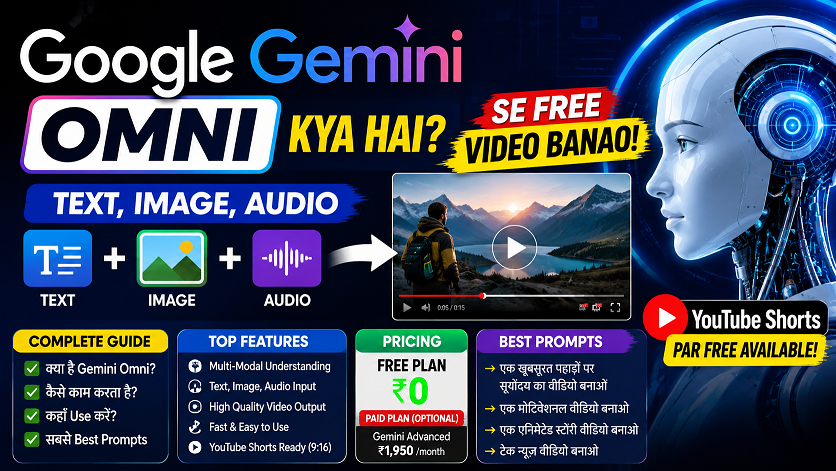

Google Gemini Omni —
अब हर चीज़ से Video बनाओ!
Photo डालो, text लिखो, audio दो — Gemini Omni सब कुछ से video बना देगा। YouTube Shorts पर free, India में available — complete guide Hindi में।
Google Gemini Omni — The “Any-to-Video” AI

May 19, 2026 — Google I/O conference। और इस दिन Google ने एक ऐसा tool launch किया जिसने पूरी AI world को हिला दिया। नाम है — Gemini Omni Flash।
सोचो: एक app जो आपकी photo देखे, text पढ़े, audio सुने, पुरानी video clip ले — और इन सब को मिलाकर एक नई, physics-aware, high-quality video बना दे। यही है Gemini Omni।
और सबसे amazing बात? YouTube Shorts पर यह बिल्कुल FREE है। India में right now available है।
🤔 Google Gemini Omni है क्या — Simple भाषा में
पहले AI tools एक काम करते थे — text से text, या image से image। Gemini के पुराने Veo model से आप text डालो तो video बनती थी।
Gemini Omni एक completely different beast है। यह एक “any-to-any” model है — मतलब कोई भी input दो, video output मिलेगा।
Kaise Kaam Karta Hai?
Google DeepMind के CTO Koray Kavukcuoglu ने officially कहा: “Omni ek aisa model hai jo kisi bhi input se kuch bhi create kar sakta hai — starting with video.”
और यह सिर्फ video generate नहीं करता — आप conversationally edit भी कर सकते हो। मतलब बाद में कह सकते हो: “इसमें camera angle change करो” — और वो करेगा। Re-prompt करने की जरूरत नहीं।
Physics Awareness: Gemini Omni physics, gravity, fluid dynamics समझता है। अगर आप किसी को पानी में गिरते दिखाओ — तो उसका ripple effect real जैसा होगा। यह feature competitors में नहीं है।
🌟 Gemini Omni के 8 Killer Features

🎯 Gemini Omni के लिए Best Prompts — Copy करो!
Gemini Omni से अच्छे results पाने के लिए prompt का तरीका matter करता है। यहाँ actual tested prompts दे रहे हैं जो काम करते हैं:
Prompt Tips: (1) Camera movement specify करो — “slow zoom”, “orbit shot”, (2) Lighting mention करो — “golden hour”, “studio lighting”, (3) Mood describe करो — “cinematic”, “energetic”, (4) Sound mention करो — “ambient noise”, “music beat”. जितना specific, उतना better result।
📊 Gemini Omni vs Competitors — कौन आगे?
| Feature | Gemini Omni Flash | OpenAI Sora | Kling 3.0 | Veo 3.1 |
|---|---|---|---|---|
| Input Types | Text+Image+Audio+Video | Text+Image | Text+Image | Text+Image |
| Conversational Edit | ✅ Yes — Multi-turn | ❌ No | ❌ No | ❌ No |
| Physics Awareness | ✅ Advanced | Partial | Basic | Basic |
| Free Tier | ✅ YouTube Shorts | ❌ Paid only | Limited free | Limited |
| Character Consistency | ✅ Strong | Moderate | ✅ Strong | Moderate |
| Raw Video Quality | Very Good | ✅ Excellent | ✅ Excellent | ✅ Excellent |
| India में Access | ✅ Free (YT Shorts) | Limited | Paid | Paid |
Honest Assessment: Raw video quality में Seedance 2.0 और Kling 3.0 अभी Gemini Omni से थोड़ा आगे हैं। लेकिन conversational editing, multimodal input, physics awareness, aur free YouTube Shorts access — इन सब में Omni clear winner है।
💰 Gemini Omni कितने का है? Plans देखो
- YouTube Shorts par free
- YouTube Create app free
- 10-second videos
- Basic features
- Gemini app mein Omni
- Google Flow access
- Higher quality output
- More monthly clips
- Full Gemini Omni access
- Gemini Ultra model
- Priority generation
- Developer API (coming soon)
India Strategy: YouTube Shorts creator हो तो — पूरी तरह FREE। अगर professional video work चाहिए तो Google AI Plus ($7.99 ≈ ₹665/month) best value है। API developer access जल्द आएगा।
📱 Gemini Omni Use कैसे करें — अभी!

🆓 Method 1: YouTube Shorts (Free)
- 1YouTube app खोलो → “+” button tap करो → “Create” select करो
- 2“YouTube Create” app में Gemini Omni option ढूंढो
- 3Text prompt type करो या photo upload करो
- 4Generate करो → Edit करो → Shorts publish करो
💻 Method 2: Gemini App (Paid)
- 1gemini.google.com पर जाओ → Google AI Plus subscribe करो
- 2Prompt bar में “Video mode” switch करो
- 3Text + Image + Audio — कोई भी combination attach करो
- 4Video generate होने के बाद conversational commands से edit करो
Current Limitation: Gemini Omni Flash अभी maximum 10 seconds तक video render कर सकता है। Google ने confirm किया है कि यह model limitation नहीं है — longer videos जल्द आएंगे।
🎬 Video Editors के लिए Gemini Omni का मतलब क्या है?
अगर आप professional video editor हो — तो यह tool आपको replace नहीं करेगा। लेकिन आपकी workflow को 10x faster जरूर करेगा।
Client का rough concept है? Gemini Omni से quick mockup बनाओ। Stock footage नहीं मिल रही? Generate करो। Intro sequence चाहिए? 30 seconds में ready।
Business Idea: “AI Video Generation” service शुरू करो। Gemini Omni (free/cheap) use करो → clients से ₹2,000-5,000 per video charge करो। IFM Learn Academy पर इस topic पर courses आ रहे हैं।
Google Gemini Omni — Game Changer है या नहीं?
Honestly कहें तो — हाँ, यह genuine game changer है। True multimodal any-to-video पहले किसी ने नहीं दिया। Conversational editing, physics awareness, character consistency — यह सब Omni को अलग बनाते हैं।
Raw quality में अभी Kling 3.0 और Sora से थोड़ा पीछे है। लेकिन YouTube Shorts पर free access, India में availability, और Google ecosystem integration — यह advantages massive हैं।
YouTube creators, local businesses, video editors, students — सबके लिए Gemini Omni एक must-try tool है। और यह free है — तो excuse क्या है?
अक्सर पूछे जाने वाले सवाल
YouTube New Rules & Updates 2026: All Changes Every Creator
YouTube New Update 2026: सभी नए बदलाव जो Creator को जानने चाहिए | Hindi Guide …

Google Gemini Omni —अब हर चीज़ से Video बनाओ!
Google Gemini Omni क्या है? AI से Video बनाओ Free में! | Complete Guide 2026 …

वीडियो एडिटिंग के लिए क्लाइंट कहां से ढूंढे?🎬 10+ ऐसे
वीडियो एडिटिंग के लिए क्लाइंट कहां से ढूंढे? | 10+ असरदार तरीके जो वाकई काम करते हैं …
ChatGPT April 2026 Update: GPT-5.5 Launch, Images 2.0, File Library
ChatGPT April 2026 Update: GPT-5.5, Images 2.0, File Library, Codex — पूरी जानकारी हिंदी में …
After Effects 26.0 January 2026 Update: नई Features का Complete
After Effects 26.0 January 2026 Update: नई Features का Complete Guide | AE Review …
5 Best Gaming Headphones Under ₹5000 India 2026 🎧 |
5 Best Gaming & Video Editing Headphones Under ₹5000 India 2026 | Honest Review …