
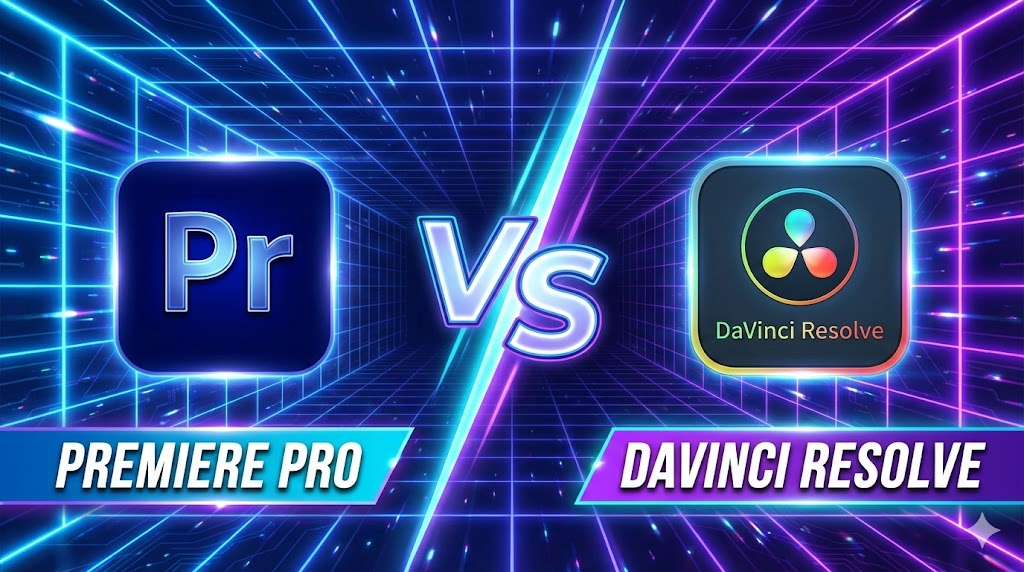
Introduction: Video Editing Software क्यों जरूरी हैं? Premiere Pro vs DaVinci Resolve Hindi
आज के समय में वीडियो सिर्फ entertainment तक सीमित नहीं रहा, बल्कि यह एक strong career और business opportunity बन चुका है। YouTube channels, Instagram Reels, Freelancing projects, Online Courses, OTT content और Films—हर जगह professional video editing की भारी मांग है। आज brands और creators दोनों ही high‑quality, fast और engaging video content चाहते हैं।
एक अच्छा video editing software editor को यह power देता है कि वह raw footage को professional‑grade output में बदल सके, colors को cinematic बना सके, audio को साफ और balanced रख सके, effects और transitions के जरिए storytelling को मजबूत करे और tight deadlines में भी तेज़ delivery दे सके। 2026 में market में कई editing tools available हैं, लेकिन Premiere Pro और DaVinci Resolve सबसे ज्यादा भरोसेमंद और widely‑used software बन चुके हैं। हालांकि, इन दोनों में से सही choice करना आसान नहीं है—क्योंकि सही software पूरी तरह आपकी जरूरत, budget, system configuration और future goals पर depend करता है।
Software Overview
Adobe Premiere Pro
Adobe Premiere Pro, Adobe Creative Cloud का हिस्सा है और यह दुनिया के सबसे ज़्यादा इस्तेमाल होने वाले video editing software में से एक माना जाता है। Film industry, digital agencies और YouTubers इसे इसलिए पसंद करते हैं क्योंकि इसका workflow सीधा और समझने में आसान है। Timeline‑based editing की वजह से beginners भी जल्दी comfortable हो जाते हैं और professional editors fast delivery कर पाते हैं।
Premiere Pro की सबसे बड़ी ताकत इसका Adobe ecosystem है। Lumetri Color से basic से लेकर advanced color correction आसानी से की जा सकती है। Audio के लिए इसमें strong in‑built tools मिलते हैं और जरूरत पड़ने पर Adobe Audition के साथ seamless integration हो जाता है। Motion graphics और animated text के लिए After Effects का direct support Premiere को content creators के लिए बहुत powerful बना देता है।
DaVinci Resolve
DaVinci Resolve, Blackmagic Design का all‑in‑one professional software है, जो खासतौर पर high‑end color grading के लिए famous है। यह सिर्फ एक editor नहीं, बल्कि editing, color correction, audio production और visual effects को एक ही software में combine करता है। यही वजह है कि film makers और advanced editors इसे ज्यादा prefer करते हैं।
Resolve की सबसे बड़ी strength इसका powerful free version है, जिसमें भी professional‑level tools मिल जाते हैं। Node‑based color grading system editors को colors पर full control देता है, जो Premiere की तुलना में कहीं ज्यादा advanced है। Resolve GPU‑optimized है, इसलिए strong hardware पर यह बहुत smooth performance देता है। Fairlight audio page और Fusion VFX tools इसे complete post‑production solution बनाते हैं।
Installation & System Requirements
Platforms:
- Premiere Pro: Windows, macOS
- DaVinci Resolve: Windows, macOS, Linux
Minimum / Recommended (Basic Editing):
- RAM: Premiere (8GB min, 16GB rec), Resolve (16GB)
- GPU: Premiere (2GB VRAM), Resolve (4GB VRAM)
- Storage: SSD recommended (Resolve में SSD जरूरी)
Low‑end systems पर Premiere ज्यादा forgiving है; Resolve hardware‑hungry है।

Interface Comparison
Interface किसी भी video editing software का सबसे important हिस्सा होता है, क्योंकि editor दिन का ज़्यादातर समय इसी screen पर काम करता है। Premiere Pro और DaVinci Resolve दोनों का approach अलग‑अलग है, और यही अंतर users के experience को तय करता है।
Premiere Pro का interface traditional timeline‑based workflow पर चलता है। इसमें एक main timeline होती है, जिसके आसपास panels (Project, Source Monitor, Program Monitor, Effects आदि) लगे होते हैं। यह structure beginners के लिए जल्दी समझ में आ जाता है, क्योंकि ज़्यादातर tutorials और courses इसी तरह का workflow सिखाते हैं। Drag‑and‑drop editing, shortcuts और clear layout की वजह से नए editors बिना ज्यादा confusion के काम शुरू कर सकते हैं।
DaVinci Resolve का interface थोड़ा अलग और ज्यादा professional approach follow करता है। इसमें page‑based workflow होता है, जैसे Cut, Edit, Color, Fusion और Fairlight। हर page एक specific काम के लिए बना होता है, जिससे advanced editors को focused environment मिलता है। हालांकि, beginners के लिए यह शुरू में थोड़ा overwhelming लग सकता है, क्योंकि हर stage पर नया layout दिखता है।
Customization की बात करें तो Premiere Pro में panels और workspaces को अपनी जरूरत के हिसाब से पूरी तरह customize किया जा सकता है। Editors अपने workflow के अनुसार layout बना सकते हैं और save भी कर सकते हैं। वहीं DaVinci Resolve का layout ज्यादा structured और fixed रहता है, जो large projects और team workflows में consistency बनाए रखने में मदद करता है।
कुल मिलाकर, अगर आप आसान और flexible interface चाहते हैं तो Premiere Pro बेहतर महसूस होगा। लेकिन अगर आप long‑term professional editing और film‑level workflow की तरफ जाना चाहते हैं, तो DaVinci Resolve का interface ज्यादा powerful साबित होता है।
Editing Features
Editing features किसी भी software की real strength दिखाते हैं, क्योंकि यहीं पर editor का रोज़ का ज़्यादातर काम होता है। Premiere Pro और DaVinci Resolve दोनों ही professional-level editing tools देते हैं, लेकिन उनका approach अलग है।
Cutting और trimming के मामले में दोनों software तेज़ और accurate हैं। Premiere Pro में timeline पर cuts करना, ripple edits लगाना और shortcuts के साथ fast editing करना beginners के लिए आसान लगता है। वहीं DaVinci Resolve भी उतना ही precise है, लेकिन इसका workflow थोड़ा ज्यादा technical feel देता है, जो experienced editors को पसंद आता है।
Multicam editing की बात करें तो Premiere Pro में multiple camera footage को sync करना और switch करना comparatively simple है। यही वजह है कि interviews, podcasts और YouTube shoots के लिए यह बहुत popular है। DaVinci Resolve multicam में ज्यादा advanced options देता है, खासकर color और audio sync के मामले में, जो complex projects में फायदेमंद होते हैं।
Audio editing में दोनों software strong हैं, लेकिन फर्क approach का है। Premiere Pro basic से advanced audio editing के लिए काफी है और जरूरत पड़ने पर Adobe Audition के साथ seamlessly connect हो जाता है। दूसरी तरफ DaVinci Resolve का Fairlight audio system पूरी तरह professional audio workstation जैसा है, जो films और detailed sound design के लिए ज्यादा powerful साबित होता है।
Motion graphics और text animation के लिए Premiere Pro का सबसे बड़ा फायदा After Effects integration है। Simple lower thirds से लेकर complex animations तक, workflow smooth रहता है। DaVinci Resolve में Fusion module मौजूद है, जो बहुत powerful है, लेकिन beginners के लिए सीखना मुश्किल हो सकता है।
Effects और plugins के मामले में Premiere Pro के पास बड़ा ecosystem है, क्योंकि market में इसके लिए third-party plugins बहुत ज्यादा available हैं। Resolve में native effects high-quality होते हैं, लेकिन external plugin options थोड़े limited हैं।
Color Grading
Color grading वह area है जहां DaVinci Resolve industry standard माना जाता है। Film-makers और professional colorists इसे इसलिए पसंद करते हैं क्योंकि इसमें colors पर बहुत deep control मिलता है। Node-based workflow की वजह से editors अलग-अलग adjustments को logically manage कर सकते हैं, जिससे cinematic look achieve करना आसान हो जाता है। HDR और RAW footage handling में Resolve कहीं ज्यादा advanced है।
Premiere Pro में Lumetri Color panel दिया गया है, जो beginners और YouTubers के लिए बहुत practical है। Basic color correction, LUTs का use और quick adjustments आसानी से किए जा सकते हैं। Social media content और regular YouTube videos के लिए Lumetri पूरी तरह sufficient है।
अगर आपका काम simple online content तक सीमित है, तो Premiere का color system काफी है। लेकिन अगर आप short films, ads या cinematic projects पर काम करना चाहते हैं, तो DaVinci Resolve का color grading system आपको ज्यादा creative freedom देता है।
यही वजह है कि serious और professional color work के लिए DaVinci Resolve को अक्सर unbeatable माना जाता है।
Performance & Hardware Optimization
Performance के मामले में दोनों software modern hardware का अच्छा इस्तेमाल करते हैं, लेकिन उनका focus अलग है। DaVinci Resolve ज्यादा GPU-centric software है, यानी इसका performance काफी हद तक graphic card पर depend करता है। Powerful GPU के साथ Resolve बेहद smooth playback और fast rendering देता है।
Premiere Pro CPU और GPU दोनों का balanced इस्तेमाल करता है। इसका फायदा यह है कि mid-range या low-end systems पर भी यह relatively stable performance देता है। इसी कारण beginners और budget editors अक्सर Premiere Pro को ज्यादा comfortable पाते हैं।
Proxy workflow दोनों software में strong है। Heavy 4K या 8K footage को low-resolution proxy में convert करके smooth editing की जा सकती है। High-end PCs पर दोनों software 4K और 8K timelines को अच्छे से handle करते हैं, लेकिन limited hardware वाले systems पर Premiere Pro ज्यादा reliable साबित होता है।
Color Grading
- Premiere (Lumetri): Easy, fast, YouTube/social के लिए enough
- Resolve (Color Wheels/Nodes): Film‑level control, HDR/RAW support
Serious color work के लिए Resolve unbeatable है।
Performance & Hardware Optimization
- GPU Acceleration: Resolve ज्यादा GPU‑centric; Premiere balanced CPU+GPU
- Proxy Workflow: दोनों strong
- 4K/8K: High‑end PCs पर दोनों smooth; low‑end पर Premiere stable
Pricing & Licensing (India)
- Premiere Pro: Subscription ~₹1,675/month
- DaVinci Resolve: Free version; Studio one‑time ~₹25,000
Budget users के लिए Resolve बड़ा advantage देता है।
Best Use Cases
- YouTubers: Beginners—Premiere; Budget—Resolve Free
- Freelancers: Multi‑client—Premiere; Color‑heavy—Resolve
- Filmmakers: Resolve
- Motion Graphics: Premiere + After Effects
Pros & Cons
| Aspect | Premiere Pro | DaVinci Resolve |
|---|---|---|
| Ease of Use | ⭐⭐⭐⭐ | ⭐⭐⭐ |
| Color Grading | ⭐⭐⭐ | ⭐⭐⭐⭐⭐ |
| Pricing | ❌ Subscription | ✅ Free / One‑time |
| Hardware Demand | Medium | High |
| Plugins | High | Medium |
Verdict: Which is best for whom?
- Beginners: Premiere Pro
- Professionals: DaVinci Resolve
- Low‑end PC: Premiere Pro
- Budget constraint: DaVinci Resolve (Free)
FAQs
Q1. क्या Resolve Free YouTube के लिए sufficient है? हाँ, 100%।
Q2. Premiere में motion graphics कैसे बनाते हैं? After Effects integration से।
Q3. Resolve GPU‑friendly है? हाँ, लेकिन strong GPU चाहिए।
Q4. क्या दोनों सीखना जरूरी है? Career growth के लिए beneficial।
Conclusion
अगर आप easy workflow, fast learning और industry integration चाहते हैं →
👉 Premiere Pro चुनें
अगर आप free powerful tool, cinematic color grading और long-term savings चाहते हैं →
👉 DaVinci Resolve चुनें
Best editor वही है जो आपकी जरूरत और system के साथ match करे।